
TL;DR

Turn quiet afternoons into listening time
- Thousands of audiobooks, podcasts and originals
- Listen on your phone, tablet or Echo — also offline
- Cancel anytime
Automatic lights for nighttime bathroom trips use sensors like motion or ambient light detectors to turn on only when needed. They save energy, prevent falls, and reduce sleep disruption. Proper setup involves choosing the right sensors, placement, and control options for your home.
Imagine waking up in the middle of the night, groggy and disoriented. The last thing you want is to stumble over furniture or wake everyone with bright lights. Automatic night lights make this a non-issue, turning on softly when you need them and off when you don’t. In this guide, you’ll learn how to set up these lights easily, using simple tech that keeps your bathroom safe and your sleep uninterrupted.
Whether you’re upgrading an existing setup or starting fresh, understanding the best sensors, placement, and controls helps you avoid false triggers and waste. Let’s explore how to create a system that activates only when you walk in, lighting your way quietly like a guiding star.
Use motion sensors aimed at entry points for reliable activation with minimal false triggers.
Choose soft, dim LED lights or smart bulbs to prevent sleep disruption while providing enough visibility.
Proper sensor placement and sensitivity adjustments are vital for dependable operation.
Integrate lighting with smart home systems for remote control and automation routines.
Battery-powered sensors are DIY-friendly, but hardwired systems offer increased reliability.
What types of sensors make nighttime bathroom lights smart and reliable?
Lights that turn on automatically rely on sensors to detect your presence or the ambient light level. Motion sensors are the most common, sensing movement within a certain range. Infrared sensors detect body heat or movement, providing quick and accurate activation. Ambient light sensors prevent lights from turning on during the day, saving energy and avoiding unnecessary illumination.
For example, a motion sensor near your bathroom entrance can detect when you step in, triggering a soft glow. Infrared sensors can be set to activate only when they sense your body heat, reducing false triggers from pets or passing traffic. Combining these sensors with smart controls makes the system more adaptable and dependable.
Understanding the nuances of these sensors matters because false triggers can lead to unnecessary energy use or sleep disruption. Infrared sensors, while accurate, may sometimes activate from warm objects or pets, so placement and sensitivity adjustments are critical. Ambient light sensors help ensure lights only activate at night, but if placed near windows or outside lights, they may misfire, so strategic positioning is key. Choosing the right sensor combination and properly configuring them ensures your system remains reliable without wasting energy or causing inconvenience.
motion sensor night light for bathroom
As an affiliate, we earn on qualifying purchases.
As an affiliate, we earn on qualifying purchases.
How to choose the perfect lighting for your nighttime bathroom trips
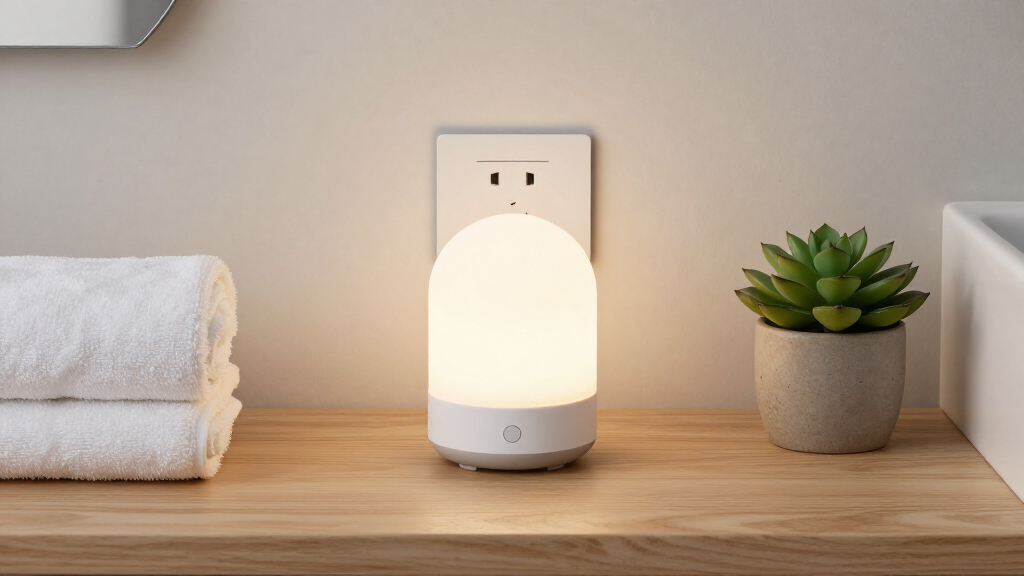
The best lights are gentle, non-intrusive, and long-lasting. LED night lights are popular because they use minimal energy and last thousands of hours. Smart bulbs offer color options and remote control, while plug-in night lights with sensors are quick to install.
Think about placement: at the bathroom entrance, near the toilet, or along the path to your bathroom. The goal is to light your way without disturbing your sleep. Bright enough to see but dim enough to avoid waking your partner or startling yourself.
Choosing the right lighting involves understanding the tradeoffs. Bright lights can improve visibility but risk waking others or disrupting sleep cycles. Dim lights are more sleep-friendly but must be bright enough to see clearly. LED options often strike a good balance, providing sufficient illumination with minimal energy. Smart bulbs add customization but may involve higher upfront costs and require app control, which could be unnecessary for simple needs. Consider the environment and your habits—if you tend to wake easily, opt for the dimmest effective option; if you need clearer visibility, choose slightly brighter, energy-efficient LEDs. The right choice depends on your priorities of convenience, cost, and sleep quality.
Here’s a quick comparison:
| Feature | LED Night Lights | Smart Bulbs | Plug-in Night Lights |
|---|---|---|---|
| Ease of installation | Very simple, plug into outlet | Moderate, needs Wi-Fi setup | Very simple, plug into outlet |
| Control options | Manual or sensor-based | App, voice, automation | Sensor or manual |
| Color options | Usually single color | Multiple colors available | Usually single color |
| Energy efficiency | High | High | High |
Deciding between these options involves weighing ease of installation, control flexibility, and your budget. For straightforward setups, plug-in sensors are convenient, but for those seeking customization and integration with other smart devices, smart bulbs are worth the investment. Keep in mind that some options may offer adjustable brightness or color, which can be useful for creating a comfortable, sleep-friendly environment.
LED night lights with ambient light sensor
As an affiliate, we earn on qualifying purchases.
As an affiliate, we earn on qualifying purchases.
Where to place sensors for the most dependable activation?
Proper placement is key to avoiding false triggers and missing your moment. Position motion sensors at the bathroom entrance, aimed inward to detect your step without reacting to passing traffic or pets. For ambient light sensors, keep them away from direct sunlight or outside light sources to prevent misfires.
Imagine installing a sensor near the doorway, angled downward toward the path you walk. It catches your movement as you step in, lighting the space softly. Testing different placements helps fine-tune the system, ensuring it activates reliably without waking everyone. Remember, the goal is to find a balance: sensors should be sensitive enough to detect your presence but not so sensitive that they respond to every minor movement or external light source. Adjusting the angle, height, and sensitivity settings can help achieve this balance, making your system both dependable and unobtrusive.
smart bathroom night light with remote control
As an affiliate, we earn on qualifying purchases.
As an affiliate, we earn on qualifying purchases.
Step-by-step: Setting up a simple motion-activated night light
- Choose your sensor and light type based on your needs and budget.
- Install the sensor near the bathroom entrance, ideally at waist height for optimal detection.
- Connect the sensor to your power source — plug-in or hardwired as needed.
- Adjust the sensitivity settings to prevent false triggers from pets or passing cars.
- Test the system by walking in and out, ensuring the light turns on and off smoothly.
- Set a timer or auto-off feature if available, to conserve energy.
For example, a family in a suburban neighborhood installed a battery-powered motion sensor just inside their bathroom door. They set the sensitivity low and found it activated every time the dog passed by. After adjustment, it lit up just for them — no false alarms, no waking the kids. Proper setup and testing are crucial because incorrect placement or sensitivity can cause frustration or energy waste. Taking time to fine-tune your system ensures it functions reliably and enhances your nighttime safety.
battery-powered motion sensor night light
As an affiliate, we earn on qualifying purchases.
As an affiliate, we earn on qualifying purchases.
Why smart home integration makes nighttime lighting smarter
Smart home systems can connect your bathroom lights to routines, voice commands, or remote control. Imagine saying, ‘Alexa, turn on bathroom night light,’ and it glows softly. Or, programming the system to activate only during certain hours or when you unlock the door.
Integration allows you to customize sensitivity, brightness, and timing from your phone or voice assistant. This not only enhances convenience but also helps optimize energy use, as lights only turn on when genuinely needed. For example, linking sensors to a smart hub can enable the lights to turn on automatically at sunset or when motion is detected during specific hours, reducing unnecessary energy consumption. Moreover, remote control features allow you to manually override or adjust settings, providing flexibility that static systems can’t match. This combination of automation and control can significantly improve safety, especially for those with mobility issues or in households with multiple users, ensuring the environment adapts seamlessly to your routines and preferences.
In essence, smart integration transforms a simple sensor setup into an intelligent, energy-efficient system that enhances safety and convenience while reducing waste.
What you need to keep in mind before installing
Before you start, check your bathroom’s wiring and power options. Battery-powered sensors are easier to install, especially in older homes. Hardwired systems are more reliable but may require professional help. Ensure your chosen system is compatible with your existing smart home setup if you want remote control.
Also, consider the placement carefully. Avoid areas with direct sunlight or drafts. Test different spots to find the most responsive position. Remember, safety and simplicity are your priorities—avoid over-complicating the setup. Overly complex systems might seem appealing, but they can introduce points of failure or confusion, especially if you’re not tech-savvy. Balancing ease of installation with functionality ensures you get a reliable system that serves your needs without unnecessary hassle. Compatibility is another critical factor—an incompatible system can lead to frustration or require costly upgrades. Planning ahead and understanding your home’s existing wiring, smart system compatibility, and your own comfort level will make the installation smoother and more successful.
Frequently Asked Questions
Can I install automatic night lights myself?
Yes, many options like plug-in night lights and battery-operated sensors are DIY-friendly. Hardwired systems may require professional help, especially if electrical wiring is involved.How do I avoid false triggers from pets or passing cars?
Adjust the sensitivity settings on your sensors and place them in locations that minimize exposure to unrelated movement. Testing different positions helps find the sweet spot.Are smart lights compatible with voice assistants?
Many smart bulbs and sensors work with Alexa, Google Assistant, or Apple HomeKit, allowing voice commands and automation routines for added convenience.What brightness level should my night light have?
A soft, dim glow—around 10-20 lumens—is ideal. It provides enough visibility without waking you or your partner during late-night trips.How much does a basic setup typically cost?
Simple plug-in night lights with sensors can cost as little as $10-$30. More advanced smart systems start around $50 and up, depending on features.Conclusion
Setting up automatic lighting for nighttime bathroom trips isn’t just about convenience — it’s about safety, peace of mind, and saving energy. With a few simple choices—sensor type, placement, and control—you can craft a system that works seamlessly. Imagine gliding through the dark, guided by a gentle, flicker-free glow that turns on just when you need it.
Take control of your night routines and make wandering in the dark a thing of the past. Light up your path, and enjoy the quiet comfort of a smart, safe home.
Fall Picks
fall essentials
As an affiliate, we earn on qualifying purchases.