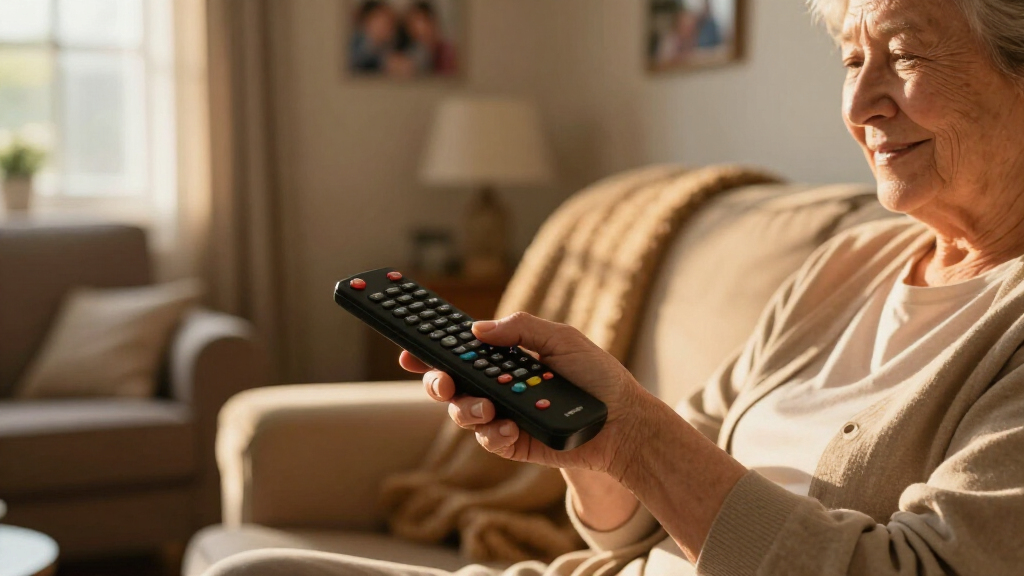
Choosing the right remote control for seniors can significantly improve their TV experience and independence. In this roundup, I highlight five models that stand out for their large, tactile buttons, simple layouts, and compatibility with major brands. The Flipper Big Button Remote is ideal for those needing customizable favorite channels, while the Big Button Remote for Seniors offers universal compatibility with minimal fuss. The GE BigEZ combines backlit buttons with support for multiple devices, and the Large Button Remote emphasizes a straightforward, ergonomic design. Finally, the Big Button Universal Remote offers tactile feedback and simple programming. Each has tradeoffs—some lack streaming support, others focus on simplicity over advanced features—so I’ll guide you through their differences to help you find the best fit for your loved one.

Turn quiet afternoons into listening time
- Thousands of audiobooks, podcasts and originals
- Listen on your phone, tablet or Echo — also offline
- Cancel anytime
Complete the kit


Key Takeaways
- The best remote controls for seniors prioritize large, tactile, and color-coded buttons for easier operation.
- Universal compatibility varies; some remotes work with most TV brands, while others are limited to specific models or functions.
- Additional features like backlit buttons or favorite channel programming can enhance usability but may add complexity.
- Tradeoffs often involve balancing simplicity and feature set—more advanced remotes may lack intuitive design.
- Battery requirements and setup processes are important considerations for long-term convenience and reliability.
| Flipper Big Button TV Remote for Seniors, Dementia – Easy Setup |  | Best Overall for Customization and Compatibility | Button Colors: Green (On/Off), Orange (Volume), Blue (Channel), Gray (Mute) | Compatibility: All major TV brands, cable and satellite providers, soundbars | Number of Favorite Channels: 25 | VIEW LATEST PRICE | See Our Full Breakdown |
| Big Button TV Remote for Seniors, Dementia – Easy Setup with Large Color-Coded Buttons |  | Best for Simplicity and Universal Compatibility | Compatibility: All major TV brands and cable providers | Button Size: Large and color-coded | Special Features: Universal remote, IR compatible, works with soundbars | VIEW LATEST PRICE | See Our Full Breakdown |
| GE BigEZ OneTouch Big Button Universal TV Remote for Seniors |  | Best with Backlit Buttons for Low Light | Compatibility: Samsung, LG, Vizio, Sony, Roku, and more | Button Features: Backlit, color-coded | Power Source: 2 AA batteries (not included) | VIEW LATEST PRICE | See Our Full Breakdown |
| Large Button TV Remote Control for Seniors, Easy to Use Simple Remote for TV |  | Best for Traditional TV Control with Large Buttons | Button Size: Extra-large | Compatibility: Most major TV brands | Build: Ergonomic, lightweight, sturdy | VIEW LATEST PRICE | See Our Full Breakdown |
| Big Button Universal TV Remote – Easy to Use for Seniors |  | Best Tactile Feedback and Simple Programming | Button Design: Extra-large enter button, tactile | Compatibility: Samsung, LG, Vizio, Sony, Hisense, Philips, Panasonic, Sharp | Programming Method: Press and hold Mute & Volume+ to sync | VIEW LATEST PRICE | See Our Full Breakdown |
| large-button remote controls for senior | Compatibility |
|---|---|
| Flipper Big Button TV Remote f | All major TV brands, cable and satellite providers, soundbars |
| Big Button TV Remote for Senio | All major TV brands and cable providers |
| GE BigEZ OneTouch Big Button U | Samsung, LG, Vizio, Sony, Roku, and more |
| Large Button TV Remote Control | Most major TV brands |
| Big Button Universal TV Remote | Samsung, LG, Vizio, Sony, Hisense, Philips, Panasonic, Sharp |
More Details on Our Top Picks
Flipper Big Button TV Remote for Seniors, Dementia – Easy Setup
The Flipper Big Button Remote shines for its large, color-coded buttons that help seniors with visual impairments distinguish functions easily. It supports all major TV brands and cable providers, with up to 25 favorite channels that can be pre-programmed for quick access. Compared with simpler remotes, it offers greater flexibility for those who want customized controls, but it doesn’t support streaming apps like Netflix or YouTube. Its reliance on AA batteries and lack of smart features make it less suitable for tech-savvy users who prefer more automation or app-based controls.
Pros:- Large, tactile, color-coded buttons for intuitive use
- Universal compatibility with major TV brands and providers
- Pre-programmed favorite channels for quick access
Cons:- Does not support streaming apps like Netflix or YouTube
- Requires two AA batteries, not included
Best for: Seniors who want customizable channels and universal compatibility without complex features.
Not ideal for: Users who need streaming app support or prefer rechargeable, smart remote options.
- Button Colors:Green (On/Off), Orange (Volume), Blue (Channel), Gray (Mute)
- Compatibility:All major TV brands, cable and satellite providers, soundbars
- Number of Favorite Channels:25
- Batteries:2 AA (not included)
Our verdict“This remote offers excellent customization and compatibility, making it a strong overall choice for seniors needing straightforward TV control.”
Big Button TV Remote for Seniors, Dementia – Easy Setup with Large Color-Coded Buttons
This remote simplifies TV control with large, color-coded buttons designed for seniors and those with dementia or vision impairments. It works with all major TV brands and cable providers, consolidating functions into one easy-to-use device. Its 90-day warranty adds peace of mind, though it requires line of sight for some cable setups, like Xfinity, which might need IR extenders. Compared to more feature-rich remotes, it lacks advanced options but excels at reducing confusion and clutter, making it ideal for caregivers and elderly users seeking straightforward operation.
Pros:- Large, color-coded buttons for easy visibility
- Universal compatibility with major TV brands and cable providers
- Reduces clutter and simplifies remote control
Cons:- Requires line of sight for Xfinity compatibility
- Limited advanced features
Best for: Elderly users or caregivers seeking a reliable, no-fuss remote with broad compatibility.
Not ideal for: Tech enthusiasts or users who want streaming support or smart features.
- Compatibility:All major TV brands and cable providers
- Button Size:Large and color-coded
- Special Features:Universal remote, IR compatible, works with soundbars
- Warranty:90 days
Our verdict“A straightforward, reliable remote that emphasizes ease of use and compatibility, ideal for seniors and caregivers.”
GE BigEZ OneTouch Big Button Universal TV Remote for Seniors
The GE BigEZ remote supports multiple devices with large, backlit, color-coded buttons that enhance visibility, especially in low-light settings. Its simple setup process makes it accessible for seniors unfamiliar with tech, but batteries are not included, which can be inconvenient. Compared with remote controls that only handle TVs, the BigEZ’s support for multiple device types makes it a versatile choice, though its backlit feature might be overkill for those who only need basic controls.
Pros:- Large, easy-to-see, backlit buttons
- Supports multiple devices and brands
- Simple setup process
Cons:- Batteries not included
- Limited to preset device buttons
Best for: Seniors who need a backlit, multi-device remote for use in dim environments.
Not ideal for: Users seeking a remote with advanced programming or streaming app support.
- Compatibility:Samsung, LG, Vizio, Sony, Roku, and more
- Button Features:Backlit, color-coded
- Power Source:2 AA batteries (not included)
Our verdict“A practical choice for seniors who want visibility in low-light conditions and support for multiple devices.”
Large Button TV Remote Control for Seniors, Easy to Use Simple Remote for TV
This remote emphasizes simplicity with extra-large, clearly marked buttons designed for easy visibility. Its ergonomic, lightweight build makes it comfortable for seniors to handle, and it works with most major TV brands. However, it doesn’t support other devices like DVD players or cable boxes, nor does it include voice control or smart features. It’s best suited for those who want a traditional remote that minimizes complexity without sacrificing basic functionality.
Pros:- Large, clearly marked buttons
- Compatible with most major TV brands
- Ergonomic and durable design
Cons:- Limited to TV control only
- No voice control or smart features
Best for: Seniors who need a basic, easy-to-press remote for traditional TV watching.
Not ideal for: Those seeking advanced features, streaming support, or multi-device control.
- Button Size:Extra-large
- Compatibility:Most major TV brands
- Build:Ergonomic, lightweight, sturdy
Our verdict“A straightforward remote that offers simplicity and comfort for traditional TV users, with minimal learning curve.”
Big Button Universal TV Remote – Easy to Use for Seniors
The Big Button Universal Remote combines large, tactile, easy-to-press buttons with a straightforward programming method—pressing and holding Mute & Volume+ to sync with the TV. It works with a wide range of brands including Samsung, LG, Sony, and others, making it versatile for multiple setups. While it doesn’t support streaming devices or cable boxes, its tactile feedback and simple pairing process make it a reliable choice for seniors who prefer physical buttons over smart controls. The 90-day warranty adds a layer of confidence in its durability.
Pros:- Large buttons with tactile feedback
- Compatible with many major TV brands
- Simple pairing process
Cons:- Limited to TV control only
- No smart device support
Best for: Seniors who want a tactile, easy-to-program remote that covers most major TV brands.
Not ideal for: Users needing control over streaming apps or cable boxes.
- Button Design:Extra-large enter button, tactile
- Compatibility:Samsung, LG, Vizio, Sony, Hisense, Philips, Panasonic, Sharp
- Programming Method:Press and hold Mute & Volume+ to sync
- Warranty:90-day free replacement
Our verdict“This remote offers tactile reassurance and broad compatibility, making it ideal for those who prefer physical controls and simple setup.”
How We Picked
I selected remote controls based on their suitability for seniors with visual or dexterity challenges, focusing on large, easy-to-press buttons and simple layouts. Compatibility with major TV brands, ease of setup, and durability were key factors. I compared features like backlit buttons, programmable favorites, and warranty support, aiming to identify options that balance simplicity and functionality for elderly users and caregivers alike.| large-button remote controls for senior | Compatibility |
|---|---|
| Flipper Big Button TV Remote f | All major TV brands, cable and satellite providers, soundbars |
| Big Button TV Remote for Senio | All major TV brands and cable providers |
| GE BigEZ OneTouch Big Button U | Samsung, LG, Vizio, Sony, Roku, and more |
| Large Button TV Remote Control | Most major TV brands |
| Big Button Universal TV Remote | Samsung, LG, Vizio, Sony, Hisense, Philips, Panasonic, Sharp |
Factors to Consider When Choosing Large-button Remote Controls For Seniors
Selecting an ideal remote control for seniors involves balancing simplicity, compatibility, and features. The best options feature large, tactile buttons that are easy to identify by touch and color. Compatibility with their TV brand and other devices is essential to avoid frustration, while additional features like backlit buttons or programmable favorites can boost usability. Understanding the specific needs—whether visual impairments, limited dexterity, or tech familiarity—helps narrow choices. Here, I explain key factors to consider when choosing a remote for your loved one.Ease of Use and Button Design
Large, well-spaced, tactile buttons are a must for seniors with vision or dexterity challenges. Color coding further helps identify functions quickly, reducing confusion. The layout should be simple, avoiding clutter or overly complex button arrangements. Some remotes incorporate backlit buttons, which are helpful in low-light settings, but these may add to the cost and complexity.
Compatibility and Device Support
Most seniors only need a remote that controls their TV and possibly a cable or sound system. Check whether the remote supports their specific brand—for example, Samsung, LG, or Sony—and whether it can handle multiple devices if needed. Universal remotes often cover a broad range of brands, but some may require additional programming steps or IR extenders for certain setups.
Features and Additional Convenience
Features like programmable favorite channels, backlit buttons, or simple pairing methods can significantly enhance usability. However, more features generally mean more complexity. If your loved one prefers straightforward operation, prioritize remotes with minimal controls and clear labels. Battery life and ease of charging or replacing batteries are also important considerations for ongoing convenience.
Frequently Asked Questions
Are large-button remotes suitable for all seniors?
Large-button remotes are especially helpful for seniors with visual impairments or dexterity issues, but not every senior needs them. Those comfortable with smaller buttons or more advanced features might prefer more versatile remotes, while others benefit from the simplicity and clarity of large buttons.Can these remotes control streaming services?
Most large-button remotes designed for seniors focus on traditional TV control and do not support streaming apps or smart devices. If streaming is a priority, look for remotes explicitly designed for smart TV platforms or consider additional smart remote options.How difficult is it to set up these remote controls?
Setup difficulty varies; most remotes in this category are designed for straightforward pairing, often involving pressing a few buttons or using simple programming methods. Some may require line-of-sight or additional accessories like IR extenders, but generally, setup is manageable for caregivers or tech-savvy family members.Do these remotes work with all TV brands?
While most models support major brands like Samsung, LG, Vizio, and Sony, compatibility is not universal. Always verify the specific compatibility list before purchase to ensure the remote will work with your loved one’s TV.Are batteries included with these remotes?
Battery inclusion varies; some models require you to purchase batteries separately, so it’s wise to check before buying. For convenience, rechargeable options or remote controls with long battery life can reduce ongoing hassle.Conclusion
For seniors who need highly customizable controls and broad compatibility, the Flipper Big Button Remote offers excellent flexibility. Those seeking a simple, reliable remote with large, color-coded buttons should consider the Big Button Remote for Seniors. If visibility in low-light environments is a priority, the GE BigEZ provides backlit support along with multi-device control. For traditional TV watchers who prefer straightforward operation, the Large Button TV Remote is a durable, easy-to-use choice. Lastly, if tactile feedback and simple programming are essential, the Big Button Universal Remote fits the bill. Your choice should align with your loved one’s specific needs—whether ease of use, compatibility, or advanced features—so they can enjoy independent, stress-free TV time in 2026.