
TL;DR

Turn quiet afternoons into listening time
- Thousands of audiobooks, podcasts and originals
- Listen on your phone, tablet or Echo — also offline
- Cancel anytime
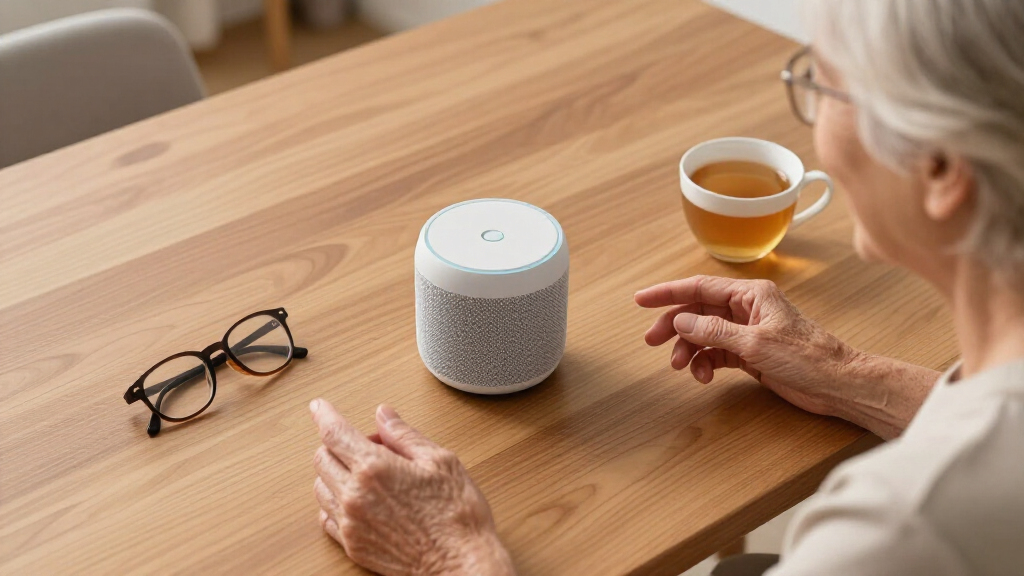
Smart speakers like Amazon Echo or Google Nest boost safety and connection for seniors living alone. They enable voice calls, reminders, and household announcements, reducing loneliness and supporting independence.
Imagine living alone and having a trusty, voice-activated helper right in your home—ready to call, remind, or broadcast messages at a moment’s notice. That’s the promise of smart speakers for seniors. These devices are not just fancy gadgets; they become lifelines, offering safety, connection, and a touch of independence.
In this guide, you’ll learn how smart speakers help seniors stay safe, communicate effortlessly, and manage daily routines—all with simple voice commands. Whether you’re a caregiver exploring options or a senior seeking more independence, understanding these tools can make a real difference.
Smart speakers enable seniors to make voice-activated calls, enhancing safety and reducing loneliness.
Reminders and household announcements improve daily routines and communication across rooms.
Integration with smart home devices allows for simple control of lights, locks, and thermostats, promoting independence.
Design features like large buttons, visual cues, and improved voice recognition make devices accessible for seniors.
Privacy controls and health integrations are evolving, making smart speakers safer and more personalized.
Smart Speakers for Seniors Living Alone: Calls, Reminders & Household Announcements
A voice-activated helper ready to call loved ones, announce dinner across every room, and keep daily routines on track — no phone, no menus, no fumbling. For seniors living alone, these devices become lifelines offering safety, connection, and independence.
Six Ways a Smart Speaker Supports Independent Living
Voice-Activated Emergency Calls
“Alexa, call 911” summons help instantly — even with limited mobility. Newer models add fall detection and medical-alert integrations that notify family automatically.
Hands-Free Calls to Family
“Hey Google, call my daughter” connects instantly. No numbers to remember, no phone to find — a vital social lifeline for those with vision or mobility challenges.
Medication & Appointment Reminders
“Alexa, remind me to take my medication at 8 a.m.” A digital memory aid for meds, appointments, walks, and daily routines — plus morning weather and news briefings.
Announcements in Every Room
“Alexa, announce dinner time” broadcasts to all connected speakers. No shouting or knocking — essential when hearing or mobility makes room-to-room contact hard.
Smart Home Control by Voice
Lights, thermostats, and door locks respond to simple commands — reducing physical strain for seniors with arthritis or limited mobility.
Senior-Friendly Design
Large buttons, high-contrast screens, blinking-light confirmations, and improved voice recognition for diverse accents and speech patterns.
One Command at a Time — What to Say & What Happens
| Voice Command | What Happens | Safety Benefit | Setup Effort |
|---|---|---|---|
| “Alexa, call 911” | Connects to emergency services without touching a phone | ✓ Critical in falls or crises | ~ Requires setup & testing |
| “Hey Google, call my daughter” | Places a call to saved contacts instantly | ✓ Reduces isolation, reassures family | ✓ Contacts imported once |
| “Alexa, remind me to take my medication” | Recurring spoken reminder at set times | ✓ Supports medication adherence | ✓ One-time per reminder |
| “Alexa, announce dinner time” | Broadcasts to every speaker in the home | ✓ No shouting across rooms | ✓ Works out of the box |
| “Turn on the living room lights” | Controls connected smart home devices | ✓ Prevents falls in dark rooms | ~ Needs smart bulbs/hub |
| “Hey Google, what’s the weather?” | Clear spoken answer, no menus needed | ✓ Helps plan the day safely | ✓ Zero setup |
From Box to Lifeline — the Setup Journey
🗣️ Say the Wake Word
“Alexa” or “Hey Google” activates the device — no buttons, no screens, no menus.
📞 Set Up Calling
Import contacts once; then every call is a single sentence away.
⏰ Build Routines
Medication, appointments, and morning briefings run automatically each day.
🏠 Connect the Home
Link lights, locks, and thermostats for whole-home voice control.
🔒 Lock Down Privacy
Mute buttons, data controls, and local processing keep listening in check.
Impact on Daily Life for Seniors Living Alone
Illustrative scale based on aging technology adoption reports & senior usability studies.
Benefits vs. What to Watch For
Where They Shine
- Instant help — “Alexa, call 911” works without reaching for a phone
- Voice calls strengthen social ties vital for mental health
- Reminders replace paper notes and reduce reliance on caregivers
- Broadcasts end shouting across rooms in larger homes
- Automation reduces physical strain for arthritis & mobility limits
- Improved recognition of accents and speech patterns
What to Manage
- Privacy: constant listening requires mute buttons & data settings
- Voice recognition may misinterpret — initial training is essential
- Accidental calls or broadcasts if commands aren’t managed
- Overdependence: device malfunctions need a backup plan
- Smart home setup has a learning curve for non-tech users
- Message fatigue from excessive automated announcements
Sound → Command → Action → Connection → Independence
How Smart Speakers Keep Seniors Safe and Ready for Emergencies
Smart speakers can be a lifeline in emergencies. With just a voice command, seniors can call loved ones, emergency services, or caregivers. Devices like Amazon Echo and Google Nest support voice-activated calls, making it easy to reach out even if mobility is limited.
Some models go further, integrating with fall detection systems or medical alerts. For example, if a senior falls, a connected device can alert family members or emergency responders automatically. This quick access frequently makes the difference in critical moments, providing peace of mind for both seniors and their loved ones.
Imagine a senior living alone who feels vulnerable. With a simple “Alexa, call 911,” they can summon help without fumbling for a phone. That instant connection can turn a dire situation into a manageable one.
Understanding how these devices operate highlights their significance: they not only offer convenience but can be crucial in life-threatening situations. The tradeoff, however, involves ensuring that emergency commands are reliable and that users are comfortable with the voice recognition system, which might sometimes misinterpret commands or require initial setup and training.
Popular right now

Samsung 65-Inch The Frame Pro Neo QLED 4K TV (2026) Bundle with Modern Brown Bezel, HDMI Cables, and Home Theater Guide

LG 55-Inch OLED evo G2 Series 4K Smart TV (OLED55G2PUA, 2022)

Samsung QN65LS03FAFXZA 65 The Frame QLED 4K Art Mode Vision AI Smart TV (2025)
As an affiliate, we earn on qualifying purchases.
Easy Voice Calls and Staying Connected Without a Phone
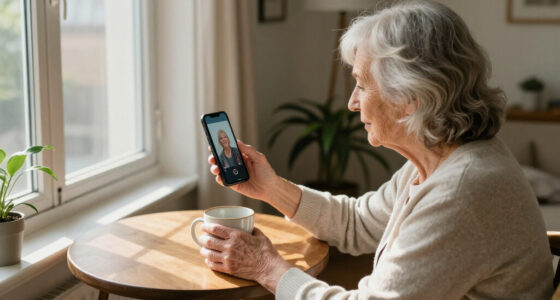
One of the biggest benefits of smart speakers? They turn your voice into a phone. Seniors can call family, friends, or caregivers with simple commands like “Alexa, call Mom.” No need to pick up a phone or remember numbers.
Household voice calls create a sense of presence, especially in homes where seniors live alone. They can even set up routines so that loved ones are automatically notified if something’s amiss.
For example, a senior might say, “Hey Google, call my daughter,” and the device connects instantly. This ease of communication helps seniors maintain social connections, which are vital for mental health and emotional well-being. However, relying solely on voice commands might lead to accidental calls or privacy concerns if not properly managed, so understanding the device’s privacy settings and limitations is essential.
These voice calls are more than just convenience—they can significantly reduce feelings of isolation and provide reassurance that help is just a voice away, especially for those with mobility or vision challenges who find traditional phones difficult to use. The tradeoff involves balancing ease of use with privacy, as constant listening features might raise concerns about data security and unintended recordings.
Reminders and Daily Assistance Made Simple
Do you forget your meds? Or struggle to keep track of appointments? Smart speakers excel at setting reminders. Just say, “Alexa, remind me to take my medication at 8 a.m.”—and it’s done.
These reminders can be customized for daily routines like watering plants, taking a walk, or checking the mail. They serve as a digital memory aid, which is especially important as cognitive decline can make managing daily tasks challenging. Additionally, they can provide timely updates on weather, news, or traffic, helping seniors plan their day more effectively.
Picture a senior waking up and hearing, “Good morning, your appointment is at 10 a.m., and the weather today is sunny with a high of 75°F.” This not only helps in organizing the day but also fosters independence by reducing reliance on paper notes or human prompts. The tradeoff is that overdependence on digital reminders might cause issues if the device malfunctions or if users forget how to operate them, highlighting the importance of initial training and backup plans.
Broadcast Messages and Household Announcements — Communicate Across Rooms Effortlessly
Smart speakers can broadcast messages to every device in the house. Want to tell everyone dinner is ready? Just say, “Alexa, announce dinner time,” and the message plays in every room.
This feature reduces shouting or knocking, especially useful for seniors who may have hearing difficulties or mobility issues. It also fosters a sense of connection—family members can send quick updates or encouragement without interrupting each other.
Imagine a caregiver saying, “Time to take your meds,” and everyone hears it at once—removing the need for repeated calls or reminders. This method streamlines communication and can prevent misunderstandings or missed messages, which are common in larger households or busy schedules. The downside might be the potential for message fatigue or accidental broadcasts, so proper use and understanding of the system are essential for effective communication.
Making the Home Smarter — Automation and Control at Your Command
Beyond calls and reminders, smart speakers connect to smart home devices—lights, thermostats, door locks. Seniors can control their environment with just a voice command.
For instance, telling Alexa, “Turn on the living room lights,” or “Set the thermostat to 72 degrees,” simplifies daily routines. This convenience can reduce the physical effort required for routine tasks, which is especially beneficial for those with mobility challenges or arthritis. It also promotes a sense of control and independence, as users can manage their environment without needing to navigate complicated interfaces or physical switches.
However, reliance on automation requires a certain level of initial setup and understanding, and there’s a risk of overdependence on technology, which could become problematic if systems fail or if users feel overwhelmed by the options. Balancing automation with manual controls and ensuring users are comfortable with these systems is key to maximizing benefits while minimizing frustration.
What Makes These Devices Easy and Friendly for Seniors?
Design matters. Many smart speakers are built with large, clear buttons, high-contrast screens, or simple interfaces. They’re meant to be intuitive, with minimal setup required.
Some models include visual cues, like blinking lights or color changes, to confirm commands or guide users. Voice recognition has improved to understand diverse speech patterns and accents, making commands more reliable.
Picture a senior who’s not tech-savvy. They can simply say, “Hey Google, what’s the weather?” and get a clear answer, no complicated menus needed.
While these features enhance usability, it’s important to recognize that not all seniors will adapt easily. The initial learning curve, even if minimal, can be a barrier. Providing proper onboarding and ongoing support ensures these devices truly serve their purpose of enhancing independence, not creating frustration.
The Latest Advances — Privacy, Health, and Personalization
Recent updates focus on making smart speakers safer and more useful. Better voice recognition means devices learn each user’s speech, making commands smoother.
Privacy controls are now easier to find—mute buttons, data management options, and local processing help protect personal information. For example, you can mute the microphone when not in use.
Integration with health devices is expanding. Some smart speakers can sync with wearables to monitor activity levels or provide health tips, turning your device into a health companion.
These improvements make smart speakers not just gadgets, but trusted partners in daily life. However, users must be aware of potential privacy tradeoffs—constant listening features, data collection, and the need for secure setups require ongoing attention to safety and data management.
Comparing Popular Smart Speakers for Seniors
| Feature | Amazon Echo | Google Nest | Apple HomePod |
|---|---|---|---|
| Ease of Use | Simple voice commands, large buttons | Intuitive voice control, visual cues | Focus on privacy, user-friendly interface |
| Privacy Controls | Mute button, data options | Mute, local processing | Privacy-focused, limited data sharing |
| Compatibility | Smart home integration, calls | Smart home, calls, reminders | Smart home, health devices |
| Special Features | Fall detection, emergency calls | Personalized routines | Health monitoring, privacy emphasis |
Conclusion
Smart speakers are more than gadgets—they’re companions that help seniors stay safe, connected, and in control. Their ability to combine emergency support, communication, and home automation makes them invaluable for independent living.
If you or a loved one live alone, consider how a simple voice device might transform daily life. It’s a small step toward greater independence—and peace of mind—covered by the sound of a friendly voice.