
TL;DR

Turn quiet afternoons into listening time
- Thousands of audiobooks, podcasts and originals
- Listen on your phone, tablet or Echo — also offline
- Cancel anytime
The Echo Show offers easy communication, entertainment, and smart home control for seniors. But it isn’t a medical device and has limits in emergency response and privacy, so it works best as a supplement to professional care.
Imagine a device that brings your loved ones into your living room with a simple voice command or a tap on the screen. The Echo Show promises to bridge distances, offering more than just a screen—it’s a window to connection, entertainment, and even some safety features. But what exactly can it do for seniors, and where does it fall short? If you’re considering it for yourself or an aging parent, understanding its real strengths and limits can save you time and frustration.
In this guide, you’ll learn what the Echo Show can practically do to keep seniors connected, safe, and entertained. You’ll also see where it can’t replace human touch or professional help. Because knowing the truth about tech helps you use it wisely—and confidently.
The Echo Show simplifies communication and daily routines with voice commands and visual prompts.
Recent updates have improved accessibility but may still be challenging for some seniors with impairments.
It supports independence through reminders and smart home control but isn’t a substitute for professional care.
Privacy controls are essential—review settings regularly to protect personal data.
Use it as a helpful supplement, not a replacement, in safety and health management.
Echo Show for Seniors: What It Can and Cannot Do
A voice-controlled window to family, entertainment, reminders, and the smart home—but not a medical device, fall detector, or replacement for human care.
Large visuals and spoken commands reduce menu navigation.
Voice profiles can provide personalized responses and routines.
A working power supply and home internet connection are essential.
Best used alongside caregivers and dedicated safety services.
What it does well
The Echo Show is most valuable when it removes small points of friction: placing a call, hearing a reminder, checking the weather, or adjusting the room without reaching for a switch.
Video calls and messaging
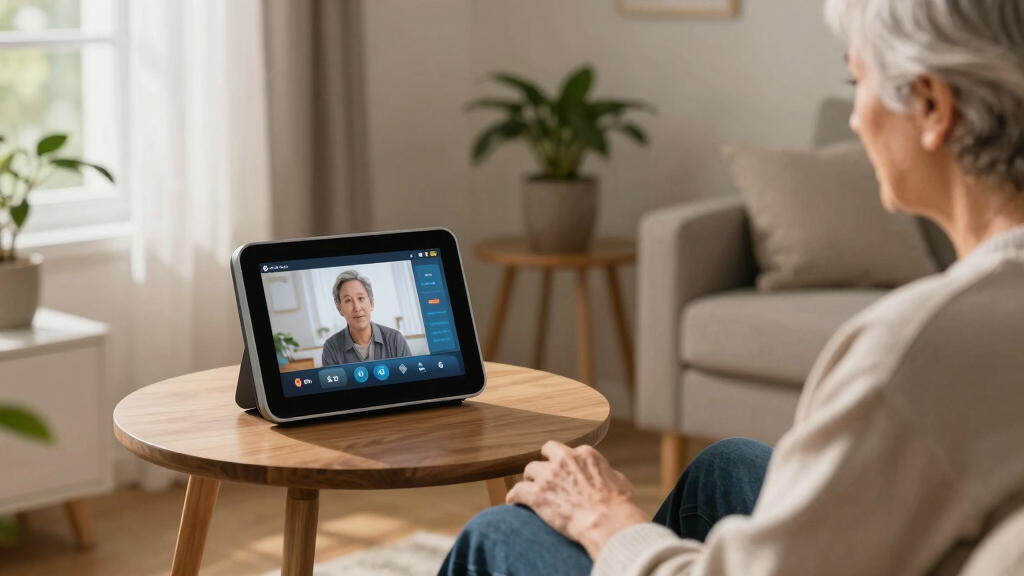
Call family and friends using compatible Echo devices or the Alexa app. Authorized Drop In contacts can connect more directly.
Visual and spoken reminders
Create cues for medication times, appointments, meals, hydration, or recurring household tasks.
Hands-free home control
Operate compatible lights, thermostats, plugs, doorbells, and security cameras with simple voice commands.
Music, books, and video
Play music, audiobooks, news, games, and supported streaming services without navigating a traditional remote.
Useful answers on demand
Ask for weather, time, headlines, recipes, calendars, and general information while viewing supporting details onscreen.
Profiles and routines
Recognize multiple users and combine actions—for example, showing the day’s calendar, weather, and reminders each morning.
How a simple prompt becomes practical support
The device works best as a routine-reinforcement tool. It can deliver a cue and make the next action easier, but it cannot verify that the action was completed.
Caregiver configures
Set contacts, reminders, routines, accessibility, and privacy preferences.
Echo Show prompts
A spoken message and visual card appear at the scheduled time.
Senior responds
The user acts, asks for more information, or starts a call by voice.
Human support remains
Caregivers still confirm adherence, wellbeing, and changing needs.
The Echo Show can announce that medication is due. By itself, it does not dispense the medication, confirm the correct dose, or reliably prove that it was taken.
Where it still falls short
Convenience features can create a sense of reassurance, but their limits matter most during emergencies, connectivity failures, or moments when the user cannot speak clearly.
No built-in fall detection
Without additional compatible sensors or services, the device does not independently recognize a fall.
No professional medical monitoring
It cannot replace a clinician, medical alert service, supervised care plan, or specialized health device.
No guaranteed emergency response
Routines and contacts depend on correct setup, internet access, power, and the user’s ability to interact.
No automatic understanding of every impairment
Speech differences, hearing loss, cognitive changes, small controls, or background noise may still create barriers.
Can do versus cannot do
The clearest buying decision comes from separating genuine convenience from assumptions the device was never designed to satisfy.
| Area | What it can do | What it cannot do |
|---|---|---|
| Communication | ✓Video calls, messaging, announcements, and authorized Drop In | ×Replace regular personal contact or in-person companionship |
| Medication | ✓Provide scheduled spoken and visual reminders | ×Dispense pills or confirm medication adherence by itself |
| Emergencies | ~Contact configured people through supported features and routines | ×Guarantee fall detection, dispatch, or professional response |
| Smart home | ✓Control compatible lights, thermostats, plugs, and cameras | ×Operate unsupported products or function through every outage |
| Personalization | ✓Recognize voice profiles and provide tailored responses | ×Reliably adapt to every cognitive, speech, or physical impairment |
| Privacy | ~Mute microphones, manage recordings, and adjust data settings | ×Guarantee privacy without careful setup and regular review |
| Care | ✓Support routines, autonomy, and easier family communication | ×Replace caregivers, clinicians, or professional supervision |
A setup chain that reduces friction
Success depends less on activating every feature and more on configuring a small, reliable set around the senior’s actual abilities and daily habits.
Five rules for using it wisely
The Echo Show earns its place through frequent, low-risk assistance—not by taking responsibility for care, health decisions, or emergency protection.
Start with connection. Configure trusted contacts and practice one simple video-call command.
Keep routines simple. Too many skills and prompts can create unnecessary complexity.
Plan for failure. Power, Wi-Fi, speech recognition, and integrations can all stop working.
Review privacy. Check recordings, permissions, Drop In access, and purchase settings regularly.
Layer protection. Use professional care and dedicated alert systems where safety is critical.
How the Echo Show Makes Staying Connected Easy for Seniors
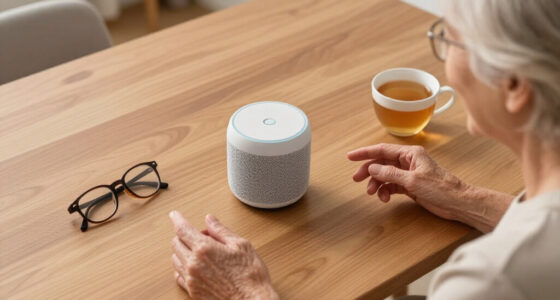
The Echo Show is designed with simplicity in mind. Large icons, clear displays, and voice control make it accessible, even for those who aren’t tech-savvy. Think of it like a friendly assistant that responds to your voice, showing videos, photos, or news with a quick command.
Imagine your grandmother asking, “Alexa, call my daughter,” and seeing her face light up on the screen. Or her hearing the weather forecast while enjoying her favorite music. It’s these everyday moments that the Echo Show aims to make simple and natural.
Some practical features include:
- Video calls to family or friends with compatible devices
- Photo slideshows and news updates
- Easy voice commands for controlling smart devices
- Reminders for medication or appointments
These features matter because they transform the device from a mere gadget into a tool that fosters social connection and routine management. The ease of use reduces frustration, encouraging seniors to engage more actively. However, they also come with tradeoffs: reliance on voice commands can be problematic if speech recognition fails or if ambient noise interferes, potentially leading to missed calls or reminders. Understanding these nuances helps caregivers set realistic expectations and troubleshoot potential issues, ensuring the device truly enhances daily life without becoming a source of confusion or disappointment.
Popular right now

Ninja DualZone Smart XL Air Fryer, 10-Qt, 6-in-1, DZ950

Ninja Foodi Smart 6-in-1 Indoor Grill and Air Fryer, 4 Qt, FG551

Sony BRAVIA 5 85-Inch Mini LED 4K HDR Smart TV (K-85XR50)
As an affiliate, we earn on qualifying purchases.
Recent Improvements That Make It More Senior-Friendly
Amazon has rolled out updates to make the Echo Show more accessible for older users. Features like larger text, simplified interfaces, and improved voice recognition help reduce frustration. For example, a new voice mode can understand speech even with background noise or speech impairments.
Plus, new skills focus on health and wellness—like medication reminders or cognitive exercises—making it more than just a gadget for entertainment.
Privacy controls have also become clearer. You can easily mute the microphone, delete recordings, or control what data is shared. These tweaks build trust and encourage more seniors to embrace the device without worry.
Yet, it’s still important to keep in mind that tech updates are ongoing, and not every senior will find all features intuitive right away. The improvements are significant, but they also highlight a tradeoff: the more features added, the more potential complexity arises. Caregivers should weigh whether these enhancements align with the senior’s comfort level with technology and be prepared to provide ongoing support, ensuring that the device remains a helpful tool rather than a source of confusion.
What the Echo Show Can Do to Help Seniors Stay Safe and Independent
The Echo Show can be a handy helper in daily life. It can set reminders for medications, alert seniors when it’s time to take a pill, or give visual cues for upcoming appointments. These simple prompts can boost independence without constant supervision.
Imagine a senior who forgets her afternoon medication. With a voice command, she hears, “Time for your medication,” and sees the reminder on the screen. It’s a small step, but it can make a big difference by reinforcing routines and reducing forgetfulness. These reminders serve as cognitive cues, helping seniors maintain independence longer by supporting memory and organization.
It also controls smart home devices—like turning on lights or adjusting the thermostat—making physical tasks easier. This can reduce physical strain and help seniors manage their environment comfortably. Plus, it can show security camera feeds or doorbell footage, adding peace of mind for loved ones, especially when they are not physically present. These features collectively contribute to a sense of security and autonomy, but they also depend on the senior’s familiarity with the device and the setup accuracy. Proper configuration and ongoing support are essential to maximize these benefits, ensuring the device remains a reliable helper rather than an additional source of complexity or frustration.
Where the Echo Show Still Falls Short for Seniors
The Echo Show isn’t a substitute for professional care or emergency systems. It can’t detect falls or sudden health crises on its own. Without additional sensors or medical devices, it’s limited in emergency response.
For example, if an elderly person falls and can’t call for help, the Echo Show alone won’t recognize the fall or alert anyone. It relies on routines or user prompts, which may not be enough in an urgent situation. This means that, despite its convenience, it cannot provide real-time detection of emergencies, making it a supportive tool rather than a comprehensive safety solution. This limitation underscores the importance of integrating dedicated medical alert systems or fall detection devices if safety is a primary concern. Caregivers should view the Echo Show as an adjunct, not a replacement, for these critical safety measures, and plan accordingly to ensure comprehensive protection.
Privacy is another concern. If not configured correctly, voice recordings and data could be accessed by others. It’s important to review privacy settings regularly.
And for seniors with cognitive or physical impairments, small text or complex routines might pose challenges. Some may need help with setup or ongoing use. Recognizing these limitations ensures that expectations are realistic and that additional support is provided where necessary, preventing frustration or safety gaps.
Quick Comparison: What the Echo Show Can and Can’t Do
| What It Can Do | What It Cannot Do |
|---|---|
| Facilitate video calls and messaging | Replace professional medical advice or supervision |
| Set medication and appointment reminders | Detect falls or health emergencies without extra devices |
| Control smart home devices with voice | Guarantee complete privacy if not carefully managed |
| Provide news, weather, music, and entertainment | Fully understand or adapt to cognitive impairments |
| Recognize multiple users for personalized responses | Replace in-person caregiving or emergency response systems |
This side-by-side comparison helps clarify the realistic scope of the Echo Show’s capabilities versus its limitations, enabling better planning and expectation management for users and caregivers alike. Recognizing what it can do—and what it cannot—ensures that reliance on the device is appropriate and that supplementary safety measures are in place when necessary.
Top Tips for Getting the Most Out of Your Echo Show
- Start with a simple setup—use large icons and clear voice instructions.
- Regularly review privacy settings—mute when needed, delete recordings.
- Personalize routines—set reminders, alarms, and favorite news sources.
- Help seniors practice voice commands—make sure they know what to say and do.
- Use additional sensors or devices if fall detection or health monitoring is necessary.
What You Should Really Know Before Buying or Using
The Echo Show can be a helpful bridge to independence and connection, but it’s not a silver bullet. It works best when paired with human support and other safety measures. Always consider individual needs, tech comfort level, and privacy concerns.
For many seniors, it’s a gentle, voice-activated helper—offering a touch of companionship and routine. But don’t expect it to replace in-person visits, medical devices, or emergency services entirely.
Assess your situation carefully. Test how well your loved one adapts to new tech before relying on it for critical safety functions.
Frequently Asked Questions
Is the Echo Show easy for seniors to use?
Yes, especially with simplified interfaces, large icons, and voice commands, it’s designed to be user-friendly. However, some seniors may need initial help with setup and learning commands.
Can it help with medication management?
It can set reminders and alerts for medications, but it doesn’t dispense or track medication adherence on its own. For complex needs, additional devices or systems are recommended.
Does it support emergency calls?
It can be programmed to call emergency contacts or services through routines, but it doesn’t replace dedicated emergency response systems or medical alerts.
How secure is the device?
Amazon has added privacy controls, like muting the microphone and deleting recordings, but users should regularly check settings to prevent unauthorized access or data sharing.
Can it recognize multiple users?
Yes, Alexa can distinguish voices, providing personalized responses for each user in the household, which helps tailor routines and reminders.
Conclusion
The Echo Show can be a gentle hand guiding seniors toward more independence and connection. It’s a versatile tool—if you understand its limits and set it up thoughtfully. When used wisely, it can bring comfort, convenience, and a touch of companionship into everyday life.
Think of it less as a robot and more as a friendly helper. That mindset makes all the difference in making the most of what it offers—and knowing when to call in the real help.