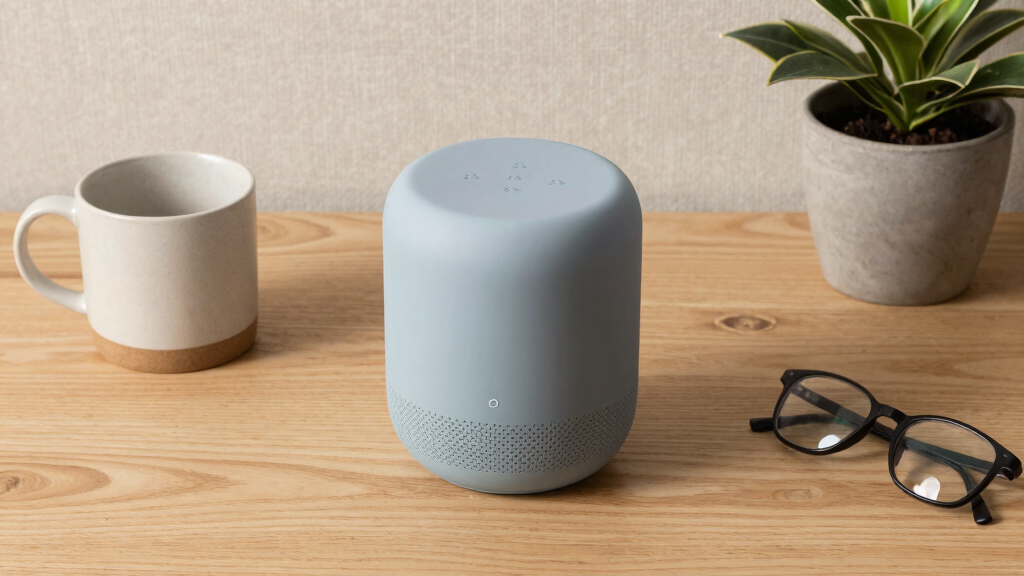

Senior-friendly voice assistants should make everyday tasks easier without adding setup or interaction hurdles. I rank the Amazon Echo Show 8 (2023) as the best overall for households that want voice control alongside a mid-size screen, while the Echo Dot (5th Gen) is a straightforward, compact choice and the Echo Show 15 suits people who prefer a large visual hub. The main tradeoff is between simple speaker-based voice control and displays that can show information but take more space and setup. The list also includes an open-source assistant for technically confident users and a guidebook for people who need help learning Alexa. Read on for the full breakdown and help matching each option to the person who will use it.

Turn quiet afternoons into listening time
- Thousands of audiobooks, podcasts and originals
- Listen on your phone, tablet or Echo — also offline
- Cancel anytime
Complete the kit


Key Takeaways
- The Echo Show 8 is the strongest middle ground: its screen adds visual support without the footprint of the 15.6-inch Echo Show 15.
- The Echo Dot is the simpler speaker-first pick: it avoids a display, which can mean fewer visual distractions, but it cannot show reminders or other information.
- The Echo Show 15 is a household hub, not a compact bedside device: its large screen can suit shared spaces, though placement and interface complexity matter.
- Sound quality and ease of use are separate priorities: the Echo Dot Max favors room-filling audio, while a larger speaker does not automatically make voice commands easier.
- The amazon.com/dp/B0GQYW153Z?tag=abstractblog-20&ascsubtag=dc-294136″ target=”_blank” rel=”nofollow sponsored noopener”>Third Reality assistant and Alexa guidebook serve different needs: one offers an open-source, Home Assistant-oriented setup for technically skilled users; the other is learning material, not a voice assistant device.
| Amazon Echo Spot (newest model), Glacier White |  | Best for Bedside Routines | Model: Newest | Color: Glacier White | Primary use: Smart alarm clock with Alexa | VIEW LATEST PRICE | See Our Full Breakdown |
| Amazon Echo Show 15 (Newest Model) – 15.6-inch Full HD Smart Display with Alexa, Fire TV, and Smart Home Hub |  | Best for Large, Readable Home Displays | Display: 15.6-inch Full HD, 1920 × 1080 | Dimensions: 16.1 × 10.1 × 1.4 inches | Weight: 4.96 lb | VIEW LATEST PRICE | See Our Full Breakdown |
| Amazon Echo Dot (5th Gen) – Charcoal |  | Best Compact, Screen-Free Pick | Dimensions: 3.9 × 3.9 × 3.5 inches | Weight: 10.7 oz (304 g) | Audio bandwidth: 62 Hz–19 kHz | VIEW LATEST PRICE | See Our Full Breakdown |
| Amazon Echo Show 8 (2023 Model) with HD Display and Alexa+ |  | Best Balanced Smart Display | Display: 8.7-inch HD touchscreen | Viewing area: 15% larger than the previous model | Processor: AZ3 Pro chip | VIEW LATEST PRICE | See Our Full Breakdown |
| Third Reality Voice/Music Assistant Dev Edition – Preloaded with Home Assistant Voice and Music Assistants, Dual Microphones, 3W Speaker, Open Source |  | Best for Technical Home Assistant Users | Operating system: Linux | Memory: 512 MB RAM | Storage: 512 MB | VIEW LATEST PRICE | See Our Full Breakdown |
| Amazon Echo Dot Max (newest model), Alexa speaker with room-filling sound and deep bass, Graphite |  | Best for Room-Filling Audio | Sound: Room-filling sound with nearly 3x the bass of the previous model | Wi-Fi extender: Coverage up to 1,000 sq. ft. | Smart home hub: Built in | VIEW LATEST PRICE | See Our Full Breakdown |
| Alexa for Seniors in Easy Steps |  | Best Beginner’s Guide | Format: Book | Subject: Using Alexa devices | Intended audience: Seniors and older adults learning Alexa | VIEW LATEST PRICE | See Our Full Breakdown |
More Details on Our Top Picks
Amazon Echo Spot (newest model), Glacier White
I’d choose the Echo Spot for someone who wants Alexa within easy reach of the bed, with a small display for checking the time and alarms. Its customizable screen and voice-controlled routines can make everyday tasks—such as setting a wake-up alarm or controlling compatible lights—more direct than using a phone. Compared with the Echo Dot (5th Gen), the Spot adds a screen, while the Dot keeps a simpler, screen-free footprint. That display is also a limitation: it’s small, so it won’t suit someone who needs large, readable information. The Spot depends on Wi-Fi for its fuller functions, and smart-home control is limited to compatible devices. I’d rank it below larger Echo Show models for shared viewing, but ahead of a basic speaker for bedside use.
Pros:- Customizable display puts clock and alarm information in view
- Alexa routines can combine everyday voice commands and compatible smart-home actions
- Clear vocals and fuller sound than a tiny alarm-clock speaker
- Microphone-off button and app controls offer privacy options
Cons:- Small screen may be difficult to read from a distance or for users with low vision
- Full functionality depends on a Wi-Fi connection
- Smart-home controls work only with compatible devices
Best for: Older adults who want voice alarms, bedside routines, and a small glanceable display without a larger smart screen
Not ideal for: People with low vision who need large on-screen text, or anyone who wants voice features to work without Wi-Fi
- Model:Newest
- Color:Glacier White
- Primary use:Smart alarm clock with Alexa
- Display:Customizable display
- Smart-home control:Compatible devices
- Additional function:Mesh Wi-Fi extender
- Privacy:Microphone-off button and in-app controls
- Recycled materials:36%
Our verdict“Choose the Echo Spot for a bedside Alexa assistant with a small clock display, but pick an Echo Show if screen size matters more.”
Amazon Echo Show 15 (Newest Model) – 15.6-inch Full HD Smart Display with Alexa, Fire TV, and Smart Home Hub
The Echo Show 15 is the strongest fit here for someone who benefits from information presented on a large screen rather than through voice alone. Its 15.6-inch Full HD display gives widgets, video calls, and Fire TV room to breathe; compared with the Echo Show 8, it offers a much larger viewing area but takes up more wall or counter space. That size can help household members share calendars and controls, though the supplied details don’t establish accessibility features such as adjustable text size, so I wouldn’t assume it solves every vision need. The built-in hub supports Zigbee, Matter, and Thread devices, reducing the need for separate control hardware. Wi-Fi is needed for full use, and some features may involve subscriptions or extra fees. I’d choose this over a compact speaker for shared visual organization, not for a small bedside table.
Pros:- Large 15.6-inch Full HD display gives shared information and video a roomy format
- Built-in Fire TV adds streaming without relying on a separate device
- Centered 13 MP camera with shutter supports video calls and a physical privacy measure
- Zigbee, Matter, and Thread hub supports a broad range of smart-home devices
Cons:- Large dimensions and nearly five-pound weight make placement less flexible than the Echo Show 8
- Full functionality requires Wi-Fi
- Some features may require subscriptions or additional fees
Best for: Older adults and family caregivers who want a prominent shared display for household widgets, video calls, and smart-home controls
Not ideal for: People with limited counter or wall space, or buyers who want a simple voice-only assistant without a large screen
- Display:15.6-inch Full HD, 1920 × 1080
- Dimensions:16.1 × 10.1 × 1.4 inches
- Weight:4.96 lb
- Camera:13 MP with shutter
- Audio:Two 2-inch woofers and two 0.6-inch tweeters
- Wi-Fi:Wi-Fi 6E, tri-band, dual-antenna
- Smart-home hub:Zigbee, Matter, and Thread
- Bluetooth:A2DP and AVRCP
- Supported operating systems:Fire OS, Android, and iOS
Our verdict“Choose the Echo Show 15 when a large shared screen is the priority and you have a suitable place to install it.”
Amazon Echo Dot (5th Gen) – Charcoal
I’d recommend the Echo Dot (5th Gen) to someone who wants voice access in a bedroom, office, or another small room without adding a screen to manage. Its compact body and full-range driver make it a more flexible everyday speaker than the Echo Spot for listeners who don’t need a visible clock or display. Alexa supports routines and compatible smart-home controls, while the microphone-off button gives users a straightforward way to disable listening. The tradeoff is that voice is the main interface: there’s no screen to confirm alarms or show visual information, which can matter for people who prefer prompts they can see. Its eero extender feature also requires a compatible eero router, so I wouldn’t choose the Dot for that function without checking the existing network. For seniors who value simple voice requests over visual guidance, its small footprint is the draw.
Pros:- Compact size fits easily on a bedside table or office desk
- Full-range driver supports music and spoken responses in a small room
- Voice routines and compatible smart-home control can reduce repeated steps
- Microphone-off button provides a direct privacy control
Cons:- No display for reading the time, checking information, or confirming commands visually
- eero Wi-Fi extension requires a compatible eero router
- Some advanced features may require extra setup or subscriptions
Best for: Older adults who want a compact Alexa speaker for alarms, music, and simple voice control in a bedroom or small living space
Not ideal for: People who need visual confirmation of information or buyers without a compatible eero router who expect the Wi-Fi extender feature to work
- Dimensions:3.9 × 3.9 × 3.5 inches
- Weight:10.7 oz (304 g)
- Audio bandwidth:62 Hz–19 kHz
- Driver:1.6-inch full-range driver
- Wi-Fi:Dual-band 2.4 and 5 GHz; 802.11a/b/g/n/ac
- eero Built-in:Up to 1,000 sq. ft. coverage and speeds up to 100 Mbps
- Connectivity:Bluetooth Low Energy, mesh, and Matter
- Privacy:Microphone-off button and multiple privacy controls
Our verdict“Choose the Echo Dot if you want a small, screen-free Alexa speaker and don’t need visual prompts.”
Amazon Echo Show 8 (2023 Model) with HD Display and Alexa+
The Echo Show 8 is my middle-ground pick for someone who wants a visible screen for calls and home controls without the scale of the Echo Show 15. Its 8.7-inch HD touchscreen is easier to place in a typical room, and the centered camera with auto-framing and 3.3x zoom is designed to keep video calls focused. Compared with the Echo Spot, it gives more room for on-screen content and adds a smart-home hub; compared with the Show 15, it gives up the expansive display and built-in Fire TV described for that model. The microphone and camera disable button is useful for people who want a direct privacy control. The main drawbacks are dependence on stable Wi-Fi and a more feature-rich setup than a voice-only speaker. I’d favor it for everyday communication and controls, not for users seeking the largest possible text or video surface.
Pros:- 8.7-inch HD touchscreen offers more viewing space than the Echo Spot
- Centered camera with auto-framing and 3.3x zoom supports video calls
- Built-in smart-home hub can simplify control of compatible devices
- Microphone and camera disable button provides a direct privacy measure
Cons:- Smaller display than the Echo Show 15 for shared information and video
- Stable Wi-Fi is needed for optimal performance
- Touchscreen and connected features may involve more setup than a basic voice speaker
Best for: Older adults who want a moderate-size display for video calls, smart-home control, and on-screen content without a large wall-mounted device
Not ideal for: People who need the largest available screen or prefer a simple speaker with no touchscreen and fewer features
- Display:8.7-inch HD touchscreen
- Viewing area:15% larger than the previous model
- Processor:AZ3 Pro chip
- Audio:Spatial audio with up to 2× bass
- Camera:Centered, auto-framing, with 3.3× zoom
- Smart-home hub:Built in
- Privacy:Microphone and camera disable button with dedicated controls
Our verdict“Choose the Echo Show 8 for a practical mix of video calling and smart-home control when the Show 15 feels too large.”
Third Reality Voice/Music Assistant Dev Edition – Preloaded with Home Assistant Voice and Music Assistants, Dual Microphones, 3W Speaker, Open Source
The Third Reality Voice/Music Assistant Dev Edition serves a very different buyer from the Alexa devices: it is a Linux-based, open-source-oriented assistant for people already comfortable configuring Home Assistant and Music Assistant. Its dual microphones, local audio processing support, and compact form make it a possible distributed voice point, but that flexibility comes with more setup responsibility. Compared with the Echo Dot (5th Gen), it is less of a ready-to-use mainstream speaker and more of a project-friendly device; its 3W speaker is also better suited to close listening than filling a room. The supplied details do not specify senior-oriented interface aids or the same kind of straightforward privacy controls listed for the Echo models. I’d place it on this roundup for technically confident users who value local processing and open software, not as the easiest first voice assistant for an older adult.
Pros:- Preloaded Home Assistant Voice and Music Assistant software provides a starting point for configuration
- Dual digital microphones support voice input
- Compact dimensions suit placement as a distributed voice endpoint
- Local audio processing support and open-source development options appeal to advanced users
Cons:- Firmware flashing and debugging may require technical knowledge
- 3W speaker may not carry well in a large room
- 2.4 GHz-only Wi-Fi limits network compatibility
Best for: Technically confident older adults or caregivers who already manage Home Assistant and want a compact, configurable voice endpoint
Not ideal for: People seeking a ready-to-use assistant with simple setup, a large speaker, or clearly specified senior-oriented interface and privacy features
- Operating system:Linux
- Memory:512 MB RAM
- Storage:512 MB
- Dimensions:2.56 × 2.56 × 2.56 inches
- Connectivity:Wi-Fi, 2.4 GHz only
- Microphones:Dual digital microphones
- Speaker power:3W
- Built-in media:Smart speaker
Our verdict“Choose this device only if you’re comfortable configuring Home Assistant and value local, open-ended control over easy setup.”
Amazon Echo Dot Max (newest model), Alexa speaker with room-filling sound and deep bass, Graphite
The Echo Dot Max is the strongest fit here for someone who wants Alexa to be easy to hear across a medium-sized room, not just a nearby bedside speaker. Its room-filling sound and deeper bass make spoken responses and music more prominent than on the standard Echo Dot (5th Gen), though buyers seeking a screen for visual cues should look at the Echo Show 8 instead. A built-in smart home hub and Wi-Fi extender add useful control and coverage, but those extras matter most in a home with compatible devices and network needs. The tradeoff is its larger footprint and more involved feature set: it is less suitable for a cramped surface or someone who wants a basic, low-fuss Alexa speaker. Microphone controls and privacy options offer some reassurance for users who prefer control over when Alexa can listen.
Pros:- Room-filling sound with nearly three times the bass of the previous model
- Built-in smart home hub can simplify control of compatible devices
- Wi-Fi extender can extend coverage by up to 1,000 sq. ft.
- Microphone disable button and other privacy controls
Cons:- Bulkier than a standard Echo Dot, which can be awkward on a small bedside table
- Smart home features depend on compatible devices
- More feature-rich than necessary for someone who only wants simple voice requests
Best for: Older adults who want a louder, fuller-sounding Alexa speaker for a medium-sized room and already use compatible smart home devices.
Not ideal for: People with limited shelf space, anyone who wants a visual display, or buyers who only need basic voice commands in a small room.
- Sound:Room-filling sound with nearly 3x the bass of the previous model
- Wi-Fi extender:Coverage up to 1,000 sq. ft.
- Smart home hub:Built in
- Technology:Omnisense
- Music services:Amazon Music, Apple Music, Spotify, SiriusXM
- Privacy controls:Microphone enable/disable button and multiple privacy controls
- Color:Graphite
Our verdict“Choose the Echo Dot Max for clearer, fuller audio and smart home extras in a medium-sized room; choose the Echo Dot (5th Gen) for a simpler, smaller speaker.”
Alexa for Seniors in Easy Steps
This book is the most direct match for an older adult who already has an Alexa device but needs clear help learning what to say and where to find basic settings. Its step-by-step instructions can make everyday tasks less dependent on a family member explaining each command. Unlike the Echo Dot Max, it does not provide a speaker, voice assistant, display, or smart home controls; it is guidance to use Alexa devices, not a device itself. That makes it a useful companion for beginners, but a poor standalone choice for someone shopping for hardware. The product information does not specify device compatibility or technical details, so I would check that the book suits the reader’s Alexa setup before buying. Compared with an Echo Show 8, it offers no on-screen prompts, relying on the reader to follow written directions.
Pros:- Instructions are tailored to seniors learning Alexa
- Covers basic commands and settings
- Offers practical tips for getting more from Alexa devices
Cons:- Does not include an Alexa device or provide voice-assistant functionality
- Device compatibility details are not specified
- Written instructions may not suit readers who need visual, on-device guidance
Best for: Older adults who own an Alexa device and prefer written, step-by-step guidance for basic commands and settings.
Not ideal for: People looking to buy a voice assistant device, readers who need device-specific instructions, or anyone who prefers on-screen demonstrations.
- Format:Book
- Subject:Using Alexa devices
- Intended audience:Seniors and older adults learning Alexa
- Instruction style:Simple, step-by-step guidance
- Topics:Basic commands, settings, and user tips
- Device compatibility:Not specified in the provided product information
Our verdict“Choose this guide as a learning aid for an older adult with an Alexa device, not as a substitute for the speaker or display itself.”

How We Picked
I ranked these options by how well they address the everyday needs behind the search for a senior-friendly voice assistant: clear voice interaction, approachable setup, useful feedback, sensible placement, and fit for the person’s home and abilities. A screen can help someone read information or follow visual prompts, but it can also add menus and take up space. A speaker can keep interactions simple, though it offers less visual support. I also weighed sound, smart-home compatibility, and whether an option is a ready-to-use assistant or a tool that requires extra learning or technical work.
The Echo Show 8 ranks first as a balanced display-and-voice choice; the Echo Dot follows for buyers who value simplicity over visuals, while the Echo Show 15 earns a place for users who specifically want a large shared screen. The Echo Spot and Echo Dot Max fill narrower roles around compact display use and stronger sound. The Third Reality device ranks lower for most seniors because its open-source, Home Assistant-based approach may need more technical setup. Alexa for Seniors in Easy Steps is included as learning support, but it is not a substitute for assistant hardware.
Factors to Consider When Choosing Senior-friendly Voice Assistants
Choosing for a senior means matching the device to the person’s routines, comfort with technology, and home—not simply choosing the model with the most features. These factors can help prevent a mismatch that leaves an assistant unused.
Choose a screen only when it solves a real problem
A display can make timers, reminders, or other information easier to check without remembering a spoken response. It may also help users who benefit from visual prompts. But screens bring brightness, menus, placement needs, and possible distractions that a speaker avoids. Think about whether the device will sit at a desk, bedside table, kitchen counter, or shared wall before choosing its size. A common mistake is buying the largest display on the assumption that bigger always means easier; distance, glare, eyesight, and preferred font scale matter too. If voice-only requests cover the person’s needs, a compact speaker may be easier to live with.
Test the interaction from the user’s point of view
Voice assistants depend on the user remembering a wake word and phrasing a request in a way the system recognizes. Someone with speech changes, a soft voice, or difficulty recalling commands may need more practice or a simple written prompt nearby. A good setup should use familiar names for contacts, rooms, and routines rather than forcing the person to learn a complicated command list. Check whether the assistant’s responses are easy to hear in the room where it will be used. Do not assume that a more advanced model will understand every speaker equally well. If communication is inconsistent, keeping a phone, call button, or other backup method available is sensible.
Plan for setup, accounts, and ongoing help
Many voice assistants rely on a Wi-Fi connection, an account, and a companion app for setup and management. Decide in advance who will handle updates, network changes, and troubleshooting if the owner does not want to manage these tasks. Family access can help with configuration, but privacy and account ownership should be discussed rather than assumed. A device that is easy to set up once may still need help later if the router or connected services change. Open-source options can provide greater flexibility, but that flexibility often comes with more configuration and maintenance. For an independent user, a simpler ready-made setup may be a better fit than a project that needs ongoing technical support.
Separate sound needs from voice-assistant needs
A device with stronger audio may be useful in a larger room or for someone who listens to music, but speaker power alone does not promise clear speech at every distance. Consider room size, background noise, hearing needs, and where the device will sit. A speaker placed behind an object or far from the user may be harder to hear and address, regardless of its sound specifications. Try to keep the assistant within comfortable speaking and listening range, away from a television or noisy appliance. If speech clarity is the priority, placement and the person’s hearing preferences may matter more than choosing the model with the biggest sound. Avoid paying for audio features that will not be used.
Match privacy and smart-home controls to the household
Voice assistants can connect to smart lights, plugs, and other devices, which may make routines easier but also add setup and account management. Start with one useful task instead of connecting every compatible product at once. Review microphone controls, camera features on display devices, and the household’s comfort with voice recordings before placing a device in private spaces. If relatives will manage settings remotely, agree on what they can change and who can access the account. A complicated smart-home setup can create more work than it removes. For many buyers, a reliable timer, reminder, or call-related routine is a better starting point than a full home automation plan.
Frequently Asked Questions
Is a screen or a speaker-only assistant better for an older adult?
It depends on whether seeing information helps the person use the assistant. A screen can display visual prompts and useful details, while a speaker-only model keeps the interaction centered on spoken requests and takes up less space. A display may be harder to use if glare, small text, or menus are frustrating. Consider the person’s eyesight, hearing, routines, and comfort with touch controls before deciding. If possible, let them try both types before making a choice.
Can a voice assistant replace a phone or an emergency alert device?
No voice assistant in this roundup should be treated as a guaranteed emergency response system. It relies on power, internet access, compatible services, and successful voice recognition, any of which may fail. A phone or purpose-built alert device may offer different support and should not be discarded just because an assistant is installed. Check the exact calling features available in your location and how they work before relying on them. Keep an agreed backup plan for emergencies.
Should family members set up the assistant using their own account?
It is better to decide account ownership and access before setup. Using a family member’s account may make configuration easier, but can mix personal data, contacts, purchases, or household settings. The senior should know who can manage the device and what information may be shared. If a relative provides support, set clear boundaries and use the account arrangement that fits the household’s privacy needs. Also plan how access will be maintained if the helper changes phones or is no longer available.
Is an open-source voice assistant a good choice for someone who is not technical?
Usually, an open-source assistant is a better fit when someone in the household is comfortable configuring software and maintaining connected services. It may offer flexibility for Home Assistant users, but that flexibility can mean more setup than a ready-made Alexa device. A senior who expects the assistant to work with minimal technical involvement may find the extra steps frustrating. Before buying, identify who will install, update, and troubleshoot it over time. If no one can take that role, a simpler device is likely a safer match.
Is the Alexa guidebook a substitute for buying an Echo device?
No. Alexa for Seniors in Easy Steps is a guidebook, not a speaker or display that can answer voice requests. It may help a reader learn Alexa concepts or support a family member during setup, but it cannot provide reminders, audio, or hands-free control by itself. Check whether the reader prefers printed instructions and whether the guide matches the devices and software they plan to use. For someone who already has an Echo, it may serve as learning support; for someone seeking a working assistant, hardware is still needed.
Conclusion
My best overall pick is the Echo Show 8 for buyers who want a useful screen without moving to the largest format. Choose the Echo Dot (5th Gen) as the best value-style fit for a simpler speaker-first setup, and the Echo Show 15 as the best premium-style choice for a household that wants a large shared display. For beginners who prefer a compact device, the Echo Spot offers a smaller screen-and-speaker format, while the Echo Dot is the more direct option if visuals are unnecessary. The Echo Dot Max suits buyers who put room-filling sound first; the Third Reality assistant is for technically confident Home Assistant users, and the Alexa guidebook is for people who need learning support rather than hardware. Match the device to the senior’s routines and comfort with setup, and choose a separate backup for essential communication.