
TL;DR

Turn quiet afternoons into listening time
- Thousands of audiobooks, podcasts and originals
- Listen on your phone, tablet or Echo — also offline
- Cancel anytime
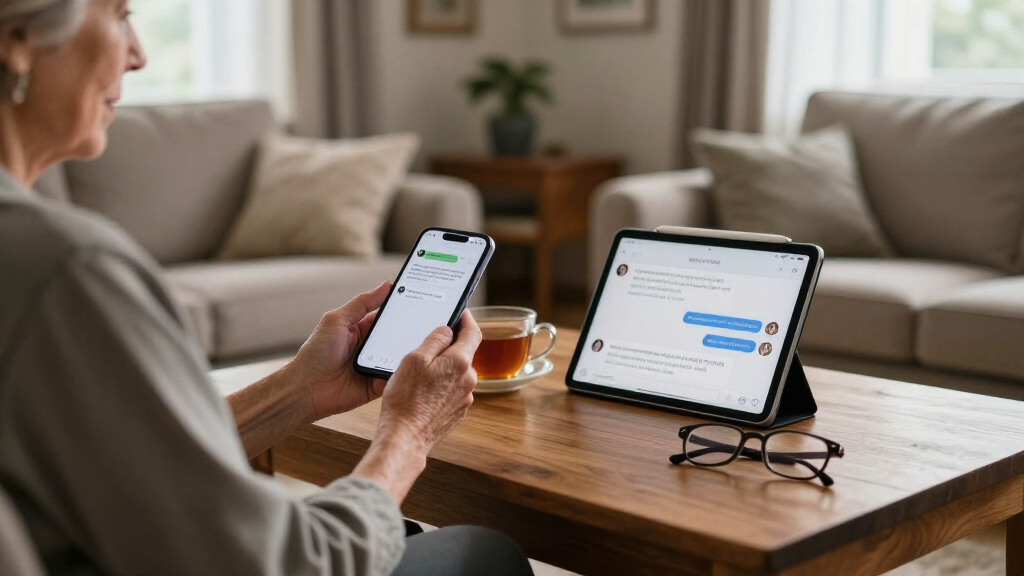
Voice messages often feel more natural and accessible for seniors, especially those with visual or dexterity challenges. Recent tech improvements, like voice-to-text, blend the convenience of texts with the warmth of voice, helping seniors stay connected more easily.
Voice messages feel more natural and accessible for seniors with visual or dexterity challenges.
Recent tech developments, like voice assistants and speech-to-text, make communication easier than ever.
Combining voice with automatic transcription bridges the gap between convenience and clarity.
Starting simple and offering hands-on support encourages seniors to use these tools confidently.
Privacy and accessibility concerns are manageable with the right apps and settings.
Why Voice Messages Feel Natural and Easy for Seniors
Voice messages mimic everyday conversations — they’re like talking face-to-face, but through a device. For seniors who find small text or tiny buttons frustrating, speaking is often more accessible. Imagine a grandparent with limited eyesight or arthritis. Speaking a quick message is faster and less stressful than peering at a screen or fiddling with tiny keys.
Take a senior who struggles with reading small text on their phone. Sending or listening to a voice message becomes as familiar as a phone call but more casual and less intimidating. Plus, voice messages allow them to express emotion, humor, or reassurance with tone — something that plain text can’t fully capture.
Deeply, this naturalness matters because it taps into our innate communication instincts. When seniors can speak comfortably, they’re more likely to stay engaged and respond promptly, reducing feelings of isolation. The tradeoff, however, is that voice messages require a quiet environment to listen effectively and can be less private if others overhear. Recognizing these nuances helps caregivers choose the right moments for voice communication, balancing convenience with situational appropriateness.
Popular right now

Vitamix Propel Series 510 Professional-Grade Blender, 3 Programs, Black

Vitamix 5200 Professional-Grade Blender, 64 oz. Container, Black

Ninja Luxe Café Mini Plus Espresso and Drip Coffee Machine with AutoFroth, Stainless Steel (ES351)
As an affiliate, we earn on qualifying purchases.
Texts vs Voice Messages: What’s Really Easier to Use?
| Feature | Texts | Voice Messages |
|---|---|---|
| Learning curve | Requires typing skills, navigating small icons | Speak naturally, no typing needed |
| Speed of sending | Slower if typing is slow | Fast — just press record and talk |
| Emotional impact | Limited to words, less expressive | Rich with tone, pitch, emotion |
| Discretion | Can be read quietly at any time | Requires immediate listening, may disturb others |
For many seniors, voice messages are easier because they avoid the hurdles of typing and small screens. Texting can feel like decoding a secret message, which can be discouraging or frustrating if they’re not comfortable with technology or have dexterity issues. Conversely, voice messages leverage natural speech, making communication more intuitive. However, this simplicity comes with tradeoffs: voice messages are less discreet and depend on the listener being available at that moment, which might not always be practical. Recognizing these tradeoffs helps caregivers tailor communication methods that suit individual needs and situations, ensuring seniors stay connected without added stress.
How Recent Tech Makes Voice Messaging Even Simpler
New devices and apps are transforming how seniors communicate. Voice assistants like Amazon Alexa, Google Assistant, and Siri now support sending voice messages with just a few words. Imagine telling your smart speaker, ‘Send a message to Grandma,’ and she hears your voice instantly. This reduces the need to handle a phone or navigate complex menus.
Apps like WhatsApp and Facebook Messenger have made voice messaging straightforward, with large buttons and clear icons. Plus, speech recognition tech transcribes spoken words into text, so seniors can choose whether they want to speak or read. For example, a senior with arthritis can say, ‘Send a quick hello,’ and the app turns it into a text if they prefer reading.
These technological advances matter because they lower barriers to entry, making voice messaging accessible even for those with physical or cognitive challenges. They also open up possibilities for hands-free communication, which can be a game-changer for seniors with mobility issues. The tradeoff is that reliance on technology can sometimes introduce privacy concerns or require internet connectivity, but overall, these innovations are making communication more inclusive and flexible.
Addressing Common Concerns About Voice Messaging
Many worry about privacy, hearing difficulties, or device compatibility. Voice messages are generally secure, especially when using encrypted apps like Signal or WhatsApp. But it’s wise to check privacy settings regularly.
For seniors with hearing impairments, listening to voice messages might be tricky. In such cases, combining voice with automatic transcription can help. Devices like iPhones and Android phones now support real-time speech-to-text, making voice communication more inclusive. This dual approach ensures that seniors can choose the format that best suits their needs, whether they prefer hearing or reading messages.
Device compatibility is improving too. Most smartphones, tablets, and even some landline phones with smart speaker features support voice messaging. Choosing familiar, user-friendly apps minimizes the learning curve. Being aware of privacy and accessibility issues allows caregivers to set up a safe, comfortable environment for seniors, ensuring they can communicate confidently without concerns over security or usability.
Simple Tips to Help Seniors Embrace Voice and Text Messaging
- Start with familiar apps like WhatsApp or iMessage.
- Show how to record and send a voice message step-by-step.
- Set up voice-to-text features for easier reading.
- Encourage regular practice to build confidence.
- Use large fonts and clear icons to reduce frustration.
For example, sitting down with a grandparent and guiding them through sending a quick voice hello can boost their comfort level. Celebrate small wins — like when they realize they can send a message without typing. Over time, this builds familiarity and reduces anxiety, making digital communication a natural part of their routine. The key is patience and positive reinforcement, which help seniors see these tools as empowering rather than intimidating.