
The best senior-friendly tablet for easy use is the GrandPad Easy-to-Use Tablet & Phone, because it strips away everything confusing about modern tablets and leaves large buttons, simplified menus, and built-in calling designed specifically for older adults who didn’t grow up with touchscreens. For seniors who want a more conventional tablet that still stays simple, the Amazon Fire HD 10 offers a clean interface, big 10.1-inch screen, and a low price, while The Care Plus bundles a tablet with 100+ preloaded offline games and a non-slip protective cover built for seniors. The main tradeoff in this category is simplicity versus capability: purpose-built senior tablets are the easiest to use but cost more and do less, while mainstream Android tablets are cheaper and more capable but demand more from the user. Below, I break down all 11 options, who each one is for, and who should skip it.

Turn quiet afternoons into listening time
- Thousands of audiobooks, podcasts and originals
- Listen on your phone, tablet or Echo — also offline
- Cancel anytime
Complete the kit



Key Takeaways
- Purpose-built senior tablets (GrandPad, The Care, The Care Plus) beat mainstream tablets on ease of use but cost more per unit of capability — they win only when simplicity is the top priority.
- Among mainstream options, the Amazon Fire HD 10 offers the best balance of a clean interface and low price, while budget Android tablets like the Coopers quad-core model save money at the cost of slower performance and cluttered software.
- Accessories matter as much as hardware in this category: the AGM PAD T2 and The Care Plus rank higher than similarly specced tablets purely because their included cases and screen protectors reduce breakage and handling anxiety.
- Screen size clustered around 10 inches across the lineup for a reason — anything smaller, like the Lenovo Tab One’s 8.7-inch display, trades readability for portability and only suits seniors with good eyesight who travel.
- Massive storage numbers (512GB, 1TB expandable) are marketing noise for most seniors; a responsive touchscreen and simple home screen matter far more than RAM or storage specs.





| senior-friendly tablets for easy use | Storage | Display | RAM | Processor |
|---|---|---|---|---|
| Android 16 Tablet 2026 10 Inch | 64GB, expandable to 1TB via microSD | 10.1-inch IPS, 1280×800 HD | 12GB | Octa-core MTK6769 up to 2.0GHz |
| Amazon Fire HD 10 Tablet | 32GB (24GB usable), expandable to 1TB | 10.1-inch Full HD, 1920×1200 | 4GB | Octa-core (2x 2.05GHz + 6x 2GHz) |
| 10 Inch Android 14 Tablet with | 32GB, expandable to 1TB | 10.1-inch IPS, 1280×800 | 6GB | Quad-core |
| DigiLand 10.1-Inch Android Tab | 128GB | 10.1-inch HD, 1280×800 | 12GB | MediaTek Helio G80 octa-core, 2.0GHz |
| The Care | 32GB, expandable to 64GB | — | — | — |
| BYYBUO 10.1 inch Android Table | 64GB ROM, expandable to 1TB via TF card | 10.1-inch high-resolution | 8GB | Quad-core CPU |
| Coopers 10-inch Android 15 Tab | 32GB ROM, up to 1TB via SD card | 10-inch, 800×1280 IPS | 8GB (expandable to 13GB) | Quad-core |
| The Care Plus A Custom Silicon | 32GB, expandable to 64GB via microSD | 10-inch capacitive touch screen | 2GB | — |
| Lenovo Tab One | 64GB | 8.7-inch HD, 480 nits, 60Hz | 4GB | MediaTek Helio G85 |
| GrandPad Easy-to-Use Tablet & | — | — | — | — |
| AGM PAD T2 Tablet | 256GB internal | 11" FHD 1920×1200, 500-nit brightness | — | — |
More Details on Our Top Picks
Android 16 Tablet 2026 10 Inch Octa-Core AI Gemini 12GB RAM 64GB ROM 1TB Expandable
This option stands out for sheer value per dollar: a keyboard, mouse, stylus, case, and screen protector all ship in the box, so a buyer gets a near-complete 2-in-1 setup without extra purchases. The 12GB of RAM and octa-core chip keep everyday apps responsive, and the 7000mAh battery comfortably outlasts a full day of reading or video calls. Compared with the DigiLand, which matches the RAM but costs storage flexibility, this tablet trades away screen sharpness — its 1280×800 display falls well short of the Fire HD 10’s 1080p panel. The bundled accessories also add weight and bulk, so anyone wanting a grab-and-go slab may prefer the DigiLand’s lighter frame.
Pros:- Complete accessory bundle including keyboard, mouse, and stylus
- 12GB RAM handles multitasking without lag
- 7000mAh battery supports all-day use
- 1TB expandable storage for photos and media
Cons:- 1280×800 display is noticeably softer than Full HD rivals
- 2-in-1 configuration makes it bulky as a handheld tablet
- Unclear long-term software update commitment
Best for: Budget-conscious buyers who want a tablet, keyboard, and stylus in one purchase for email, browsing, and light productivity
Not ideal for: Streamers and photo viewers who prioritize a crisp Full HD screen — the Fire HD 10 is the better pick there
- Display:10.1-inch IPS, 1280×800 HD
- Processor:Octa-core MTK6769 up to 2.0GHz
- RAM:12GB
- Storage:64GB, expandable to 1TB via microSD
- Battery:7000mAh
- Cameras:8MP rear, 13MP front
- Connectivity:Dual-band Wi-Fi, Bluetooth 5.0, USB-C
- Included Accessories:Keyboard, mouse, stylus, case, screen film, charger
Our verdict“The most sensible choice for seniors who want everything included in one box at a low price, as long as screen sharpness isn’t a priority.”
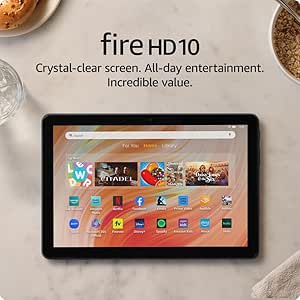
Amazon Fire HD 10 Tablet, 10.1″ Full HD, Octa-Core, 4GB RAM, 32GB, Black
Where most budget tablets cut corners on the screen, the Fire HD 10 goes the other way: a 1080p Full HD display that makes e-books, large-print text, and streaming shows genuinely pleasant to view. The Fire OS interface is among the simplest launchers to learn, and Alexa voice commands let a user open apps or check the weather without tapping through menus. Compared with the Android 16 tablet, its 4GB of RAM is half the capacity, which shows when juggling several apps, but the day-to-day experience stays smooth because the software is tightly optimized. The catch is app selection — Fire OS leans on Amazon’s Appstore, so some apps available on the DigiLand or Android 16 tablets simply aren’t there or require workarounds.
Pros:- Sharpest display in this price bracket at 1920×1200
- Up to 13 hours of battery life
- Alexa hands-free voice control simplifies navigation
- Lightweight, durable body that survives drops better than most
Cons:- Amazon Appstore lacks some Google Play apps
- Only 24GB of the 32GB storage is usable out of the box
- No Wi-Fi 6 support on an aging wireless chipset
Best for: Seniors whose main activities are reading, watching Prime Video or Netflix, and video chatting with a simple, consistent interface
Not ideal for: Buyers who rely on Google Play apps like specific banking or utility tools — the Amazon Appstore library is more limited
- Display:10.1-inch Full HD, 1920×1200
- Processor:Octa-core (2x 2.05GHz + 6x 2GHz)
- RAM:4GB
- Storage:32GB (24GB usable), expandable to 1TB
- Battery Life:Up to 13 hours
- Weight:15.29 oz
- Cameras:5MP front and rear, 1080p video
- Connectivity:Dual-band Wi-Fi, USB-C, microSD, 3.5mm headphone jack
Our verdict“The best pick for seniors who mostly read and stream and want the clearest picture and simplest software at this price.”
10 Inch Android 14 Tablet with 6GB RAM, 32GB Storage, 1TB Expandable, WiFi-6, Bluetooth, 1280×800 IPS Display, 6000mAh Battery
This model makes the most sense for a first tablet purchase where simplicity and price matter more than horsepower. It runs stock-leaning Android 14 with full Google Play access, so unlike the Fire HD 10 there’s no wrestling with a restricted app store, and its WiFi-6 support is something even the pricier Fire HD 10 lacks, giving it steadier connections on modern routers. The 6GB of RAM is adequate for one or two apps at a time, but it trails the Android 16 tablet’s 12GB noticeably when switching between a browser and a video call. Build quality and brand support are thinly documented, which is a real consideration for a device expected to last years.
Pros:- Full Google Play access with familiar Android interface
- WiFi-6 connectivity for reliable modern routers
- 1TB expandable storage for photos and downloads
- 6000mAh battery covers a full day of light use
Cons:- 1280×800 resolution limits text clarity for extended reading
- Little brand recognition or documented support history
- Quad-core processor lags behind octa-core rivals under load
Best for: Seniors new to tablets who want inexpensive, straightforward access to Google apps like Gmail and YouTube
Not ideal for: Anyone wanting long-term brand support or a sharp display for reading fine print
- Display:10.1-inch IPS, 1280×800
- Processor:Quad-core
- RAM:6GB
- Storage:32GB, expandable to 1TB
- Battery:6000mAh
- Cameras:8MP rear, 2MP front
- Connectivity:WiFi-6, Bluetooth
Our verdict“A low-risk entry point into Android tablets for seniors who mainly need Google apps and Wi-Fi reliability on a tight budget.”
DigiLand 10.1-Inch Android Tablet with HD Touch Screen, 12GB RAM, 128GB Storage, Metal Body, 12-Hour Battery, Helio G80 Chip, Blue
Compared with the Android 16 tablet’s 64GB, the DigiLand’s 128GB of onboard storage means a buyer can install apps, store hundreds of photos, and never think about buying a memory card. Its metal body also feels sturdier than the plastic shells common at this price, and the included stand case props the screen up hands-free for recipes, video calls, or shows. The Helio G80 is a genuine step up from the quad-core chip in the 6GB Android 14 tablet, keeping scrolling and streaming fluid. Tradeoffs are real, though: the 1280×800 screen matches the cheapest options here rather than the Fire HD 10’s Full HD panel, and the absence of GPS rules it out for navigation use.
Pros:- 128GB storage is double most budget rivals
- Metal chassis with included stand case
- 12-hour battery life for all-day use
- Helio G80 chip handles multitasking smoothly
Cons:- 1280×800 display is dated for the price
- No GPS functionality
- Front and rear cameras are basic for video calls and photos
Best for: Seniors who download lots of apps and photos and want durable hardware that won’t fill up in a year
Not ideal for: Users who want the sharpest screen for reading — the Fire HD 10’s 1080p display is clearly better for small text
- Display:10.1-inch HD, 1280×800
- Processor:MediaTek Helio G80 octa-core, 2.0GHz
- RAM:12GB
- Storage:128GB
- Battery Life:Up to 12 hours
- Cameras:8MP front, 13MP rear
- Included:Charger, cable, stand case, user manual
Our verdict“The right call for a senior who values storage headroom and a sturdy build over display sharpness.”
The Care – Over 100 Offline Games for Senior Citizens on a 10″ Tablet
This is the only tablet in the lineup designed specifically for older adults, arriving pre-loaded with over 100 games and books aimed at cognitive engagement — no app store setup, no accounts, no learning curve. Its adjustable modes tailor difficulty and interface simplicity to the user, something no conventional tablet here offers, and the bundled headphones and stylus help with dexterity or hearing challenges. The hardware tells a different story: 2GB of RAM and a 1280×800-class screen put it years behind the DigiLand or Android 16 tablet in raw capability. Compared with the Fire HD 10, it sacrifices streaming and general app access in exchange for a zero-setup experience that works right out of the box — internet connectivity isn’t even a stated feature.
Pros:- Over 100 pre-loaded games and books with no downloads needed
- Adjustable modes match skill and comfort level
- Stylus and headphones included for accessibility
- No internet setup, accounts, or passwords required
Cons:- 2GB RAM and dated internals limit anything beyond the built-in content
- Only 32GB storage with expansion capped at 64GB
- No stated internet or app ecosystem access
Best for: Seniors or their families who want a distraction-free, offline device for brain games and reading with no setup required
Not ideal for: Anyone who also wants email, video calls, or streaming — this is a closed entertainment device, not a general-purpose tablet
- Screen:10-inch capacitive touch
- Memory:2GB RAM
- Storage:32GB, expandable to 64GB
- Content:100+ offline games and books pre-loaded
- Accessibility:Adjustable modes, stylus support
- Included:Charger, headphones, stylus
Our verdict“The strongest choice when the goal is simple, offline cognitive entertainment for a senior who should never need tech support.”
BYYBUO 10.1 inch Android Tablet, 8GB RAM, 64GB ROM
For seniors who want a large, readable screen without paying premium prices, this option stands out on screen size and modern connectivity. The 10.1-inch high-resolution display is sharper than the 800×1280 panel on the Coopers tablet, which makes small text in email and news apps easier on aging eyes. Compared with the Lenovo Tab One, it trades portability for a bigger viewing area — a worthwhile swap if the tablet mostly lives on a coffee table. WiFi 6 and Bluetooth 5.4 also mean fewer dropped video calls with the grandkids. The tradeoff is internal storage: 64GB fills up fast once photos and apps accumulate, so budget for a microSD card. And while 8GB of RAM sounds generous, the quad-core chip still lags under heavy multitasking.
Pros:- Large 10.1-inch high-resolution display that’s easy on the eyes
- Modern WiFi 6 and Bluetooth 5.4 for reliable video calls
- Stylish all-metal body that feels more premium than the price suggests
- Up to 12 hours of battery life
- Expandable storage up to 1TB via TF card
Cons:- 64GB of internal storage fills quickly and requires an SD card purchase
- Quad-core processor slows down with intensive multitasking
- No senior-friendly interface or simplified setup out of the box
Best for: Budget-conscious seniors who prioritize a large, sharp screen for reading, video calls, and streaming at home
Not ideal for: Seniors wanting a genuinely senior-focused interface — this is a standard Android tablet with no simplified mode
- Display:10.1-inch high-resolution
- RAM:8GB
- Storage:64GB ROM, expandable to 1TB via TF card
- Processor:Quad-core CPU
- Battery:5000mAh, up to 12 hours
- Connectivity:WiFi 6 (2.4G+5G), Bluetooth 5.4
- Operating System:Android 16
- Design:All-metal body with included case
Our verdict“A sensible pick for seniors who want a big, clear screen and full Android flexibility at a low price, as long as someone helps with initial setup.”
Coopers 10-inch Android 15 Tablet, 32GB ROM, 1TB Expandable
Where the BYYBUO tablet wins on screen sharpness, this model makes its case on endurance and expandability. The 6000mAh battery outlasts the BYYBUO’s 5000mAh cell, and 8-10 hours of real-world use means a senior can leave the charger behind for a full day of reading or puzzles. The 8MP rear camera is also a step above typical budget tablets, useful for photographing documents or prescriptions. The compromises are real, though: 32GB of internal storage is tight from day one, so the 1TB SD card slot isn’t optional — it’s required. Older Bluetooth 4.2 and 2.4GHz-only WiFi also mean slower downloads compared with the WiFi 6-equipped BYYBUO. It’s better suited to casual, offline-heavy use than streaming-intensive households.
Pros:- 6000mAh battery delivers 8-10 hours of uninterrupted use
- Expandable storage up to 1TB via SD card
- 8MP rear camera is above average for this price
- Pre-installed Google Play gives immediate access to familiar apps
- Built-in FM radio and GPS add old-fashioned simplicity
Cons:- Only 32GB of internal storage out of the box
- Bluetooth 4.2 and 2.4GHz-only WiFi are dated and slower than rivals
- 800×1280 display is noticeably less sharp than competing panels
Best for: Seniors who spend long hours reading, playing games, or browsing away from an outlet and don’t mind adding an SD card
Not ideal for: Streamers and heavy app users — the small internal storage and older WiFi standards will frustrate them
- Display:10-inch, 800×1280 IPS
- Processor:Quad-core
- RAM:8GB (expandable to 13GB)
- Storage:32GB ROM, up to 1TB via SD card
- Battery:6000mAh, 8-10 hours
- Cameras:8MP rear, 2MP front
- Connectivity:WiFi 2.4GHz, Bluetooth 4.2, GPS, FM radio
- Operating System:Android 15
Our verdict“This pick makes the most sense for seniors who value all-day battery life and simple expandable storage over cutting-edge specs.”
The Care Plus A Custom Silicone Cover – 10″ Senior Tablet with 100+ Offline Games
Unlike every other tablet in this lineup, the Care Plus doesn’t try to be a general-purpose device — and that focus is its strength. With 100+ pre-loaded offline games and books, it arrives ready for cognitive stimulation with zero setup, zero accounts, and zero risk of wandering into a scam. Compared with the GrandPad, there’s no monthly subscription, which makes it dramatically cheaper over time. The non-slip silicone cover addresses a genuine senior concern that standard tablets like the Lenovo Tab One handle only with an add-on folio. The limitation is defining: no internet browsing at all, so no email, video calls, or YouTube. The modest 2GB of RAM and basic screen resolution also show its budget internals. It’s a purpose-built brain-training tool, not a do-everything tablet.
Pros:- Over 100 pre-loaded games and books with zero setup required
- No internet access eliminates scams, pop-ups, and confusion
- Non-slip silicone cover offers a secure grip and drop protection
- Complete accessory bundle including stylus, stand, and headphones
- No subscription or ongoing costs
Cons:- No internet browsing, email, or video calling capability
- Only 2GB RAM and 32GB storage with modest expansion
- Screen resolution is basic compared with mainstream tablets
Best for: Seniors — especially those with memory decline — who benefit from ready-to-play games and puzzles without any internet risk or setup
Not ideal for: Seniors who want video calls, email, or web browsing — this tablet is offline-only by design
- Display:10-inch capacitive touch screen
- RAM:2GB
- Storage:32GB, expandable to 64GB via microSD
- Content:100+ offline games and books pre-loaded
- Setup:Dual mode for different skill levels
- Protection:Custom non-slip silicone cover and sleeve
- Included Accessories:Charger, headphones, USB adapter, stylus, stand
Our verdict“The right choice when the goal is safe, subscription-free brain engagement rather than a connected everyday tablet.”
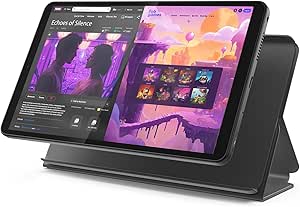
Lenovo Tab One – 8.7-inch HD Display Tablet with 4GB RAM and 64GB Storage
Every other 10-inch tablet in this roundup demands two hands; the Lenovo Tab One is the one a senior can hold one-handed for an entire chapter or crossword session. Its compact 8.7-inch size and light weight make it far easier to grip than the BYYBUO or Coopers, and the included folio case with built-in stand doubles as a hands-free reading prop. The Helio G85 processor is a genuine step up from the quad-core chips in those budget rivals, so menus and apps feel more responsive — which matters when lag reads as ‘broken’ to less tech-confident users. The tradeoffs: a 60Hz display and no confirmed expandable storage, so 64GB is the ceiling. The smaller screen also means smaller default text unless settings are adjusted, so enable larger fonts on day one.
Pros:- Genuinely lightweight and comfortable for one-handed use
- Helio G85 processor is snappier than budget quad-core rivals
- Up to 12.5 hours of battery life
- Folio case with stand included at no extra cost
- Trusted brand with better long-term software support
Cons:- Smaller 8.7-inch screen shows less large-print text than 10-inch rivals
- No confirmed expandable storage option
- 60Hz refresh rate feels less smooth than modern alternatives
Best for: Seniors with limited hand strength or those who read in a chair or bed and want a light one-handed device
Not ideal for: Seniors with significant low vision — the 8.7-inch screen is harder to enlarge comfortably than a 10-inch panel
- Display:8.7-inch HD, 480 nits, 60Hz
- Processor:MediaTek Helio G85
- RAM:4GB
- Storage:64GB
- Battery Life:Up to 12.5 hours
- Operating System:Android 14
- Included:Protective folio case with stand
Our verdict“The clear winner for seniors who value comfortable one-handed holding and a trusted brand over maximum screen size.”
GrandPad Easy-to-Use Tablet & Phone for Seniors
The GrandPad is the only option here built from the ground up for seniors, and the difference shows. Large icons, simplified navigation, and a private network that blocks spam and scams solve the two biggest problems seniors face with standard tablets like the BYYBUO or Coopers — confusion and fraud exposure. Family members manage everything through a companion app, so a relative can add photos or contacts remotely. Compared with the Care Plus, GrandPad offers real connectivity (video calls, photo sharing) rather than offline-only content. The catch is cost: a mandatory subscription starting at $25/month adds up to nearly $900 over three years, and the device becomes limited without an active plan. It’s Wi-Fi only and locked to GrandPad’s own service, so this is a managed ecosystem, not an open tablet.
Pros:- Purpose-built senior interface with large, clearly labeled icons
- Private network blocks spam calls, scams, and phishing
- Family members can manage content and contacts remotely
- Voice and video calling plus photo sharing built in
- Optional 911 calling on select plans
Cons:- Requires an ongoing subscription starting at $25/month or $275/year
- Becomes largely non-functional without an active plan
- Wi-Fi only and incompatible with consumer wireless carriers
Best for: Families who want a fully managed, scam-proof device for a parent or grandparent and are comfortable paying a monthly fee for that support
Not ideal for: Budget-minded buyers or tech-comfortable seniors — the required subscription and locked ecosystem cost far more than a standard tablet
- Designed For:Seniors
- Interface:Large icons, simplified navigation
- Calling:Voice and video calls, 911 on select plans
- Security:Private network with spam and scam blocking
- Connectivity:Wi-Fi only, not compatible with other carriers
- Plans:Starting at $25/month or $275/year
- Includes:Curated apps, virtual companion, multiplayer games
Our verdict“Worth the subscription for families who prioritize scam protection and remote support over upfront savings.”
AGM PAD T2 Tablet, 11″ FHD 500-Nit Display, 256GB Storage, Includes Case & Screen Protector
What separates the AGM PAD T2 from the rest of this lineup isn’t raw power — it’s everything included in the box. The protective case and pre-applied screen protector mean an older buyer (or the family member setting it up for them) doesn’t have to hunt for compatible accessories, a step that trips up buyers of the Amazon Fire HD 10 or the BYYBUO 10.1, which ship bare. The 500-nit display is also the standout here: compared with the standard panels on the Coopers 10-inch, this screen stays readable near a sunny window or on a porch, which is exactly where many seniors actually use a tablet.
The 256GB of storage is generous for photo libraries and downloaded books, though the vague processor and RAM specs signal that this is a light-duty device. Anyone hoping to multitask heavily should look at the Android 16 Octa-Core model instead. For reading, streaming, and video calls, though, the tradeoff is easy to accept.
Pros:- 500-nit display stays readable in bright, sunlit rooms where most budget tablets wash out
- 256GB of storage is far more than comparably priced rivals, ideal for photos and downloaded media
- Protective case and screen protector included, removing the accessory-hunting step entirely
- 7850mAh battery comfortably covers a full day of reading and streaming between charges
Cons:- Processor and RAM details are not clearly disclosed, making performance hard to judge before buying
- Built for basic browsing and streaming — heavy multitaskers will find it underpowered
- No stylus or keyboard ecosystem, so it’s less versatile than purpose-built bundles like GrandPad for tech-averse users
Best for: Seniors who read or stream near windows or outdoors and want a tablet that arrives protected, charged-ready, and complete without extra purchases
Not ideal for: Buyers who want verified performance specs — the undisclosed processor and RAM make it a poor pick for demanding apps or future-proofing
- Display:11″ FHD 1920×1200, 500-nit brightness
- Storage:256GB internal
- Battery:7850mAh
- Included Accessories:Protective case and screen protector
- Intended Use:Browsing, streaming, reading, online classes
- Screen Size Class:11-inch (largest in this lineup’s typical 10-inch range)
Our verdict“This pick makes the most sense for seniors who mainly read and stream in bright spaces and want a tablet that arrives fully protected out of the box — skip it if you need confirmed high-end performance.”

How We Picked
I judged every tablet through a single lens: how quickly could a person who finds technology intimidating pick this up and use it without help? That meant prioritizing interface simplicity (are menus clean or cluttered with bloatware?), screen readability (size, resolution, and brightness), physical handling (weight, included cases, durability), and everyday reliability (battery life, responsive touchscreens, consistent performance rather than raw speed). Tablets designed for seniors with simplified software ranked highest when that software genuinely reduced confusion — not just when it had ‘senior’ in the name.
I also weighed total cost of ownership, since many budget Android tablets hit a low sticker price but arrive with preinstalled apps, ads, or slow chips that frustrate users within weeks. Purpose-built senior services with monthly fees were evaluated on whether that ongoing cost buys real convenience or just locks buyers in. The final ranking orders these tradeoffs deliberately: simplicity-first picks at the top, best mainstream value in the middle, and niche or compromised options clearly flagged for who should (and shouldn’t) choose them.
| senior-friendly tablets for easy use | Processor | Connectivity |
|---|---|---|
| Android 16 Tablet 2026 10 Inch | Octa-core MTK6769 up to 2.0GHz | Dual-band Wi-Fi, Bluetooth 5.0, USB-C |
| Amazon Fire HD 10 Tablet | Octa-core (2x 2.05GHz + 6x 2GHz) | Dual-band Wi-Fi, USB-C, microSD, 3.5mm headphone jack |
| 10 Inch Android 14 Tablet with | Quad-core | WiFi-6, Bluetooth |
| DigiLand 10.1-Inch Android Tab | MediaTek Helio G80 octa-core, 2.0GHz | — |
| The Care | — | — |
| BYYBUO 10.1 inch Android Table | Quad-core CPU | WiFi 6 (2.4G+5G), Bluetooth 5.4 |
| Coopers 10-inch Android 15 Tab | Quad-core | WiFi 2.4GHz, Bluetooth 4.2, GPS, FM radio |
| The Care Plus A Custom Silicon | — | — |
| Lenovo Tab One | MediaTek Helio G85 | — |
| GrandPad Easy-to-Use Tablet & | — | Wi-Fi only, not compatible with other carriers |
| AGM PAD T2 Tablet | — | — |
Factors to Consider When Choosing Senior-friendly Tablets For Easy Use
Choosing a tablet for a senior is less about specs and more about matching the device to the person’s comfort with technology, eyesight, and what they actually want to do. These are the factors that separate a tablet that gets used daily from one that sits in a drawer.Interface Simplicity Beats Raw Specs
The single biggest mistake families make is buying a powerful tablet and assuming a ‘simple mode’ app will fix a complicated operating system. Budget Android tablets often ship with duplicate app stores, preinstalled bloatware, and notification spam that overwhelms new users within days. A device like GrandPad, which was designed from the ground up with one function per screen, removes that problem entirely. Before buying any mainstream tablet, check whether it allows you to strip the home screen down to a handful of large icons — and whether a family member can lock that layout remotely. If nobody in the household can do that setup, a purpose-built senior tablet is worth the extra cost. Raw processing power matters far less than whether the user can reliably get from the home screen to a video call without getting lost.
Screen Size, Clarity, and Brightness
For most seniors, a 10-inch screen is the sweet spot: large enough for readable text and easy tapping, without being heavy or unwieldy. Resolution matters too — a 1280×800 display is functional but noticeably softer than a Full HD panel, and that difference compounds for readers with weaker vision. Brightness is an underrated spec; a 500-nit display like the AGM PAD T2’s stays readable near a sunny window, while dimmer budget screens wash out. Resist going smaller than 9 inches unless the user has good eyesight and specifically wants portability. Also check whether the software supports large text and high-contrast modes, since a sharp screen with tiny default fonts still creates friction.
Ongoing Costs and Subscription Lock-In
Some senior-focused tablets look affordable upfront but require monthly service fees for connectivity, support, or simplified software — and those fees can add up to hundreds of dollars over a few years. Ask what happens if the subscription lapses: does the tablet stop working entirely, or does it keep basic functions? Conversely, a cheap unlocked Android tablet has no recurring fees but also no human support line, which means family members become tech support by default. That tradeoff is worth an honest family conversation before purchasing. If the senior lives alone with no nearby tech help, paying for a service with real phone support is often the better long-term value despite the higher total cost.
Durability, Cases, and Handling Confidence
Fear of dropping an expensive device is a real barrier that keeps seniors from using tablets, so protection is not an afterthought. Bundles that include a rugged or non-slip case — like The Care Plus or the AGM PAD T2 — eliminate a separate purchase and reduce anxiety on day one. Look for cases with corners that protrude past the screen, stands that hold the tablet at a comfortable reading angle, and covers that are easy to grip with weaker hands. A heavier tablet in a case can be harder to hold for long reading sessions, so weight matters as much as protection. Also consider a screen protector pre-applied at the factory, since bubbles and misalignment frustrate everyone.
Storage and Performance: Ignore the Big Numbers
Marketing like ‘1TB expandable’ and ’12GB RAM’ sounds impressive but tells you almost nothing about how the tablet will feel for a senior. Most older adults use a tablet for video calls, browsing, photos, and maybe a few games — tasks that need a responsive touchscreen and a stable Wi-Fi connection, not massive memory. What actually causes frustration is a slow budget chip that stutters when opening apps, or too little built-in storage (32GB fills quickly once system updates arrive). A reasonable baseline is 64GB of storage and a recent mid-range processor. Paying extra for storage expansion a senior will never use is wasted money better spent on a better screen or a case.
Connectivity and Video Calling Setup
For many families, the whole point of the tablet is staying in touch, so think through how video calls will actually work. Options that let a family member place calls that the tablet answers automatically — or a one-touch call button — remove the biggest friction point for less confident users. Standard tablets require setting up an app, managing accounts, and answering incoming calls correctly, which trips up many first-time users. Wi-Fi-only models are fine if home internet is reliable; cellular models or senior services with built-in connectivity matter for users who travel or live where Wi-Fi is spotty. Whichever route you take, do the account setup before gifting the tablet so it works out of the box.
Frequently Asked Questions
Should I buy a purpose-built senior tablet or a regular tablet with big icons?
This depends almost entirely on the user’s comfort with technology and available family support. Purpose-built tablets like the GrandPad cost more and do less, but they eliminate the setup, maintenance, and troubleshooting that families typically underestimate — no app store confusion, no accidental purchases, no tangled settings. A regular tablet like the Fire HD 10 makes sense when a senior is already somewhat comfortable with smartphones or when a family member can do the initial setup and check in occasionally. The middle path is a simplified launcher app on a mainstream tablet, but these vary widely in quality and some introduce their own confusion. If the tablet is for someone who has resisted technology for years, the purpose-built route usually wins despite the price.
Are cheap Android tablets under $100 good enough for a senior?
Some are, but the category is a minefield. The main risks are slow processors that make every tap feel laggy (which users often blame on themselves), preinstalled apps and ads that clutter the screen, and weak touchscreens that don’t register light presses from older fingers. A model with a recent Android version, at least 64GB of storage, and a known brand chip is usually acceptable for browsing, video calls, and reading. Anything with unresolvable bloatware or a dim low-resolution screen will frustrate a senior faster than it saves money. Spending slightly more on a mainstream brand typically buys software support and a consistent experience that budget white-label tablets can’t match.
What screen size is best for an older adult with vision issues?
For most seniors, a 10- to 11-inch screen with Full HD resolution is the right call, because it allows large system fonts without sacrificing how much content fits on screen. Brightness matters as much as size — look for 400 nits or higher if the user reads near windows or outdoors, since dim screens force squinting and eye strain. Also verify that the tablet’s accessibility settings include text scaling, bold text, and high-contrast modes, and that those settings apply system-wide rather than app by app. Small tablets around 8 inches only work for seniors with good corrected vision who prioritize portability. If vision is severely limited, consider whether a voice assistant or audio-focused device might serve better than any screen.
Do senior tablets with monthly fees justify the cost?
They can, but only for specific situations. The fees typically buy built-in cellular connectivity, live phone support, simplified software maintenance, and sometimes monitored safety features — things that genuinely help seniors who live alone or far from tech-savvy family. Do the math over three years: a $30 monthly service adds over $1,000 to the total cost, which buys a very nice mainstream tablet with money left over. The critical question is what happens if you cancel — some senior tablets become paperweights without their service, while others keep basic functions. If family members can handle setup and occasional troubleshooting, a no-fee tablet is almost always cheaper. If they can’t, the subscription is effectively buying peace of mind.
What setup should I do before giving a tablet to a senior?
The gift should work the moment it’s turned on, so handle everything technical beforehand. Create and sign into the accounts, connect it to the home Wi-Fi, install only the apps the person will actually use, and arrange them as large icons on a single home screen with nothing else visible. Turn on large text, high contrast, and a long screen-timeout so the display doesn’t sleep mid-task, and disable notifications except from family. Set up video calling and place a test call so the answer flow is familiar. If possible, enable remote access or family management tools so you can troubleshoot from a distance, and write a short one-page cheat sheet of the three or four things they’ll do most often.
Conclusion
After comparing all 11 options, the right choice comes down to who will be using it and who will be supporting it. For the best overall pick for most seniors, the GrandPad stands out because every design decision serves ease of use, though its monthly cost and limited flexibility mean tech-comfortable seniors should skip it. The best value is the Amazon Fire HD 10, which pairs a clean, familiar interface with a low price and none of the bloat that plagues budget Android tablets. For premium buyers, the AGM PAD T2 makes the most sense — its bright 500-nit display, generous 256GB of storage, and included case and screen protector deliver a complete package that works right out of the box.
For beginners who find technology intimidating, The Care Plus is the strongest option, combining preloaded offline games (no accounts or downloads needed) with a non-slip protective cover that removes the fear of dropping it. For a specific need — entertainment and mental stimulation — The Care tablet covers the same 100+ game library if you already own a case. Budget-conscious buyers who still want a full-size screen should look at the BYYBUO or DigiLand, while the Lenovo Tab One suits only portable-first users with good eyesight, and the budget quad-core Coopers is best reserved for very light use. Whatever you choose, remember that setup matters as much as hardware: a mid-range tablet configured thoughtfully will serve a senior better than a powerful one straight from the box.