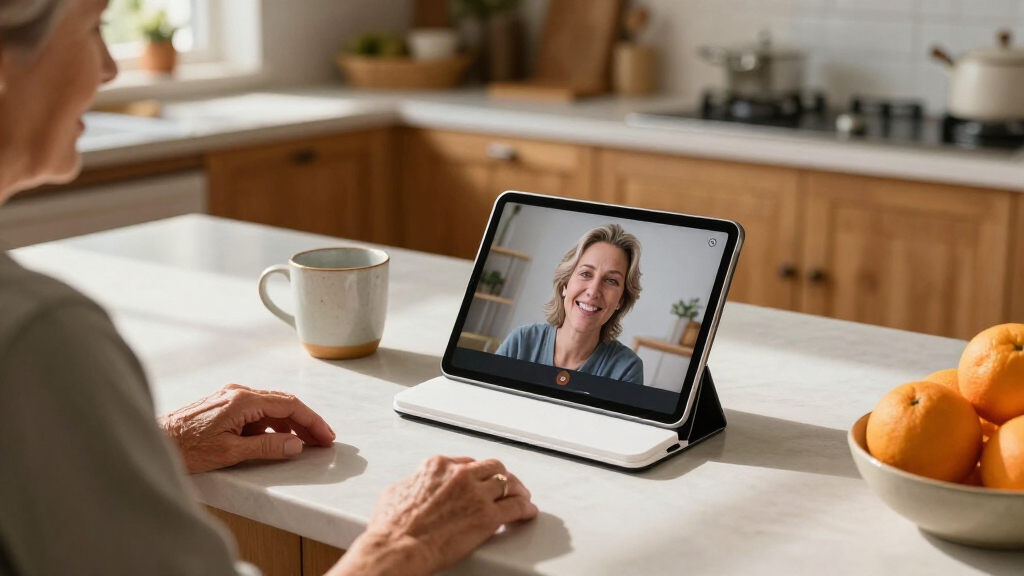

Easy-to-use tablet stands for seniors should make the screen comfortable to see and simple to adjust without requiring a tight grip or complicated setup. My best overall pick is the Orlian Adjustable Aluminum Tablet Stand, whose rotating base makes it easier to turn a screen toward a companion or change viewing direction. The XXZU floor stand suits hands-free viewing from a chair or bed, while the KABCON foldable stand is a practical desk choice for people who want a portable, multi-angle holder. The main tradeoffs are desk versus floor placement, quick adjustment versus greater stability, and a compact footprint versus hands-free reach. Read on for the full breakdown of all 15 options and a guide to choosing a stand that fits the user’s routine.

Turn quiet afternoons into listening time
- Thousands of audiobooks, podcasts and originals
- Listen on your phone, tablet or Echo — also offline
- Cancel anytime
Complete the kit


Key Takeaways
- A rotating base is the standout convenience feature: the Orlian and PHIXERO stands can make it easier to turn a screen for shared viewing, while a simple fixed-angle holder may suit someone who rarely changes position.
- Floor stands solve a different problem than desk stands: the XXZU, LanPavilion, and BluuSuuk models support hands-free viewing away from a table, but need more room and careful placement.
- Foldability favors storage and transport, not every user: options such as the KABCON, Slognny, LISEN, and UGREEN can be easier to put away, though compact joints may involve more handling than a stand left in place.
- Device-size range matters when tablets are shared: the Urmust supports devices from 4.7 to 15.6 inches, while the compact 7–10.2-inch stand is a narrower fit; check device dimensions and case thickness before choosing.
- Comfort can mean a different form factor: the KDD pillow holder works for lap or bed use and adds storage pockets, while desk and floor stands keep a screen elevated without asking the user to hold it.
| Orlian Adjustable Aluminum Tablet Stand with 360° Rotating Base |  | Best Overall Tabletop Stand | Material: Aluminum alloy | Compatible device size: 5.8–12.9 inches | Rotation: 360° horizontal | VIEW LATEST PRICE | See Our Full Breakdown |
| XXZU 72-Inch Adjustable Tablet Floor Stand Tripod |  | Best for Adjustable Floor Height | Material: Aluminum | Height range: 33.07–72 inches | Folded length: 16.93 inches | VIEW LATEST PRICE | See Our Full Breakdown |
| LanPavilion Adjustable Tablet Floor Stand with Flexible Gooseneck |  | Best for Hands-Free Chairside Viewing | Form factor: Floor stand | Compatible device size: 4.7–13 inches | Gooseneck arm length: 15.7 inches | VIEW LATEST PRICE | See Our Full Breakdown |
| Slognny Adjustable 360° Rotating Tablet Stand, Foldable, Silvery |  | Best for Compact Storage | Material: Carbon steel | Compatible device size: 4–13 inches | Rotation: 360 degrees | VIEW LATEST PRICE | See Our Full Breakdown |
| KABCON Adjustable Aluminum Tablet Stand, Foldable Multi-Angle Holder for 4–14-Inch Devices |  | Best for Large Tablets | Model: KAP-7XN | Compatible devices: Tablets and phones measuring 4–14 inches | Materials: Aluminum, alloy steel, plastic, and rubber | VIEW LATEST PRICE | See Our Full Breakdown |
| BluuSuuk Adjustable Tablet and Phone Floor Stand with Weighted Base |  | Best for Bedside, Hands-Free Viewing | Mounting type: Floor stand | Form factor: Bedside | Height adjustment: 12–57 inches | VIEW LATEST PRICE | See Our Full Breakdown |
| Tounee Adjustable Aluminum Tablet Stand, Gray |  | Best for Simple Desktop Adjustments | Mounting type: Tabletop | Compatible device size: 4.7–16.9 inches | Compatible devices: Phones, tablets, e-readers, and portable monitors | VIEW LATEST PRICE | See Our Full Breakdown |
| Urmust Adjustable Tablet Stand for Desk, 4.7–15.6 Inch Devices |  | Best for Fine-Tuning a Desk Setup | Model: Tab-03 | Compatible device sizes: 4.7–15.6 inches | Compatible devices: E-readers, smartphones, and tablets | VIEW LATEST PRICE | See Our Full Breakdown |
| Adjustable Foldable Tablet Stand for 7–10.2-Inch Devices |  | Best Lightweight Travel Pick | Model: AM-WB-04 | Mounting type: Tabletop | Compatible screen size: 7–10.2 inches | VIEW LATEST PRICE | See Our Full Breakdown |
| PHIXERO 360° Rotating Foldable Aluminum Tablet Stand, Gray |  | Best for Larger Tablets | Model: CA1 | Material: Aluminum alloy | Color: Gray | VIEW LATEST PRICE | See Our Full Breakdown |
| COOPER TabHolder Adjustable Tablet and Portable Monitor Stand |  | Best for Eye-Level Desktop Viewing | Compatible devices: Tablets, e-readers, gaming consoles, and portable monitors up to 17 inches | Maximum device weight: 4.4 lb | Height adjustment: 7–10 inches | VIEW LATEST PRICE | See Our Full Breakdown |
| ODOSOLA Adjustable Height and Angle Tablet Stand, 4–13-Inch Devices, Silver | 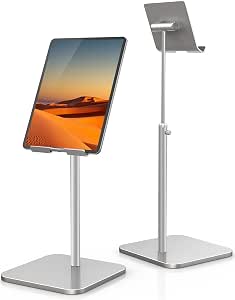 | Best for a Taller Desk Setup | Brand: ODOSOLA | Model number: 0062 | Height adjustment: 9.45–17.32 inches | VIEW LATEST PRICE | See Our Full Breakdown |
| LISEN Foldable Adjustable Tablet Stand for Desk |  | Best for Adjustable, Pack-Away Storage | Weight: 15.2 oz (0.95 lb) | Material: ABS plastic with a metal base panel | Device compatibility: Devices 4.0–15.6 inches wide | VIEW LATEST PRICE | See Our Full Breakdown |
| UGREEN Adjustable Portable Tablet and Phone Stand |  | Best Compact Stand for Simple Angle Changes | Brand: UGREEN | Model number: 50748 | Compatible device size: 4–11 inches | VIEW LATEST PRICE | See Our Full Breakdown |
| KDD Foldable Tablet Pillow Holder with Storage Pockets | 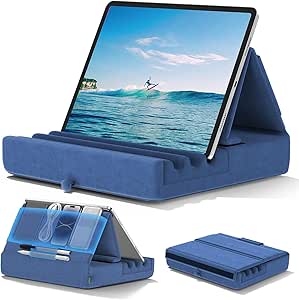 | Best for Lap and Bedside Viewing | Compatible device size: 4–13 inches | Viewing angles: 3 | Storage: 1 large pouch and 2 pen pockets | VIEW LATEST PRICE | See Our Full Breakdown |
| easy-to-use tablet stands for senior | Mounting type | Material | Compatible device size | Weight |
|---|---|---|---|---|
| Orlian Adjustable Aluminum Tab | — | Aluminum alloy | 5.8–12.9 inches | 0.31 kg |
| XXZU 72-Inch Adjustable Tablet | — | Aluminum | 4.7–13 inches | Product details list 639 g and 693 g |
| LanPavilion Adjustable Tablet | Floor stand | — | 4.7–13 inches | — |
| Slognny Adjustable 360° Rotati | Tabletop | Carbon steel | 4–13 inches | 9.6 ounces |
| KABCON Adjustable Aluminum Tab | Desk bracket | — | — | 2 pounds |
| BluuSuuk Adjustable Tablet and | Floor stand | — | — | — |
| Tounee Adjustable Aluminum Tab | Tabletop | Aluminum and metal alloy | 4.7–16.9 inches | — |
| Urmust Adjustable Tablet Stand | — | Aluminum alloy | — | — |
| Adjustable Foldable Tablet Sta | Tabletop | Product information lists ABS and 100% acrylic | — | 0.07 kg |
| PHIXERO 360° Rotating Foldable | Tabletop | Aluminum alloy | — | — |
| COOPER TabHolder Adjustable Ta | Tabletop | — | — | — |
| ODOSOLA Adjustable Height and | Tabletop | — | 4–13 inches | — |
| LISEN Foldable Adjustable Tabl | — | ABS plastic with a metal base panel | — | 15.2 oz (0.95 lb) |
| UGREEN Adjustable Portable Tab | — | ABS | 4–11 inches | 120 g |
| KDD Foldable Tablet Pillow Hol | Tabletop | — | 4–13 inches | 15.84 ounces |
More Details on Our Top Picks
Orlian Adjustable Aluminum Tablet Stand with 360° Rotating Base
For seniors who want a tablet at a comfortable angle on a table or desk, the Orlian balances useful adjustments with a compact footprint. Its height adjustment, 90-degree tilt, and rotating base make it easier to change from reading to a video call without lifting the stand. The anti-slip base also gives it a steadier tabletop setup than the travel-focused Slognny, while its foldable design keeps it easier to put away than the heavier KABCON. Its main limitation is placement: unlike the XXZU or LanPavilion, it cannot bring a screen up beside a chair or bed. It also supports devices only up to 12.9 inches, so larger tablets are out. I’d pick it for everyday tabletop use, not hands-free viewing from across a room.
Pros:- Height and tilt adjustments help place the screen at a more comfortable viewing angle.
- 360-degree rotation makes switching between portrait and landscape simpler.
- Anti-slip base supports steadier tabletop use.
- Foldable design and 0.31 kg weight make it easier to store or carry than the KABCON.
Cons:- Tabletop-only design cannot position a screen at floor-stand height.
- Does not fit devices larger than 12.9 inches.
Best for: Seniors who use a compatible tablet at a desk or dining table and want easy angle and orientation changes.
Not ideal for: People who want a screen positioned beside a recliner or bed, or who own a tablet larger than 12.9 inches.
- Material:Aluminum alloy
- Compatible device size:5.8–12.9 inches
- Rotation:360° horizontal
- Tilt:Up to 90° vertical
- Dimensions:5.9 × 5 × 3 inches
- Weight:0.31 kg
- Features:Adjustable, foldable, portable, anti-slip base
- Warranty:2 years
Our verdict“Choose the Orlian for a compact, adjustable tabletop stand; choose the XXZU or LanPavilion if you need a floor-level setup.”
XXZU 72-Inch Adjustable Tablet Floor Stand Tripod
The XXZU is the clearest choice here for someone who wants a tablet at seated or standing height without relying on a nearby table. Its 33.07-to-72-inch range offers far more placement flexibility than the Orlian or Slognny tabletop stands, and the 360-degree ball head helps aim the screen toward a chair or bed. The tripod folds to a 16.93-inch length and comes with a storage bag, which is useful for putting it away between sessions. That flexibility comes with a setup tradeoff: tripod legs need floor space and may be less reassuring around someone who is unsteady on their feet than the LanPavilion’s weighted base. Product details also give two different weights, 639 g and 693 g, so the exact carry weight is unclear. I’d favor it for adjustable height, not maximum base stability.
Pros:- Wide 33.07-to-72-inch height range supports varied seated and standing positions.
- 360-degree ball head makes it easier to aim the screen.
- Folds and includes a storage bag for storage or travel.
- Clip fits phones, tablets, e-readers, and sheet music devices within the stated size range.
Cons:- Tripod legs take up floor space and can be less convenient around foot traffic.
- Listed weight differs between product details, making carry weight uncertain.
- The clip does not fit devices smaller than 4.7 inches or larger than 13 inches.
Best for: Seniors who want to use a tablet beside a chair or bed and need a stand that can adjust across a broad height range.
Not ideal for: People who prefer a heavy, fixed base or have limited floor space around their chair.
- Material:Aluminum
- Height range:33.07–72 inches
- Folded length:16.93 inches
- Weight:Product details list 639 g and 693 g
- Compatible device size:4.7–13 inches
- Maximum device weight:5 kg
- Rotation:360° ball head
- Included components:Tripod stand, manual, nut rotation lock, storage bag, tablet clip
Our verdict“Choose the XXZU if adjustable floor height matters more than a compact tabletop footprint or a weighted base.”
LanPavilion Adjustable Tablet Floor Stand with Flexible Gooseneck
For hands-free reading, video calls, or watching from a chair, the LanPavilion’s 15.7-inch flexible gooseneck can position a screen without requiring a table at the right height. Its 1.8 kg weighted base gives it a more planted floor setup than the folding XXZU tripod, though it is heavier and less convenient to move or pack away. This stand is aimed at viewing rather than interaction: the flexible arm may shift when a user taps or types, so it is not the one I’d choose for frequent touchscreen input. Compared with the Orlian, it can bring a screen closer to a seated viewer, but it takes more room and is less portable. The stated size range is broad, so I’d check the tablet’s fit before buying.
Pros:- Flexible 15.7-inch arm allows close positioning for seated viewing.
- Weighted 1.8 kg base offers a more planted setup than the XXZU tripod.
- Supports a broad stated range of phones and tablets.
- Keeps a device available for hands-free reading and video calls.
Cons:- Not designed for typing or frequent touchscreen interaction.
- At 5.8 pounds, it is substantially less portable than the Orlian or Slognny.
- Device fit may need checking for a specific tablet model.
Best for: Seniors who read, watch videos, or take calls hands-free from a chair and want a weighted floor base.
Not ideal for: People who frequently type or tap on the mounted screen, or need a lightweight stand to move between rooms.
- Form factor:Floor stand
- Compatible device size:4.7–13 inches
- Gooseneck arm length:15.7 inches
- Base weight:1.8 kg
- Item weight:5.8 pounds
- Item dimensions:12.9 × 8.2 × 55.9 inches
- Color:Black
- Mounting type:Floor stand
Our verdict“Choose the LanPavilion for hands-free viewing from a chair, but skip it if you need a light stand or plan to type on the screen.”
Slognny Adjustable 360° Rotating Tablet Stand, Foldable, Silvery
The Slognny suits seniors who want a tabletop stand that can disappear into a drawer or travel bag after use. It folds to about one inch thick, making storage simpler than with the bulkier KABCON, and its 360-degree rotation allows portrait or landscape positioning. The stated 4-to-13-inch range is broader than the Orlian’s lower limit, although the supplied compatibility details focus on tablets and similar devices rather than phones. Its carbon steel build and 9.6-ounce weight keep the design portable, but the product information gives less detail about base stability and angle adjustment than the Orlian’s anti-slip setup. That makes it a better fit for light, occasional tabletop use than for buyers who want the clearest stability and positioning details. It cannot replace a floor stand for chairside viewing.
Pros:- Folds to about one inch thick for convenient storage.
- 360-degree rotation supports different screen orientations.
- Stated 4-to-13-inch compatibility covers a range of tablet-sized devices.
- At 9.6 ounces, it is lighter to carry than the KABCON.
Cons:- Product details do not specify phone compatibility.
- Less information is provided about stability than for the Orlian’s anti-slip base.
- Tabletop mounting limits viewing position compared with the XXZU and LanPavilion.
Best for: Seniors who need a slim, easy-to-store stand for a tablet or e-reader at home or while traveling.
Not ideal for: People who want a floor-height screen, need confirmed phone compatibility, or prioritize detailed stability information.
- Material:Carbon steel
- Compatible device size:4–13 inches
- Rotation:360 degrees
- Weight:9.6 ounces
- Folded thickness:About 1 inch
- Mounting type:Tabletop
- Color:Silvery
- Warranty:1 year
Our verdict“Choose the Slognny if a thin, portable tabletop stand matters most and your device is within its stated size range.”
KABCON Adjustable Aluminum Tablet Stand, Foldable Multi-Angle Holder for 4–14-Inch Devices
The KABCON stands out for buyers with a larger tablet: its 4-to-14-inch compatibility reaches beyond the Orlian and LanPavilion’s stated 12.9- and 13-inch limits. Portrait and landscape support gives a reader or video caller options, while adjustable hinge tension lets the stand be tuned to hold its chosen angle. That adjustability is useful, but it also means setup may take more effort than the simpler Slognny, and the included Allen wrench is needed to change hinge tightness. Its 2-pound weight makes it feel less like a grab-and-go stand than either of those lighter tabletop options. The plastic clamp is another point to weigh for buyers who prefer metal at the device contact. I’d choose it for a larger screen and a stable desk setup, not for frequent travel.
Pros:- Fits devices from 4 to 14 inches, including larger tablets than the Orlian supports.
- Supports portrait and landscape orientations.
- Hinge tightness can be adjusted to suit the device and preferred viewing angle.
- Foldable design helps with storage.
Cons:- At 2 pounds, it is heavier to carry than the Slognny or Orlian.
- Plastic clamp may not suit buyers seeking metal contact points.
- Adjusting hinge tension requires the included 4 mm Allen wrench.
Best for: Seniors using a tablet up to 14 inches who want portrait or landscape viewing and a desk stand with adjustable hinge tension.
Not ideal for: People who want a lightweight travel stand or prefer an all-metal device clamp.
- Model:KAP-7XN
- Compatible devices:Tablets and phones measuring 4–14 inches
- Materials:Aluminum, alloy steel, plastic, and rubber
- Adjustability:Multi-angle; hinge tightness adjustable
- Orientation:Portrait or landscape
- Mounting type:Desk bracket
- Weight:2 pounds
- Warranty:1 year
Our verdict“Choose the KABCON for a larger tablet and a configurable desk setup, but pick the Slognny or Orlian for easier portability.”
BluuSuuk Adjustable Tablet and Phone Floor Stand with Weighted Base
For someone who wants to read or video-call without holding a device, the BluuSuuk floor stand puts the screen within reach beside a bed, sofa, or chair. Its height adjusts from 12 to 57 inches, and the holder rotates 360 degrees, giving more positioning flexibility than desktop options such as the Tounee Adjustable Aluminum Tablet Stand. The 6.6-pound base and steel support are intended to steady the stand, though the whole unit weighs 8.4 pounds, so moving it between rooms takes more effort than carrying a foldable tabletop stand. Its device-weight limit is under 1.5 pounds, which rules out some heavier tablets. I’d choose it for stationary, hands-free viewing rather than portability; Switch users also need to remove the Joy-Cons.
Pros:- Height range accommodates viewing from a bed, sofa, or tabletop
- 360-degree holder positioning helps set the screen to a comfortable angle
- Weighted base and steel support are designed for steadier placement
- Fits compatible phones, tablets, Kindle devices, and Nintendo Switch without Joy-Cons
Cons:- The 8.4-pound stand is less convenient to relocate than a folding desktop model
- Device weight must be under 1.5 pounds
- Nintendo Switch use requires removing the Joy-Cons
Best for: Readers or video-call users who want a screen positioned beside a bed, recliner, or sofa without holding a phone or tablet.
Not ideal for: People who frequently carry a stand between rooms or use a heavy tablet, since the stand weighs 8.4 pounds and supports devices under 1.5 pounds.
- Mounting type:Floor stand
- Form factor:Bedside
- Height adjustment:12–57 inches
- Holder adjustment:360 degrees
- Base weight:6.6 lb
- Supported device weight:Less than 1.5 lb
- Item weight:8.4 lb
- Compatible devices:Phones, tablets, Kindle devices, and Nintendo Switch without Joy-Cons
Our verdict“Choose the BluuSuuk if you want an adjustable, hands-free screen beside a bed or chair and do not need a lightweight portable stand.”
Tounee Adjustable Aluminum Tablet Stand, Gray
The Tounee tabletop stand suits seniors who mainly use a tablet at one desk or table and want to change its height and viewing angle without adding a floor stand to the room. Its adjustable design can make reading and video calls more comfortable, while the weighted metal base and silicone pads help keep the device steady and protect the surface. Compared with the PHIXERO 360° Rotating Foldable Aluminum Tablet Stand, the Tounee emphasizes adjustable height and folds flat for storage, while PHIXERO specifies a rotating base and support for tablets up to 12.9 inches. The Tounee covers devices from 4.7 to 16.9 inches, but that broad range does not make it a laptop stand: laptops are explicitly excluded. It is a useful everyday desk choice, not a hands-free bedside solution.
Pros:- Height and viewing angle can be adjusted for desktop use
- Folds flat for storage or travel
- Weighted metal base and silicone pads help limit slipping and surface scratches
- Compatible with phones, tablets, e-readers, and portable monitors from 4.7 to 16.9 inches
Cons:- Not designed to support laptops
- Requires a stable tabletop rather than offering floor-standing placement
- The broad device-size range may still require checking a device’s fit before purchase
Best for: Seniors who use a phone, tablet, or e-reader at a desk and want adjustable height and angle with a stand that can fold away.
Not ideal for: People seeking a floor or bedside stand, or anyone who wants to prop up a laptop.
- Mounting type:Tabletop
- Compatible device size:4.7–16.9 inches
- Compatible devices:Phones, tablets, e-readers, and portable monitors
- Not compatible with:Laptops
- Material:Aluminum and metal alloy
- Features:Adjustable, foldable, ergonomic
- Dimensions:7 × 2 × 2 inches
- Color:Gray
Our verdict“Pick the Tounee for adjustable, fold-away desktop viewing across a wide range of non-laptop devices.”
Urmust Adjustable Tablet Stand for Desk, 4.7–15.6 Inch Devices
The Urmust is a good fit for a buyer who wants to adjust screen position and orientation at a desk, rather than simply prop a tablet at one fixed angle. Its foldable arm and 360-degree rotating base make it easier to reposition the screen for reading, calls, or shared viewing. It supports devices up to 2.42 pounds, more than the BluuSuuk floor stand’s under-1.5-pound limit, but it must sit on a flat, stable surface. That makes it less useful for bedside viewing from a recliner or bed than the BluuSuuk. The included cable clips and wrench add practical setup help; the catch is that the joint may need tightening to stop the device from sagging. I’d favor it for a stable desk and skip it if maintaining the hinge sounds like a nuisance.
Pros:- Foldable arm and adjustable height and angle allow flexible screen positioning
- 360-degree rotating base makes orientation changes easier
- Supports compatible devices up to 2.42 pounds
- Includes cable clips and a wrench for cable management and joint tightening
Cons:- Designed for flat, stable surfaces only
- The joint may need tightening to prevent sagging or a device falling
- At 0.92 kg, it is less featherweight than a simple folding stand
Best for: Desk users who want to rotate and reposition a phone, e-reader, or tablet and are comfortable tightening a joint when needed.
Not ideal for: Anyone who needs a floor or bedside stand, or who wants a stand that never needs occasional hinge adjustment.
- Model:Tab-03
- Compatible device sizes:4.7–15.6 inches
- Compatible devices:E-readers, smartphones, and tablets
- Material:Aluminum alloy
- Maximum weight capacity:1.1 kg (2.42 lb)
- Item weight:0.92 kg
- Dimensions:12.01 × 8.86 × 2.76 inches
- Included components:Tablet stand
- Warranty:18 months
Our verdict“Choose the Urmust for a versatile desk setup if you value rotation and can manage occasional joint tightening.”
Adjustable Foldable Tablet Stand for 7–10.2-Inch Devices
This stand’s 0.07 kg weight and foldable frame make it the easiest option here to tuck into a bag or keep in a drawer for occasional reading. The angle adjusts through 180 degrees, and the device can sit in portrait or landscape orientation, giving more flexibility than a fixed-position prop. Compared with the sturdier PHIXERO 360° Rotating Foldable Aluminum Tablet Stand, this model is notably lighter and simpler to pack, but its stated screen-size range stops at 10.2 inches rather than PHIXERO’s 12.9 inches. Slip-resistant pads help hold a device in place, though the product information lists both ABS and 100% acrylic, leaving the material unclear. I’d pick it for small-device portability, not for a large tablet or a buyer who needs confidence about the stand’s exact construction.
Pros:- Very light at 0.07 kg and folds for compact storage
- Angle adjusts from 0 to 180 degrees
- Supports portrait and landscape orientations
- Slip-resistant pads help steady compatible devices
Cons:- Stated screen-size compatibility is limited to 7–10.2 inches
- Material information is inconsistent, listing both ABS and 100% acrylic
- Lightweight construction may feel less substantial than the aluminum PHIXERO stand
Best for: Seniors with a small tablet or e-reader who want a very light stand for travel, occasional reading, or compact storage.
Not ideal for: Owners of larger tablets or buyers who need clearly specified materials and a more substantial stand.
- Model:AM-WB-04
- Mounting type:Tabletop
- Compatible screen size:7–10.2 inches
- Compatible devices:Tablets, e-readers, smartphones, laptops, and monitors
- Adjustable angle:0°–180°
- Material:Product information lists ABS and 100% acrylic
- Weight:0.07 kg
- Color:Black
Our verdict“Choose this model for a compact, lightweight stand for a small device, but look elsewhere for a larger tablet or clearer material specifications.”
PHIXERO 360° Rotating Foldable Aluminum Tablet Stand, Gray
For a senior using a larger tablet at a table, the PHIXERO combines a 360-degree rotating base with two adjustable hinges, so the screen can be repositioned without lifting the whole stand. Its stated compatibility extends to most tablets up to 12.9 inches, a better fit for larger screens than the compact 7–10.2-inch foldable model. The aluminum alloy body and silicone pads offer a more substantial tabletop setup, while the flat-folding design still makes storage or travel possible. This remains a desktop stand, not a substitute for the height-adjustable BluuSuuk beside a bed. Device fit is capped at 12.9 inches, so owners of larger tablets should check dimensions before buying. I’d choose it for flexible tabletop positioning, rather than maximum portability or floor-level reach.
Pros:- 360-degree rotating base supports changes in viewing orientation
- Two adjustable hinges provide additional screen-position adjustment
- Aluminum alloy construction with silicone pads helps protect and steady the device
- Folds flat for storage or travel
Cons:- Compatible with most tablets only up to 12.9 inches
- Tabletop design does not provide bedside or floor-level positioning
- More substantial than the ultra-light foldable stand, so it is not the lightest travel choice
Best for: Seniors who use a tablet up to 12.9 inches at a desk and want to rotate or adjust its position without lifting the device.
Not ideal for: People who need a bedside floor stand, or owners of tablets larger than 12.9 inches.
- Model:CA1
- Material:Aluminum alloy
- Color:Gray
- Rotation:360°
- Compatibility:Most tablets up to 12.9 inches
- Dimensions:6.22 × 5.59 × 1.65 inches
- Mounting type:Tabletop
- Warranty:1 year
Our verdict“Choose the PHIXERO for adjustable, rotating tabletop use with a tablet up to 12.9 inches; choose a floor stand for hands-free bedside viewing.”
COOPER TabHolder Adjustable Tablet and Portable Monitor Stand
I’d choose the COOPER TabHolder for someone who wants a tablet raised above the desk without relying on a tall floor stand. Its 7–10-inch height range and broad tilt adjustment let the screen sit closer to eye level, which can make reading and video calls easier without bending the neck as much. The weighted base and padded contact points help keep a device steady during ordinary touchscreen use. Compared with the more portable UGREEN Adjustable Portable Tablet and Phone Stand, COOPER offers height adjustment rather than just a change in viewing angle, but it is less compact for carrying around. Its 4.4-pound device limit and support for devices up to 17 inches suit many tablets and portable monitors, though heavier equipment falls outside its stated capacity. I’d skip it if folding portability matters more than an elevated desktop position.
Pros:- Adjustable height helps place a screen higher than a basic angle-only stand.
- 270° tilt offers flexibility for reading, calls, and different seated positions.
- Weighted base and non-slip padding help limit movement during tapping.
- Padded holder includes cooling vents and supports compatible devices up to 17 inches.
Cons:- Device weight is limited to 4.4 pounds.
- Less suited to carrying in a bag than the foldable UGREEN stand.
Best for: Older adults who mainly use a tablet or portable monitor at a desk and want adjustable height to reduce downward viewing.
Not ideal for: People who need a stand for devices heavier than 4.4 pounds or want a small folding stand for frequent travel.
- Compatible devices:Tablets, e-readers, gaming consoles, and portable monitors up to 17 inches
- Maximum device weight:4.4 lb
- Height adjustment:7–10 inches
- Tilt:270°
- Item weight:355 g
- Materials:ABS, aluminum, foam, metal, and silicone
- Mounting type:Tabletop
Our verdict“Choose COOPER for a steadier, height-adjustable desk setup, but pick a folding stand if portability is the priority.”
ODOSOLA Adjustable Height and Angle Tablet Stand, 4–13-Inch Devices, Silver
The ODOSOLA stand is the tallest desktop choice in this group, extending from 9.45 to 17.32 inches. That extra reach can help someone read a tablet while seated at a higher table or share a screen during a call without keeping the device close to the desktop. Its metal construction, weighted base, and rubber-covered holder give it a more substantial desktop role than the compact UGREEN Adjustable Portable Tablet and Phone Stand, which folds down for easier transport but does not raise a screen to the same height. The tradeoff is setup: ODOSOLA requires installation, so it is less immediately convenient than a simple folding holder. It also fits devices only from 4 to 13 inches, making it a poor match for larger tablets or portable monitors. I’d pick it for a fixed viewing spot, not a travel bag.
Pros:- Height adjustment reaches 17.32 inches for a notably elevated desktop screen.
- Adjustable angle helps set a comfortable view from different seated positions.
- Weighted nonslip base and rubber-covered holder help keep a device secure.
- Works with a broad range of 4–13-inch smartphones and tablets.
Cons:- Requires installation, unlike simpler folding stands such as UGREEN.
- The 13-inch device-size limit excludes larger tablets and portable monitors.
Best for: Tablet users who sit at a tall desk or want a raised screen for reading and video calls, and are comfortable assembling the stand.
Not ideal for: People who want a ready-to-use portable stand or need support for devices larger than 13 inches.
- Brand:ODOSOLA
- Model number:0062
- Height adjustment:9.45–17.32 inches
- Compatible device size:4–13 inches
- Compatible devices:Smartphones and tablets
- Mounting type:Tabletop
- Materials:Aluminum and rubber
- Color:Silver
- Included components:Stand and installation tool
Our verdict“Pick ODOSOLA if you need a tall, adjustable desk stand and can accept installation and a 13-inch device limit.”
LISEN Foldable Adjustable Tablet Stand for Desk
The LISEN Foldable Adjustable Tablet Stand balances a movable setup with more positioning control than the small, angle-only UGREEN stand. Its height and viewing angle can be adjusted, while a locking-tension mechanism lets the holder be tuned to help keep a compatible device from shifting. Folding it flat makes it easier to store between uses or take along, though at 15.2 ounces it is not the lightest choice in this lineup. The broad stated compatibility—devices 4.0–15.6 inches wide—may suit larger tablets, but the device must also be under 0.7 inches thick, and heavy-duty cases may not fit. That case restriction matters for seniors who prefer extra device protection. Phones are supported only in landscape orientation, so this is less flexible for phone calls or portrait reading than a stand designed for both orientations.
Pros:- Folds flat for storage and occasional travel.
- Height and angle adjustment can help tailor the screen position.
- Adjustable locking tension helps stabilize compatible devices.
- Supports devices 4.0–15.6 inches wide.
Cons:- Devices must be under 0.7 inches thick, which can rule out bulky cases.
- Phones are supported in landscape orientation only.
- At 15.2 ounces, it is heavier than a very compact travel stand.
Best for: Tablet owners who want adjustable height and angle at home but also need a stand that folds away or travels occasionally.
Not ideal for: People using thick, heavy-duty tablet cases or anyone who needs to position a phone vertically.
- Weight:15.2 oz (0.95 lb)
- Material:ABS plastic with a metal base panel
- Device compatibility:Devices 4.0–15.6 inches wide
- Maximum device thickness:Under 0.7 inches
- Adjustment:Adjustable height and angle; locking tension can be adjusted
- Design:Foldable
- Phone orientation:Landscape only
Our verdict“Choose LISEN for adjustable positioning and fold-flat storage if your device fits without a thick case.”
UGREEN Adjustable Portable Tablet and Phone Stand
For a senior who wants a stand that is easy to fold away, the UGREEN Adjustable Portable Tablet and Phone Stand is the most compact choice here. It weighs 120 g and folds for storage, making it less cumbersome than the taller ODOSOLA or the more adjustable LISEN. Its angle range runs from 15° to 100°, so a reader can shift the screen between a low, desk-friendly position and a more upright viewing angle. Silicone pads help protect the device and reduce slipping, while support for devices from 4 to 11 inches covers many phones, e-readers, and tablets. The tradeoff is that it changes viewing angle rather than raising the screen substantially, and the device—including its case—must be no thicker than 0.55 inches. I’d skip it if a large tablet or thick protective case is part of the setup.
Pros:- Lightweight 120 g body is easy to move or pack.
- Folds for compact storage between uses.
- 15°–100° viewing-angle range suits several seated positions.
- Silicone pads help reduce slipping and protect device surfaces.
Cons:- Device size is limited to 4–11 inches.
- Maximum device thickness, including the case, is 0.55 inches.
- Angle adjustment does not provide the raised screen height of COOPER or ODOSOLA.
Best for: People who use a phone, e-reader, or modest-size tablet at different locations and want a lightweight stand that folds away.
Not ideal for: Owners of tablets larger than 11 inches or thick cases exceeding the 0.55-inch limit, and users who need substantial screen height adjustment.
- Brand:UGREEN
- Model number:50748
- Compatible device size:4–11 inches
- Maximum device thickness:0.55 inches
- Adjustable viewing angle:15°–100°
- Dimensions:4.72 × 0.79 × 4.21 inches
- Weight:120 g
- Material:ABS
Our verdict“Choose UGREEN for a light, portable angle-adjustable holder if your device and case fit its size limits.”
KDD Foldable Tablet Pillow Holder with Storage Pockets
The KDD Foldable Tablet Pillow Holder serves a different need from the rigid desktop stands: its cushioned base can sit on a lap, bed, sofa, or desk, giving someone a soft place to rest a device while reading or watching. Three viewing angles offer a straightforward way to change the screen position, and the large pouch plus two pen pockets keep small items nearby. Compared with the desk-focused COOPER TabHolder, KDD is more comfortable for relaxed seating but does not raise the tablet to eye level or provide a rigid, narrow footprint. Its 11-inch-square dimensions take up more space than the foldable UGREEN, and the supported device range stops at 13 inches. The plush cover can be wiped with a damp cloth, though it is not the low-profile choice for a crowded desk or someone wanting precise height adjustment.
Pros:- Cushioned base suits lap, bed, sofa, and tabletop use.
- Three viewing angles allow simple position changes.
- Large storage pouch and two pen pockets keep small essentials close.
- Foldable design and wipe-clean plush cover support everyday handling.
Cons:- Its 11-inch-square footprint takes more room than compact stands such as UGREEN.
- Does not offer the height adjustment of COOPER or ODOSOLA.
- Compatible device size is limited to 4–13 inches.
Best for: Older adults who read or watch a tablet from a bed, sofa, or lap and want a cushioned holder with pockets for pens and small items.
Not ideal for: People who need an elevated eye-level desk position, a compact footprint, or support for devices larger than 13 inches.
- Compatible device size:4–13 inches
- Viewing angles:3
- Storage:1 large pouch and 2 pen pockets
- Dimensions:11 × 11.02 × 2.7 inches
- Weight:15.84 ounces
- Color:Blue
- Mounting type:Tabletop
- Materials:High-elasticity sponge base and plush polyester cover
Our verdict“Choose KDD for cushioned lap or bedside viewing with handy storage, rather than for a compact, eye-level desk setup.”
How We Picked
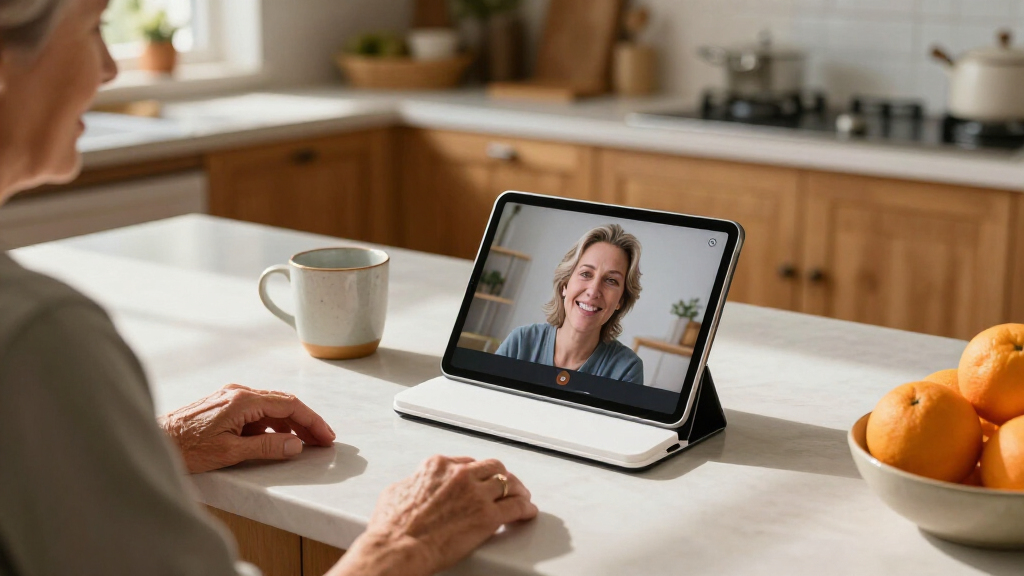
I ranked these stands around the needs implied by easy use for seniors: straightforward setup, accessible adjustment, stable support, and a screen position that reduces the need to hold a tablet. I also weighed the practical fit of each format—desk, floor, portable, or pillow—because the easiest stand depends on where and how a person uses a device. Device compatibility, foldability, base design, and the likely effort needed to reposition a stand all informed the comparison.
The order favors options that combine useful adjustment with a stable, intuitive design for common home routines. A rotating tabletop stand ranks ahead of specialist formats as a versatile starting point; floor stands follow for users who need reach from a chair or bed, while simpler compact holders make sense for fixed desk use and storage. No one style suits everyone: a larger floor stand can take more space, and a small folding holder may demand more precise placement. I treat those tradeoffs as ranking factors rather than assuming that more features automatically mean a better choice.
| easy-to-use tablet stands for senior | Mounting type |
|---|---|
| Orlian Adjustable Aluminum Tab | — |
| XXZU 72-Inch Adjustable Tablet | — |
| LanPavilion Adjustable Tablet | Floor stand |
| Slognny Adjustable 360° Rotati | Tabletop |
| KABCON Adjustable Aluminum Tab | Desk bracket |
| BluuSuuk Adjustable Tablet and | Floor stand |
| Tounee Adjustable Aluminum Tab | Tabletop |
| Urmust Adjustable Tablet Stand | — |
| Adjustable Foldable Tablet Sta | Tabletop |
| PHIXERO 360° Rotating Foldable | Tabletop |
| COOPER TabHolder Adjustable Ta | Tabletop |
| ODOSOLA Adjustable Height and | Tabletop |
| LISEN Foldable Adjustable Tabl | — |
| UGREEN Adjustable Portable Tab | — |
| KDD Foldable Tablet Pillow Hol | Tabletop |
Factors to Consider When Choosing Easy-to-use Tablet Stands For Seniors
Before choosing, start with the user’s usual seat, tablet, and daily routine—not the stand with the most adjustments. A stand that stays in one comfortable place may be easier than a highly adjustable model that needs frequent repositioning. These factors help narrow the options to a setup the user can handle confidently.
Match the stand to where the tablet is used
First identify whether the tablet is usually used at a table, beside a favorite chair, in bed, or across several places. A desk stand keeps the footprint small, while a floor stand brings the screen closer without requiring a side table. A pillow-style holder can suit relaxed lap or bed viewing, but it may not hold the screen at the same height as a rigid stand. A common mistake is buying for the room rather than the user’s regular posture. Measure the available space and check whether the stand’s base or legs could obstruct walking paths. If the tablet moves between rooms, a foldable desktop design may be less cumbersome than a floor model.
Prioritize easy adjustment over maximum adjustment
More angle and height settings are useful only when the user can change them without strain. Think about hand strength, reach, and whether the person will adjust the stand alone. A hinge that stays put can be helpful, but a stiff joint may frustrate someone who needs frequent changes. If the tablet will stay at one height, a simpler design can reduce fiddling. For shared viewing, rotation may be more useful than many small tilt settings. Where possible, check the adjustment method and return policy so the stand can be assessed at home with the actual tablet.
Check tablet size, case, and access to controls
Do not rely on screen size alone: the tablet’s outer dimensions and case can affect whether it fits securely between the holder’s supports. Compare the device and case measurements with the stand’s stated range before ordering. Also check that the holder does not cover charging ports, buttons, speakers, or the camera used for video calls. A wide compatibility range can be useful in a household with more than one device, but it does not guarantee a snug fit for every model. If the tablet is heavy, prioritize a holder and base intended to support its size rather than stretching a smaller stand to fit. Removing a bulky case each time can make an otherwise suitable stand less convenient.
Balance stability with portability
A heavier or wider base can feel reassuring when a screen is tapped, but it takes more effort to move and more room to store. A compact folding stand is easier to carry, though it may need a level surface and deliberate placement. Think about whether the user will operate the touchscreen often or mainly watch and read; frequent tapping puts more demand on stability. Avoid placing a floor stand where a person may catch a foot on its base or legs. If mobility around the home matters, choose a model the user or caregiver can relocate safely. Portability is most useful when it supports a real routine, not simply because a stand folds.
Choose a height that supports comfortable viewing
The screen should be easy to see from the user’s normal position without repeated bending, twisting, or reaching. A floor stand can help when a table is too low or out of reach, but a tall adjustable pole is not automatically more comfortable. Check the stand’s usable height from the seated position and consider whether it can be placed at the side without blocking movement. For a desk setup, raising the tablet may reduce neck flexion, though an overly high angle can make touch controls awkward. If the user alternates between reading and tapping, a modest tilt may work better than a steep viewing angle. Test the intended setup with the chair, bed, or table the person actually uses.
Keep setup and upkeep manageable
A stand that requires tools, several assembly steps, or frequent tightening may create more work than it saves. For a user who prefers a permanent setup, a model that can stay assembled may be easier than a foldable one that is packed away after each use. Floor stands can require more space during setup and may need occasional checks of joints and fasteners. Desk holders are generally simpler to relocate, but still need a stable, uncluttered surface. Consider who will assemble the stand and whether a family member or caregiver can help if adjustments become difficult. Choosing a design with a clear, repeatable setup can make daily use more dependable.
Frequently Asked Questions
Is a desk stand or a floor stand easier for an older adult to use?
It depends on where the tablet needs to sit and how easily the user can reach a table. A desk stand is usually simpler to place and store, making it a good fit for a regular table or bedside surface. A floor stand can bring the screen closer to a chair or bed when there is no suitable surface nearby, but its base needs room and safe placement. If walking stability is a concern, avoid positioning legs or a weighted base along a usual path. Choose the format that keeps the screen visible without forcing the user to lean or stretch.
Will these stands work with a tablet in a protective case?
Some may, but compatibility depends on the tablet’s full outer width and thickness with the case attached. Check the stand’s device-size range and holder design against those measurements rather than relying only on the tablet’s advertised screen size. A rugged or keyboard case can make a device too thick for a holder intended for a bare tablet. Also confirm that the supports do not press on buttons or block charging access. If the case must be removed every time, that extra step may make a different stand a better everyday choice.
Are rotating tablet stands helpful for someone who has trouble repositioning a device?
A rotating base can let the user turn the screen toward another person or change its direction without lifting the whole stand. That can be useful for video calls, shared reading, or switching between portrait and landscape viewing. Rotation does not necessarily make height or tilt adjustments easier, so those controls still deserve attention. Check whether the base turns smoothly and stays stable during touch input. If the tablet rarely changes direction, a simpler fixed holder may be easier to operate and maintain.
What should I choose for tablet use in bed or on a recliner?
For hands-free viewing from bed or a recliner, compare a floor stand’s reach and placement with a pillow-style holder’s softer, lap-level support. A floor model can position the screen in front of the user, but it needs enough clear space and may be awkward to move. A pillow holder is easier to place on a lap or mattress and can be useful for relaxed viewing, though it may not offer the same fixed height or rigid support. Consider whether the user needs to tap the screen often or mostly watch content. Try to keep the tablet within comfortable reach without placing a stand where it could impede getting in or out of bed.
Should I choose a foldable stand if the tablet is used every day?
Foldability is useful when the stand must be stored, carried, or shared between rooms, but it is not automatically the easiest daily option. A stand left assembled in one place may require fewer setup steps and offer a more consistent viewing position. Repeated folding can be inconvenient for someone with limited grip or hand strength, especially if the joints need careful adjustment. If storage is necessary, look for a folding design that is manageable to open and close and does not require tools. The best choice depends on whether the user values a ready-to-use home setup or compact storage more.
Conclusion
For the broadest range of home use, I would start with the Orlian Adjustable Aluminum Tablet Stand as best overall because its rotating base adds flexibility without requiring a floor-sized setup. The KABCON foldable stand is my best-value style of pick for someone who wants a portable desk holder with several viewing angles, while the XXZU floor stand is the best premium-style choice for hands-free viewing from a chair or bed, provided there is room for its tripod base. For beginners who want a straightforward tabletop setup, I would look first at a simple foldable option such as the UGREEN or LISEN, after checking device fit. For relaxed bed or lap use, the KDD pillow holder serves a different need than rigid desk and floor stands. Match the stand to the user’s usual seat, tablet case, and ability to adjust it; those details matter more than choosing the model with the most moving parts.