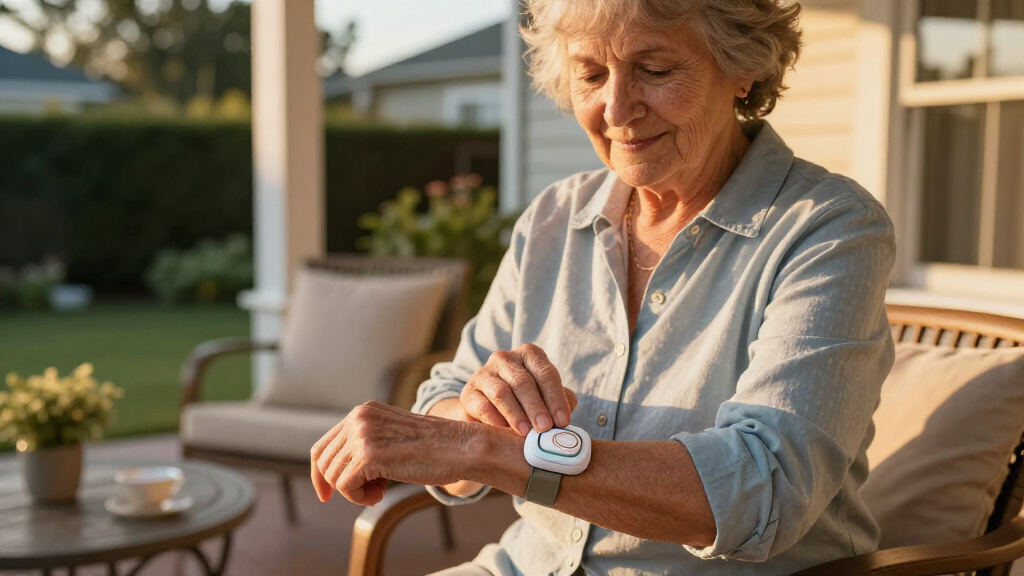

When a medical alert system is hard to use, it fails at its one job — which is why I focused this comparison entirely on ease of use. The Medical Guardian MGHome Cellular earns my best overall pick for its plug-in-and-done setup and crystal-clear two-way talk, while the LIVELY Mobile2 stands out as the simplest wearable option with a single oversized button and no confusing menus. The main tradeoff in this category is simplicity versus capability: fall detection and GPS add protection but also add charging routines, app pairing, and more ways for things to go wrong. Readers who want maximum coverage should weigh whether an extra feature is worth an extra step each day. Keep reading for the full breakdown of all six systems and who each one suits best.

Turn quiet afternoons into listening time
- Thousands of audiobooks, podcasts and originals
- Listen on your phone, tablet or Echo — also offline
- Cancel anytime
Complete the kit


Key Takeaways
- Home base units like the Medical Guardian MGHome and Bay Alarm Medical SOS were the simplest to operate because they require zero daily interaction after setup — a big advantage over wearables that need nightly charging.
- The Fall Detection Watch packed in the most features (GPS, heart rate, step tracking) but ranked lower for ease of use because its touchscreen demands the most learning from the wearer.
- Fall detection added roughly $10/month across the lineup, so buyers who only need button-press alerts can save meaningfully by skipping it.
- Lanyard-style pendants such as the LIVELY Mobile2 and SecuLife scored highest on one-button simplicity, but both depend on the user remembering to charge them every one to two days.
- Every system I compared required an active monitoring subscription, so the sticker price of the device is only a fraction of the true first-year cost.
| Medical Guardian MGHome Cellular Medical Alert System for Seniors |  | Best for Home-Based Coverage | Coverage: Up to 1,400 ft from base station | Call Button: Wearable pendant or wristband | Monitoring: 24/7 emergency operator | VIEW LATEST PRICE | See Our Full Breakdown |
| Safety+ 4G Medical Alert System with Fall Detection and GPS |  | Best All-in-One Mobile Pick | Coverage: Nationwide 4G | Battery Life: Up to 6 days | Fall Detection: Yes | VIEW LATEST PRICE | See Our Full Breakdown |
| LIVELY Mobile2 Medical Alert Device, Waterproof, Lanyard Included |  | Most Discreet Wearable | Waterproof: Yes, fully submersible | Fall Detection: Yes (subscription required) | Connectivity: Mobile cellular, no landline | VIEW LATEST PRICE | See Our Full Breakdown |
| Bay Alarm Medical SOS Mobile GPS Medical Alert System for Seniors |  | Easiest to Set Up and Use | Coverage: Nationwide 4G LTE | Weight: Under 2 oz | GPS Tracking: Yes | VIEW LATEST PRICE | See Our Full Breakdown |
| SecuLife Medical Alert Pendant for Seniors with Fall Detection, GPS Tracking, 2-Way Calling |  | Best Value Subscription | Fall Detection: Yes | GPS Tracking: Yes | Geo-Fence Zones: Yes | VIEW LATEST PRICE | See Our Full Breakdown |
| Fall Detection Watch for Seniors with GPS & Health Monitoring |  | Best All-in-One Smartwatch Pick | Fall Detection: Automatic with SOS alert | GPS Tracking: Real-time with geo-fencing | Connectivity: 4G LTE, video and voice calls | VIEW LATEST PRICE | See Our Full Breakdown |
| easy-to-use medical alert system | Fall Detection | Connectivity | Coverage | Includes |
|---|---|---|---|---|
| Medical Guardian MGHome Cellul | Optional, +$10/month | Cellular (no landline needed) | Up to 1,400 ft from base station | Base station, call button, lanyard, wristband |
| Safety+ 4G Medical Alert Syste | Yes | Cellular 4G | Nationwide 4G | Device, charging dock, lanyard, belt clip, caregiver app access |
| LIVELY Mobile2 Medical Alert D | Yes (subscription required) | Mobile cellular, no landline | — | Lanyard |
| Bay Alarm Medical SOS Mobile G | Yes | — | Nationwide 4G LTE | — |
| SecuLife Medical Alert Pendant | Yes | Cellular | — | — |
| Fall Detection Watch for Senio | Automatic with SOS alert | 4G LTE, video and voice calls | — | — |
More Details on Our Top Picks
Medical Guardian MGHome Cellular Medical Alert System for Seniors
For seniors who spend most of their time at home, this option stands out for its 1,400-foot range — one of the longest in-home coverage distances available, meaning the wearable button works from the backyard or mailbox. Unlike the on-the-go devices like the Safety+ 4G or Bay Alarm SOS Mobile, the MGHome trades portability for a dedicated base station that never needs charging, which removes a recurring failure point entirely. Pressing the pendant or wristband connects directly to a 24/7 monitoring center with trained operators. The tradeoff is real: it’s home-only, fall detection adds $10/month on top of the $38.95 base subscription, and there’s no GPS. Compared with the SecuLife pendant at $20/month, it’s pricier — but the unmatched indoor range justifies it for homebodies.
Pros:- 1,400 ft in-home range covers large homes and yards
- Base station means no daily charging routine
- Choice of pendant or wristband wearable
- 24/7 professional emergency monitoring
Cons:- Fall detection costs an extra $10/month
- No GPS or protection outside the home
- Monthly cost runs higher than mobile-only competitors
Best for: Seniors who live independently at home and want reliable whole-property coverage without managing battery life
Not ideal for: Active seniors who leave the house regularly — the system simply doesn’t work beyond the home base station’s range
- Coverage:Up to 1,400 ft from base station
- Call Button:Wearable pendant or wristband
- Monitoring:24/7 emergency operator
- Subscription:$38.95/month
- Fall Detection:Optional, +$10/month
- Includes:Base station, call button, lanyard, wristband
- Connectivity:Cellular (no landline needed)
Our verdict“This pick makes the most sense for homebound seniors who want maximum indoor coverage and zero charging worries.”
Safety+ 4G Medical Alert System with Fall Detection and GPS
The Safety+ 4G bundles nearly every feature a mobile medical alert should have — fall detection, GPS, caregiver app access, and nationwide 4G coverage — into a single device that works anywhere. Compared with the Medical Guardian MGHome, it flips the script: instead of excellent home range and no GPS, you get total portability with location tracking, which matters enormously if the user wanders or has dementia. Setup is genuinely simple, with easy activation and the first month of service included, so there’s no surprise bill on day one. The 6-day battery life beats the Bay Alarm SOS Mobile’s variable multi-day charge. The main drawback is cost: after that free month, ongoing subscription pricing can climb higher than the SecuLife’s flat $20/month, so budget-conscious families should compare totals carefully.
Pros:- Fall detection and GPS included as standard
- First month of service included at activation
- Up to 6 days of battery life
- Caregiver app keeps family informed remotely
Cons:- Subscription costs after the first month can add up
- Requires regular charging discipline
- No dedicated home base station option
Best for: Active seniors and families who want fall detection, GPS tracking, and caregiver visibility in one ready-to-go device
Not ideal for: Budget-limited buyers focused purely on monthly cost — ongoing fees exceed cheaper rivals like the SecuLife pendant
- Coverage:Nationwide 4G
- Battery Life:Up to 6 days
- Fall Detection:Yes
- GPS:Yes
- Water Resistance:Yes
- Connectivity:Cellular 4G
- Includes:Device, charging dock, lanyard, belt clip, caregiver app access
- Activation:Easy setup, first month included
Our verdict“The strongest choice for seniors who leave the house and want every safety feature working out of the box.”
LIVELY Mobile2 Medical Alert Device, Waterproof, Lanyard Included
Where the SecuLife pendant leans toward a larger screen and visible buttons, the LIVELY Mobile2 takes the opposite approach: a small, lightweight, discreet design that seniors who resist “wearing a device” are far more likely to keep on. It’s fully waterproof — not merely water-resistant like the Bay Alarm SOS Mobile — so it can go in the shower, where falls are unfortunately common. One-touch calling reaches 24/7 certified agents, and fall detection plus automatic family notifications through the caregiving app round out the safety package. The honest tradeoff is transparency: pricing isn’t clearly listed, fall detection requires a subscription tier, and LIVELY publishes less detail on battery life and range than competitors like Safety+, which promises a concrete 6 days. This model is better suited to style-conscious users than to spec-driven comparison shoppers.
Pros:- Fully waterproof, safe for shower use
- Discreet and lightweight enough for all-day wear
- Automatic family notifications via app
- 24/7 certified emergency agents
Cons:- Fall detection locked behind a subscription tier
- Pricing not clearly published upfront
- Battery life and range details not specified
Best for: Seniors who resist bulky medical devices and want something unobtrusive they’ll actually wear all day, including in the shower
Not ideal for: Buyers who want clear, upfront pricing and published battery specs before committing
- Waterproof:Yes, fully submersible
- Fall Detection:Yes (subscription required)
- Connectivity:Mobile cellular, no landline
- Emergency Response:24/7 certified agents
- Family Notifications:Automatic via caregiving app
- Includes:Lanyard
- Design:Discreet, lightweight, portable
Our verdict“The right pick when the biggest barrier is getting a senior to actually wear the device every day.”
Bay Alarm Medical SOS Mobile GPS Medical Alert System for Seniors
If simplicity is the deciding factor, this model earns its place with a genuinely one-button operation — press the single panic button and help is summoned over 4G LTE with GPS location attached. Setup is refreshingly quick, and at under 2 ounces, it’s lighter and less conspicuous than the SecuLife pendant, which carries a bigger display and interface. Compared with the Safety+ 4G, it offers a similar mobile experience but with more flexible wearing options (lanyard or belt clip) and a generally simpler feature set — no caregiver app complexity to learn. The compromises are honest ones: battery life is vague (“several days”) and fluctuates with usage and network conditions, meaning it may need mid-week charging unlike the Safety+’s solid 6 days, and full functionality sits behind a subscription. For technophobes, though, the simplicity is worth it.
Pros:- True one-button panic operation, no menus to learn
- GPS tracking over reliable nationwide 4G LTE
- Under 2 oz with lanyard or belt clip wearing options
- Fast, simple setup process
Cons:- Battery life varies and is not clearly specified
- No caregiver app included
- Subscription required for full functionality
Best for: Seniors who want the simplest possible device — one button, no menus, no learning curve — with GPS backup
Not ideal for: Users who need predictable multi-day battery life or detailed charge-time expectations
- Coverage:Nationwide 4G LTE
- Weight:Under 2 oz
- GPS Tracking:Yes
- Fall Detection:Yes
- Water Resistance:Water-resistant
- Battery Life:Several days (varies with usage)
- Wearing Options:Neck lanyard, belt clip
- Subscription:Required
Our verdict“The best choice when the user’s tech comfort is low and one-button simplicity outweighs every other spec.”
SecuLife Medical Alert Pendant for Seniors with Fall Detection, GPS Tracking, 2-Way Calling
At a flat $20/month, the SecuLife undercuts every rival here on ongoing cost — roughly half the Medical Guardian MGHome’s $38.95 — while still including fall detection and GPS as standard rather than paid add-ons. That alone makes it the value play in this lineup. It also brings features the others lack: geo-fence zones that alert family if the wearer leaves a defined area, and two-way auto-answer calling so operators can reach the user even if they can’t press a button. The IP67 waterproof rating and 6-day battery match the Safety+ 4G step for step. The tradeoffs: it’s visibly larger and less discreet than the LIVELY Mobile2, the display-heavy design may feel gadget-like to some seniors, and it depends entirely on cellular coverage with no home base station fallback.
Pros:- Lowest monthly subscription at $20 with features included
- Geo-fence zones alert family to wandering
- Two-way auto-answer calling for hands-free response
- IP67 waterproof with up to 6 days of battery
Cons:- Larger, less discreet than slim competitors
- Useless outside cellular coverage areas
- No landline or base station fallback
Best for: Budget-conscious families who want fall detection, GPS, and geo-fencing included without premium monthly fees
Not ideal for: Seniors wanting a barely-there device — the size and visible display are more conspicuous than the LIVELY Mobile2
- Fall Detection:Yes
- GPS Tracking:Yes
- Geo-Fence Zones:Yes
- Water Resistance:IP67 waterproof
- Battery Life:Up to 6 days
- Monthly Subscription:$20
- Connectivity:Cellular
- Display:Large SOS button, time, battery, signal
- Voice Calls:Two-way, auto-answer
Our verdict“The smartest pick for families who refuse to pay premium monthly rates but still want full fall detection and GPS protection.”
Fall Detection Watch for Seniors with GPS & Health Monitoring
Most devices in this roundup do one thing well — the Medical Guardian MGHome covers the home, the LIVELY Mobile2 covers mobility. This watch tries to cover everything: automatic fall detection, real-time GPS with geo-fencing, heart rate and sleep tracking, and even 4G video calls, all on the wrist. Compared with the SecuLife pendant, which hides its tech in a necklace, this option puts safety in a familiar watch form factor many seniors already prefer wearing daily.
The tradeoff is complexity. Setting up geo-fences, video calls, and health dashboards takes more effort than the plug-and-play Bay Alarm Medical system, and the pre-installed SIM is data-only — voice calling depends on adding a compatible SIM, which contradicts the ‘easy-to-use’ goal for some families. Still, one year of free data and IP67 waterproofing soften the value equation considerably.
Pros:- Automatic fall detection with SOS alerts built into a familiar watch design
- Real-time GPS tracking and geo-fencing alerts for wandering concerns
- Video calls and two-way voice communication keep families visually connected
- Heart rate, blood pressure reference, and sleep tracking add everyday health value
- One year of free data on the pre-installed SIM lowers first-year cost
Cons:- Included SIM is data-only, so voice calling requires sourcing a compatible SIM yourself
- More setup and daily charging than simple plug-and-play systems like Medical Guardian MGHome
- Feature-rich interface can overwhelm seniors who want a single-button device
Best for: Tech-comfortable seniors and adult children who want fall detection, GPS, and wellness tracking in a single everyday wearable
Not ideal for: Seniors who struggle with menus and charging routines, or anyone expecting voice calling to work out of the box — the included SIM is data-only
- Fall Detection:Automatic with SOS alert
- GPS Tracking:Real-time with geo-fencing
- Connectivity:4G LTE, video and voice calls
- Health Monitoring:Heart rate, blood pressure reference, sleep tracking
- Waterproof Rating:IP67
- Charging:Magnetic charging cable
- SIM Card:Pre-installed data-only SIM, 1-year free data
Our verdict“Buy this if you want a full-featured smartwatch that doubles as a safety device — skip it if your priority is a zero-setup, single-button alert system.”
How We Picked
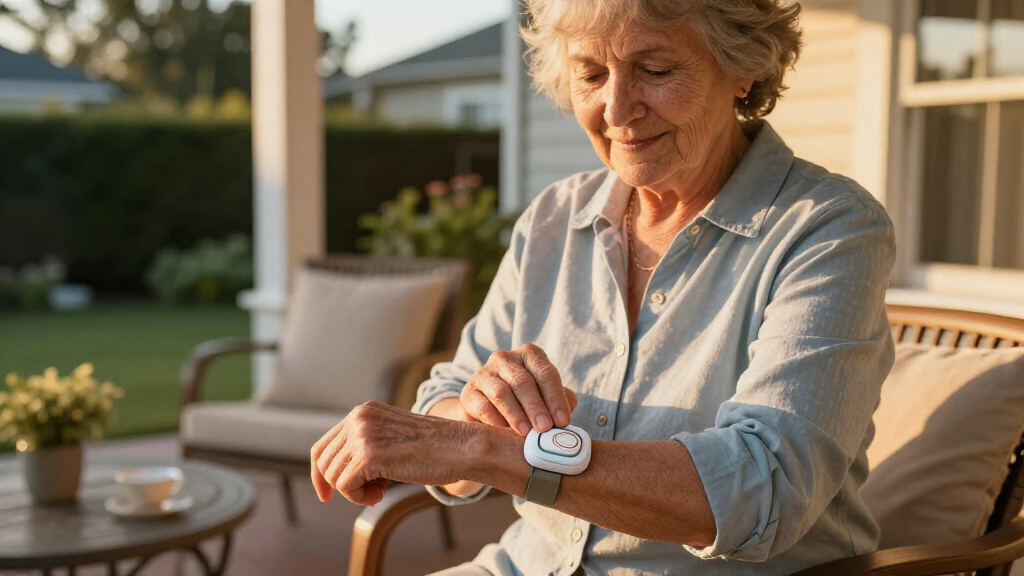
I judged every system through a single lens: can a person with limited tech comfort, reduced dexterity, or mild cognitive decline operate it independently during an emergency? That broke down into four criteria. Setup effort — how many steps between unboxing and a working device, and whether a caregiver needs to be involved. Daily interaction burden — charging frequency, button size and feel, and whether the wearer must navigate menus. Emergency simplicity — how obvious the call-for-help action is and how clearly the operator’s voice comes through. Feature-load tradeoff — whether extras like GPS, fall detection, and health tracking help or actually complicate the experience.
I ranked home base stations above feature-heavy wearables because they demand the least from the user day to day, which is the whole point of an easy-to-use system. Wearables with a single button came next, and devices requiring touchscreen navigation landed lower regardless of how capable they are. Monitoring-plan requirements and long-term cost also factored into placement, since a device that is easy to use but expensive to keep active is a worse overall choice for most families.
| easy-to-use medical alert system | Coverage | Fall Detection | Includes | Battery Life |
|---|---|---|---|---|
| Medical Guardian MGHome Cellul | Up to 1,400 ft from base station | Optional, +$10/month | Base station, call button, lanyard, wristband | — |
| Safety+ 4G Medical Alert Syste | Nationwide 4G | Yes | Device, charging dock, lanyard, belt clip, caregiver app access | Up to 6 days |
| LIVELY Mobile2 Medical Alert D | — | Yes (subscription required) | Lanyard | — |
| Bay Alarm Medical SOS Mobile G | Nationwide 4G LTE | Yes | — | Several days (varies with usage) |
| SecuLife Medical Alert Pendant | — | Yes | — | Up to 6 days |
| Fall Detection Watch for Senio | — | Automatic with SOS alert | — | — |
Factors to Consider When Choosing Easy-to-use Medical Alert Systems
Ease of use means different things depending on the wearer’s habits, living situation, and abilities. These are the broader factors I weighed — and the common mistakes I saw buyers make repeatedly.Home Base vs. Wearable: Match the Device to the Person’s Day
The single biggest decision is whether the system stays in the home or travels with the wearer. Home base units like the MGHome and Bay Alarm SOS need no charging and no daily thought, but they only protect inside and around the house. Wearables protect everywhere yet shift responsibility onto the wearer to keep them charged and on their body. A common mistake is buying a mobile pendant for someone who never leaves home — they inherit a charging routine they didn’t need. The reverse mistake is worse: giving a homebody’s loved one no protection on trips to the store. Watch how the person actually moves through a typical week before choosing.
Count the Buttons and the Menu Layers
An emergency device should be operable by someone in distress, possibly in low light, possibly disoriented. One large physical button beats any touchscreen for this purpose, which is why pendant-style units rank higher for simplicity. Ask how many actions sit between the wearer and a live operator — ideally it’s exactly one press. Devices with settings menus, swipe gestures, or app pairing put a learning curve between the user and help. If the wearer struggles with a smartphone, they will struggle with a smartwatch-style alert device too, no matter how good its features look on paper.
The Real Cost Is the Subscription, Not the Device
Nearly every system here requires a monthly monitoring plan, and that recurring fee usually dwarfs the hardware price within the first year. Basic button-press monitoring typically runs $20–30 per month; adding fall detection or GPS pushes it higher. Families often compare device prices and discover the plans afterward, which is backwards. Ask whether fall detection is optional or bundled, whether there’s an activation fee, and whether the contract is month-to-month. A month-to-month plan matters because needs change — a person recovering from surgery may need full coverage for three months, not a year-long commitment.
Fall Detection Helps Only If It’s Tuned to the Wearer
Automatic fall detection sounds like an obvious upgrade, but it comes with tradeoffs families rarely hear about. Systems like the Safety+ 4G and SecuLife pendant can trigger false alarms from bending over, sitting down quickly, or a bumpy car ride, and repeated false calls can make wearers stop trusting or even stop wearing the device. Detection also can’t catch every fall — a slow slide to the floor often doesn’t register. Fall detection makes the most sense for someone who may not be able to press a button after a fall, such as a person with a history of fainting or one who lives completely alone. For others, a reliable button press may be the better fit.
Battery Habits Make or Break Wearables
Every mobile device in this lineup dies if nobody charges it, and a dead pendant provides zero protection. Battery life ranges from roughly one day on feature-heavy wearables to several days on simpler pendants, and that difference decides whether the routine sticks. Build charging into something the person already does — docking the pendant next to a toothbrush or beside a coffee maker turns it into habit. If the wearer has memory challenges, a base station with no battery management is the safer architecture. Families who live nearby can also help by checking charge status during visits or using caregiver apps that send low-battery alerts.
Water Resistance Is Non-Negotiable
Falls happen disproportionately in the bathroom, where wet floors and hard surfaces combine. Any pendant or wearable worth buying should carry at least an IP67 rating so it can be worn in the shower — the exact scenario where a person is least able to reach a phone. Some buyers accept ‘splash-proof’ devices to save money, and that’s a poor trade. Check the rating, not the marketing language, and confirm the device can be worn during bathing rather than merely surviving rain. The base station unit itself stays dry, but its help button range should still cover the bathroom.
Frequently Asked Questions
Do these systems work without a landline?
Yes — every system in this roundup uses either a cellular connection or a 4G/LTE connection to reach the monitoring center, so a landline isn’t required. Cellular home units like the Medical Guardian MGHome Cellular plug into a wall outlet and connect over the mobile network on their own. This matters because many households have dropped landline service entirely, and older landline-based systems simply won’t function there. One thing to verify before buying is cellular coverage at the home’s location, since the device relies on the carrier network the manufacturer has partnered with. If the home sits in a weak coverage area, ask the provider which network they use and check that carrier’s signal map. Rural buyers should confirm this before committing to any subscription.
Can I use one of these without a monthly subscription?
Generally no — the systems in this roundup are built around 24/7 professional monitoring, which is what the monthly fee pays for. Without an active plan, the button has nobody to call, and features like fall detection and GPS tracking typically stop working as well. Some buyers hope to pair a device with a family member’s phone instead, but these systems aren’t designed to work that way. If avoiding a subscription is the priority, the realistic alternative is a basic phone-based setup like speed dial to family, which sacrifices the around-the-clock response and trained operators. For most families, the $20–35 monthly cost is the actual product being purchased; the hardware is just the door to it. Choose a month-to-month plan if you want the flexibility to cancel.
How accurate is automatic fall detection in practice?
It’s genuinely useful but far from perfect, and buyers should have realistic expectations. Detection algorithms recognize sudden drops and impacts well — trips, slips, and collapses usually trigger correctly. The weaknesses are slow, sliding falls, which may not register, and false alarms from activities like reclining quickly or riding over potholes. In this comparison, the Safety+ 4G and SecuLife pendant both offer detection, and both can be adjusted or disabled if false alerts become a nuisance. My guidance: treat fall detection as a supplement to the button, never a replacement. The wearer should still press the button whenever able, because a deliberate press is always more reliable than an algorithm’s guess.
Which option is best for someone with dementia or memory issues?
For cognitive decline, minimize every step the wearer must remember — that points to a home base station rather than a wearable. The Bay Alarm Medical SOS and MGHome work well here because nothing needs charging, and the in-home help button requires no routine at all. If wandering is a concern, a GPS wearable like the LIVELY Mobile2 adds location tracking, but it only helps if it stays charged and on the person, which is exactly where memory issues interfere. Some families solve this with caregiver apps that send low-battery and location alerts to relatives. Also look for systems where the operator can access a pre-set list of family contacts and medical information. The most capable device isn’t the right one if the wearer can’t maintain the habit it depends on.
Is a smartwatch-style alert device a good choice for a tech-averse senior?
Usually not, and this came through clearly in the comparison. The Fall Detection Watch offers the richest feature set — GPS, heart rate, step counting — but it’s also the only device here requiring touchscreen navigation, menu familiarity, and nightly charging. For someone who finds smartphones confusing, a watch adds friction exactly where an emergency device should have none. The better fit for tech-averse users is a one-button pendant or a base station, where the entire user interface is a single press. The watch makes sense for a different buyer: an active, moderately tech-comfortable senior who wants fitness tracking anyway and will treat the alert features as a bonus. Matching the interface to the person matters more than matching the feature list to the brochure.
Conclusion
For most families, the Medical Guardian MGHome Cellular is the best overall choice — it asks the least of the wearer while delivering fast, clear access to help, which is the entire promise of an easy-to-use system. On value, the Bay Alarm Medical SOS delivers comparable home-based simplicity at a friendlier ongoing price, making it the smart pick for budget-conscious households. The Safety+ 4G earns the premium spot by combining fall detection, GPS, and cellular coverage for buyers who want maximum protection both at home and away. For beginners and anyone overwhelmed by technology, the LIVELY Mobile2 is the gentlest entry point — one button, a lanyard, and almost nothing to learn. Two picks serve specific needs: the SecuLife pendant for those who want fall detection in a minimalist one-button form, and the Fall Detection Watch for active, tech-comfortable seniors who want health tracking alongside emergency coverage. Choose based on who will actually wear and operate the device every day — that single question separates the right pick from the wrong one more than any spec sheet can.