
TL;DR

Turn quiet afternoons into listening time
- Thousands of audiobooks, podcasts and originals
- Listen on your phone, tablet or Echo — also offline
- Cancel anytime
Home health apps often collect personal and health data, sharing it with third parties. You can limit this by reviewing permissions, choosing reputable apps, and adjusting privacy settings—helping you stay in control of your health information.
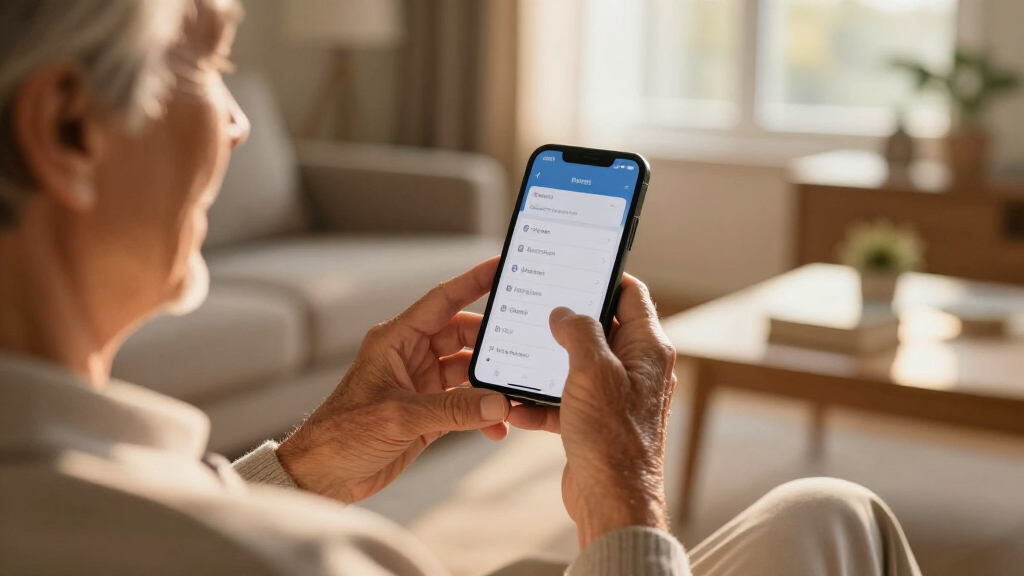
Ever wonder what your home health app is really up to behind the scenes? These digital tools promise convenience but often come with a hidden cost: your privacy. As more people rely on apps to track symptoms, manage medications, or monitor vital signs, understanding what data is collected—and how it’s used—becomes crucial.
In this guide, you’ll learn exactly what kinds of information these apps gather, who they share it with, and, most importantly, how you can take control. Because protecting your health data shouldn’t be an afterthought—it’s your right.
Review and understand each app’s privacy policy before downloading or sharing data.
Limit app permissions—especially location, microphone, and contacts—to reduce data collection.
Choose apps with transparent privacy practices and clear data sharing policies.
Regularly update your apps and device software to patch security vulnerabilities.
Be cautious about linking your health apps to social media or third-party services.
What types of data do your home health apps actually collect?
Home health apps gather a surprising amount of detail. It’s not just your name and age. Think about your health: symptoms, medication lists, blood pressure readings, sleep patterns, and even activity levels. Some apps also track your location, especially if they’re connected to GPS-enabled devices or wearables.
For example, a popular blood pressure monitor app might record your systolic and diastolic readings daily. But it may also log your location during measurements, which could reveal where you live or work. Device data—like your phone’s ID or your activity on the app—adds another layer of information.
Understanding the scope of this data collection is important because it highlights how much personal information is being gathered, often without explicit awareness. This data can be used to create detailed health profiles, which, if mishandled, pose risks like identity theft or targeted advertising. The more comprehensive the data collected, the higher the potential for misuse or unintended exposure, emphasizing the need for cautious app selection and privacy controls.
Popular right now

Vitamix 5200 Professional-Grade Blender, 64 oz. Container, Black

Dyson V8 Cyclone Cordless Vacuum

Bose QuietComfort Ultra Wireless Noise-Cancelling Headphones with Spatial Audio, Black
As an affiliate, we earn on qualifying purchases.
Who do these apps share your data with—and why?
Many apps share your health info with third parties—sometimes without you realizing it. Common recipients include healthcare providers, researchers, advertising companies, and data brokers. This sharing isn’t always transparent, which can leave users unaware of how their sensitive information is being used.
For instance, an app might send anonymized health trend data to research institutions to help develop new treatments or improve existing ones. However, the same data could also be sold to advertisers seeking targeted health-related ads, or to data brokers who compile and sell consumer profiles. This process can happen through direct data sharing agreements or via third-party analytics firms.
The implications are significant: your health data, if shared broadly, can be used to profile you, influence your insurance rates, or even be exposed in data breaches. Understanding why and how your data is shared helps you evaluate the risks and make informed choices about the apps you trust. It also underscores the importance of reading privacy policies and limiting permissions to reduce unnecessary sharing.
What privacy policies really mean—and how transparent are these apps?
Privacy policies often read like dense legal jargon, but they reveal how your data is used. Some apps clearly state they collect only what’s necessary and outline specific data sharing practices, fostering trust. Others use vague language or omit details, making it difficult to understand the full extent of data collection and sharing.
Why does this matter? Because clicking ‘Accept’ without reading these policies can inadvertently give apps permission to collect more data than you realize, or share it with third parties you wouldn’t agree with. Transparency varies widely—some companies disclose every detail in plain language, while others bury critical information deep in lengthy documents.
Knowing how to interpret these policies is essential. Look for clear statements about data collection scope, sharing practices, and user rights. If an app’s policy is vague or overly complicated, consider it a red flag. Prioritizing apps with transparent, straightforward policies helps ensure your data is handled responsibly, aligning with your privacy expectations.
Latest privacy laws and what they mean for your data
Regulations like HIPAA, GDPR, and the FTC’s actions are shaping how health data is handled. HIPAA protects data shared with healthcare providers and insurers, but many consumer health apps fall outside its scope, meaning they aren’t bound by the same strict privacy standards. This gap can leave users vulnerable to data misuse.
GDPR, applicable to users in Europe, emphasizes user rights such as data access, correction, and deletion, and requires explicit consent before data collection. For example, a wellness app used in Europe must obtain clear consent and provide options to revoke it. In the U.S., the FTC is actively pursuing actions against companies that make false privacy claims or mishandle data, which encourages better practices overall.
Understanding these laws helps you gauge whether an app is likely to handle your data responsibly. While legal protections are evolving, they don’t replace personal vigilance. Staying informed allows you to choose apps that align with your privacy expectations and rights, especially as regulations continue to develop globally.
Easy ways to limit what your home health apps share
Protecting your privacy doesn’t require a tech degree—simple steps make a big difference. Here’s how:
- Review privacy policies: Understand what data is collected, how it’s used, and with whom it’s shared. Knowing this helps you decide whether to proceed or seek alternatives.
- Adjust app permissions: Limit access to location, camera, contacts, and microphone. For example, turning off location sharing prevents your movements from being tracked, reducing the risk of profiling or unwanted exposure.
- Use privacy settings: Enable controls that restrict data sharing or anonymize your info. Many apps offer settings to turn off data sharing features or opt out of targeted advertising.
- Select reputable apps: Prioritize those with transparent policies, positive reviews, and established privacy practices. Research can reveal if an app has a history of mishandling data.
- Limit linking accounts: Avoid connecting health apps to social media or other third-party platforms, which can inadvertently increase data exposure.
- Keep software updated: Updates often patch security flaws, closing vulnerabilities that could be exploited to access your data.
- Use security tools: VPNs, encrypted messaging, and strong passwords add layers of protection, making it harder for malicious actors to intercept your information.
For example, turning off location sharing in your fitness app might prevent your movements from being tracked without sacrificing core features. Each step adds a layer of security, giving you greater control over your personal health information.
What questions are you really asking about your health data?
Here are common questions people ask, answered:
- What data do health apps collect? Usually health metrics like heart rate, blood pressure, medication logs, location, device info, and usage habits. Recognizing these helps you understand what personal details are at risk.
- Are my health details safe? Not always; it depends on the app’s security measures and privacy policies. Apps with weak security can become targets for breaches, exposing sensitive info.
- Can I stop apps from sharing my data? Yes, by adjusting permissions, privacy settings, and choosing privacy-conscious apps. This reduces the chances of your data being sold or misused.
- Do these apps follow privacy laws? Many don’t fully comply, especially wellness or fitness apps not classified as healthcare providers. Lack of regulation means greater responsibility falls on you to choose trustworthy options.
- What if I suspect misuse? Report concerns to authorities like the FTC, review privacy controls, or stop using the app. Staying vigilant helps protect your rights and privacy.
Conclusion
Your health data is valuable—and often more vulnerable than you think. Taking control starts with awareness. Simple adjustments to permissions and choices can keep your sensitive information out of the wrong hands.
Remember, privacy isn’t just a setting; it’s a mindset. Stay informed, be cautious, and prioritize your control over your health journey. Your data belongs to you—protect it like the treasure it is.