
TL;DR
Listen free for 30 days with Audible
Thousands of audiobooks and originals — cancel anytime.
Start your free trialAs an affiliate, we earn on qualifying purchases.
Captioned telephones convert speech into text during calls, helping those with hearing loss follow conversations. Eligibility depends on hearing difficulty, not income, and the service is often free through FCC programs.
Imagine holding a phone call where you can see the words being spoken in near real-time. That’s what captioned telephones do—turn the spoken word into text right on your screen. It’s a game-changer for millions of people with hearing loss who struggle to understand phone conversations.
This guide explains how these systems work, who qualifies, and what to consider when choosing one. If you or someone you know finds phone calls frustrating or confusing, understanding captioned telephones could open a new way to connect with the world.
Real-time captions are generated by speech recognition, with some systems involving human review for accuracy.
Eligibility for free captioned telephone services depends on hearing difficulty, not income or age.
Most captioned phones support both traditional landlines and internet-based calls, with a range of customization options.
Captions may contain errors and delays; a strong internet connection improves reliability.
Privacy varies by provider—always review policies before saving or sharing transcripts.
Captioned Telephones: How Real-Time Captions Work and Who Qualifies
Captioned telephones turn the other caller’s speech into near-real-time text. The user can listen, speak normally, and read the conversation on a dedicated phone, smartphone, tablet, or computer.
How speech becomes readable text
The captioning system processes the other caller’s voice while the captioned-phone user continues speaking in their own voice. The person on the other end usually needs no special equipment or app.
Call begins
The user places or receives a telephone call.
Voice is routed
The other caller’s audio is sent securely to the captioning service.
Speech is processed
Automatic recognition, human assistance, or a hybrid system converts audio to text.
Captions appear
Text displays on the phone or app, usually within a few seconds.
User responds
The user answers aloud, and the other caller hears their voice directly.
Traditional CTS versus IP CTS
Both services add captions to a spoken conversation. IP CTS is now the more common model because it supports internet-connected devices, flexible displays, and broader customization.
| Feature | Captioned Telephone Service · CTS | Internet Protocol CTS · IP CTS |
|---|---|---|
| Connection | Designed primarily for conventional telephone networks | Uses an internet connection to deliver captions |
| Devices | Usually a specialized captioned telephone | Dedicated phones, smartphones, tablets, and computers |
| Display options | Built-in screen with model-specific controls | ✓ Flexible Larger displays and adjustable text |
| Extra features | Amplification, hearing-aid compatibility, and basic controls | ✓ Expanded Saved captions, accessibility settings, and app support |
| Best suited to | Users who prefer a familiar landline-style telephone | Users who want mobility, customization, or multiple devices |
Captioned telephone users ordinarily speak and listen during the call. Captions supplement the audio; they do not replace spoken conversation as they may in text-only telephone systems.
Speed, accuracy, and privacy tradeoffs
Performance varies by provider, connection, speaker, and environment. No method guarantees a perfectly verbatim transcript, so the right choice depends on the setting and the importance of the call.
Speech recognition
Software converts audio directly into text with limited or no human involvement.
- Often produces captions quickly
- May offer greater perceived privacy
- Can struggle with noise, accents, and terminology
Communications assistant
A trained assistant repeats, processes, monitors, or corrects the caller’s speech.
- Useful when audio is difficult to recognize
- May improve accuracy in challenging calls
- Can introduce additional delay and privacy concerns
Automation plus review
Automated recognition handles the main transcription while human intervention supports difficult moments.
- Balances speed and correction
- Adapts to changing call conditions
- Availability depends on the provider
What affects caption accuracy?
Clear speech and a stable connection create the best conditions. Background noise and overlapping voices make recognition harder and can produce corrections, missing words, or longer delays.
Relative captioning conditions
The bars illustrate relative operating conditions, not guaranteed accuracy percentages.
Confirm critical details aloud
- Ask the caller to repeat medication names and instructions.
- Read back account numbers, confirmation codes, and addresses.
- Verify appointment dates, times, and locations before ending the call.
- Move away from background noise and avoid speakerphone when possible.
- Check the internet connection if delays become long or repetitive.
Who qualifies for free captioning service?
IP CTS is intended for people whose hearing loss makes telephone communication difficult enough that captions are needed to understand calls. Complete deafness is not required.
Do captions help you understand telephone calls?
Moderate, age-related, or other hearing difficulties may qualify. People who still struggle despite hearing aids or cochlear implants may also be eligible.
Not the deciding factor
Eligibility is generally based on hearing-related need, not household income.
No fixed age threshold
Older adults are common users, but age alone does not determine eligibility.
Certification may apply
A provider may request professional certification or an approved self-certification.
Still potentially eligible
Using hearing aids or implants does not exclude someone who needs captions for calls.
“Free service” does not mean every expense is covered
Qualifying captioning is generally supported through the FCC’s Telecommunications Relay Services program and the Interstate TRS Fund. Hardware, connectivity, and ordinary phone service can remain the user’s responsibility.
Caption generation for an eligible, registered user.
A dedicated phone, accessories, or professional installation.
Internet, broadband, cellular data, or ordinary telephone service.
Confirm equipment terms, returns, setup fees, and ongoing requirements.
Before saving or sharing transcripts, ask:
- Is any part of the audio recorded?
- Are captions or transcripts stored?
- How long is call data retained?
- Can saved captions be permanently deleted?
- Does a human assistant process the call?
- How is sensitive information protected?
From hearing difficulty to clearer connection
Traceability chainHow Do Real-Time Captions Turn Speech Into Text During Calls?
Real-time captions are like having a live stenographer transcribing your conversation. When you make or receive a call, the other person’s voice is sent securely to a captioning system. This system uses advanced speech recognition—think of it as a very fast, very smart language translator—to convert spoken words into text.
In some cases, a trained human assistant monitors the process, correcting errors and ensuring accuracy. The resulting text pops up on your phone or device screen within a few seconds, giving you a transcript of what’s being said—almost like reading a live caption on a TV show.
This process matters because it bridges the gap between speech and understanding, especially for those with hearing impairments. The speed and accuracy of these captions directly impact how effectively users can follow conversations. A delay or error might lead to misunderstandings, which could be frustrating or even dangerous in critical situations like medical emergencies or legal discussions. Therefore, improvements in speech recognition technology and human oversight are essential to ensure meaningful, reliable communication.
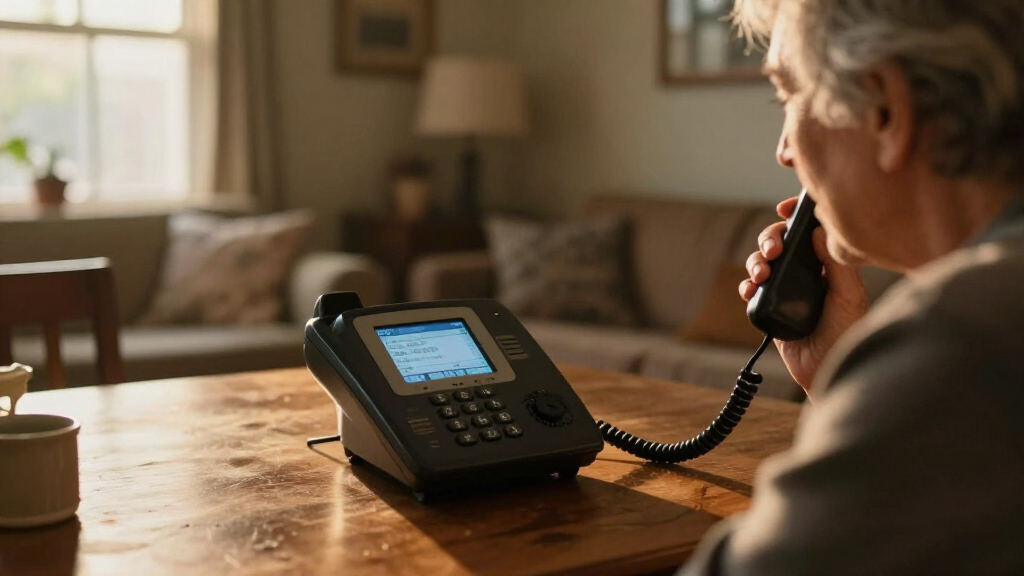
captioned telephone with real-time speech-to-text
As an affiliate, we earn on qualifying purchases.
As an affiliate, we earn on qualifying purchases.
The Two Main Ways Captioned Calls Are Delivered: CTS vs IP CTS
| Feature | Captioned Telephone Service (CTS) | Internet Protocol Captioned Telephone Service (IP CTS) |
|---|---|---|
| How it works | Uses traditional phone networks with specialized hardware and sometimes a human assistant | Uses internet connection, supporting apps, smartphones, and larger displays |
| Device options | Dedicated captioned phones, some with adjustable text and Bluetooth | Smartphone apps, tablets, computers, and larger external displays |
| Features | Basic captioning, some models support amplification and hearing aids | Customization, saved transcripts, multiple language support, and accessibility options |
hearing aid compatible captioned phones
As an affiliate, we earn on qualifying purchases.
As an affiliate, we earn on qualifying purchases.
How Automated and Human-Assisted Captioning Differ
Captioning can be fully automated, using speech recognition software, or involve a human helper. Automated systems are faster, cheaper, and more private, but may make errors with background noise or accents. Human-assisted systems bring an extra layer of accuracy, especially in tricky situations, but can introduce slight delays.
This difference impacts the reliability and usability of captions in real-world scenarios. Automated captioning might suffice for casual conversations in quiet environments, but in noisy settings or when precision is critical—such as legal or medical calls—human oversight becomes invaluable. The tradeoff is often between speed and accuracy, and understanding this helps users choose the right system for their needs. The presence of human assistance can significantly reduce miscommunications, but it also introduces considerations about privacy and potential delays, which users should weigh based on their context and sensitivity of the information shared.
captioned landline phone for hearing loss
As an affiliate, we earn on qualifying purchases.
As an affiliate, we earn on qualifying purchases.
What Factors Affect Caption Accuracy and Delay?
Captions aren’t perfect—they depend on the quality of your internet, microphone, and the speaker’s clarity. Background noise, weak signals, or multiple people talking at once can cause errors or delays. Usually, captions appear within 2-5 seconds, but longer delays can happen during poor connections.
This matters because even small inaccuracies or delays can change the meaning of a message or cause confusion, especially in time-sensitive situations. For example, a lag in captions during an emergency call might mean a delay in relaying vital information, potentially endangering safety. Recognizing these factors helps users understand that while captioning technology is advanced, it’s not infallible. Investing in good equipment and a reliable internet connection minimizes errors, but users should also remain aware of these limitations to avoid over-reliance on captions alone in critical moments.
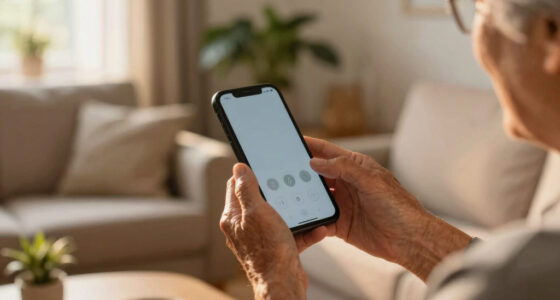
captioned smartphone app for hearing impaired
As an affiliate, we earn on qualifying purchases.
As an affiliate, we earn on qualifying purchases.
Who Qualifies for Free Captioned Phone Service in the U.S.?
In the U.S., captioned phone services are primarily for people with hearing loss that makes phone conversations hard to follow. You don’t need to be deaf—many with moderate or age-related hearing difficulties qualify.
Eligibility isn’t based on age or income but on how much your hearing impacts your ability to understand calls. You’ll usually need a certification from a healthcare professional or a simple self-certification process with an approved provider.
This means that even those who experience difficulty understanding speech despite using hearing aids or cochlear implants can qualify. The importance of this criterion is that it broadens access to a vital communication tool for many who might otherwise be excluded. Recognizing the specific nature of hearing difficulties ensures that the service reaches those who truly need it, fostering independence and reducing social isolation caused by communication barriers.
Are Captioned Phones Truly Free? What Costs Might You Face?
The captioning service itself is usually free, funded by the FCC through the Telecommunications Relay Services program. However, you might pay for the device, your internet, or cellular service.
For example, a basic captioned phone might be provided at no cost after registration, but internet service or a broadband connection could be your own expense. Some providers also charge for accessories or installation, so it’s good to ask before signing up.
This distinction matters because it clarifies expectations—while the core captioning service is free, the hardware and connectivity are not. This can influence your overall costs and decision-making process, ensuring you’re prepared for any expenses involved in setting up and maintaining the service. Understanding these potential costs helps prevent surprises and allows for better planning to ensure continuous, reliable communication access.
How Do Privacy and Call Transcripts Work?
Since captions are processed through cloud servers or human assistants, privacy is a key concern. Generally, providers follow strict confidentiality rules, but it’s wise to review their privacy policies.
Ask questions like: Is any part of my call recorded? Are transcripts stored? Can I delete saved captions? For instance, if you discuss sensitive health information, you might prefer a provider that deletes transcripts immediately after the call.
Understanding how your data is handled is crucial because sensitive information shared over the phone could be inadvertently stored or accessed by third parties if privacy measures are lax. Being informed allows you to choose providers that prioritize confidentiality, giving you peace of mind that your conversations remain secure and private, especially when discussing personal or confidential matters.
Can These Phones Handle Emergency Calls? What Should You Do?
Many captioned phones support 911 calls, but features vary. During an emergency, it’s crucial to know whether your device can call and share your location reliably, especially during power or internet outages.
For example, some devices require you to dial 911 differently or keep your address updated. Always test your setup and keep a backup, like a mobile phone, handy.
This matters because in urgent situations, quick and reliable access to emergency services can be a matter of life and death. Knowing the limitations and proper procedures ensures you’re prepared to seek help without delay. Regular testing and having backup options demonstrate responsible planning, reducing the risk of being unprepared during critical moments.
Latest Trends and What’s New in Captioned Telephones
Recent advances focus on making captions faster, clearer, and more customizable. Automatic speech recognition is now more accurate, reducing delays. Devices connect via Bluetooth to hearing aids, and users can adjust text size, contrast, and language.
Apps for smartphones and tablets are expanding accessibility. Some providers now offer captioned voicemail, call history, and transcript management—making communication smoother and more private than ever before.
This evolution means greater independence and less frustration for users, even in noisy or complex environments.
Quick Tips for Choosing the Best Captioned Phone for You
- Check caption accuracy and delay—look for systems with less than 3 seconds of lag.
- Decide between automated or human-assisted captioning based on your environment and needs.
- Consider device options: dedicated phones, smartphones, or tablets.
- Verify compatibility with hearing aids, Bluetooth, and amplification features.
- Review privacy policies—know how transcripts are stored and used.
Conclusion
Captioned telephones open a window to clearer communication. They’re more than gadgets—they’re lifelines for those who want independence and connection.
Remember, understanding your needs and checking eligibility can turn a confusing call into a simple conversation. A well-chosen captioned phone could be your next step toward easier, more confident talking.
Grilling season Picks
grills
As an affiliate, we earn on qualifying purchases.