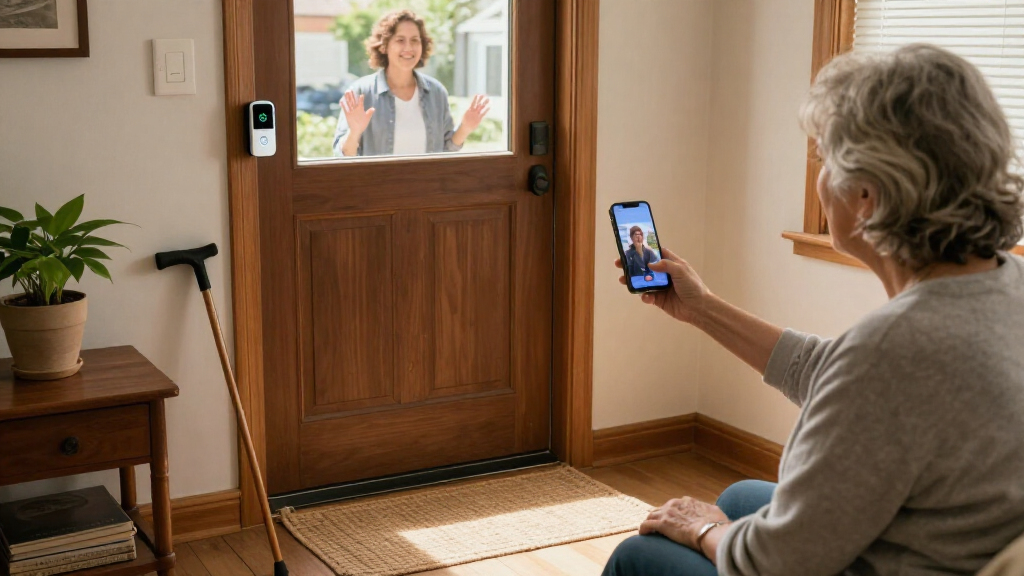

For seniors who want to see callers without rushing to the door, the SwitchBot Wireless Video Doorbell Camera with 4.3-Inch Monitor is my best overall pick because its indoor screen can make answering feel more direct than relying only on a phone. The TKMARS monitor models are alternatives for people who prefer a dedicated display, while the Ring Battery Doorbell 2K Plus suits households that want a connected camera and are comfortable using a smartphone. The main tradeoffs are screen simplicity versus app-based features, battery convenience versus wired installation, and local recording versus cloud-dependent options. A doorbell that looks feature-rich may still be a poor fit if alerts are hard to hear, setup is difficult, or a household member cannot use its app. Read on for the full comparison, buying advice, and answers to common questions.

Turn quiet afternoons into listening time
- Thousands of audiobooks, podcasts and originals
- Listen on your phone, tablet or Echo — also offline
- Cancel anytime
Complete the kit


Key Takeaways
- Dedicated monitors are the clearest differentiator: SwitchBot, TKMARS, KALOGL, and the generic monitor model offer a screen-based route that may suit seniors who do not want to depend on a smartphone for every visitor.
- The Ring models are a different kind of pick: the Battery Doorbell 2K, 2K Plus, and Wired Doorbell 2K are app-centered options, so they make more sense when the resident or a caregiver is comfortable managing alerts on a phone.
- Connectivity changes the ownership experience: the TKMARS listing that specifies no Wi-Fi or subscription is suited to buyers seeking fewer account and network dependencies, while connected models can offer remote access but rely on a working setup.
- Similar product names do not guarantee identical features: several TKMARS models share a 4.3-inch monitor, but the PIR detection and 170° viewing angle are called out on only one listing; verify the exact variant before ordering.
- Installation and recording matter as much as image quality: choosing between battery and wired power, local and cloud storage, and app or monitor access can have a bigger effect on daily usability than the resolution label alone.
| SwitchBot Wireless Video Doorbell Camera with 4.3-Inch Monitor |  | Best for a Dedicated Indoor Screen | Resolution: 2K | Field of view: 165° | Monitor: 4.3-inch color screen | VIEW LATEST PRICE | See Our Full Breakdown |
| BOIFUN Wireless Video Doorbell Camera, 2K HD | 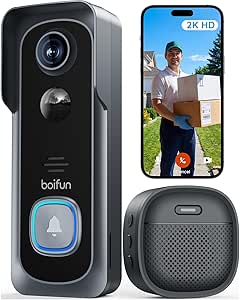 | Best for Subscription-Free Smartphone Use | Resolution: 2K HD | Field of view: 166° | Wi-Fi: 2.4 GHz | VIEW LATEST PRICE | See Our Full Breakdown |
| Chamberlain myQ Video Doorbell with 2K Camera and Color Night Vision |  | Best for Flexible Battery or Wired Installation | Resolution: 2K | Field of view: 150° | Power: Battery-powered or wired | VIEW LATEST PRICE | See Our Full Breakdown |
| Tapo D205 2K Wireless Smart Video Doorbell with 160° Ultra-Wide View | 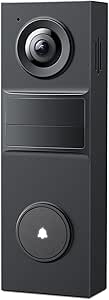 | Best for Customizing Person Alerts | Model and resolution: D205; 2K (3 MP) | Field of view: 160° | Battery: Rechargeable lithium-ion; source lists 5,200 mAh and 6,400 mAh | VIEW LATEST PRICE | See Our Full Breakdown |
| Orbitell 1080p Wireless Video Doorbell Camera with Two-Way Audio and Night Vision |  | Best for Basic Person-Filtered Alerts | Model: M52 | Resolution: 1080p | Connectivity: 2.4 GHz Wi-Fi only; not compatible with 5 GHz Wi-Fi | VIEW LATEST PRICE | See Our Full Breakdown |
| TKMARS Wireless Doorbell Camera with 4.3-Inch Monitor |  | Best for Simple, Phone-Free Viewing | Monitor: 4.3-inch IPS | Video resolution: 1080p (2 MP) | Viewing angle: 170° | VIEW LATEST PRICE | See Our Full Breakdown |
| KALOGL Wireless Video Doorbell with Monitor Screen, 1080p, Local Storage, Two-Way Audio, Night Vision |  | Best Compact Option | Model: B01-1 | Video resolution: 1080p | Photo sensor: 2 MP | VIEW LATEST PRICE | See Our Full Breakdown |
| Ring Battery Doorbell 2K Plus (2nd Gen), Nickel Silver |  | Best Premium Smart Features | Video: Retinal 2K with up to 6× Enhanced Zoom | Field of view: 140° horizontal × 140° vertical | Aspect ratio: 1:1 | VIEW LATEST PRICE | See Our Full Breakdown |
| TKMARS Wireless Video Doorbell with 4.3-Inch Monitor, No Wi-Fi or Subscription Required |  | Best for Local Video Recording | Monitor: 4.3-inch IPS | Connection: Private 2.4 GHz point-to-point; no Wi-Fi or app required | Field of view: 170° | VIEW LATEST PRICE | See Our Full Breakdown |
| TKMARS Wireless Video Doorbell Camera with 4.3-Inch Monitor |  | Best for Doorbell-Triggered Clips | Monitor: 4.3 inches | Wireless connection: Private 2.4 GHz; no Wi-Fi or app required | Field of view: 170° | VIEW LATEST PRICE | See Our Full Breakdown |
| Ring Battery Doorbell 2K (2nd Gen), Matte Mocha |  | Best for Clear Remote Viewing | Video resolution: Retinal 2K | Enhanced zoom: Up to 6× | Field of view: 140° horizontal and 140° vertical | VIEW LATEST PRICE | See Our Full Breakdown |
| Wireless 1080p Video Doorbell Camera with 4.3-Inch Monitor |  | Best for Beginners | Video resolution: 1080p | Camera viewing angle: 120° | Display: 4.3-inch IPS screen | VIEW LATEST PRICE | See Our Full Breakdown |
| TKMARS Wireless Video Doorbell Camera with 4.3-Inch Monitor, PIR Motion Detection, and 170° Wide-Angle View |  | Best for a Wide Entryway View | Model: K18S | Video resolution: 300 kilopixels | Monitor screen: 4.3 inches | VIEW LATEST PRICE | See Our Full Breakdown |
| Ring Battery Doorbell 2K (2nd Gen), Speckled Gray | | Best for Alexa-Connected Homes | Video resolution: Retinal 2K | Enhanced zoom: Up to 6× | Field of view: 140° horizontal and 140° vertical | VIEW LATEST PRICE | See Our Full Breakdown |
| Ring Wired Doorbell 2K (2nd Gen), Speckled Gray |  | Best for a Permanent Wired Setup | Video resolution: Retinal 2K | Enhanced zoom: Up to 6× | Field of view: 140° horizontal and 140° vertical | VIEW LATEST PRICE | See Our Full Breakdown |
| video doorbells for senior | Field of view | Connectivity | Audio |
|---|---|---|---|
| SwitchBot Wireless Video Doorb | 165° | 2.4 GHz Wi-Fi | — |
| BOIFUN Wireless Video Doorbell | 166° | — | — |
| Chamberlain myQ Video Doorbell | 150° | Wi-Fi and Bluetooth | Two-way talk |
| Tapo D205 2K Wireless Smart Vi | 160° | 2.4 GHz Wi-Fi only | — |
| Orbitell 1080p Wireless Video | — | 2.4 GHz Wi-Fi only; not compatible with 5 GHz Wi-Fi | Two-way audio |
| TKMARS Wireless Doorbell Camer | — | — | Push-to-talk intercom |
| KALOGL Wireless Video Doorbell | 160° | Wireless; Bluetooth | — |
| Ring Battery Doorbell 2K Plus | 140° horizontal × 140° vertical | Wi-Fi 4, 2.4 GHz single band | Two-way talk |
| TKMARS Wireless Video Doorbell | 170° | — | Push-to-talk intercom |
| TKMARS Wireless Video Doorbell | 170° | — | Two-way push-to-talk |
| Ring Battery Doorbell 2K | 140° horizontal and 140° vertical | Wi-Fi 4, 2.4 GHz single band | Two-way talk |
| Wireless 1080p Video Doorbell | — | Wireless Bluetooth | Two-way audio |
| TKMARS Wireless Video Doorbell | — | — | — |
| Ring Battery Doorbell 2K | 140° horizontal and 140° vertical | Wi-Fi 4, 2.4 GHz single band | Two-way talk |
| Ring Wired Doorbell 2K | 140° horizontal and 140° vertical | Wi-Fi 4, 2.4 GHz single band | Two-way talk |
More Details on Our Top Picks
SwitchBot Wireless Video Doorbell Camera with 4.3-Inch Monitor
For seniors who would rather check the front door on a screen than reach for a smartphone, the SwitchBot’s 4.3-inch monitor is its clearest advantage. It supports live viewing, playback, and two-way audio, while the doorbell’s 2K, 165° view helps show more of a visitor without needing a narrow camera angle. Local recording on the included 4 GB card means basic video storage does not depend on a subscription. Compared with the BOIFUN 2K, which is built around smartphone use, SwitchBot offers a more direct indoor viewing option. The tradeoff is that the monitor needs its own power cable and works best within five metres of the doorbell. Its one-button lock release also requires a compatible SwitchBot Smart Lock, so I would not choose it for that feature alone.
Pros:- 4.3-inch monitor provides a direct way to see and speak with visitors without relying on a phone screen.
- 2K resolution and 165° field of view provide broad, head-to-toe coverage.
- Included 4 GB microSD card supports local recording without a subscription.
- Two-way audio, color night vision, and IP65 outdoor protection support everyday doorstep monitoring.
Cons:- The monitor needs a power cable, limiting where it can be placed.
- The doorbell and monitor work best within five metres of each other.
- One-button lock release requires a compatible SwitchBot Smart Lock.
Best for: Seniors who want to view visitors on a dedicated indoor screen and prefer local recording over a required cloud plan.
Not ideal for: People who need a fully wireless indoor monitor, have a large gap between the monitor and doorbell, or want a lock-release feature without a compatible SwitchBot Smart Lock.
- Resolution:2K
- Field of view:165°
- Monitor:4.3-inch color screen
- Doorbell battery:5000 mAh
- Storage:4 GB microSD card included; supports cards up to 512 GB
- Connectivity:2.4 GHz Wi-Fi
- Audio and night vision:Two-way audio; color and infrared night vision
- Power and installation:Battery-powered doorbell; monitor requires a power cable; screw-in wall mount
- Smart home compatibility:Alexa, Google, and Home Assistant
Our verdict“Choose the SwitchBot if a dedicated screen and subscription-free local recording matter more than flexible monitor placement.”
BOIFUN Wireless Video Doorbell Camera, 2K HD
The BOIFUN 2K suits seniors or family caregivers who are comfortable using a smartphone and want essential alerts and playback without a subscription. Its human detection can make motion alerts more relevant than a basic motion trigger, while two-way audio lets someone answer from inside or away from home. The 166° view is slightly wider than the SwitchBot’s 165° view, but BOIFUN has no dedicated monitor; that makes it less convenient for anyone who prefers a larger, always-available screen. Local storage is available through a microSD card, though the card is not included. Its battery is built in and non-removable, so recharging means taking the unit down rather than swapping in a spare. I’d pick this over the Orbitell M52 for 2K video and subscription-free essentials, but not for a screen-first setup.
Pros:- Essential alerts, two-way audio, and video playback are available without a subscription.
- 2K video and a 166° field of view provide detailed, wide doorstep coverage.
- Human detection and HDR infrared night vision help make alerts and nighttime viewing more useful.
- No-drill installation and built-in tamper alerts can simplify setup and add a warning if the unit is disturbed.
Cons:- The microSD card for local storage is sold separately.
- Its built-in battery is non-removable, so recharging requires taking the doorbell down.
- It supports only 2.4 GHz Wi-Fi and relies on a smartphone rather than an included monitor.
Best for: Seniors who use a smartphone confidently and want person-focused alerts, two-way talk, and playback without a required subscription.
Not ideal for: People who want a dedicated indoor monitor, need to avoid removing the doorbell to recharge it, or do not want to buy a separate microSD card.
- Resolution:2K HD
- Field of view:166°
- Wi-Fi:2.4 GHz
- Battery:5200 mAh built-in, non-removable rechargeable battery
- Stated battery life:Up to 60 days under stated laboratory conditions
- Storage:MicroSD up to 128 GB; card not included
- Night vision:HDR infrared; stated range up to 33 feet (10 meters)
- Audio and detection:Two-way audio; human detection and motion alerts
- Weather resistance:IP65
Our verdict“Pick the BOIFUN if smartphone control and subscription-free essentials matter more than a dedicated screen or swappable battery.”
Chamberlain myQ Video Doorbell with 2K Camera and Color Night Vision
The Chamberlain myQ stands apart for households that want a choice between battery power and wired installation. That flexibility can be helpful when a senior is replacing an existing doorbell, but wired setup depends on an existing chime or compatible wireless chime. Its 2K video, 150° view, and color night vision cover the core monitoring needs, and USB-C recharging is a familiar option for battery-powered use. Compared with the SwitchBot, it does not include a dedicated monitor or an included local-storage card, so it is a less screen-oriented choice. The biggest caveat is that AI alerts for recognized or unknown faces require a separately sold Video Monitoring Plan. I’d choose it for installation flexibility, not for face-based alerts or a ready-to-use monitor setup.
Pros:- Battery or wired installation gives households a choice based on their existing doorbell setup.
- 2K video and a 150° field of view provide broad coverage of the entrance.
- Color night vision and motion alerts support monitoring after dark.
- USB-C recharging and two-way talk offer practical everyday functions.
Cons:- AI alerts for recognized or unknown faces require a separately sold Video Monitoring Plan.
- Wired installation requires an existing chime or compatible wireless chime.
- Unlike the SwitchBot, it does not include a dedicated indoor monitor.
Best for: Seniors replacing an existing doorbell who want to choose between battery operation and a compatible wired installation.
Not ideal for: Buyers who want an included indoor screen, want AI face alerts without a separate plan, or lack a suitable existing chime for wired setup.
- Resolution:2K
- Field of view:150°
- Power:Battery-powered or wired
- Connectivity:Wi-Fi and Bluetooth
- Audio:Two-way talk
- Night vision:Color
- Detection:Motion alerts; AI face alerts require a separately sold Video Monitoring Plan
- Installation:Wall mount; wired setup requires an existing chime or compatible wireless chime
- Included items:Charging cable, doorbell, hardware bag, and mounting plate
Our verdict“Choose the myQ if installation flexibility is your priority and you are comfortable with app-based viewing and plan-dependent face alerts.”
Tapo D205 2K Wireless Smart Video Doorbell with 160° Ultra-Wide View
The Tapo D205 is a good match for seniors whose doorbell faces a busy sidewalk or street: AI person detection and custom activity zones can narrow attention to the areas that matter. Its 160° view, two-way audio, and visitor calls through the Tapo app add useful ways to check and respond to someone at the door. Unlike the BOIFUN, Tapo lists a microSD capacity of up to 512 GB, but the card is not included; the chime is also sold separately. That matters for seniors who expect an audible alert indoors without keeping a phone close. The D205 uses infrared rather than color night vision, and the source lists conflicting battery capacities, so I would not rely on a precise battery-capacity comparison. It supports only 2.4 GHz Wi-Fi.
Pros:- AI person detection and custom activity zones can reduce alerts from less relevant areas.
- 2K video and a 160° field of view provide wide doorstep coverage.
- Two-way audio and visitor calls through the Tapo app give more than one way to respond.
- Local microSD storage is supported, with capacity up to 512 GB.
Cons:- The chime and microSD card are sold separately.
- It supports only 2.4 GHz Wi-Fi.
- The listed battery capacity is inconsistent, and infrared night vision does not provide color footage.
Best for: Seniors in homes with frequent passing activity who want person-focused alerts and the ability to define which areas trigger motion notifications.
Not ideal for: People who need an included chime, want color night vision, or prefer not to buy a microSD card separately.
- Model and resolution:D205; 2K (3 MP)
- Field of view:160°
- Battery:Rechargeable lithium-ion; source lists 5,200 mAh and 6,400 mAh
- Stated battery life:Up to 180 days; varies with use and conditions
- Connectivity:2.4 GHz Wi-Fi only
- Storage:MicroSD up to 512 GB, sold separately; optional Tapo Care cloud storage
- Detection and audio:AI person detection, custom activity zones, and two-way audio
- Night vision and weather resistance:Infrared night vision; IP54
- Compatibility and included chime:Tapo app, Alexa, and Google Assistant; chime not included
Our verdict“Pick the Tapo D205 if person detection and adjustable alert zones matter more than an included chime or color night vision.”
Orbitell 1080p Wireless Video Doorbell Camera with Two-Way Audio and Night Vision
The Orbitell M52 is the straightforward choice here for someone who mainly wants to hear from visitors and receive alerts when a person approaches. Its AI person detection filters out vehicles and animals, which may help keep routine notifications more focused. Two-way audio lets a senior speak with a caller through the doorbell, while infrared night vision and an IP65 rating support outdoor use. The tradeoff is resolution: at 1080p, it provides less detail than the 2K SwitchBot, BOIFUN, Chamberlain, and Tapo options. Storage is another dividing line; Orbitell describes encrypted cloud storage and pre-capture recording for subscribers, while the SwitchBot includes a card for local recording without a subscription. I’d choose the Orbitell for basic app-based communication, but skip it if local recording or higher-resolution video is a priority.
Pros:- AI person detection filters vehicles and animals from person alerts.
- Two-way audio allows communication with visitors through the doorbell.
- Infrared night vision supports doorstep monitoring after dark.
- IP65 weather resistance is suited to outdoor installation.
Cons:- 1080p resolution offers less detail than the 2K models in this roundup.
- Cloud storage and pre-capture recording require a subscription.
- It supports only 2.4 GHz Wi-Fi and is not compatible with 5 GHz networks.
Best for: Seniors who want app-based two-way talk and person-filtered alerts, and who are comfortable with subscription-based cloud storage.
Not ideal for: Buyers who want 2K detail, local storage without a subscription, or compatibility with a 5 GHz Wi-Fi network.
- Model:M52
- Resolution:1080p
- Connectivity:2.4 GHz Wi-Fi only; not compatible with 5 GHz Wi-Fi
- Audio:Two-way audio
- Night vision:Infrared LEDs
- Storage:AES-128 encrypted cloud storage; subscription required for cloud features and pre-capture recording
- Motion detection:AI person detection; filters vehicles and animals
- Weather resistance:IP65
- Dimensions and weight:1.77 x 1.34 x 5.4 inches; 6.08 ounces
Our verdict“Choose the Orbitell if person-filtered alerts and two-way talk are enough, but favor the SwitchBot or BOIFUN for 2K video and subscription-free storage options.”
TKMARS Wireless Doorbell Camera with 4.3-Inch Monitor
For a senior who would rather check a dedicated screen than find a phone, this TKMARS is a straightforward fit: its 4.3-inch indoor monitor connects directly to the doorbell, with no Wi-Fi, app, or subscription needed. The 170° view is broader than the KALOGL’s 160° field of view, which can help show more of the doorstep at once. Push-to-talk makes it possible to speak with a visitor from indoors, and the outdoor unit’s IP65 protection suits exposed entrances.
The tradeoff is that this model saves only around 40–50 photos internally; recording video means supplying a compatible 8–32 GB TF card. Its stated wireless range can also shrink behind walls or metal doors, and battery life varies with use. Compared with the newer TKMARS options in this lineup, it is a sensible choice for basic monitor-based checks, not the strongest pick for buyers focused on video recording.
Pros:- Included 4.3-inch monitor works without an app or Wi-Fi
- 170° viewing angle covers more of the entrance than the KALOGL’s 160° view
- Push-to-talk supports conversation without opening the door
- IP65 outdoor protection and internal photo storage
Cons:- Video recording requires a separately supplied 8–32 GB TF card
- Wireless range may fall substantially around walls, metal doors, or interference
- Battery life varies with use and conditions
Best for: Older adults who want a dedicated indoor screen, basic two-way conversation, and doorbell monitoring without home Wi-Fi or a smartphone.
Not ideal for: Buyers who want video saved out of the box, rely on a long or obstructed wireless connection, or need motion-triggered monitoring.
- Monitor:4.3-inch IPS
- Video resolution:1080p (2 MP)
- Viewing angle:170°
- Connection:Private 2.4 GHz; no Wi-Fi or app required
- Audio:Push-to-talk intercom
- Storage:Internal memory for approximately 40–50 photos; optional 8–32 GB FAT32 TF card for video
- Outdoor protection:IP65 dust and water protection
- Battery:Rechargeable 1,000 mAh; up to approximately 2 months depending on use and conditions
Our verdict“Choose this TKMARS for simple, phone-free visitor checks, but pick another model if you want video recording without adding a memory card.”
KALOGL Wireless Video Doorbell with Monitor Screen, 1080p, Local Storage, Two-Way Audio, Night Vision
The KALOGL suits buyers who want the same basic phone-free approach as the TKMARS monitor models in a compact doorbell body. It pairs a 1080p image and 160° view with night vision and two-way audio, while its monitor means a visitor check does not depend on opening an app. Local recording also avoids a cloud subscription, which can make the setup easier to manage for someone who prefers a self-contained system.
Its small listed dimensions—2 × 1 × 4 inches—make it a neat option where a bulky outdoor unit is unwelcome. But the product details provide less information about connection range, battery life, and weather protection than the TKMARS models, so buyers should not assume it will suit every exposed or far-from-monitor entrance. A microSD card is not included, and battery power means upkeep remains part of ownership. I’d choose it for compactness, not for the widest view or the clearest stated installation guidance.
Pros:- Built-in monitor supports viewing without relying on a smartphone app
- 1080p video with a 160° field of view
- Night vision and two-way audio support after-dark visitor checks
- Local recording avoids a subscription
Cons:- MicroSD card is not included
- Battery-powered operation requires battery upkeep
- Connection range and specific weather-resistance rating are not stated in the supplied specifications
Best for: Seniors who want a compact, battery-powered doorbell and monitor-based visitor checks without Wi-Fi, an app, or cloud recording.
Not ideal for: Buyers who need a documented long-range connection, robustly specified outdoor protection, or a memory card included for local recording.
- Model:B01-1
- Video resolution:1080p
- Photo sensor:2 MP
- Field of view:160°
- Connectivity:Wireless; Bluetooth
- Power:Battery-powered
- Storage:Local recording; microSD card not included
- Dimensions:2 × 1 × 4 inches
Our verdict“Pick the KALOGL for a compact monitor-based setup, but favor a TKMARS model if a wider view or more clearly stated outdoor specifications matter more.”
Ring Battery Doorbell 2K Plus (2nd Gen), Nickel Silver
For a senior whose family helps manage a smart-home setup, the Ring Battery Doorbell 2K Plus offers more remote detail than the monitor-first TKMARS and KALOGL models. Its Retinal 2K video with up to 6× enhanced zoom can help identify a visitor from farther away, while the square 140° × 140° view and color-capable low-light vision add useful context around the doorway. Motion zones and alerts can also let a family member keep watch from elsewhere.
This added connectivity is also the main compromise: Ring requires 2.4 GHz Wi-Fi, and some recording and AI features need a separate Ring Protect subscription. Unlike the included-screen TKMARS models, this doorbell relies on a compatible device for Live View rather than providing a dedicated indoor monitor. The removable battery pack simplifies recharging, but it still needs periodic attention. I’d rank it for shared remote monitoring, not for a senior seeking a stand-alone, no-app system.
Pros:- Retinal 2K video with up to 6× enhanced zoom
- 140° × 140° field of view with color in low light
- Customizable motion zones and alerts support remote monitoring
- Removable Quick Release Battery Pack simplifies recharging
Cons:- Requires 2.4 GHz Wi-Fi and a recommended upload speed of at least 10 Mbps
- Some video history and AI features require a separate subscription
- No dedicated indoor monitor like the TKMARS and KALOGL options
Best for: Seniors with a family member available to help set up Wi-Fi and app access, especially when remote monitoring and zoomed-in visitor views matter.
Not ideal for: People who want a dedicated indoor monitor, have no dependable Wi-Fi, or prefer to avoid subscriptions for recording and advanced features.
- Video:Retinal 2K with up to 6× Enhanced Zoom
- Field of view:140° horizontal × 140° vertical
- Aspect ratio:1:1
- Audio:Two-way talk
- Motion detection:Advanced Motion Detection with customizable motion zones
- Power:Included Quick Release Battery Pack or Quick Release Ultra Battery Pack
- Connectivity:Wi-Fi 4, 2.4 GHz single band
- Weather resistance:IP55
- Dimensions:5.8 × 2.11 × 1.34 inches
Our verdict“Choose Ring when remote family monitoring and zoomed detail outweigh the need for a dedicated screen and subscription-free recording.”
TKMARS Wireless Video Doorbell with 4.3-Inch Monitor, No Wi-Fi or Subscription Required
This TKMARS is a stronger match than the earlier TKMARS B0DFG4X87R for buyers who specifically want visitor-triggered video saved locally. Both models use a dedicated 4.3-inch monitor and a private connection, avoiding Wi-Fi, apps, and subscriptions; this version adds doorbell-triggered recording to a compatible card rather than relying on internal photo storage. The 170° view, night illumination, and push-to-talk keep visitor checks simple for someone who prefers a screen over a phone.
The recording still requires a separately purchased 8–32 GB TF or microSD card, so it is not ready for video archiving straight out of the box. The monitor’s 400 mAh battery is small, and the manufacturer recommends continuous USB-C power indoors. The outdoor unit’s 1,800 mAh battery is rated for up to a month depending on use. Compared with Ring’s 2K model, this gives up zoom and app-based remote access in exchange for a simpler local setup.
Pros:- Private connection and included monitor work without Wi-Fi or a smartphone app
- Visitor-triggered local video recording avoids cloud storage
- 170° view, automatic night illumination, and push-to-talk
- IP65-rated outdoor unit
Cons:- Compatible 8–32 GB TF or microSD card is not included
- Monitor is recommended for continuous USB-C power
- Wireless range can be reduced by obstacles and interference
Best for: Seniors who want a dedicated indoor monitor and locally stored visitor-triggered clips without Wi-Fi, an app, or recurring cloud fees.
Not ideal for: Buyers who want recording without buying a card, need a monitor that can stay off its charger, or want remote viewing while away from home.
- Monitor:4.3-inch IPS
- Connection:Private 2.4 GHz point-to-point; no Wi-Fi or app required
- Field of view:170°
- Night vision:Automatic LED illumination
- Audio:Push-to-talk intercom
- Recording:Doorbell-triggered MP4 recording to compatible 8–32 GB TF/microSD card
- Outdoor battery:Rechargeable 1,800 mAh; up to 1 month depending on use
- Monitor power:400 mAh battery; continuous USB-C power recommended
- Weather resistance:IP65
Our verdict“Choose this model over the photo-focused TKMARS B0DFG4X87R if locally saved visitor-triggered video matters more than included internal photo storage.”
TKMARS Wireless Video Doorbell Camera with 4.3-Inch Monitor
For someone who wants a simple screen indoors and a clip when a visitor presses the button, this TKMARS keeps the setup focused: the private 2.4 GHz connection needs no Wi-Fi, app, or subscription, and the 4.3-inch monitor includes two-way push-to-talk. Its 170° view and night vision are comparable to the other TKMARS monitor models here, so it provides broad doorstep coverage without the smartphone setup Ring requires.
The defining limitation is that recording starts when a visitor presses the doorbell: there is no PIR motion detection or automatic photo capture. That makes it less useful for checking activity that happens without a press. Video also requires a separately supplied 8–32 GB card, and the monitor needs a 5V/1A USB-C connection for daily use. Compared with TKMARS B0HC6FGLB6, both offer local visitor-triggered recording, but this model’s supplied details specify the monitor’s USB-C power requirement rather than a monitor battery capacity.
Pros:- Works through a private connection without Wi-Fi, an app, or subscription fees
- Included 4.3-inch monitor provides two-way push-to-talk
- 170° viewing angle and night vision support doorstep checks after dark
- Visitor-press-triggered local recording
Cons:- No PIR motion detection or automatic photo capture
- Compatible 8–32 GB TF or microSD card is not included
- Monitor needs a 5V/1A USB-C power connection for daily use
Best for: Seniors who want a dedicated monitor and a local clip when someone rings, with no Wi-Fi or smartphone app to manage.
Not ideal for: Buyers who want motion-triggered alerts or recordings, automatic photo capture, or a monitor that does not need a USB-C power connection.
- Monitor:4.3 inches
- Wireless connection:Private 2.4 GHz; no Wi-Fi or app required
- Field of view:170°
- Night vision:Up to 3 meters
- Audio:Two-way push-to-talk
- Recording:Visitor-press-triggered video recording
- Local storage:Compatible 8–32 GB TF/microSD card, not included
- Monitor power:5V/1A USB-C
- Water resistance:Water resistant
Our verdict“Choose this TKMARS for basic, press-triggered clips on a dedicated screen, but skip it if you need recording when nobody rings.”
Ring Battery Doorbell 2K (2nd Gen), Matte Mocha
For a senior or family member who wants to identify callers from a phone or compatible Alexa device, this Ring stands out for Retinal 2K video and up to 6× enhanced zoom. Its 140° horizontal and vertical view gives a broader look at the entry than the Wireless 1080p Video Doorbell Camera with 4.3-Inch Monitor, though that model is easier for someone who prefers a dedicated screen over an app. Two-way talk and motion alerts let the resident answer without walking to the door, while battery power avoids doorbell wiring. The tradeoff is ongoing upkeep: the battery needs charging, the USB-C cable is not included, and video history or some features require a Ring Protect subscription. Its single-band 2.4 GHz Wi-Fi also makes dependable performance reliant on a suitable connection.
Pros:- Retinal 2K video and up to 6× zoom can help identify visitors from a distance
- 140° horizontal and vertical field of view covers a broad area around the entrance
- Two-way talk and motion alerts allow remote responses without reaching the door
- Battery power avoids hardwiring and works with select Alexa-enabled devices
Cons:- USB-C charging cable is not included, and the battery requires periodic recharging
- Some features, including video history, require a separately sold Ring Protect subscription
- Video quality may vary with internet bandwidth; the recommended upload speed is 10 Mbps minimum
Best for: Seniors who can use a smartphone or Alexa device and want detailed views of visitors without replacing existing wiring
Not ideal for: People who want a simple always-on indoor monitor, do not want subscription-dependent features, or cannot manage periodic battery charging
- Video resolution:Retinal 2K
- Enhanced zoom:Up to 6×
- Field of view:140° horizontal and 140° vertical
- Audio:Two-way talk
- Power:Built-in lithium-ion battery
- Connectivity:Wi-Fi 4, 2.4 GHz single band
- Charging:USB-C; cable not included
- Dimensions:2.11 × 5.78 × 1.41 in
Our verdict“Choose this Ring for high-detail remote viewing and Alexa support, but pick the Wireless 1080p monitor model if an in-home screen and no subscription are higher priorities.”
Wireless 1080p Video Doorbell Camera with 4.3-Inch Monitor
This is the most straightforward choice here for seniors who would rather glance at a screen than open an app. The 4.3-inch indoor monitor pairs with the doorbell without Wi-Fi, a smartphone, or a subscription, giving it a practical simplicity that the Ring Battery Doorbell 2K (2nd Gen), Matte Mocha does not match. Its 1080p camera, night vision, and two-way audio cover the basic needs of checking and answering the door, and adhesive installation avoids drilling or wiring. The compromise is a more limited 120° viewing angle and lower video resolution than the Ring. Video recording also requires a separately purchased microSD card, while the monitor must stay connected to USB-C power during use. This suits a stable indoor setup, not someone seeking a fully cordless screen.
Pros:- Dedicated 4.3-inch IPS monitor avoids relying on a smartphone
- Works without Wi-Fi, an app, or a subscription
- Adhesive installation avoids drilling and hardwiring
- Night vision and two-way audio support basic visitor checks after dark
Cons:- Monitor must remain plugged into USB-C power during use
- Video recording requires a separately purchased 8–32 GB microSD card
- Its 120° view and 1080p resolution are more limited than the Ring 2K models
Best for: Seniors who want a dedicated indoor screen, straightforward two-way communication, and no app, Wi-Fi, or subscription
Not ideal for: Buyers who need a cordless indoor monitor, a wider camera view, or cloud-based remote access while away from home
- Video resolution:1080p
- Camera viewing angle:120°
- Display:4.3-inch IPS screen
- Audio:Two-way audio
- Connectivity:Wireless Bluetooth
- Night vision:Yes
- Doorbell battery:1800 mAh rechargeable; up to 2 months per charge
- Monitor power:USB Type-C; must remain plugged in during use
- Local storage:Snapshots without an SD card; video recording requires an 8–32 GB microSD card, not included
Our verdict“Pick this model if an easy-to-read indoor monitor and a no-app setup matter more than sharper video or checking the door remotely.”
TKMARS Wireless Video Doorbell Camera with 4.3-Inch Monitor, PIR Motion Detection, and 170° Wide-Angle View
The TKMARS K18S makes the most sense when a senior needs a wide view of the approach and a screen inside the home, without depending on Wi-Fi or an app. Its 170° viewing angle is notably broader than the Wireless 1080p Video Doorbell Camera with 4.3-Inch Monitor, which lists a 120° view; that extra coverage can help show more of a porch or entry at once. A private 2.4 GHz link, PIR motion detection, LED night vision, and push-to-talk audio keep the setup focused on direct, local use. The stated 300-kilopixel video resolution is a clear limitation compared with the Ring 2K doorbells, and the monitor needs USB-C power. Local recording requires a separate memory card, and walls or interference may reduce wireless range.
Pros:- 170° camera view covers more of the entrance than the 120° monitor-camera alternative
- Private 2.4 GHz connection works without Wi-Fi, an app, or a subscription
- PIR motion detection, LED night vision, and two-way push-to-talk support visitor checks
- 4000 mAh outdoor battery is rated for up to three months depending on use and conditions
Cons:- 300-kilopixel resolution provides much less detail than the Ring 2K models
- MicroSD/TF card for local recording is sold separately
- Wireless range can drop with walls, metal doors, or interference, and the indoor monitor needs USB-C power
Best for: Seniors with a broad porch or approach who want a dedicated monitor, local operation, and no smartphone app
Not ideal for: People who need sharp, detailed footage, cloud access, or reliable operation across a home with substantial walls or wireless interference
- Model:K18S
- Video resolution:300 kilopixels
- Monitor screen:4.3 inches
- Camera viewing angle:170°
- Wireless connection:Private 2.4 GHz; stated range 5–30 m, subject to obstacles and interference
- Motion detection:PIR
- Outdoor unit battery:4000 mAh rechargeable; up to 3 months depending on use and environment
- Local recording:8–32 GB MicroSD/TF card required; card not included
Our verdict“Choose the TKMARS if broad local viewing matters more than image detail, and favor a Ring 2K model if identifying distant faces is the priority.”
Ring Battery Doorbell 2K (2nd Gen), Speckled Gray
This Ring is a strong fit for a senior whose household already uses compatible Alexa devices and wants 2K video with remote two-way talk. Its 140° horizontal and vertical view and up to 6× zoom provide a useful combination for checking a visitor before answering. Compared with the Wireless 1080p Video Doorbell Camera with 4.3-Inch Monitor, it offers sharper stated video and app-based access, while the monitor model avoids Wi-Fi and subscription requirements. Battery power means this Ring can suit an entry without existing doorbell wiring, but it also means someone must recharge it. The USB-C cable is not included, and video history and some AI-powered features depend on a Ring Protect subscription. A 10 Mbps minimum recommended upload speed also makes network quality part of the buying decision.
Pros:- Retinal 2K video and up to 6× enhanced zoom help show more detail when checking visitors
- 140° horizontal and vertical field of view covers a broad area around the door
- Rechargeable battery avoids the need for compatible doorbell wiring
- Motion alerts, Live View, two-way talk, and support for select Alexa devices
Cons:- USB-C charging cable is not included, and battery charging requires occasional attention
- Video history and certain AI-powered features require a paid Ring Protect subscription
- Recommended upload speed is at least 10 Mbps, and video quality may depend on network conditions
Best for: Seniors in Alexa-connected households who want a battery-powered doorbell with detailed video and remote two-way communication
Not ideal for: People who prefer a dedicated indoor monitor, do not want subscription-dependent video history, or have limited Wi-Fi upload capacity
- Video resolution:Retinal 2K
- Enhanced zoom:Up to 6×
- Field of view:140° horizontal and 140° vertical
- Audio:Two-way talk
- Power:Lithium-ion battery
- Connectivity:Wi-Fi 4, 2.4 GHz single band
- Charging:USB-C; cable not included
- Recommended upload speed:At least 10 Mbps
Our verdict“Choose this version for an Alexa-ready home that needs battery power and detailed remote viewing, but select a monitor-based model to avoid app and subscription dependence.”
Ring Wired Doorbell 2K (2nd Gen), Speckled Gray
If the home already has compatible doorbell wiring, this model avoids the recurring charging routine that comes with the Ring Battery Doorbell 2K (2nd Gen), Speckled Gray. It keeps the same core appeal of Retinal 2K video, up to 6× zoom, a 140° horizontal and vertical view, and two-way talk, so a resident can check and speak to visitors without going to the door. For seniors with a dependable wired setup, steady power can mean less hands-on upkeep. The tradeoff is installation flexibility: it needs a compatible doorbell system, plug-in adapter, or supported transformer, and those accessories are not included. Like the battery model, it relies on 2.4 GHz Wi-Fi and a recommended 10 Mbps upload speed; some video history and alert features also require Ring Protect. The Wireless 1080p monitor option is simpler for homes without wiring.
Pros:- Retinal 2K video and up to 6× zoom provide detail when checking visitors
- Wired power avoids periodic battery charging
- 140° horizontal and vertical view, Live View, and two-way talk support remote door answering
- Works with select Alexa-enabled devices and has an IP65 weather-resistance rating
Cons:- Requires a compatible doorbell system, plug-in adapter, or supported transformer; power accessories are not included
- Some video history and alert features require a paid Ring Protect subscription
- Recommended upload speed is at least 10 Mbps, with 2.4 GHz single-band Wi-Fi required
Best for: Seniors or caregivers with compatible existing doorbell wiring who want 2K remote viewing without recharging a battery
Not ideal for: Renters, homes without compatible wiring, or buyers who want a plug-and-play indoor monitor without subscription-dependent features
- Video resolution:Retinal 2K
- Enhanced zoom:Up to 6×
- Field of view:140° horizontal and 140° vertical
- Audio:Two-way talk
- Power:Compatible doorbell system, Ring plug-in adapter, or supported transformer
- Connectivity:Wi-Fi 4, 2.4 GHz single band
- Weather resistance:IP65
- Dimensions:2.1 × 5.2 × 1.02 in
- Recommended upload speed:At least 10 Mbps
Our verdict“Pick this wired Ring when compatible wiring is already available and avoiding battery charging matters more than easy, wiring-free installation.”
How We Picked
I ranked these video doorbells for seniors by how well their stated features can reduce friction at the front door: clear ways to view visitors, usable two-way communication, practical installation, and access to recordings. I gave particular weight to products that include a dedicated indoor monitor, since that can reduce reliance on a phone; I also looked at listed motion detection, viewing angle, night vision, storage approach, and connectivity. A feature only counted when it was specified in the product name or details supplied for this comparison, so I did not assume that similarly named variants share the same functions.
The ranking favors day-to-day accessibility and a clear use case over a long feature list. Products with a monitor lead for buyers who prefer a screen indoors, while Ring options rank for households that favor app access and can manage a connected setup. Models with sparse or overlapping descriptions rank lower because buyers have less certainty about what separates them. Before buying, check the exact model and included components: names in this lineup repeat, and details such as power, storage, connectivity, and detection can vary.
| video doorbells for senior | Audio |
|---|---|
| SwitchBot Wireless Video Doorb | — |
| BOIFUN Wireless Video Doorbell | — |
| Chamberlain myQ Video Doorbell | Two-way talk |
| Tapo D205 2K Wireless Smart Vi | — |
| Orbitell 1080p Wireless Video | Two-way audio |
| TKMARS Wireless Doorbell Camer | Push-to-talk intercom |
| KALOGL Wireless Video Doorbell | — |
| Ring Battery Doorbell 2K Plus | Two-way talk |
| TKMARS Wireless Video Doorbell | Push-to-talk intercom |
| TKMARS Wireless Video Doorbell | Two-way push-to-talk |
| Ring Battery Doorbell 2K | Two-way talk |
| Wireless 1080p Video Doorbell | Two-way audio |
| TKMARS Wireless Video Doorbell | — |
| Ring Battery Doorbell 2K | Two-way talk |
| Ring Wired Doorbell 2K | Two-way talk |
Factors to Consider When Choosing Video Doorbells For Seniors
Choosing a doorbell for an older adult is less about chasing the longest spec sheet and more about matching the device to the way that person already answers the door. I would start with who will receive alerts, how they prefer to view visitors, and who can handle setup or ongoing maintenance.
Choose the alert screen the resident will actually use
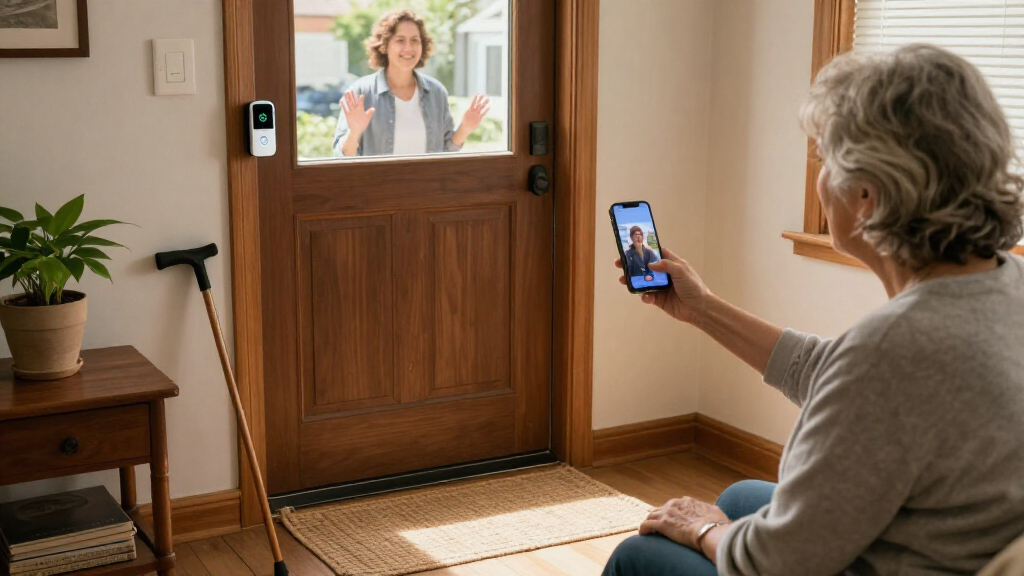
A phone notification is helpful only if the resident keeps the phone nearby, hears its alerts, and can open the right app. A dedicated indoor monitor can shorten that process, but it adds another device to place, power, and keep accessible. Before choosing, ask the person to try the expected sequence: notice the alert, see the visitor, and speak through the system. If a family member will answer remotely, app access may matter more than a built-in screen. Avoid assuming that a large display alone makes a product easy; menus, buttons, and alert controls still shape the experience. Match the viewing method to the resident’s routine, not to the caregiver’s preferred setup.
Plan for installation and power before comparing features
Battery models can avoid wiring work, but someone must keep track of charging or battery replacement and may need access to the unit. A wired model can reduce routine battery upkeep, though it may require compatible existing wiring or a qualified installer. Do not assume that a product labeled wireless is fully independent of a network or that it includes every part needed for installation. Check the power method, mounting requirements, and whether the household can manage upkeep before ordering. For a senior living alone, a family member or installer may need to handle the initial setup and future maintenance. The easiest installation is the one the household can support after the first day.
Treat Wi-Fi and subscriptions as ongoing commitments
Connected doorbells can support remote viewing and app alerts, but those functions depend on a reliable network and a person who can manage account access, permissions, and updates. A model described as requiring no Wi-Fi or subscription may appeal to buyers seeking a more self-contained setup, but confirm what it can do without those services and how recordings are handled. Subscription terms and included storage can change, so check the current requirements for the exact model rather than relying on a general brand assumption. If adult children will help monitor the home, confirm that they can access the system appropriately. The tradeoff is convenience at a distance versus fewer external dependencies.
Decide how much recording and alerting the home needs
Live viewing and saved recordings solve different problems: a household may only need to identify a caller, or it may want to review activity after a missed alert. Local storage can keep recordings tied to the device, while cloud services may require accounts or ongoing fees. Motion detection can be useful when someone approaches without pressing the button, but overly frequent alerts can become tiring. Consider the doorway’s layout, passing foot traffic, and who will adjust detection settings. A wide viewing angle may show more around the entrance, yet placement still matters if a wall or porch column blocks the camera. Prioritize alerts the resident can act on rather than maximizing notifications.
Make communication and accessibility the deciding test
Two-way audio can let a resident speak with a visitor without opening the door, but usefulness depends on clear sound and controls the person can operate confidently. Check whether the resident can hear the chime from the rooms where they spend time and whether the alert can be distinguished from other household sounds. If hearing, vision, dexterity, or memory is a concern, involve the person in a simple demonstration before settling on a model. A family member’s ability to manage the app does not replace the resident’s need for an accessible alert. Also plan a backup for network or power interruptions, such as a trusted neighbor or a routine to check the entrance. The best fit supports the person’s habits without requiring them to learn a complicated new routine.
Frequently Asked Questions
Is a video doorbell with an indoor monitor easier for a senior than one that uses a phone?
It can be, especially when the resident does not routinely carry a smartphone or prefers a fixed screen near a commonly used room. The monitor gives the household a dedicated way to view a caller, while an app-centered doorbell may be more useful for relatives who want remote access. A screen does not automatically solve every accessibility issue: check alert volume, display readability, controls, and where the monitor will sit. If possible, let the resident try the viewing and talking steps before purchase. Choose the interface they can use independently, not just the one with more features.
Can a senior use a video doorbell without Wi-Fi or a subscription?
Some listings, including one TKMARS option in this roundup, specifically state that no Wi-Fi or subscription is required. That claim does not by itself explain which functions work offline, how video is stored, or whether remote viewing is available. Confirm those details for the exact model and check whether the included monitor communicates directly with the doorbell. A more self-contained setup may reduce account and network management, but can limit access for caregivers who are away from home. Decide whether local viewing or remote support is the higher priority.
Should I choose a battery or wired video doorbell for an older adult living alone?
Battery power can make installation simpler when compatible wiring is unavailable, but someone still needs to monitor charge and handle upkeep. Wired power can reduce battery maintenance, yet installation may depend on the home’s existing wiring and could call for professional help. Think about who will take responsibility after setup, not only how easy the first installation looks. If the resident cannot safely reach the unit, arrange for a family member or service provider to maintain it. Check the exact model’s power requirements before choosing, since product names alone may not make them clear.
Will family members be able to answer the doorbell remotely for a senior?
Remote access usually depends on a connected model, a working internet connection, and the relevant app or account setup. The Ring models in this lineup are more suited to households already comfortable with phone-based access, while monitor-focused choices emphasize viewing inside the home. Before buying, confirm how additional users are invited, what permissions they receive, and whether any recording features require a separate service. Set up access with the resident’s consent and keep account recovery details somewhere a trusted helper can find them. If the internet fails, remote viewing may not be available, so plan another way to check on the entrance.
How do I choose among the several TKMARS doorbells with 4.3-inch monitors?
Start with the exact listing rather than assuming that models with similar names are interchangeable. One listed TKMARS variant specifically calls out PIR motion detection and a 170° viewing angle, while another specifies no Wi-Fi or subscription; those details should not be treated as shared across every version. Compare the included monitor, power method, storage, connectivity, and what happens when someone approaches without pressing the button. Ask the seller or check the product documentation if a key detail is missing. This extra check matters because a small model-number difference can change whether the doorbell fits the household’s preferred setup.
Conclusion
For the best overall balance for a senior who prefers an indoor screen, I recommend the SwitchBot Wireless Video Doorbell Camera with 4.3-Inch Monitor. For best value in a simpler, less network-dependent setup, compare the TKMARS model explicitly listed as requiring no Wi-Fi or subscription, after confirming its recording and power details. The best premium-style connected pick is the Ring Battery Doorbell 2K Plus for households comfortable with app-based access; the Ring Wired Doorbell 2K may suit homes where compatible wiring and reduced battery upkeep matter more. For beginners, a monitor-based option is a sensible starting point when the resident would rather not rely on a phone. For specific needs, choose the TKMARS variant that names PIR detection and a 170° view for broader stated coverage, or consider the KALOGL listing if its local-storage and monitor features match your needs. The deciding question is simple: which system can the resident and their helpers operate and maintain reliably?