
TL;DR

Turn quiet afternoons into listening time
- Thousands of audiobooks, podcasts and originals
- Listen on your phone, tablet or Echo — also offline
- Cancel anytime
Video magnifiers offer adjustable, high-quality enlargements ideal for detailed tasks, while handheld magnifiers are portable, affordable, and quick for on-the-go use. Your choice depends on your daily needs and budget.
Imagine sitting down to read your favorite book, only to strain your eyes or struggle with tiny print. Now, picture a device that enlarges text on a screen, making reading effortless. That’s the core promise of video magnifiers. But for quick tasks, a simple handheld magnifier might do the trick. This guide breaks down the key differences, so you can pick what really fits your life.
Whether you need a tool for everyday reading or a device for detailed work, understanding how these magnifiers work helps you make a confident choice. Let’s explore what sets them apart — the power, portability, costs, and what each can do for you.
Video magnifiers offer high magnification and customization, ideal for prolonged reading and detailed tasks.
Handheld magnifiers are portable, affordable, and perfect for quick, on-the-go checks.
Cost is a major factor — expect to pay more for advanced video devices, but they provide more features.
Choose based on your daily tasks: use video magnifiers for long reading sessions, handhelds for fast, casual checks.
Both benefits can be enhanced with proper training and support, maximizing your device’s potential.
Video Magnifiers vs Handheld Magnifiers Compared
Video magnifiers deliver adjustable, high-quality enlargement for long reading sessions and detailed work. Handheld magnifiers are portable, affordable, and ready for quick checks. The best choice is the one that matches your daily tasks, mobility, and budget.
Video magnifiers commonly adjust from about 2× to 60× or more.
Handheld models typically offer fixed or limited magnification up to roughly 10×.
One prioritizes comfort and control; the other prioritizes speed and mobility.
Digital flexibility or optical simplicity?
Both devices enlarge what you see, but their underlying designs shape the experience. A video magnifier acts like a camera-and-screen system for your eyes; a handheld magnifier places a lens directly between you and the object.
Video magnifier
A camera captures text, images, or objects and projects an enlarged view onto a screen. Zoom, contrast, color, focus, and sometimes spoken output can be adjusted for the user and task.
Best fit: books, writing, paperwork, hobbies, diagrams, and prolonged close work.Handheld magnifier
A glass or plastic lens enlarges whatever sits beneath it. Some versions add LED illumination, but the experience remains direct, simple, and quick with little or no setup.
Best fit: labels, menus, price tags, receipts, travel, and short everyday checks.Video magnification range
Dynamic zoom allows a wide overview and close detail on the same device.
Handheld magnification range
Lower fixed powers preserve a wider viewing area; stronger lenses show less at once.
The practical differences
Video devices lead on customization and sustained comfort. Handheld devices lead on affordability, portability, and immediate access. Portable electronic models increasingly occupy the middle ground.
| Decision factor | Video magnifier | Handheld magnifier | Practical impact |
|---|---|---|---|
| Magnification | ✓ Adjustable, often 2×–60×+ | ~ Usually fixed, 2×–10× | Digital zoom adapts more easily across tasks. |
| Image control | ✓ Contrast and color modes | ~ Optical view; some LED light | Display settings can reduce glare and visual fatigue. |
| Long reading | ✓ Stable, screen-based viewing | ~ Requires positioning by hand | A larger viewing area supports longer sessions. |
| Portability | ~ Varies by screen and battery | ✓ Pocket or purse friendly | Handhelds are easier to keep available everywhere. |
| Advanced features | ✓ Freeze, OCR, speech possible | ✗ Generally unavailable | Digital tools can extend access beyond enlargement. |
| Power needs | ~ Battery or mains power | ✓ None, except optional light | Optical models remain dependable with minimal setup. |
| Typical cost | ~ Hundreds to thousands | ✓ Under $20 to a few hundred | Feature depth creates a substantial price gap. |
Features that can make reading easier
For low-vision users, display controls are functional accessibility tools—not cosmetic extras. The right combination can improve clarity, reduce glare, and lower the effort required to complete a task.
Contrast modes
Switching to combinations such as yellow-on-black may make letters more distinct and reduce uncomfortable glare.
Freeze-frame
Hold a label, diagram, or instruction page on screen so it can be examined without keeping the camera perfectly still.
OCR and speech
Compatible devices can recognize printed text and read it aloud, helping when visual reading becomes tiring.
High-resolution image
Sharper cameras and screens preserve edges and letterforms as magnification increases.
Portable digital models
Rechargeable compact screens bridge part of the gap between desktop comfort and everyday mobility.
Built-in illumination
On handheld models, a simple LED can be invaluable for menus, labels, and dimly lit spaces.
Match the device to the moment
Start with the task rather than the technology. Viewing duration, required detail, location, and budget usually point toward the most useful format.
Define the task
Book, bill, craftwork, medicine label, menu, sign, or price tag?
Estimate duration
Seconds favor simplicity. Longer sessions favor a stable screen and flexible settings.
Check mobility
Decide whether the device lives at a workstation or must travel in a pocket or bag.
Trial and train
Test real tasks through a low-vision clinic or demonstration program before purchasing.
Comfort and detail come first
- You read books, letters, or paperwork for extended periods.
- You need strong, adjustable magnification across different tasks.
- Contrast modes, image freeze, OCR, or speech would reduce effort.
- You have a regular desk, table, or dedicated work area.
Speed and mobility matter most
- You mainly check labels, menus, receipts, and prices.
- You want a device that fits easily into a pocket or purse.
- You prefer minimal setup and straightforward operation.
- Your budget is limited or you need a dependable backup tool.
For sustained reading, a video magnifier’s adjustability and stable viewing can improve comfort and accuracy. For fast everyday checks, a handheld often does the job with less cost and complexity.
What Are Video and Handheld Magnifiers? Here’s How They Work
Video magnifiers, also called CCTV or electronic magnifiers, use a tiny camera to project a magnified image on a screen. They can be as simple as a small monitor or as advanced as touchscreen devices with multiple features. They’re designed for low vision individuals who need larger, clearer text for reading, writing, or detailed work.
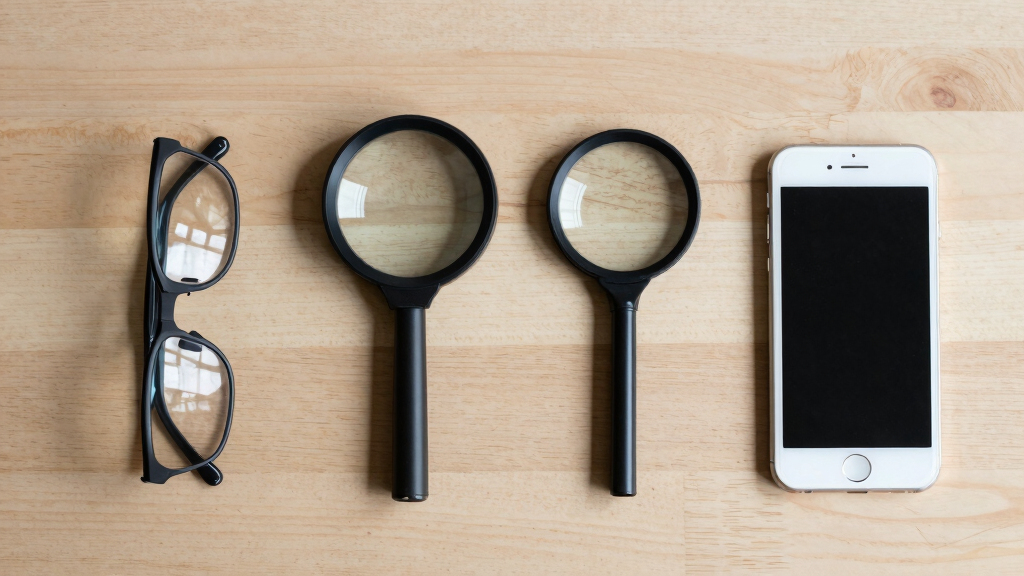
Handheld magnifiers are basic optical devices — a small glass or plastic lens mounted in a handle. You hold them over text or objects, and they enlarge what’s underneath. They’re lightweight, battery-powered, and perfect for quick checks or outdoor use.
Think of the difference like this: one is a mini TV for your eyes, the other a magnifying glass on a stick. Both help you see better, but their design shapes what tasks they’re best for.
Popular right now

TCL QM64L 85-Inch QD-Mini LED 4K Smart Fire TV

Ninja DualZone 6-in-1 Air Fryer, 8-Qt, Grey, DZ801

Ninja CREAMi 7-in-1 Ice Cream Maker, NC299AMZ
As an affiliate, we earn on qualifying purchases.
Magnification Power: How Much Can They Really Enlarge?
Video magnifiers shine when it comes to adjustable magnification — often from 2x to 60x or more. This wide range allows users to tailor their view depending on the task. For example, a person might use 2x for reading a letter and zoom in to 40x or higher to see minute details like fine print or intricate craftwork. The ability to adjust magnification dynamically means users can switch from broad overview to detailed focus seamlessly, reducing eye strain and improving accuracy. High-resolution screens ensure images stay sharp even at high magnifications, which is crucial for clarity and reducing visual fatigue.
Understanding this flexibility is essential because it directly impacts how effectively a device can adapt to different tasks. For instance, someone with low vision who needs to read small print for extended periods benefits greatly from the high zoom levels and clarity, which minimize eye strain and fatigue. Conversely, handheld magnifiers, often limited to around 10x, force users to compromise between convenience and effectiveness. They might suffice for quick checks but fall short for sustained, detailed work, leading to frequent repositioning or discomfort. Recognizing these tradeoffs helps users decide whether a device’s magnification range aligns with their daily activities and whether investing in a high-end model offers significant benefits over simpler alternatives.
This understanding of magnification power helps users weigh the importance of flexibility versus portability, ensuring they select a device that truly supports their visual needs without unnecessary complexity or expense.
Image Quality and Extra Features: Why Some Devices Make Life Easier
Video magnifiers deliver crisp, clear images thanks to high-resolution cameras and screens. Their adjustable contrast and color modes are not just cosmetic; they significantly impact readability by allowing users to customize their visual environment based on lighting conditions or personal preferences. For example, switching from standard black-on-white to high-contrast yellow-on-black can reduce glare and make text more distinguishable, especially for those with certain visual impairments. OCR (Optical Character Recognition) is a game-changer, enabling devices to read text aloud, which benefits users with dual impairments or those who tire easily from reading.
Additional features like freeze-frame allow users to capture an image and examine it at leisure. This is especially valuable when needing to read complex diagrams or detailed instructions without the pressure of a moving image. OCR capabilities turn printed text into speech, making books, labels, or signs accessible without squinting or straining.
In contrast, handheld magnifiers tend to be more straightforward — usually just a lens and a built-in light. Some have LED illumination to help see in dim environments, but they generally lack digital enhancements. The simplicity can be an advantage for quick use, but it also means fewer options for customization or extended reading comfort. For example, a handheld with a bright light can be invaluable in a dim restaurant or dark corner, but it won’t offer the same level of tailored visual support as a digital device.
Knowing the technological enhancements available helps users decide which features align with their daily routines and visual challenges, ultimately making tasks easier and less tiring.
Portability and Ease of Use: Which Fits Your Lifestyle?
Video magnifiers tend to be larger, with screens that can range from 7 to 22 inches, making them suitable primarily for stationary use. While recent innovations have introduced lightweight, portable models with rechargeable batteries, these still often require a dedicated space and power source. The size and need for power make them less convenient for on-the-go use but ideal for dedicated workspaces or home environments where prolonged reading or detailed tasks are common. The larger screen provides a comfortable viewing experience, reducing eye fatigue during extended use, which is crucial for users who spend hours reading or working on detailed projects.
In contrast, handheld magnifiers are designed for maximum portability — small enough to fit into a pocket or purse. Their lightweight construction makes them easy to carry everywhere, whether you’re running errands, dining out, or traveling. They are perfect for quick checks, such as reading labels or menus, especially in environments where setting up a larger device isn’t practical. For example, a busy parent might use a handheld to quickly verify a product label in the grocery store, while a professional might rely on a portable video magnifier at their desk for longer reading sessions.
While handhelds excel in mobility, recent technological advances have blurred the lines — some portable video magnifiers now combine digital zoom and lightweight design, offering a hybrid solution. These devices provide the best of both worlds: portability without sacrificing the enhanced features of digital magnification. Choosing between them depends on your lifestyle, whether you prioritize quick convenience or need a dedicated workspace device.
Understanding these practical scenarios helps you evaluate which device integrates smoothly into your daily routine, ensuring you have the right support wherever you go.
Cost and Accessibility: Which Budget Fits You?
Price tags tell a story. Handheld magnifiers can be surprisingly affordable — many under $20, with higher-end models costing a few hundred dollars. This affordability makes them accessible for a broad range of users, especially those on a limited budget or who need a device for occasional use. They typically require minimal training, making them easy to adopt quickly. However, their simplicity also means they lack advanced features that can enhance comfort and functionality over time.
Video magnifiers, on the other hand, represent a significant investment. Basic models start around a few hundred dollars, but high-end units with extensive features such as high magnification levels, OCR, customizable contrast, and portable designs can cost thousands. This higher price reflects the sophisticated technology and versatility they offer, which can dramatically improve quality of life for users with severe visual impairments. For many, this expense is justified by the increased independence and comfort they provide.
It’s important to consider not just the initial cost but also accessibility options. Many low vision clinics and organizations provide rental programs, demonstrations, or financing options, making these devices more attainable. Evaluating your specific needs and budget, along with available support, helps ensure you choose a device that offers the best value and usability for your circumstances.
Understanding the tradeoffs between cost and functionality enables smarter purchasing decisions, ensuring you get a device that truly meets your needs without unnecessary expense.
Which One Is Better for Your Tasks? Quick Guide
| Task | Best Choice | Why |
|---|---|---|
| Reading a newspaper or book | Video magnifier | Adjustable zoom and clarity make prolonged reading easier, reducing eye fatigue and allowing for comfortable, extended sessions that are difficult to achieve with handheld devices. |
| Checking labels or prices on-the-go | Handheld magnifier | Compact and lightweight, making it easy to carry and maneuver quickly outside, perfect for fast inspections without needing setup or power sources. |
| Detail work like crafts or sewing | Video magnifier | High magnification and stable image support intricate work, enabling precision over longer periods, which is hard to replicate with smaller, less capable devices. |
| Outdoor use or quick glance | Handheld magnifier | Its portability and ease of use make it ideal for spontaneous checks in various environments where larger devices are impractical or unavailable. |
Training and Support: Making the Most of Your Device
Both types of magnifiers work better when you understand how to use them effectively. Video magnifiers often come with training sessions that teach users how to navigate menus, adjust settings, and utilize advanced features like OCR and contrast modes. Proper training ensures you can maximize the device’s potential, reducing frustration and increasing independence.
Handheld magnifiers, while simpler, still benefit from guidance on proper handling, lighting adjustments, and optimal positioning to achieve the clearest image. Local low vision clinics and organizations frequently offer free demonstrations, workshops, or personalized training to help users get comfortable and confident with their devices. This support can significantly improve usability, reduce learning curves, and enhance overall satisfaction.
For example, learning how to hold a handheld steady or adjust lighting can make a noticeable difference in image clarity. Similarly, mastering menu navigation on a video magnifier can unlock its full capabilities, transforming it from a basic aid into a comprehensive visual tool.
Investing in training and support ensures that users get the most out of their devices, leading to better outcomes and increased independence.
Frequently Asked Questions
Can I switch between a video magnifier and a handheld magnifier?
Yes, many users keep both handy. Use a video magnifier at home for reading and detailed work, and a handheld for quick outdoor checks. They serve different needs perfectly.Are portable video magnifiers worth the extra cost?
If mobility and versatility matter to you, then yes. Portable video magnifiers bring the power of high magnification and digital features on the go, making them a good investment.What features should I prioritize when choosing a video magnifier?
Look for adjustable magnification, contrast and color modes, image freeze, OCR capabilities, and portability. These features improve comfort and usability for everyday tasks.Can I try these devices before buying?
Many clinics and organizations offer trial programs or demonstrations. Testing a device in real life ensures it matches your needs before making a purchase.How do I know if a handheld magnifier is enough for me?
If you mostly need quick, simple enlargements — like reading labels or menus — a handheld will usually suffice. For longer or more detailed tasks, a video magnifier offers better support.Conclusion
Picking the right magnifier is about matching your needs with the device’s strengths. If you spend hours reading or working on detailed projects, a video magnifier can transform your experience. For quick checks or outdoor errands, a handheld might be all you need.
Remember, technology keeps improving — more portable, affordable options are emerging every year. The key is understanding what tasks matter most to you and choosing accordingly. Your eyes deserve the best tools you can find.