
TL;DR
Setting up a medical alert system for a parent in another state involves choosing the right type—like mobile or in-home—considering coverage, monitoring, ease of use, and recent tech advances. Proper planning ensures quick response times and peace of mind, even from miles away.
When your parent lives across the country, keeping them safe can feel like a remote puzzle. You want peace of mind, but how do you set up a system that actually works from afar? The good news: technology has made this easier than ever.
This guide walks you through the key steps — from picking the right device to managing ongoing support. It’s about turning distant worry into confident action, with simple, concrete steps you can follow today.
Choose a system matching your parent’s activity level—whether in-home, mobile, or hybrid.
Test cellular coverage and GPS reliability before finalizing your choice.
Opt for user-friendly devices with large buttons and simple operation.
Prioritize professional monitoring with quick response times, including fall detection.
Involve your parent in the process to ensure comfort and confidence.
Choose the Right Type of Medical Alert System for Your Parent’s Lifestyle
The first step is understanding the options. A system that suits an active senior who loves walking outdoors isn’t the same as one for someone who prefers staying inside. Here’s what you need to know.
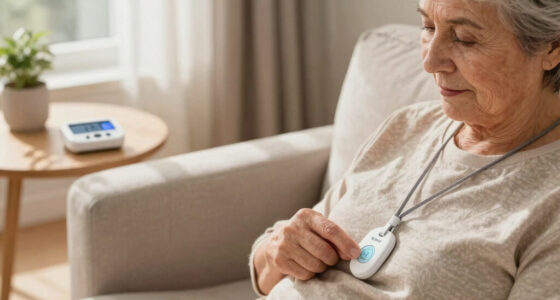
In-home systems are plugged into a landline or cellular network and come with wearable buttons—think pendants or wristbands. These are perfect if your parent spends most of their time at home. Mobile systems use cellular and GPS technology, ideal if your parent is active outside or travels often. Hybrid systems combine both, offering flexible coverage.
Imagine your parent going for a neighborhood walk—if they have a GPS-enabled mobile device, help is just a button press or a location ping away.
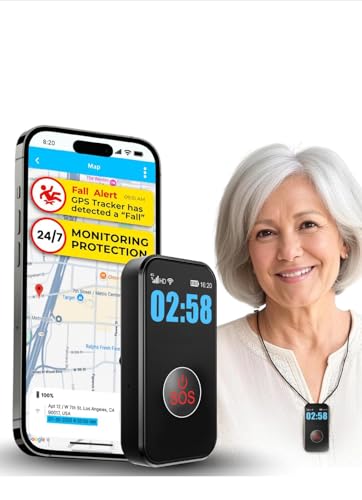
SecuLife Medical Alert Pendant for Seniors — Alerts Go Direct to Family, No Call Center | Auto Fall Detection, GPS Tracking, 2-Way Calling, No Contract, Waterproof Necklace
❤️ 𝐌𝐞𝐝𝐢𝐜𝐚𝐥 𝐀𝐥𝐞𝐫𝐭 𝐏𝐞𝐧𝐝𝐚𝐧𝐭 𝐰𝐢𝐭𝐡 𝐅𝐚𝐥𝐥 𝐃𝐞𝐭𝐞𝐜𝐭𝐢𝐨𝐧: Designed for seniors and individuals with medical conditions, this wearable alert…
As an affiliate, we earn on qualifying purchases.
As an affiliate, we earn on qualifying purchases.
Ensure Reliable Coverage and Connectivity Before You Buy
Reliable cellular coverage is a must. Test your parent’s area for signal strength—no point in a device that can’t reach a tower. Use coverage maps from providers or ask neighbors about their service quality.
If your parent lives in a rural area, consider systems with cellular boosters or satellite options. For urban areas, most providers offer strong coverage, but it’s smart to double-check.
GPS features shine outdoors, but only if there’s good signal. So, a hybrid approach that combines landline, cellular, and GPS can cover most scenarios.
Understanding coverage is crucial because a device with poor signal becomes useless in emergencies. The tradeoff is often between coverage and cost; more comprehensive systems with boosters or satellite capabilities tend to be pricier but offer peace of mind that the device will work when needed most.
mobile medical alert device with fall detection
As an affiliate, we earn on qualifying purchases.
As an affiliate, we earn on qualifying purchases.
Pick a Monitoring Service That Responds Fast and Offers Peace of Mind
Professional monitoring is the backbone of a reliable alert system. Look for providers with 24/7 response centers that respond within minutes. Some systems automatically detect falls and alert responders without your parent pressing a button.
For example, a fall detection feature can notify emergency services even if your parent is unconscious or unable to press a button. Check reviews or ask providers about their average response times and customer support quality.
A good monitoring service is like having a safety net that catches your loved ones at all hours, no matter where they are.
Choosing a monitoring service involves balancing cost with responsiveness. Cheaper services might have longer response times or less comprehensive coverage, so weigh these factors against the level of safety your parent needs. The right service can significantly reduce anxiety by ensuring help arrives promptly, which is the core of its value.
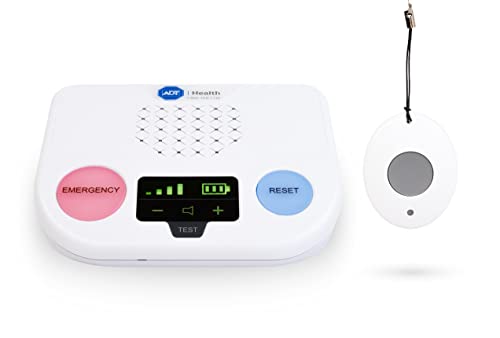
ADT Medical Alert Plus – in-Home Medical Alert System for Seniors – Cellular 4G Coverage, 600ft Pendant Range, Home Temperature Monitoring, 24/7 U.S. Based Monitoring (Neck Pendant)
CALL TO ACTIVATE – Free activation & no long-term contracts. Monthly agreement & activation are required prior to…
As an affiliate, we earn on qualifying purchases.
As an affiliate, we earn on qualifying purchases.
Keep It Simple: Devices Your Parent Can Operate Without Frustration
Tech should serve, not frustrate. Opt for systems with large, easy-to-press buttons, clear audio, and minimal setup. Some systems have two-way voice communication, so your parent can talk directly to responders if needed.
Imagine your parent pressing a big, red button—no confusing menus or tiny screens. Involving them in the choice process helps ensure they’re comfortable. Testing the device together before installing it is a smart move.
Remember, the goal is quick, easy access in an emergency—nothing more complicated than pressing a button.

CallToU Wireless Caregiver Pager Smart Call System 2 SOS Call Buttons/Transmitters 2 Receivers Nurse Calling Alert Patient Help System for Home/Personal Attention Pager 500+Feet Plugin Receiver
[ Wireless Guard ] 2 Receiver 2 Call Button. Allow caregivers and residents to be free while ensuring…
As an affiliate, we earn on qualifying purchases.
As an affiliate, we earn on qualifying purchases.
Understand Costs and Subscription Plans Before Committing
Pricing varies widely—from about $20 to $50 a month, plus initial device costs. Some providers include equipment for free if you sign a contract, while others charge upfront for hardware.
Ask about hidden fees—installation, extra features, or cancellation charges. Budgeting for ongoing monthly costs helps avoid surprises down the line.
For example, a basic system might cost $25/month with a $50 setup fee, while a premium GPS-enabled system with fall detection might run closer to $50/month. Weigh these options against your budget and your parent’s needs.
It’s important to understand that cheaper plans might lack some features like GPS or fall detection, which are critical for safety. Conversely, premium plans add costs but provide comprehensive coverage. The tradeoff is between affordability and peace of mind, so consider what features are non-negotiable for your parent’s safety.
Set Up and Test the System — Don’t Skip This Step
Once you’ve picked a system, professional installation can be worth the extra fee for peace of mind. After setup, run a full test—press the button, verify responders get the alert, and ensure your parent understands how to use the device.
For example, schedule a mock emergency call—like pretending to fall—and see if help arrives promptly. Regular testing every few months keeps everything functioning smoothly.
Keeping the system in good shape means your parent stays protected, even from miles away.
Testing isn’t just a one-time step; frequent checks ensure the device’s batteries are charged, signals are clear, and responders are responsive. This proactive approach helps identify issues before an actual emergency occurs, providing confidence that the system will perform when needed most.
Involve Your Parent and Keep Open Communication
Your parent’s comfort with the system is key. Talk openly about the device, how to use it, and why it’s there. If they’re involved in the setup, they’re more likely to use it confidently.
Encourage feedback—if buttons are hard to press or the device feels bulky, look for alternatives. Also, keep lines open for ongoing support, troubleshooting, and updates.
For example, setting a monthly check-in call to review the device can build trust and familiarity.
Use Technology to Stay Connected — Family and Emergency Alerts
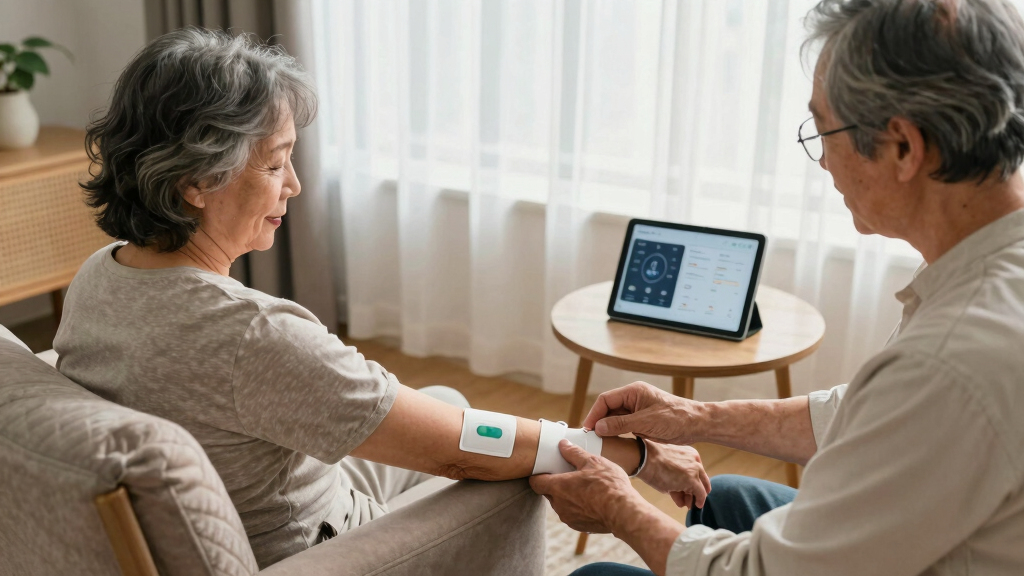
Many systems now let family members receive alerts via smartphone apps. This means you can be notified immediately if your parent presses their button or if a fall is detected—even from thousands of miles away.
Set up notifications for yourself and other trusted family members. Some apps also allow you to check activity logs or location histories, giving you peace of mind.
Imagine a family group chat where everyone gets a real-time alert—making remote caregiving more manageable and less stressful.
Stay Informed About New Tech and Periodically Review the System
Technology evolves rapidly. Stay updated on new features—like better fall detection or longer battery life—that could benefit your parent. Schedule regular reviews (every 6-12 months) to reassess their needs and the system’s effectiveness.
For example, a newer device might have a longer-lasting battery or improved GPS accuracy, making it worth the upgrade. Keeping pace ensures your parent stays as protected as possible.
Regularly reviewing the system also helps you stay aware of technological advancements that could enhance safety or simplify operation, ensuring your parent benefits from the latest innovations.
Frequently Asked Questions
How do I pick the best medical alert system for my parent who lives out of state?
Focus on their lifestyle, health needs, and the system’s coverage. Look for reliable monitoring, user-friendly design, and features like GPS or fall detection. Reading reviews and testing coverage in their area also helps make an informed choice.
Can I monitor my parent remotely with these systems?
Yes, many modern systems include family apps or web portals, allowing you to receive alerts, check activity logs, and even communicate directly through the device. This keeps you connected, no matter the distance.
What if my parent has trouble with mobility or cognitive issues?
Look for systems with large, easy-to-press buttons, voice activation, and automatic fall detection. These features help ensure they can always summon help quickly, even if they struggle with fine motor skills or memory.
Are GPS-enabled systems suitable for outdoor activities?
Absolutely. GPS-enabled devices are designed for outdoor use, providing real-time location tracking. They’re ideal if your parent enjoys walks or travels frequently, giving you peace of mind outside the home.
How reliable are these systems in an emergency?
Reputable providers with 24/7 monitoring centers respond within minutes. Regular testing and choosing high-quality devices further ensure they work when needed most.
Conclusion
Setting up a medical alert system from afar isn’t just about technology — it’s about peace of mind. A simple, well-chosen device combined with ongoing communication makes all the difference.
Remember: regular testing and staying informed about new features keep your loved one safer and more connected than ever. Imagine the relief of knowing help is just a button press away, no matter where you are.