
TL;DR

Turn quiet afternoons into listening time
- Thousands of audiobooks, podcasts and originals
- Listen on your phone, tablet or Echo — also offline
- Cancel anytime
Smart scales for seniors work best when they have a stable nonslip platform, sit on a hard level floor, and show weight in large, clear digits without requiring a phone. Treat body composition figures as estimates, look for trends under similar weighing conditions, and ask a qualified health professional about unexpected changes or any routine that feels unsafe.
A bright app full of charts cannot help if you have to squint at the display or feel wobbly stepping onto the scale. For older adults, the best smart scale is often the one that feels steady, shows weight clearly, and works without turning a simple check into a phone setup project.
This guide walks you through choosing a safe spot, keeping setup manageable, and deciding whether an app or extra measurement adds real value. You will also learn what the numbers can tell you—and what they cannot—so a single reading does not cause unnecessary worry.
If you are helping a parent or partner, start by asking what would make the routine comfortable for them. A scale should support their choices, privacy, and day-to-day needs. It should never make them feel rushed or pressured to step on when doing so feels unsafe.
Place the scale on a hard, level floor in a well-lit, uncluttered spot with room to step on and off.
Prioritize a stable nonslip platform and large, high-contrast digits over extra measurements.
Check whether basic weighing requires an app, account, or wireless connection before choosing a model.
Treat body fat, muscle, and water figures as estimates, and compare weight readings under similar conditions.
Ask a qualified health professional about unexpected weight changes or a weighing routine that feels unsafe.
A PRACTICAL GUIDE · SAFE SETUP · CLEAR READINGS
Smart Scales for Seniors: Setup, Steady Footing and Easy-to-Read Displays
The best scale is one that feels steady, shows weight clearly, and works without turning a simple check into a phone setup project. Choose a comfortable routine that supports the user’s choices, privacy, and day-to-day needs.
“A bright app full of charts cannot help if you have to squint or feel wobbly stepping on.”
Start with comfort. Ask what would make weighing feel manageable. No one should feel rushed or pressured to step on when doing so feels unsafe.
Make the routine feel steady
Extra measurements and connectivity matter less if the scale is unstable, hard to read, or confusing to operate.
Stable before smart
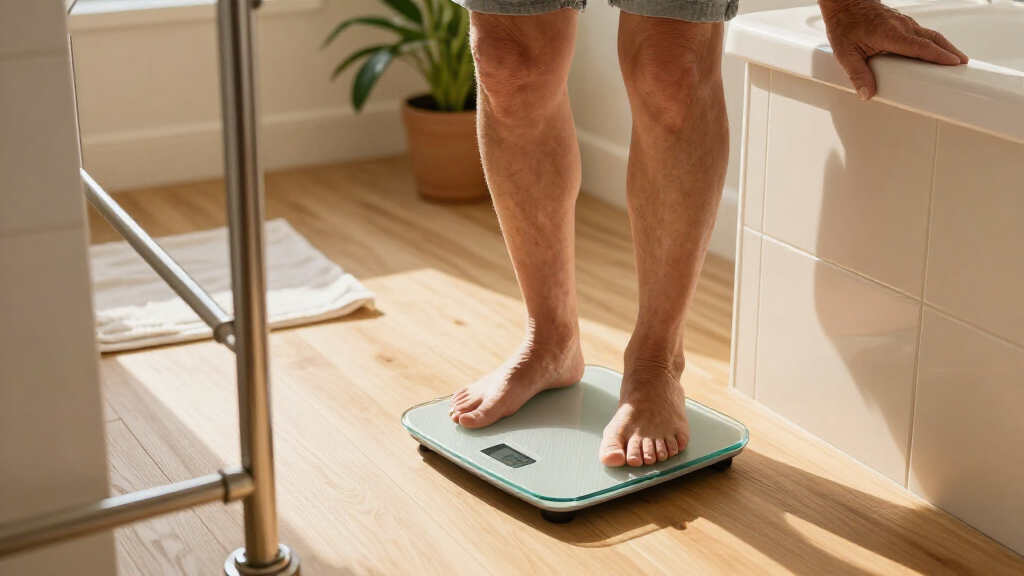
Choose a broad, nonslip platform with a stable base. Set it on a hard, level floor; carpet and uneven surfaces can affect stability and readings.
Clear before complex
Look for large, high-contrast digits that stay visible long enough to read from a comfortable standing position—without bending or rushing.
Simple before connected
Check if basic weighing works without an app, account, or wireless connection. Choose added features only when they make the routine easier.
Set up a clear path to stand
A dry, well-lit spot with room to step on and off can remove awkward movements from an everyday check.
Choose the floor and space
Put the scale on a hard, level surface and follow its instructions. Avoid soft rugs and cramped, damp corners. Keep laundry, clothes, and chargers out of the approach path. A dry spot near a bedroom wall may offer better light and room to move.
Plan for balance and support
A nearby fixed support may help with approaching or stepping away, but leaning on it during a reading shifts weight and can change the result. A scale is not a grab bar or mobility aid. If standing feels unsafe, ask a clinician, physical therapist, or caregiver about a safer routine.
Move the weigh-in away from the bathmat.
Stepping out of the shower, reaching for a towel, then balancing to read a dim screen adds avoidable steps. A dry, uncluttered location can make the routine more comfortable.
Set it up once. Keep it simple.
Try the real steps with the person who will use the scale. A setup that works for a helper may still feel awkward to the user.
Check the spot
Confirm a hard, level floor and a suitable stated weight limit.
Test the screen
Install batteries or charge it; check that digits are easy to see.
Pair only if useful
Check phone compatibility and follow pairing steps together.
Set units and profile
Choose pounds or kilograms and confirm whose reading is saved.
Agree on sharing
Let the user choose who can access readings and app data.
Before choosing a connected model, consider who will replace batteries, reconnect Bluetooth, or manage updates. Check the warranty and what support the manufacturer offers.
Make the number easy to read
The best display is the one the user can comfortably read and access during an ordinary weigh-in.
| Display choice | Can help when… | Check before choosing |
|---|---|---|
| On-scale digits | Weight is visible right away | Check size, contrast, viewing angle, and how long the result stays onscreen. |
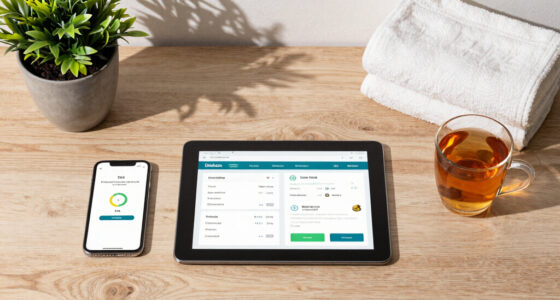
| Phone app | The user wants history or trend graphs | Test waking the phone, opening the app, connecting, and finding the latest result. |
| Voice prompts | Hearing a reading is more accessible | Consider privacy and whether spoken results suit the home. |
| Extra metrics | Body composition or integrations are specifically useful | More figures can add complexity; estimates are not direct measurements. |
Use trends. Treat estimates with care.
Weight is the most straightforward measure. Other figures need context and cannot explain why weight changed.
Weight and estimates
Some smart scales estimate body fat, muscle mass, and body water using bioelectrical impedance. These are estimates, not direct measurements or a diagnosis.
Conditions matter
Hydration, meals, exercise, and other measurement conditions can affect body-composition figures. Day-to-day changes are common; compare readings under similar conditions.
These bars show how to interpret each type of information, not a clinical accuracy rating. Discuss unexpected, unplanned, or rapid weight changes with a qualified health professional.
Make connected features optional
App dashboards, profiles, trend graphs, and health-platform integrations vary by model. Added features do not automatically improve safety or accuracy.
Check the steps
Confirm what is needed to see weight: an on-scale display, app, account, or wireless connection.
Know who can see
Review what data is collected, where it is stored, and whether sharing with family or clinicians is optional.
Choose what suits
A simple scale may be a better fit if the user does not want an app or online account.
Features, accessibility, privacy terms, and prices vary by model. Check current details before buying; avoid assuming a product feature is clinically precise without supporting evidence.
A comfortable routine, step by step
Put steady footing ahead of smart features
Smart scales for seniors should sit on a hard, level floor and have a stable base with a broad, nonslip platform. The point is not only to get a consistent reading: a rocking scale can shift as someone steps on, adding a moment of uncertainty when they are already balancing. Carpet can compress unevenly beneath the scale and affect both stability and readings, so follow the model’s instructions and avoid soft rugs.
Choose a well-lit place with clear space around the scale. A bathroom may seem convenient, but moisture, a bathmat that slips, and a cramped corner can turn an ordinary step into a risky one. A dry spot near a bedroom wall may offer better light and room to move. A nearby wall can help someone orient themselves, but it should not become something they need to grab while standing on the scale. Keep clothes, laundry baskets, and phone chargers out of the approach path.
Consider someone stepping out of the shower, reaching for a towel, and trying to read a dim display while balancing on one foot. Moving the scale to a dry, uncluttered area and checking weight before bathing removes several awkward steps. The location matters because a scale that is technically safe but inconvenient or exposed to water may not support a comfortable routine.
If a person feels unsteady, ask a clinician, physical therapist, or caregiver to help plan a safer routine. A fixed support nearby may help with approaching or stepping away, but leaning on it while the scale takes a reading shifts weight and can change the result. This creates a real tradeoff: support may make getting into position easier, yet the reading itself still requires standing without leaning. A scale is not a grab bar or mobility aid, and nobody should step onto it if doing so feels unsafe.
Popular right now

TCL T7 Series 85-Inch 4K 144Hz QLED Smart Google TV

Ninja DualZone Air Fryer 10 Qt Smart 6-in-1 Grey (DZ950)

TCL QM64L 85-Inch QD-Mini LED 4K Smart Fire TV
As an affiliate, we earn on qualifying purchases.
Set up the scale once, then keep the routine simple
A smart scale can make weight tracking more convenient, but basic use varies: one model may show weight right away, while another needs an app, account, or wireless connection. That difference affects more than the first setup. If a phone must be unlocked and an app opened at every weigh-in, a forgotten password, software update, or connection problem can interrupt the routine. Before choosing a scale, check what the user must do to see the number. If opening a phone app every time would be a hassle, choose a model that displays weight on the platform.
For a first setup, use this short sequence:
- Check the floor and scale instructions. Put the scale on a hard, level surface and confirm its stated weight limit. This helps avoid a device that is unstable or unsuitable for the intended user.
- Install batteries or charge it, then check that the screen wakes up and the digits are easy to see. A quick trial catches display or power issues before the scale becomes part of a routine.
- Pair a phone only if it helps. Confirm app compatibility and follow the pairing instructions with the user present. Pairing can save readings and show longer-term patterns, but it also adds account and connection steps.
- Set the units and profile. Confirm whether the scale uses pounds or kilograms, and review how it assigns readings to people. A wrong unit or profile can make a trend confusing or attribute private data to the wrong person.
- Agree on data sharing. Decide together whether family members or clinicians should have access. Sharing may help with support, but it should be a choice made by the scale user.
For example, a daughter helping her father set up a scale can enter his preferred units, then let him try a normal weigh-in before she leaves. She can also explain who can see app readings and show him how to use the on-scale display. That practice reveals whether the actual steps feel manageable; a setup that works for the helper may still be awkward for the person using it.
Think ahead about who will replace batteries, reconnect Bluetooth, or handle software updates. Connected features can be useful for keeping records, but they create small maintenance tasks that may eventually interrupt access. If no one wants to manage those tasks, a simpler model may fit better. Check the warranty too, so you know what support the manufacturer offers if the display or connection stops working.
Choose a display you can read without bending or rushing
Smart scales for seniors are easier to use when weight appears in large, high-contrast digits that stay visible long enough to read. A long list of figures on a tiny screen can be less helpful than one clear number because the user may need to look down, steady themselves, and understand the result at the same time. Look at the display from a comfortable standing position, not just while leaning over the scale in a shop or viewing a product photo.
Some scales show the result on the platform; others send it to a phone. A phone-only display can be inconvenient if a user has low vision, stiff fingers, limited smartphone access, or trouble unlocking a screen. If the reading appears only in an app, test the actual steps: wake the phone, open the app, connect to the scale, and find the latest result. Each added step can turn a quick habit into a task that needs troubleshooting. On the other hand, an app may make it easier to review past readings, so it can add value when the user wants that history and can access it comfortably.
Imagine reading the display on a quiet morning before breakfast. A bright screen with crisp, dark digits is quick to understand. A small panel with pale numbers might force you to bend down, adjust your glasses, or take another reading because the first one disappeared too soon. That is more than an inconvenience: repeated bending or rushing can make the weighing routine harder to manage. When possible, check how long the number remains visible and whether glare affects it.
Voice announcements can make a reading easier to access, especially for someone who cannot comfortably look down at the screen. The tradeoff is privacy: spoken weight may be heard by other people nearby. A user might appreciate hearing the number in a private bedroom and dislike the same announcement in a shared bathroom. Treat voice output as an option to try, not an automatic benefit, and let the person using the scale decide what feels comfortable.
Treat body composition numbers as estimates, not verdicts
A smart scale measures body weight directly, while many models estimate body fat, muscle mass, and body water using a small electrical signal called bioelectrical impedance. The scale uses how that signal passes through the body to produce estimates; it does not directly inspect or measure each tissue. These figures can help some people follow broad patterns, but they are not diagnoses. A body fat percentage on a screen can look exact even when the method cannot support that level of certainty.
Hydration, recent meals, exercise, and other conditions can affect the reading because they change the conditions under which the signal is measured. For instance, a person who weighs after a long walk and a glass of water may see a different body composition estimate from a reading taken the next morning. That variation does not necessarily mean their body changed overnight. If the number jumps, changing diet or exercise in response to one reading may be a poor tradeoff: the apparent change may reflect timing or hydration rather than a meaningful health change. The scale’s confidence-looking decimal places do not remove the uncertainty.
For a more consistent weight comparison, use the same scale in the same spot and weigh at a similar time under similar conditions. A person who checks in the morning before breakfast can compare those readings more fairly than mixing morning and evening weigh-ins. Consistency reduces some avoidable variation, but it cannot make every reading exact or explain why weight changed. Even then, day-to-day movement is normal; longer-term patterns usually tell a more useful story than one number.
There is no universal weighing schedule for every older adult. Someone monitoring a health condition should follow guidance from a qualified healthcare professional, since the useful frequency depends on the reason for monitoring. If weight changes unexpectedly or quickly, the scale cannot explain why; discuss the change with a clinician rather than trying to diagnose it from a graph. The number can help start a conversation, but interpreting its cause requires context the scale does not provide.
Check app access and privacy before sharing readings
Connected scales may store readings in an app or online account, so check what data the service collects, who can access it, and whether sharing is optional. A person may want to keep readings on their phone, share them with a clinician, or avoid online storage altogether. Those choices affect convenience as well as privacy: cloud storage may make it easier to review readings across devices, while an app-free model may be simpler and keep more information off an account. The setup should reflect the scale user’s preference—not simply the caregiver’s convenience.
Multiple-user profiles can help a household track separate trends, but automatic recognition can assign a reading to the wrong person. Picture two family members with similar weights stepping on the same scale on the same morning. If a reading goes into the wrong profile, both people’s trend histories may become misleading, and one person may see information meant for another. Check the app’s history after setup and learn how to correct a mistaken profile, especially before relying on the trend graph.
More connections can also mean more account steps. If an older adult does not want an app or online account, an app-free scale may be a better fit, even if it offers fewer features. That choice can trade automatic history for a simpler weigh-in and less account management. A simple display can still support a useful routine. Extra dashboards do not automatically improve safety or make the reading more accurate.
Before enabling family access, sit together and review what each person can see. For example, a caregiver might help with initial setup while the scale owner keeps the account password and chooses whether to share readings. Sharing may help a caregiver notice a pattern the user wants help tracking, but it also exposes personal information; the person using the scale should set the boundaries. If the policy is hard to understand, or the user does not want cloud storage, choose a simpler route. Privacy should be part of the practical setup, not an afterthought.
Use a short checklist to decide whether a scale fits
The right scale is the one the intended user can approach, step onto, read, and operate comfortably. A feature list can make a device look impressive, but an extra graph does little good if the platform feels slippery or the result is hidden in a confusing app. A useful comparison focuses on the steps the person will actually take, since one difficult step can make the whole routine impractical. Use the checklist below while comparing models or testing one at home.
- Stable platform: Is the base broad, nonslip, and steady on a hard, level floor? Stability helps the scale stay in place and reduces uncertainty while stepping on.
- Clear reading: Can the user read the digits while standing comfortably, and do they remain visible long enough? A clear result avoids bending, guessing, or repeating the weigh-in.
- Simple access: Does the scale show weight without a phone, if that matters to the user? Phone access can add history and sharing, but it also creates extra setup and maintenance.
- Manageable setup: Are pairing, profiles, and units understandable, and is help available for updates or battery changes? A complicated setup can make useful features hard to keep using.
- Suitable capacity: Does the stated weight limit meet the user’s needs, and is the warranty clear? Checking these details helps avoid a scale that cannot be used as intended or is difficult to replace if it fails.
- Respectful sharing: Can the user decide whether readings go to family, an app, or a cloud account? Shared history may be useful, but control over access is part of comfortable use.
For example, a family might compare two scales: one has many body measurements but a small display and app-only history; the other shows weight in large digits and works without a phone. If the user mainly wants an easy-to-read weight trend, the second scale may serve that purpose better. The first may suit someone who values saved measurements and is comfortable maintaining the app. The decision follows the person’s routine and priorities, not the longer feature list.
Try the scale in the actual location if you can. Confirm the floor is level, the lighting is good, and there is enough room to approach and step away. If the user has balance concerns, get professional guidance before making weighing part of the routine. Comfort and safety are meaningful features because they determine whether the device can be used consistently, even when they do not appear in a product dashboard.
Frequently Asked Questions
Are smart scales safe for seniors?
They can suit an older adult who can step on and off safely and use a stable scale on a hard, level floor. Balance, mobility, and health needs differ, so ask a clinician or physical therapist for guidance if the routine feels uncertain. Do not step onto a scale when it feels unsafe.
Can I use a smart scale on carpet?
Many scales work best on a hard, level surface because carpet can affect stability and readings. Follow the manufacturer’s instructions for the specific model. If a scale rocks or sinks into the floor covering, move it to a firm spot.
Do I need a smartphone or Wi-Fi?
It depends on the model. Some scales show weight without a phone, while others need an app, account, Bluetooth, or Wi-Fi for setup or to view saved readings. Check the basic steps before buying, especially if the user wants to avoid apps.
Are body fat and muscle readings accurate?
These figures are estimates, often based on bioelectrical impedance, rather than direct measurements. Hydration, meals, exercise, and measurement conditions can change them. Use them as rough patterns if they are useful, and do not use them to diagnose a health condition.
How often should an older adult weigh themselves?
There is no single schedule that fits everyone. If someone is tracking weight for a health condition, they should follow their healthcare professional’s advice. Otherwise, choose a frequency that is useful and comfortable rather than stressful.
What is the safest way to weigh someone with balance problems?
Ask a clinician or physical therapist to help decide whether weighing at home is appropriate and how to do it safely. Do not rely on a loose or unstable object for support, and do not lean during the reading because that can change the result. If stepping on the scale feels unsafe, skip it and seek professional guidance.
Conclusion
Choose a scale around the person who will use it: their balance, eyesight, comfort with phones, and privacy preferences matter more than a crowded list of features. Set it on a hard, level floor, check that the display is easy to read, and agree on a simple routine that feels safe.
A useful reading should leave you with a clear number and steady feet—not a scramble for your glasses or a phone.