TL;DR

Turn quiet afternoons into listening time
- Thousands of audiobooks, podcasts and originals
- Listen on your phone, tablet or Echo — also offline
- Cancel anytime
Many video doorbells require a smartphone for full features, but some can work independently via physical buttons, local storage, or built-in screens. These options are ideal if you prefer less reliance on apps or internet connectivity.
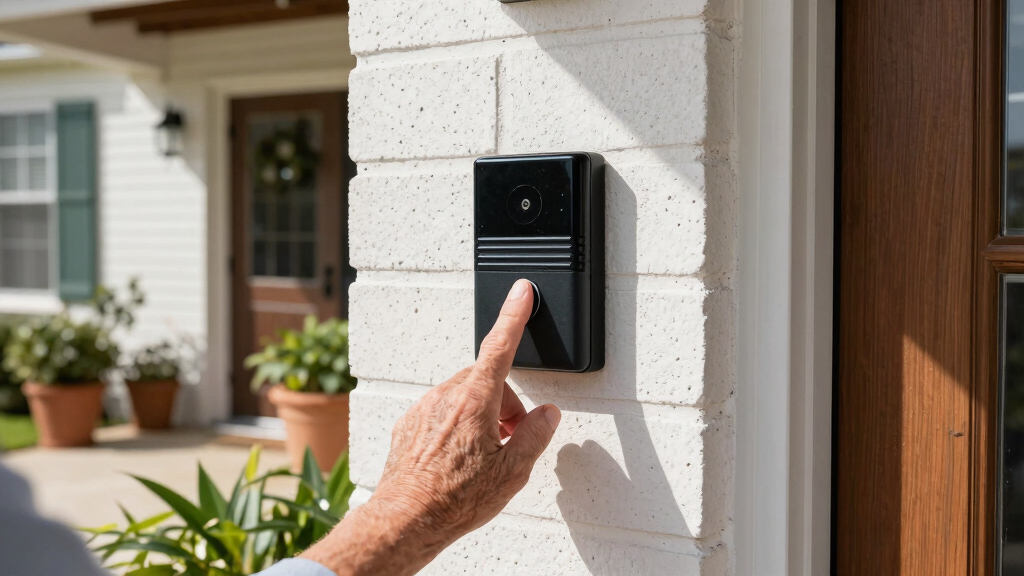
Imagine a doorbell that rings, captures footage, and lets you see who’s outside — all without ever touching a smartphone. Sounds freeing, right? The truth is, most modern video doorbells are designed to connect through your phone, making control and viewing seamless. But what if you don’t want to rely on a smartphone? Or what if you prefer a simpler, more offline approach? This guide uncovers the options available, from basic models with physical controls to those with local storage that work entirely offline. If you’re curious about how to make your home smarter without the constant need for a device in your hand, keep reading.
Many standalone video doorbells include physical controls, local storage, or built-in screens, allowing operation without a smartphone.
Wired models with SD card slots or onboard memory give you access to footage offline, but limit remote, real-time features.
Battery-powered, offline-capable doorbells are easy to install and operate, ideal for DIY homeowners.
Devices without internet or cloud storage reduce hacking risks but may lack instant notifications and remote management.
Choose a model based on whether you prioritize convenience, privacy, or independence from smartphones.
Can You Use a Video Doorbell Without a Smartphone?
Yes—but expect a tradeoff. Physical controls, built-in screens and local storage can keep a video doorbell useful without an app, cloud account or constant internet connection. The result is simpler and more private, but usually less immediate.
Four building blocks replace the app
A doorbell does not need to be cloud-connected to ring, record or show a visitor. What matters is whether its essential controls and footage remain accessible locally.
Physical button or intercom
On-device buttons and speakers let you activate the camera or speak with visitors directly. They remain practical during Wi-Fi disruption and avoid app-based control.
Built-in screen
An indoor monitor or integrated display can show live video and saved clips without a phone. It is especially useful where coverage is poor or shared access matters.
SD card or onboard memory
Footage stays at home instead of on a cloud server. Review it on a local display or remove the storage medium—accepting that access requires physical interaction.
Wired or battery supply
Hardwiring offers continuous power; batteries simplify placement and DIY installation. Confirm whether initial configuration still requires an app before buying.
From visitor to footage—without a phone
A true standalone setup keeps every essential step local. Internet access may add convenience, but it is not required for the core chain below.
Visitor rings
A physical press activates the chime and camera hardware.
Camera captures
Motion or the button event triggers video recording.
Footage stays local
Clips are written to an SD card or onboard memory.
You review
Use a built-in monitor, local hub or removable storage.
Convenience versus independence
Smartphone-dependent systems lead on remote awareness. Standalone systems lead on local control, privacy and resilience when connectivity fails.
| Feature | Smartphone-dependent | Standalone model |
|---|---|---|
| Remote access | ✓ Yes | ✗ Limited or none |
| Live notifications | ✓ Standard | ~ Model-dependent |
| Local storage | ~ Sometimes | ✓ Common |
| Built-in screen | ✗ Rare | ✓ Often available |
| Works through internet outage | ✗ Restricted | ✓ Core functions |
| Cloud exposure | ~ Higher | ✓ Reduced |
| Initial setup without app | ✗ Usually no | ~ Verify before purchase |
| DIY-friendly installation | ~ Wi-Fi setup required | ✓ Often simple |
What you gain—and what you give up
Offline capability is strongest for recording, privacy and resilience. It is weakest where distance and immediacy matter.
The central tradeoff
Go standalone if local recording, fewer cloud dependencies and straightforward controls matter most.
Keep smartphone support if instant alerts, live remote viewing and settings changes from anywhere are essential.
Five checks before you buy
“Works without a smartphone” can mean basic ringing only. Verify the entire workflow—from setup to playback—before selecting a model.
Confirm physical controls, local storage or an indoor screen are included—not optional cloud accessories.
Check whether initial activation, account creation or firmware updates still require a smartphone.
Choose wired power for continuity or battery power for flexible, DIY-friendly placement.
Plan regular manual checks of storage capacity, battery level, device health and saved footage.
Add door sensors or another alert channel if delayed notifications would create a security gap.
Wiring, Wi-Fi and viewing location
SD card, onboard memory or hub
No hidden app dependency
Review footage and device status
Local first
A smartphone-free doorbell is practical—if you accept local access.
Look for explicit offline operation, physical controls, local recording and a direct viewing method. You will surrender some instant notifications and remote management, but gain simplicity, privacy and less dependence on Wi-Fi or cloud services.
Do Any Video Doorbells Work Without a Smartphone?
Yes. Some video doorbells can operate without a smartphone thanks to features like physical buttons, built-in screens, or local storage. These models are designed for simplicity and independence. For example, a battery-powered doorbell with a small screen allows you to see live footage or previous clips directly on the device, without needing an app. Similarly, some wired models store footage on an SD card, letting you access recordings by removing the card or viewing it on a local display. While these options don’t replace all smartphone features, they offer a practical solution if you want basic security without a constant connection to your phone.
Understanding these options matters because it impacts your home’s security reliability and convenience. Offline models eliminate dependency on Wi-Fi or cloud services, reducing potential points of failure. However, they often sacrifice remote access and instant notifications, which are invaluable for real-time security. The tradeoff is between simplicity and immediacy—if you prioritize privacy and straightforward operation, these standalone options can be a smart choice. To make the most of them, consider your lifestyle: do you need quick alerts or are you comfortable checking footage manually? Your decision will influence the best model for your needs.
Popular right now

Vitamix Propel Series 750 Professional-Grade Blender, 4 Programs, Black

Breville Bambino Espresso Machine, Brushed Stainless Steel (BES450BSS)

Vitamix 5200 Professional-Grade Blender, 64 oz. Container, Black
As an affiliate, we earn on qualifying purchases.
How Do Standalone Video Doorbells Actually Work?
- Physical Button or Intercom: Some models include a button you press to activate the camera or talk to visitors directly on the device. This setup provides immediate, tangible control, which is especially useful during power outages or Wi-Fi disruptions. It offers a straightforward way to communicate with visitors without relying on an app, making it highly practical for homes where simplicity and reliability are priorities.
- Built-in Screen: Devices with screens display live video feeds or recorded clips, allowing you to check outside without an internet connection. This feature is particularly valuable in areas with poor Wi-Fi coverage or for users who prefer offline monitoring. It also reduces the risk of missing visitors or packages, as you can verify who’s at the door instantly.
- Local Storage: SD card slots or onboard memory store footage locally, which can be retrieved by removing the storage or viewing directly on the device. This method enhances privacy and security since your data isn’t stored on cloud servers susceptible to hacking. It also provides a backup in case of internet outages. The tradeoff is that accessing footage requires physical interaction with the device or storage media, so plan your setup accordingly.
- Power Source: Wired models connect to existing doorbell wiring, ensuring continuous power and often enabling more advanced features. Battery-powered units operate independently, offering flexible placement and easy installation. When choosing, consider your home’s wiring infrastructure and your preference for maintenance—battery units require periodic charging or battery replacement, but they eliminate wiring hassles.
For example, a battery-powered doorbell with a small LCD screen allows homeowners to see who’s outside during a power outage or Wi-Fi drop, making it a truly stand-alone device. This setup is especially useful in rural or older homes where wiring may be limited, providing peace of mind without complex installation. When selecting such a device, think about your typical security needs: do you want instant alerts, or is offline access sufficient? Combining these features thoughtfully ensures your setup aligns with your security priorities and lifestyle.
Comparison Table: Features of Video Doorbells With and Without Smartphones
| Feature | Smartphone-Dependent | Standalone Models |
|---|---|---|
| Remote access | Yes | Limited or no |
| Live notifications | Yes | Depends on model |
| Local storage options | Rare | Common (SD card, onboard memory) |
| Built-in screen | No | Often included |
| Ease of installation | Requires Wi-Fi setup | Simple, often wired or battery-powered |
Understanding these differences helps you decide which setup suits your lifestyle. If instant alerts and remote access are critical, a smartphone-dependent model is preferable. However, if you value privacy, simplicity, and offline operation, a standalone model with local storage and physical controls offers significant advantages. Think about how you use your home security and choose accordingly: do you want to monitor remotely at all times, or are local checks sufficient? This decision influences not just your device choice but also your peace of mind and daily convenience.
What Are the Limitations of Using a Video Doorbell Without a Smartphone?
Using a video doorbell without a smartphone can mean missing out on some features. Real-time notifications might not reach you instantly, especially if the device relies on local storage. You may also have limited access to live feeds or remote control options. For example, a battery-powered model with a small screen might let you see footage on the spot but won’t send notifications to your phone when someone rings the bell. Additionally, updating settings or accessing footage remotely becomes more complicated, often requiring physical access to the device or storage media. This can be a significant tradeoff because it reduces your ability to respond quickly to visitors or security events. If your priority is instant awareness and quick response, relying solely on offline features might not be sufficient. Carefully evaluate whether the convenience of remote monitoring outweighs the simplicity of offline operation for your specific needs.
Practical takeaway: If you choose an offline model, consider integrating it with other security measures like door sensors or security cameras that can provide alerts through alternative means. Also, plan for periodic manual checks of footage and device status to ensure your security isn’t compromised by delayed notifications or inaccessible recordings. This approach helps you balance privacy and control while maintaining effective home security without smartphone reliance.
Can You Install a Video Doorbell Without Tech Skills?
Absolutely. Many standalone video doorbells are designed for DIY installation. Wired models can connect directly to existing doorbell wiring, just like traditional chimes. Battery-powered units often come with simple tools and clear instructions, making setup straightforward. For example, a battery-powered doorbell with a physical button and local controls might just require mounting it on your door frame and inserting batteries. No need for complex Wi-Fi setup or app downloads if you choose a model with physical controls. This makes it accessible for most homeowners, even if you’re not a tech whiz. In fact, many manufacturers emphasize user-friendly designs with step-by-step guides and minimal tools, enabling you to enhance your home security quickly and confidently.
Practical tip: Before purchasing, check for models with clear setup instructions and customer support options. Allocate some time for installation, and don’t hesitate to seek help if needed. By choosing a device tailored for DIY installation, you can save money and avoid the hassle of professional setup, while still achieving reliable security coverage.
Are There Privacy or Security Risks with Standalone Video Doorbells?
Devices that operate without internet or cloud services often reduce exposure to hacking risks. Local storage means your footage isn’t stored on external servers, lowering privacy concerns. However, they might lack regular security updates or remote monitoring features. For instance, a wired model with SD card storage can keep your footage safe from online breaches but won’t alert you if someone tampers with the device. On the flip side, these models may be less vulnerable to cyberattacks but could be less flexible if you want remote access or quick software updates. To mitigate risks, ensure your device has strong physical security, like secure mounting and lockable storage access, and regularly check for firmware updates when available. Ultimately, offline models can enhance privacy but require you to be proactive about physical security and manual monitoring. Recognize the tradeoff: increased privacy and security from cyber threats versus reduced convenience and real-time control. Your choice should reflect your comfort level with digital vulnerabilities and your security priorities.
Practical advice: Implement strong physical security measures for your device, such as secure mounting and lockable storage. Regularly inspect the device for tampering, and keep firmware updated when possible. Balancing these practices will help you maximize privacy and security without sacrificing control.
What’s the Best Setup if You Don’t Want a Smartphone Dependency?
Look for a model with a physical button, a built-in screen, and local storage options. For example, a wired doorbell with a small LCD display and an SD card slot lets you see who’s outside and review footage without any app. Battery-powered units with a simple control panel work well if you prefer flexibility and easy installation. Think about your priorities: do you want instant alerts? Or is offline access more important? Combining a wired setup with local storage often offers the best balance—reliable, private, and straightforward. To maximize effectiveness, consider integrating the device into a broader security system that includes door sensors or motion detectors. This way, you can receive alerts through other means, such as a dedicated security panel or alarm system, reducing reliance on smartphones while maintaining comprehensive security coverage.
Practical action step: Assess your home’s wiring, security needs, and comfort with technology. Choose a device that aligns with your priorities—whether that’s instant notifications or offline control—and complement it with additional security measures. This layered approach ensures your home remains protected, simple to operate, and less dependent on digital connectivity.
Frequently Asked Questions
Can I use a video doorbell without a smartphone at all?
Yes, some models operate independently with physical buttons, local storage, or built-in screens. However, features like remote viewing or instant notifications may be limited or unavailable.Are there video doorbells that don’t need Wi-Fi or internet?
Absolutely. Wired models with local storage or battery-powered units with physical controls can function without Wi-Fi, relying instead on direct power and local access.How do I view footage if I don’t have a smartphone?
If the device has local storage like an SD card or a built-in screen, you can view footage directly on the device or by removing the storage to access on another device.Can I install a standalone video doorbell myself?
Yes. Many models are designed for easy DIY installation, especially battery-powered or wired units with clear instructions and minimal tools needed.What are the downsides of using a video doorbell without a smartphone?
You might miss instant alerts, remote control options, or quick updates. It’s a tradeoff between simplicity and real-time connectivity.Conclusion
If you want a smart doorbell that doesn’t tie you to your phone, options are out there. Focus on local storage, physical controls, and ease of installation. Your home can be smarter, simpler, and more private—all without the constant buzz of a smartphone dependency.
Imagine coming home to a doorbell that rings, records, and shows you who’s outside—all on a small built-in screen. That’s the power of choosing the right standalone model. What’s your next step? Pick a device that fits your style and needs, and enjoy peace of mind—and simplicity—at your doorstep.