
TL;DR

Turn quiet afternoons into listening time
- Thousands of audiobooks, podcasts and originals
- Listen on your phone, tablet or Echo — also offline
- Cancel anytime
Most smart locks include a physical key override and some support external power options. Choosing models with these features ensures you can still open your door during a battery failure, maintaining safety and peace of mind.
Imagine coming home after a long day, only to find your smart lock stubbornly refusing to open because the batteries died. Frustrating and potentially stressful, right? But here’s the good news: choosing the right smart lock can give you peace of mind that you can still get in, even during a power or battery failure.
This guide will walk you through what to look for—like mechanical keys, external power options, and smart features—so you’re prepared for the unexpected. Because when it comes to home safety, a smart lock isn’t just about convenience; it’s about reliable access when it matters most.
Always choose a smart lock with a mechanical key override; it’s your most reliable backup during power failures.
External power options, like a 9V port, can save the day if batteries die unexpectedly—check if your lock supports this.
Regularly test and replace batteries before they run out, and practice manual opening to stay prepared.
Keep a hidden spare key outside your home—don’t rely solely on electronic access during emergencies.
Maintenance matters: periodically verify backup features and keep components clean and functional.
Why Every Smart Lock Needs a Backup Power and Access Option
Smart locks are designed to make your life easier, but batteries can run out unexpectedly. Think of it like running out of gas mid-road trip—you’re stranded unless you have a backup. A physical key override is the most common safety net, allowing you to open your door with a traditional key.
Having a mechanical key ensures that even if the electronic components fail or the batteries are dead, you still have a reliable way to access your home. This is especially critical during emergencies when time is of the essence, such as a child locked inside or a sudden security threat. External power support—like a 9V battery clip—serves as a temporary power source, which can be a lifesaver if the lock’s internal batteries are drained but the lock still has an external port. This setup provides a quick, often portable, backup that can be used in urgent situations, but it’s important to recognize that it’s a temporary fix rather than a long-term solution. Relying solely on batteries without backup options can lead to situations where you’re locked out or forced to break into your own home, which can compromise security and safety.
To ensure comprehensive safety, it’s important to understand the full scope of backup options available. Some smart locks also incorporate features like low-battery alerts, which notify you well in advance to replace batteries, preventing unexpected lockouts. Additionally, some models offer app-based emergency access, allowing trusted contacts to unlock the door remotely during an emergency. These layered backup strategies create a robust safety net that keeps your home accessible under various failure scenarios.
According to recent safety guidelines, nearly 90% of smart lock failures are linked to battery issues, reinforcing the need for reliable backup options. The tradeoff here is between convenience and security; while backup features add complexity or cost, they significantly enhance safety by ensuring you’re never completely locked out.
Popular right now

LG 55-Inch OLED evo G2 Series 4K Smart TV (OLED55G2PUA, 2022)

Samsung QN65LS03FAFXZA 65 The Frame QLED 4K Art Mode Vision AI Smart TV (2025)

Dyson Cyclone V10 Origin Cordless Vacuum
As an affiliate, we earn on qualifying purchases.
How to Pick a Smart Lock That a Parent Can Still Open During a Battery Failure
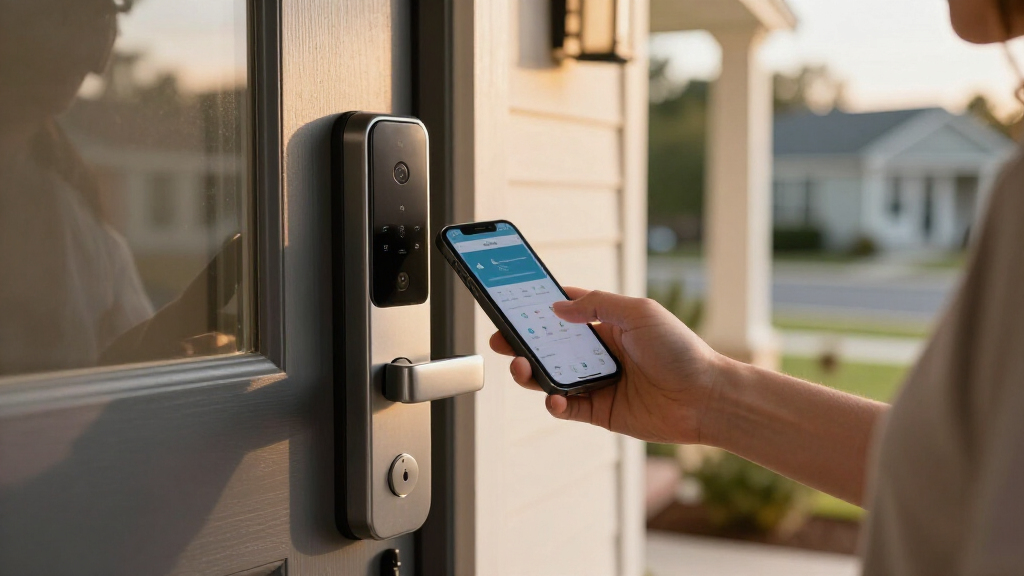
- Check for a Mechanical Key Override: Ensure the lock includes a physical keyhole hidden behind a secure cover. The presence of this feature isn’t just a convenience; it’s a critical safety fallback. Verify that the key operates smoothly and aligns properly, as a jammed or stiff key can cause delays in emergencies. Consider the placement of the keyhole—if it’s hidden or protected, it reduces tampering, but make sure it’s still accessible quickly when needed. This manual option is often the most straightforward and reliable method during power outages, especially if electronic systems fail or are compromised.
- Look for External Power Compatibility: Choose locks with ports for external power sources, like a 9V battery clip, that can be used during emergencies. This feature allows you to bypass dead batteries temporarily, restoring electronic operation without the need for physical keys. This external power option is especially useful if you forget to replace batteries or if they fail unexpectedly. Make sure you understand how to connect and disconnect external power safely, and keep extra batteries handy to avoid delays in urgent situations.
- Review Battery Life and Alerts: Opt for models with long-lasting batteries and clear low-battery alerts, which serve as early warnings to replace batteries before failure occurs. This proactive approach reduces the risk of sudden lockouts. Regularly checking and replacing batteries according to manufacturer recommendations is essential. Some locks also allow you to set reminders or alerts through associated apps, further aiding maintenance and ensuring continuous access.
- Evaluate Security Features: Ensure that backup options are secure against tampering, such as sturdy covers for keyholes or tamper alerts. These features prevent malicious attempts to disable backup mechanisms, which could otherwise leave your home vulnerable. Consider locks that have tamper alarms or notifications to alert you if someone tries to interfere with the backup access points.
- Test Ease of Use: Practice opening the lock manually and with backup power to confirm accessibility under stress. This testing helps identify potential issues, such as stiff keys or faulty external connections, before an emergency arises. Regular drills and checks can help you and your family become familiar with backup procedures, reducing panic and ensuring swift access during real emergencies.
By following these steps, you ensure that your smart lock offers reliable backup options, blending convenience with security. Remember, the goal is to create a layered approach—mechanical, electronic, and external—that keeps your home safe and accessible under any circumstance.
Frequently Asked Questions
How can I tell if my smart lock’s batteries are about to die?
Most smart locks send low-battery alerts via their app or include visual indicators. Regularly checking these warnings and replacing batteries early can prevent surprises.Can I still open my smart lock if the batteries are completely dead?
Yes, if your lock has a mechanical key override or external power support. Always test these backup options periodically to ensure they work when needed.Are external power sources safe to use during an emergency?
When used according to the manufacturer’s instructions, external power ports are safe. They provide a temporary power boost but should be used cautiously and with proper understanding.How often should I check and replace my smart lock batteries?
Aim for every 3 to 6 months, depending on the model. Regular checks and timely replacements keep your lock functioning reliably, especially during emergencies.What’s the most secure backup option for a smart lock during a power failure?
A sturdy mechanical key override combined with an external power support offers the best security and reliability during a battery or power outage.Conclusion
Don’t leave your home vulnerable just because your smart lock relies on batteries. Prioritize locks with a trusted mechanical key override and external power support. These simple steps give you peace of mind, knowing you can still open your door when the power’s out.
Picture it: you’re locked out, but your backup key slides in smoothly. That’s not just convenience—it’s real safety in action. Keep your backup options ready, and your home stays truly smart and safe.