
TL;DR

Turn quiet afternoons into listening time
- Thousands of audiobooks, podcasts and originals
- Listen on your phone, tablet or Echo — also offline
- Cancel anytime
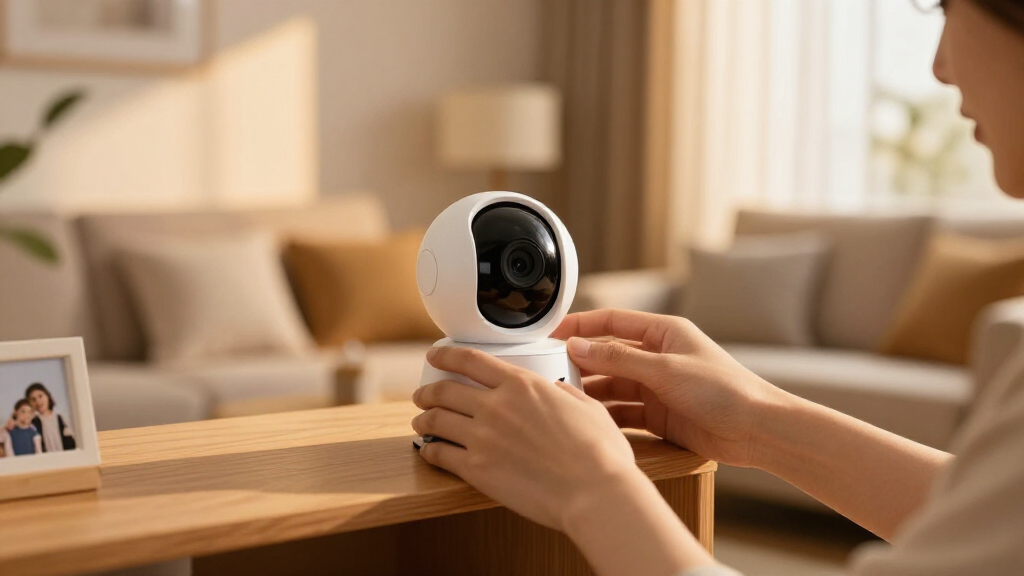
Indoor cameras can help keep kids safe, but they also pose privacy and security risks. Knowing where to draw the line involves understanding legal limits, ethical considerations, and security best practices.
Hearing your baby cry or watching your toddler play through a camera feels reassuring. But push that feeling too far, and you risk crossing into uncomfortable territory. Many parents grapple with where safety ends and privacy begins — especially as these devices flood the market and become more sophisticated.
Understanding the fine line isn’t just about legality; it’s about respect, trust, and security. This guide will help you navigate those boundaries. We’ll explore real-world scenarios, legal rules, and practical tips so you can keep your home safe without sacrificing privacy.
Limit indoor cameras to common areas where children have no reasonable expectation of privacy.
Always disclose cameras to caregivers and guests to build trust and stay within legal boundaries.
Disable or restrict audio recording unless legally required, and be aware of your state’s consent laws.
Secure your cameras with strong passwords, enable two-factor authentication, and keep firmware updated.
Regularly review and adjust monitoring practices as your children grow to respect their privacy and foster independence.
Why Parents Use Indoor Cameras (And Why It Matters)
Indoor cameras serve many legitimate needs, from checking on a crying baby to supervising a nanny. They’re a modern safety net, giving parents peace of mind when they’re away or busy in other rooms.
Think of a parent who installs a nursery camera. They can see if their newborn is fussing or sleeping soundly. Or imagine a parent monitoring a teenage child’s room to ensure they’re safe while home alone. These uses are practical and often necessary, especially during the early years.
But the more cameras you add, the more complex the privacy puzzle becomes. When does monitoring cross into an invasion of privacy? That’s what we’ll unpack next.
Popular right now

Bose QuietComfort True Wireless Earbuds with Active Noise Cancellation, Black

Ninja Foodi 10-Qt DualZone Air Fryer, 6-in-1, Black (DZ302)

Vitamix 5200 Professional-Grade Blender, 64 oz. Container, Black
As an affiliate, we earn on qualifying purchases.
The Clearest Boundaries: Where Most Parents Agree to Draw the Line
The simplest way to respect privacy is to limit cameras to areas where kids have no reasonable expectation of privacy. That means placing cameras in nurseries, living rooms, and entryways — spaces where family members expect to be seen.
Most parents avoid cameras in bathrooms, changing areas, and older kids’ bedrooms. These are private zones, and recording there can violate privacy norms and legal standards. For example, a parent capturing footage of a teen changing isn’t just risky — it’s ethically questionable.
Let’s look at some practical boundaries:
- Nurseries and playrooms — yes
- Living rooms and hallways — yes
- Bathrooms and changing areas — no
- Older children’s bedrooms — no
- Guest rooms or private caregiver spaces — no
This boundary is about respecting what’s called a ‘reasonable expectation of privacy,’ a legal standard in many places. It’s about balancing safety with respect.
Legal Rules Every Parent Should Know Before Installing Cameras
Legal boundaries are crucial. In the US, recording video in your own home’s common areas is generally legal without notice. But audio recording is trickier. Many states, like California and Illinois, require all-party consent. That means if your camera records sound, everyone needs to agree.
For example, a parent who installs a video-only camera in the living room isn’t breaking laws — but adding audio might. If they record the nanny’s conversations without consent, that could be illegal and lead to legal trouble.
And hidden cameras? While legal in many states, they raise ethical questions and potential risks. Disclosing cameras to caregivers and guests builds trust and avoids legal complications.
Remember: footage can be used in custody disputes or court cases unexpectedly. Knowing the law helps you avoid surprises.
Children’s Privacy and Development: Why Watching Constantly Can Backfire
Constantly recording your children might seem like a proactive way to ensure their safety, but it can inadvertently hinder their emotional and social development. When kids grow up knowing they’re always being watched, it can diminish their sense of autonomy and trust in their environment. Over-surveillance may send a message that their privacy isn’t valued, which can erode their confidence and independence over time.
For example, a tween who is used to being monitored constantly might struggle to develop decision-making skills or feel uncomfortable when unsupervised. This can lead to dependence on surveillance for reassurance, reducing their ability to handle situations independently. Moreover, children who feel overly watched may become secretive or anxious, fearing that their privacy is always invaded.
Balancing safety with respect for their privacy involves understanding that children need space to grow into confident individuals. As they mature, gradually involving them in privacy decisions and reducing monitoring helps foster trust and independence, which are essential for healthy development.
Security Risks: How Your Camera Can Turn Into a Privacy Nightmare
Indoor cameras are convenient, but they also attract hackers. Weak passwords, reusing login details, and not enabling two-factor authentication make it easy for strangers to gain access.
Imagine a situation where a hacker speaks through your camera, frightening your kids or spying on your home. Such incidents are real. In 2019, hackers used compromised Ring cameras to harass families, showing how vulnerable these devices can be.
Protecting your cameras isn’t complicated. Use strong, unique passwords. Enable two-factor authentication. Keep firmware updated. And consider local storage options instead of cloud recording to reduce outside risks.
Security isn’t just about preventing theft; it’s about protecting your family’s privacy from malicious intruders and data breaches. Failing to secure your devices can lead to scenarios where your private moments are exposed, potentially causing emotional distress or legal complications. Taking proactive steps to secure your cameras safeguards not just your data, but your peace of mind.
Practical Tips to Draw Your Perfect Privacy Line
Balancing safety and privacy is about making smart choices. Here’s a step-by-step approach to installing cameras responsibly:
- Identify primary safety zones: nurseries, living rooms, entry points.
- Exclude private spaces: bathrooms, teens’ bedrooms, guest rooms.
- Disclose cameras to caregivers and guests — transparency builds trust.
- Disable audio or confirm your state’s laws about recording sound.
- Use strong passwords, enable 2FA, and keep firmware current.
- Opt for local storage or end-to-end encryption when possible.
- Set a schedule: reduce continuous recording, rely on motion triggers.
- Involve older kids in privacy conversations as they mature.
This plan balances safety with respect. It’s about creating boundaries that protect your family’s privacy without sacrificing security.
Most Asked Questions About Indoor Cameras and Privacy
Q: Is it legal to put a camera in my child’s bedroom?
Generally, yes for your own minor child, especially if it’s for safety. But as kids get older, ethics and privacy concerns grow. Always consider their comfort and legal boundaries.
Q: Can I use a hidden nanny cam without telling the nanny?
Video in common areas is usually fine, but audio recordings often require disclosure. Ethical transparency builds trust and avoids legal issues.
Q: Do I need to tell babysitters or guests about my cameras?
Yes. Disclose their presence clearly. Hidden cameras risk breaching trust and can be illegal in some cases.
Q: How can I prevent my camera from being hacked?
Use strong, unique passwords. Enable two-factor authentication. Keep your device firmware updated regularly.
Q: When should I stop monitoring my child with cameras?
As children mature, taper monitoring and involve them in privacy decisions. Respect their need for independence and trust.
Conclusion
Indoor cameras are powerful tools for keeping your family safe — but they come with a responsibility to respect privacy. Clear boundaries, honest communication, and good security keep your home both protected and respectful.
Remember: safety is vital, but trust is the foundation. As your children grow, so should their privacy. The best home security is one that feels safe and respectful — for everyone.