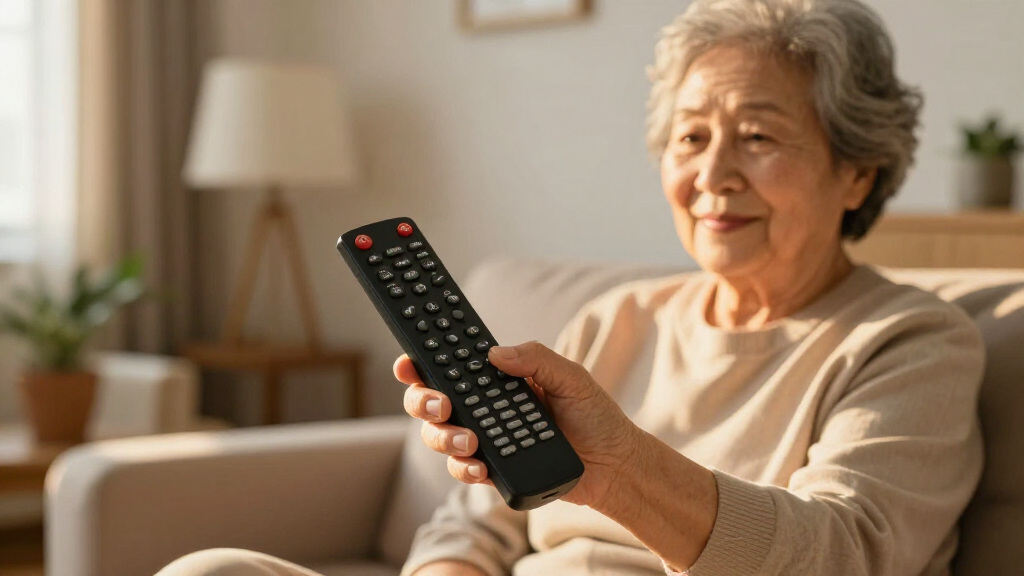

Large button remote controls exist to solve one problem: making a TV remote usable again for people who struggle with tiny buttons, crowded layouts, or confusing multi-step commands. My top pick overall is the Flipper Big Button TV Remote for Seniors, because it pairs oversized, well-spaced buttons with a simplified two-device design that genuinely reduces confusion rather than just enlarging a standard remote. The GE Big Button Universal Remote stands out as the best value for multi-brand households, while the Backlit Big Button Remote for LG TV wins for low-vision users thanks to its glow-in-the-dark buttons and no-setup design. The main tradeoff in this category is between universal compatibility and simplicity — the simplest remotes often limit you to one brand, and the most flexible ones sometimes add setup complexity. Read on for the full breakdown of all 14 options.

Turn quiet afternoons into listening time
- Thousands of audiobooks, podcasts and originals
- Listen on your phone, tablet or Echo — also offline
- Cancel anytime
Complete the kit


Key Takeaways
- The Flipper won best overall because its simplified two-device architecture (TV + cable/soundbar only) removes more confusion than any button-size increase alone — a pattern the other 13 remotes don’t replicate.
- Brand-specific EZclicker remotes (Samsung, LG, Sony) offer faster, more reliable operation than their universal sibling, so buyers who know their TV brand should skip universal models entirely.
- Backlighting was the single most under-supplied feature in the lineup: only one remote (the LG replacement with cover and hook) offered it, despite it being arguably more useful than button size for many low-vision users.
- Bright color variants like the orange EZclicker outperform black remotes for users with low vision — contrast against a couch or table matters as much as button size.
- Universal remotes with no-setup infrared designs (models 7, 11, 13) trade smart features like voice control and app buttons for one-touch operation, which is exactly the right tradeoff for the dementia and memory-loss audience.
| Big Button Universal TV Remote for Seniors |  | Best Overall | Button Type: Big Buttons | Compatibility: Major TV Brands | Batteries: 2x AAA (not included) | VIEW LATEST PRICE | See Our Full Breakdown |
| EZclicker TV Remote for Samsung TVs |  | Best Zero-Setup Pick for Samsung Owners | Compatibility: Samsung TVs | Button Design: Big buttons with tactile feedback | Setup: None required | VIEW LATEST PRICE | See Our Full Breakdown |
| EZclicker Big Button TV Remote for LG TVs Only |  | Best for LG Households | Compatibility: LG TVs only | Button Features: Extra-large enter button, big button controls, tactile feedback | Setup: No programming needed | VIEW LATEST PRICE | See Our Full Breakdown |
| EZclicker Big Button Universal TV Remote |  | Best Value All-Rounder | Button Size: Extra-large | Compatibility: Major TV brands (not cable boxes, Firestick, Roku stick) | Setup: Simple programming | VIEW LATEST PRICE | See Our Full Breakdown |
| Large Button TV Remote Control for Seniors |  | Best for Long-Term Durability | Button Size: Large | Compatibility: Most major TV brands | Design: Ergonomic, lightweight | VIEW LATEST PRICE | See Our Full Breakdown |
| EZclicker TV Remote for Seniors, Extra Simple Big Button Remote (Black) |  | Best Budget Pick | VIEW LATEST PRICE | See Our Full Breakdown | |||
| Backlit Big Button TV Remote Replacement for LG TV with Cover & Hook |  | Best Backlit Pick | VIEW LATEST PRICE | See Our Full Breakdown | |||
| EZclicker TV Remote for Sony TVs – Big Button, Easy to Use |  | Best for Sony Owners | VIEW LATEST PRICE | See Our Full Breakdown | |||
| LuckyStar Big Button Universal Remote Control for Multiple TV Brands |  | Best Multi-Brand Value | VIEW LATEST PRICE | See Our Full Breakdown | |||
| Flipper Big Button TV Remote for Seniors, Dementia – Easy Setup |  | Best for Dementia Care | VIEW LATEST PRICE | See Our Full Breakdown | |||
| Big Button Universal Remote for All TV Brands |  | Best for Zero-Setup Simplicity | Compatibility: Samsung, LG, VIZIO, Sony, Hisense, Philips, Panasonic, Sharp TVs | Setup: No programming or pairing required | Key Features: Extra-large enter button, tactile feedback | VIEW LATEST PRICE | See Our Full Breakdown |
| EZclicker Big Button Universal TV Remote, Easy to Use for All Ages (Orange) |  | Best Value and Visibility | Button Size: Large | Compatibility: Major TV brands (not cable boxes, Firestick, Roku) | Programming: Hold Mute & Volume+ for 60 seconds | VIEW LATEST PRICE | See Our Full Breakdown |
| Universal Big Button TV Remote Replacement, Compatible with Samsung, VIZIO, LG, Sony, Philips Smart TVs |  | Best for Low-Light Viewing | Compatible Devices: Samsung, VIZIO, LG, Sony, Philips TVs | Connectivity: Infrared | Button Quantity: 20 | VIEW LATEST PRICE | See Our Full Breakdown |
| GE Big Button Universal Remote Control for Samsung, Vizio, LG, Sony, Roku |  | Best Multi-Device Pick | Device Control: Up to 2 devices | Compatibility: Samsung, Vizio, LG, Sony, Roku | Setup: Automatic code search or direct code entry | VIEW LATEST PRICE | See Our Full Breakdown |
| large button remote control | Compatibility | Setup |
|---|---|---|
| Big Button Universal TV Remote | Major TV Brands | Simple programming |
| EZclicker TV Remote for Samsun | Samsung TVs | None required |
| EZclicker Big Button TV Remote | LG TVs only | No programming needed |
| EZclicker Big Button Universal | Major TV brands (not cable boxes, Firestick, Roku stick) | Simple programming |
| Large Button TV Remote Control | Most major TV brands | — |
| EZclicker TV Remote for Senior | — | — |
| Backlit Big Button TV Remote R | — | — |
| EZclicker TV Remote for Sony T | — | — |
| LuckyStar Big Button Universal | — | — |
| Flipper Big Button TV Remote f | — | — |
| Big Button Universal Remote fo | Samsung, LG, VIZIO, Sony, Hisense, Philips, Panasonic, Sharp TVs | No programming or pairing required |
| EZclicker Big Button Universal | Major TV brands (not cable boxes, Firestick, Roku) | — |
| Universal Big Button TV Remote | — | None required for initial use |
| GE Big Button Universal Remote | Samsung, Vizio, LG, Sony, Roku | Automatic code search or direct code entry |
More Details on Our Top Picks
Big Button Universal TV Remote for Seniors
This option stands out as my top pick because it balances broad brand compatibility with a genuinely simple programming process — the two things that matter most when buying for a parent or grandparent who didn’t set it up themselves. Compared with the EZclicker Big Button Universal Remote (B0DQ6M3RYY), this one covers essentially the same ground but earns the lead spot on the strength of its tactile feedback and clearly labeled layout, which makes phone support calls from confused relatives far shorter. The tradeoff is real, though: like most remotes in this category, it controls the TV only. If the household uses a Firestick or Roku, the GE Big Button Universal Remote in this guide is the better fit, since it handles streaming devices too.
Pros:- Works with all major TV brands, so it’s a safe gift when you don’t know the TV model
- Very simple programming with minimal steps a caregiver can do in minutes
- Large easy-to-press buttons with tactile feedback for low-vision users
- Familiar white housing that’s easy to spot on a dark side table
Cons:- TV-only control — no streaming devices or cable boxes
- Batteries not included, which can derail a gift if not planned for
Best for: Families buying a fuss-free remote for a senior relative who watches regular TV across unknown or mixed brands
Not ideal for: Streamers — it won’t control a Roku, Firestick, or cable box, so cord-cutting households get no benefit
- Button Type:Big Buttons
- Compatibility:Major TV Brands
- Batteries:2x AAA (not included)
- Dimensions:7 x 2 x 1 inches
- Color:White
- Setup:Simple programming
Our verdict“The safest all-around choice for gifting a senior who watches broadcast or smart-TV channels without external devices.”
EZclicker TV Remote for Samsung TVs
The killer feature here is no programming at all — pull it out of the box, insert batteries, and it works with a Samsung TV. That makes it meaningfully easier than the Big Button Universal Remote (B0GVVNDY38), which requires at least a short code-entry step, and that difference matters if the user has no tech helper nearby. The lightweight, compact body is comfortable for arthritic hands, and the tactile feedback is consistent with the rest of the EZclicker family. The catch is baked into the convenience: this is a Samsung-only remote. Buy it for the wrong brand and it’s a paperweight, and like its siblings it ignores streaming sticks and cable boxes entirely.
Pros:- Truly zero programming — works immediately with Samsung TVs
- Big tactile buttons suited to low vision and limited dexterity
- Lightweight and compact enough for weak or arthritic grip
- Reliable brand-specific pairing without code hunting
Cons:- Samsung-only compatibility with no fallback for other brands
- Cannot control streaming devices or cable boxes
- Batteries not included
Best for: Samsung TV owners who want a plug-and-play replacement with zero setup involvement from the user
Not ideal for: Households with mixed TV brands or streaming devices — the Samsung-only lock-in and lack of streaming support make it useless there
- Compatibility:Samsung TVs
- Button Design:Big buttons with tactile feedback
- Setup:None required
- Dimensions:7 x 2 x 1 inches
- Batteries:2x AAA (not included)
- Design:Lightweight, compact
Our verdict“If the TV in question is a Samsung, this is the lowest-friction option in the entire lineup.”
EZclicker Big Button TV Remote for LG TVs Only
This model takes the same zero-friction philosophy as the EZclicker Samsung remote and applies it to LG televisions, but it adds one thoughtful touch: an extra-large enter button that’s easier to find by touch than anything on the universal options. For an LG owner, skipping the programming step entirely beats the code-entry routine of the Big Button Universal TV Remote (B0DQ6M3RYY), and fewer setup steps means fewer things that can confuse the user later. The tradeoff is straightforward — LG exclusivity means this is a commitment, not a flexible purchase. If the TV might get replaced with another brand next year, the universal picks in this guide age better.
Pros:- Extra-large enter button that’s easy to locate by touch alone
- Dedicated LG compatibility with no programming needed
- Big tactile buttons throughout for low-vision users
- Simple, lightweight build comfortable for extended handling
Cons:- Works exclusively with LG TVs
- No support for streaming devices or cable boxes
- Batteries sold separately
Best for: LG TV owners, especially those with low vision who benefit most from the oversized enter button
Not ideal for: Anyone anticipating a TV brand change or needing cable box and streaming control — the LG-only design locks you out
- Compatibility:LG TVs only
- Button Features:Extra-large enter button, big button controls, tactile feedback
- Setup:No programming needed
- Dimensions:7 x 2 x 1 inches
- Batteries:2x AAA (not included)
- Target Users:Seniors, visually impaired, limited dexterity
Our verdict“The right pick only if the TV is definitively staying LG — otherwise a universal model is the smarter buy.”
EZclicker Big Button Universal TV Remote
This is the pick when budget leads the decision but you still want universal compatibility. It delivers the core EZclicker formula — extra-large buttons, tactile feedback, and a light 7-inch body — at a friendlier price than the more family-gift-oriented Big Button Universal Remote (B0GVVNDY38), trading a bit of polish for savings. The programming is genuinely simple, though it’s not the zero-setup experience of the brand-locked EZclicker Samsung and LG models, so expect one short setup session. Compared with those single-brand remotes, this one’s flexibility is its whole argument: it moves between TVs, survives a living room upgrade, and works as a spare. Just don’t expect it to touch a Firestick, Roku stick, or cable box — the manufacturer is upfront about that limit.
Pros:- Universal compatibility across major TV brands at a lower price point
- Extra-large buttons with tactile feedback matching pricier EZclicker models
- Compact and lightweight for easy one-hand use
- Straightforward programming that takes only a few minutes
Cons:- No cable box, Firestick, or Roku stick support
- Requires a programming step that brand-locked remotes skip
- Batteries not included
Best for: Budget-conscious buyers or anyone wanting an affordable spare remote that works across brands
Not ideal for: Cable subscribers and streaming-device users — the remote covers TVs only, full stop
- Button Size:Extra-large
- Compatibility:Major TV brands (not cable boxes, Firestick, Roku stick)
- Setup:Simple programming
- Dimensions:7 x 2 x 1 inches
- Batteries:2x AAA (not included)
- Design:Compact and lightweight
Our verdict“The smart money pick if you want EZclicker ergonomics and multi-brand flexibility without paying extra.”
Large Button TV Remote Control for Seniors
Where most entries in this roundup compete on setup simplicity, this one differentiates on build quality and comfort. The ergonomic, lightweight shell and durable construction make it better suited than the EZclicker Big Button Universal Remote (B0DQ6M3RYY) for a remote that will be dropped, gripped tightly, and used daily for years — think of a care facility or a household where remotes historically don’t survive long. The clearly marked buttons and simple layout keep the low-vision experience intact. Its weaknesses are shared with the category but slightly wider here: no voice control at all, no DVD or cable box support, and it’s strictly a traditional TV controller, so a smart-TV household relying on streaming apps should look at the GE universal option instead.
Pros:- Durable construction built to survive drops and years of daily use
- Ergonomic, lightweight design comfortable for arthritic hands
- Large, clearly marked buttons ideal for low vision
- Broad compatibility with most major TV brands
Cons:- No voice control or smart-TV app navigation
- Cannot operate DVD players or cable boxes
- Traditional-only feature set lags behind universal smart remotes
Best for: Buyers prioritizing a rugged, ergonomic remote for heavy daily use, such as in care homes or busy family rooms
Not ideal for: Smart-TV power users wanting voice control or app navigation — this remote covers traditional TV functions only
- Button Size:Large
- Compatibility:Most major TV brands
- Design:Ergonomic, lightweight
- Build:Durable construction
- Layout:Simple, clearly marked buttons
- Extras:No voice control; TV functions only
Our verdict“Choose this when longevity and grip comfort matter more than smart features or streaming support.”
EZclicker TV Remote for Seniors, Extra Simple Big Button Remote (Black)
Among the brand-agnostic options here, this EZclicker black remote stands out as the straightforward budget choice for anyone who just needs a basic TV remote that works. The tactile button feedback means a user can operate it by feel alone, which matters more than raw button size for people with limited vision. Compared with the LuckyStar universal remote, it sacrifices brand flexibility—you get television control only—so it suits a single-TV household rather than a mixed-brand one. The 45-foot range covers most living rooms, and its ultra-light 80-gram body is easy on arthritic hands. The tradeoff is real, though: no cable box, no streaming, and you’ll need to supply your own AAA batteries before it does anything at all.
Pros:- Large tactile buttons operable by touch alone
- Very lightweight at just 80 grams for arthritic or weak hands
- Simple programming with major TV brands
- 45-foot range covers most living spaces
Cons:- TV control only — no cable, streaming, or soundbar support
- Batteries not included, so it’s not usable out of the box
Best for: Budget-conscious shoppers buying a simple TV-only remote for a senior in a single-TV household
Not ideal for: Anyone whose setup includes a cable box, Firestick, or streaming device — this remote handles none of those
Our verdict“A no-frills, low-cost pick when the only job is turning the TV on, changing channels, and adjusting volume.”
Backlit Big Button TV Remote Replacement for LG TV with Cover & Hook
Backlighting is the single feature that separates this remote from nearly everything else in this roundup, and for low-vision users it changes the equation entirely — buttons stay illuminated for 30 seconds, so nighttime viewing no longer means fumbling in the dark. Unlike the EZclicker LG remote elsewhere in this guide, this one requires zero setup: it’s pre-programmed for the entire LG smart TV line, from budget LCDs to OLEDs. The included protective cover and wall hook address a genuine problem for seniors — remotes that vanish between couch cushions. The catch is brand lock-in: if there’s ever a Samsung or Roku in the house, this remote becomes useless. And while the soft silicone buttons feel good, there are no smart functions or app shortcuts at all.
Pros:- Backlit buttons stay lit for 30 seconds for visibility in the dark
- Truly zero setup — works out of the box with all LG smart TVs
- Protective cover and mount hook prevent loss and damage
- Ergonomic one-handed design with soft silicone buttons
Cons:- Hard-locked to LG smart TVs with no programming fallback
- No smart features, app buttons, or streaming support
Best for: LG TV owners with low vision who watch TV in dim rooms and want a mountable, never-lost remote
Not ideal for: Households with mixed TV brands or streaming devices, since this works exclusively with LG smart TVs
Our verdict“The clear choice for an LG household where visibility in the dark is the top priority, and a poor one everywhere else.”
EZclicker TV Remote for Sony TVs – Big Button, Easy to Use
This is the Sony-specific sibling of the EZclicker black universal remote, and the shared DNA shows: same big tactile buttons, same featherweight body, same batteries-not-included annoyance. What justifies choosing it over the universal version is true plug-and-play simplicity — there is no programming step at all, because it ships ready for Sony televisions. For a senior who struggles with setup codes, removing that step entirely is worth the brand restriction. The tactile button feedback lets users confirm each press by feel, reducing the press-it-five-times frustration common with flat remotes. Compared with the backlit LG remote, it lacks illumination, so dim-room users may prefer that alternative if their TV brand allows. Streaming boxes and cable remain off the menu here too.
Pros:- No programming whatsoever — insert batteries and it works on Sony TVs
- Big tactile buttons give physical confirmation of each press
- Compact 7-inch lightweight design easy for weak grips
- Makes a practical, giftable option for elderly relatives
Cons:- Sony-only compatibility with no universal fallback
- Batteries not included
- No backlighting for dark-room use
Best for: Sony TV owners, especially elderly or visually impaired users who want zero setup friction
Not ideal for: Anyone with a cable box or streaming device, or non-Sony TVs — this remote simply won’t control them
Our verdict“The right pick if the household TV is a Sony and setup simplicity outranks every other feature.”
LuckyStar Big Button Universal Remote Control for Multiple TV Brands
Where the EZclicker black remote covers one TV, the LuckyStar covers seven brands — LG, Vizio, Sharp, Zenith, Panasonic, Philips, and RCA — making it the value pick for households that don’t know or don’t care what TV sits in the bedroom. Its automatic search function scans over 1000 US TV models, so instead of hunting through code lists, a user just lets the remote find the television. Three modes add flexibility the brand-specific remotes in this guide can’t match. The tradeoff for that breadth: newest-model coverage isn’t guaranteed, so a brand-new 2024 smart TV may not pair cleanly. Buttons are large but lack the tactile refinement of the Flipper, and there’s no backlighting or streaming support. For the price and flexibility, though, most casual buyers won’t mind.
Pros:- Works with seven major TV brands out of the box
- Automatic search covers over 1000 US TV models — no code lists needed
- Three operating modes add flexibility
- Comfortable, natural-fit ergonomic shape
Cons:- May not control the newest models from some brands
- Batteries not included
- Buttons are large but lack tactile or backlit refinements
Best for: Value shoppers who want one spare remote that works across several TV brands in the house
Not ideal for: Owners of very recent TV models, since the automatic search may not recognize the newest releases
Our verdict“The most flexible low-cost option here, best for multi-TV homes that can tolerate occasional compatibility gaps.”
Flipper Big Button TV Remote for Seniors, Dementia – Easy Setup
The Flipper remote is the most purpose-built option in this entire roundup, aimed squarely at dementia and memory-care situations where a conventional remote — even a big-button one — causes daily confusion. Its color-coded button system (green power, orange volume, blue channel, gray mute) gives each function a visual identity, so a user doesn’t need to read labels at all. Two features no other product here offers: up to 25 favorite channels lock the user into familiar stations, and compatibility extends to cable and satellite boxes, not just televisions — a genuine advantage over the EZclicker and LuckyStar options. The honest drawback is streaming: no Netflix, no YouTube, no Roku. It’s also the most involved setup, since a caregiver must configure those favorites. That effort is the point — it’s independence by design.
Pros:- Color-coded tactile buttons (green power, orange volume, blue channel) remove reading requirements
- Controls TVs plus cable and satellite boxes, unlike most big-button rivals
- Up to 25 favorite channels lock in familiar stations and reduce channel-surfing confusion
- Minimal layout specifically designed to reduce cognitive overload
Cons:- No streaming app support whatsoever
- Requires caregiver time to configure favorites during setup
- Batteries not included and limited to basic TV functions
Best for: Caregivers and families of seniors with dementia or memory loss who need a locked-down, color-guided remote
Not ideal for: Streamers and smart-TV users, since Netflix, YouTube, and app control are completely unsupported
Our verdict“If memory loss or dementia makes ordinary remotes a daily battle, this is the remote built to end that battle.”
Big Button Universal Remote for All TV Brands
What separates this remote from the EZclicker Big Button Universal is that it demands nothing from the buyer — no code entry, no button-holding ritual, no caregiver walkthrough. It works the moment batteries go in, which matters enormously for a user with dementia who cannot follow a programming sequence. The extra-large enter button and tactile feedback make the layout forgiving for shaky or low-vision hands. The tradeoff is narrow scope: unlike the GE Big Button Universal Remote, which handles two devices, this one controls the TV only. Compared with the backlit option later in this roundup, it also lacks illumination, so it is a poor fit for someone who watches TV in a dark room. For pure grab-and-go TV control, this pick makes the most sense.
Pros:- Works out of the box with zero programming or pairing
- Extra-large enter button with tactile feedback
- Broad compatibility across Samsung, LG, VIZIO, Sony, Hisense and more
- Forgiving layout for limited dexterity and low vision
Cons:- Cannot control streaming devices or cable boxes
- No backlighting for dark-room viewing
- Batteries not included
Best for: Caregivers shopping for seniors with dementia or memory loss who need a remote that works instantly with no programming
Not ideal for: Households with soundbars or cable boxes — it controls the TV only and cannot be extended to other devices
- Compatibility:Samsung, LG, VIZIO, Sony, Hisense, Philips, Panasonic, Sharp TVs
- Setup:No programming or pairing required
- Key Features:Extra-large enter button, tactile feedback
- Device Control:TV only
- Backlighting:No
- Intended Users:Seniors, visually impaired, people with dementia
- Batteries:Required, not included
Our verdict“Buy this if the user cannot handle any setup process at all; skip it if the TV room has other devices to manage.”
EZclicker Big Button Universal TV Remote, Easy to Use for All Ages (Orange)
The high-visibility orange housing is this remote’s quiet superpower — it survives couch cushions and dark tabletops far better than the black Universal Big Button TV Remote Replacement elsewhere in this lineup. Unlike the zero-setup model above, the EZclicker requires one hold-Mute-and-Volume+ session lasting about a minute, a modest effort that pays off in universal brand coverage. Its 7-inch length is genuinely comfortable for arthritic grips, and the lightweight body is easier to manage than bulkier alternatives. The honest tradeoff: it shares the same single-device limitation as most budget big-button remotes, and batteries are not in the box. Compared with the GE Big Button, it gives up multi-device control and U.S.-based support in exchange for a lower price and better findability. For budget-conscious gift-givers, this option stands out for value.
Pros:- Bright orange body is easy to locate visually
- Simple one-step programming process
- Large tactile buttons in a lightweight 7-inch frame
- Compatible with all major TV brands
Cons:- Requires a 60-second programming hold before first use
- No cable box, Firestick or Roku support
- Batteries not included
Best for: Gift buyers on a budget who want an easy-to-spot orange remote for a parent or grandparent with mild vision loss
Not ideal for: Users who cannot manage even a one-minute programming hold, or anyone needing cable box or streaming control
- Button Size:Large
- Compatibility:Major TV brands (not cable boxes, Firestick, Roku)
- Programming:Hold Mute & Volume+ for 60 seconds
- Dimensions:7″ x 2″ x 1″
- Color:Orange
- Batteries:2x AAA, not included
- Device Control:TV only
Our verdict“The best low-cost pick when visibility matters as much as button size, as long as one TV is all it needs to run.”
Universal Big Button TV Remote Replacement, Compatible with Samsung, VIZIO, LG, Sony, Philips Smart TVs
This is the only remote in this batch built for the person who actually watches TV with the lights off. The illuminated, glow-in-the-dark keys solve a problem the orange EZclicker only partially addresses, and the 10-meter infrared range comfortably covers large living rooms or assisted-living common areas. Like the zero-setup model earlier in this roundup, it needs no first-time configuration for supported brands, which keeps the experience frustration-free. Buyers should know its limits: it controls one device at a time, carries no smart-TV app shortcuts despite the smart TV compatibility claim, and the 90-day support window is shorter than what established brands offer. Compared with the GE Big Button Remote, it wins on visibility but loses badly on versatility. This model is better suited to bedrooms and evening viewers than to complex home theaters.
Pros:- Backlit and glow-in-the-dark keys for dark-room use
- 10-meter infrared range for large rooms
- No setup required for first-time use
- Works across Samsung, VIZIO, LG, Sony and Philips
Cons:- Controls only one device at a time
- No smart features or app shortcuts
- Only 90 days of after-sales support
Best for: Evening and bedroom TV watchers who need to see the buttons in a dark room without fumbling
Not ideal for: Owners of soundbars or cable boxes who expect one remote to run the whole entertainment setup
- Compatible Devices:Samsung, VIZIO, LG, Sony, Philips TVs
- Connectivity:Infrared
- Button Quantity:20
- Maximum Range:10 meters
- Additional Features:Backlit, glow-in-the-dark buttons, ergonomic, lightweight
- Setup:None required for initial use
- Support:90-day after-sales support
- Battery Type:Alkaline
Our verdict“The clear choice when nighttime visibility is the deciding factor, provided the TV is the only device in play.”
GE Big Button Universal Remote Control for Samsung, Vizio, LG, Sony, Roku
Every other remote in this roundup stops at the TV — the GE is the only one here that also drives a second device, whether that’s a soundbar, cable box or a Roku player built into the compatibility list. That makes it the practical pick for seniors whose family set up a streaming stick and wants one remote that still stays simple. The master volume control is a thoughtful touch, locking volume to the soundbar no matter which device is active, which prevents a common confusion point. Setup involves automatic code search or direct entry, so it asks slightly more of the buyer than the zero-programming model above — but U.S.-based phone support can walk a caregiver through it. The tradeoffs: two AA batteries are not included, and power users will find the feature set basic. For assisted living and nursing home deployments, this is the most complete option.
Pros:- Controls up to two devices including Roku players
- Master volume control keeps audio consistent across devices
- Automatic code search simplifies setup
- U.S.-based technical support for caregivers
Cons:- Requires a code-entry setup step unlike zero-programming rivals
- Capped at two devices
- Batteries not included
Best for: Families and facility managers who need one simple remote to run a TV plus a soundbar, cable box or Roku
Not ideal for: Tech-savvy users who want voice control, app shortcuts or more than two devices
- Device Control:Up to 2 devices
- Compatibility:Samsung, Vizio, LG, Sony, Roku
- Setup:Automatic code search or direct code entry
- Key Features:Large buttons, master volume control, ergonomic design
- Power Source:2 AA batteries (not included)
- Support:U.S.-based technical support
- Intended Environments:Home, nursing homes, hotels, assisted living
Our verdict“If anything besides the TV needs controlling, this is the remote to buy — it trades a little setup effort for real versatility.”
How We Picked
My ranking logic starts with button size and spacing, the core promise of this category — a remote that only enlarges some buttons, or packs extras around the edges, fails the basic test. From there I weighed setup difficulty, because the primary users here are often buying for a parent or grandparent who cannot troubleshoot pairing codes or programming sequences. Remotes that work out of the box for their target brand scored well; remotes requiring code entry were ranked only if their other features justified the friction.
Next came compatibility scope: a universal remote earns its complexity only if it genuinely covers the brands it claims, so I favored models with clear brand lists over vague “works with most TVs” promises. Finally, I considered durability and ergonomics — drop resistance, grip, weight, and whether the layout makes accidental button presses likely — plus value, since most buyers in this category want a simple, inexpensive fix, not a premium gadget. The result is an ordering that trades off simplicity against flexibility, with dedicated single-brand remotes clustered where they outperform universal rivals.
| large button remote control | Setup |
|---|---|
| Big Button Universal TV Remote | Simple programming |
| EZclicker TV Remote for Samsun | None required |
| EZclicker Big Button TV Remote | No programming needed |
| EZclicker Big Button Universal | Simple programming |
| Large Button TV Remote Control | — |
| EZclicker TV Remote for Senior | — |
| Backlit Big Button TV Remote R | — |
| EZclicker TV Remote for Sony T | — |
| LuckyStar Big Button Universal | — |
| Flipper Big Button TV Remote f | — |
| Big Button Universal Remote fo | No programming or pairing required |
| EZclicker Big Button Universal | — |
| Universal Big Button TV Remote | None required for initial use |
| GE Big Button Universal Remote | Automatic code search or direct code entry |
Factors to Consider When Choosing Large Button Remote Controls
Before choosing a specific model, it helps to understand what actually separates a helpful large button remote from a disappointing one. These are the factors that shaped my ranking and should shape your decision.Know Your TV Brand Before Buying
The most common mistake in this category is buying a universal remote when a brand-specific one would work better. If the remote is for a Samsung, LG, or Sony TV, a dedicated model will typically respond instantly with no programming, while universal remotes may require code hunting that the intended user cannot complete. Universal models only make sense when the household has multiple TV brands or the buyer is gifting the remote without knowing the destination TV. Check the TV’s exact model year too — some newer smart TVs use Bluetooth-only remotes that basic infrared big-button replacements cannot fully replace. When in doubt, a universal remote with a printed brand compatibility list beats one with vague claims.
Button Layout Matters as Much as Button Size
Large buttons do no good if there are still forty of them. The best remotes in this category cut the button count down to essentials — power, volume, channel, and maybe a guide button — because decision fatigue is often a bigger barrier than vision. A remote with twelve large, well-spaced buttons usually outperforms one with twenty-five large buttons crowded together. Spacing matters for users with tremors or arthritis, since closely packed buttons invite mis-presses. Look at the actual layout photos, not just the marketing claim of “big buttons,” and count what is there.
Consider Backlighting and Color Contrast
Many buyers fixate on button size when contrast is the real problem for low-vision users. A black remote with dark gray buttons is nearly useless in a dim living room, no matter how large the keys are. Bright colors like orange or white text on black keys dramatically improve usability, which is why colored variants rank well in my roundup. Backlighting is rarer and usually adds cost, but for someone who watches TV in the evening, it can be the difference between independent use and constant help. If the user has any vision loss beyond simple presbyopia, prioritize contrast and lighting over extra features.
Setup Complexity and Who Will Do It
Be honest about who is setting the remote up. If you are configuring it for a parent and visiting occasionally, a programmable universal remote is fine. If the user is setting it up alone, only a no-setup infrared model will do — these work the moment batteries go in, provided they match the TV brand. Dementia and memory-loss situations add another layer: the Flipper-style approach of locking the remote to two devices prevents accidental reprogramming, which is a failure mode most buyers never anticipate. A remote that can be accidentally scrambled defeats its own purpose for this audience.
Durability for Real-World Use
Remotes in this category get dropped, thrown, sat on, and searched for under couch cushions more than the average remote, because the user population often includes limited dexterity and memory. A lightweight remote is easier to hold but flies farther when dropped; a rubberized or slightly heavier body survives better. Some models include a cover or hook for wall mounting, which solves the “lost remote” problem that frustrates caregivers daily. Consider whether the cost of replacing a cheap remote twice outweighs buying a sturdier one once. Battery access also matters — easy-open compartments are kinder to arthritic hands than screw-sealed ones.
When to Pay More (and When Not To)
Most large button remotes sit in a narrow price band, so paying more should buy something specific: backlighting, simplified two-device control, or a protective housing. If a $12 basic remote matches the user’s TV brand and has the right layout, a $35 premium model adds little. Where premium pricing earns its keep is specialized situations — dementia care, hearing-aid compatibility needs, or combined TV-and-soundbar control. Avoid paying extra for smart features like voice buttons or streaming app keys, since the target user for a big button remote typically wants those distractions removed, not included. Value in this category means solving the actual accessibility problem, not adding technology.
Frequently Asked Questions
Will a big button remote work with my smart TV, or do I lose smart features?
Infrared big button remotes control the basics — power, volume, channel, and input — but they cannot replicate voice search, app shortcuts, or cursor functions on smart TVs. For most seniors and low-vision users, this is a feature, not a loss, since the smart features are often what made the original remote confusing in the first place. The catch is that some newer smart TVs default to Bluetooth remotes and may need infrared enabled in settings, or in rare cases do not respond to infrared at all. Check your TV model’s specifications before buying, and if someone in the household still wants streaming functions, keep the original remote in a drawer for occasional use rather than trying to replace it entirely.
Do these remotes require programming, or do they work right away?
It varies by type, and this distinction drives much of my ranking. Brand-specific models like the EZclicker Samsung, LG, and Sony remotes work the moment batteries are inserted, with no codes or pairing. Universal remotes split into two camps: infrared models that store brand codes and require a simple programming step, and true no-setup universals that cycle through codes automatically. If the intended user will be alone with the remote, choose a brand-specific or no-setup model — a remotely-scrambled programmable remote becomes a paperweight until a caregiver visits. If you are setting it up yourself during a visit, a programmable universal gives you more flexibility across TV brands.
Which is better for someone with dementia: a simplified remote or a universal one?
For dementia specifically, simplicity beats versatility every time. The Flipper’s approach — hard-limiting the remote to two devices and locking the settings — prevents the accidental reprogramming and mode confusion that plague standard universals. A universal remote with dozens of buttons, even large ones, presents too many decision points and failure modes for a user with memory impairment. Look for remotes that allow a caregiver to lock the configuration, and mount it in a consistent spot with a hook or stand so it never goes missing. The goal is not feature coverage; it is independent, frustration-free operation of the TV with zero memorized steps.
How large do the buttons actually need to be for low vision?
Button size alone is a poor predictor of usability for low vision. A large black button with small text is harder to use than a medium button with bold white lettering and high contrast. Beyond size, spacing prevents mis-presses for users with tremor or poor fine motor control, and backlighting extends usability into evening viewing. If the user has diagnosed vision loss rather than ordinary age-related farsightedness, prioritize contrast, color (orange or white remotes are easier to locate visually), and labeling clarity over raw key diameter. Many buyers over-invest in size and under-invest in contrast, which is the pattern that separates the top performers in my comparison from the rest.
Can a big button remote control a soundbar or cable box too, or just the TV?
Some can, but multi-device control is where the simplicity promise of this category starts to break down. The Flipper handles two devices by design, and the GE universal covers streaming players like Roku alongside TVs, but most budget big button remotes are TV-only. Adding device control usually means adding a device-switch button, which introduces exactly the mode confusion these remotes are meant to eliminate. If the household uses a soundbar, decide whether its volume actually needs remote control or whether it can be set once and left alone — many seniors’ setups work fine with the soundbar volume fixed. Only pursue multi-device models when the second device is genuinely used daily.
Conclusion
The right pick depends entirely on who is holding the remote. For best overall, the Flipper Big Button TV Remote earns the top spot because its two-device, lockable design solves confusion rather than just enlarging it — the closest thing in this lineup to a purpose-built accessibility device. For best value, the GE Big Button Universal Remote delivers multi-brand coverage and Roku support at a budget price, making it the smart default for mixed households. The best premium choice is the Backlit Big Button Remote for LG TV, where the backlighting, protective cover, and wall hook justify the extra cost for low-vision and dementia care situations. For beginners or gift-givers who want zero setup risk, the brand-specific EZclicker remotes for Samsung, LG, or Sony work instantly out of the box and remove programming from the equation entirely. And for users who need maximum visibility, the orange EZclicker Universal wins on color contrast where black remotes fail. Match the remote to the user, not the TV — that single principle will guide you to the right choice more reliably than any feature list.