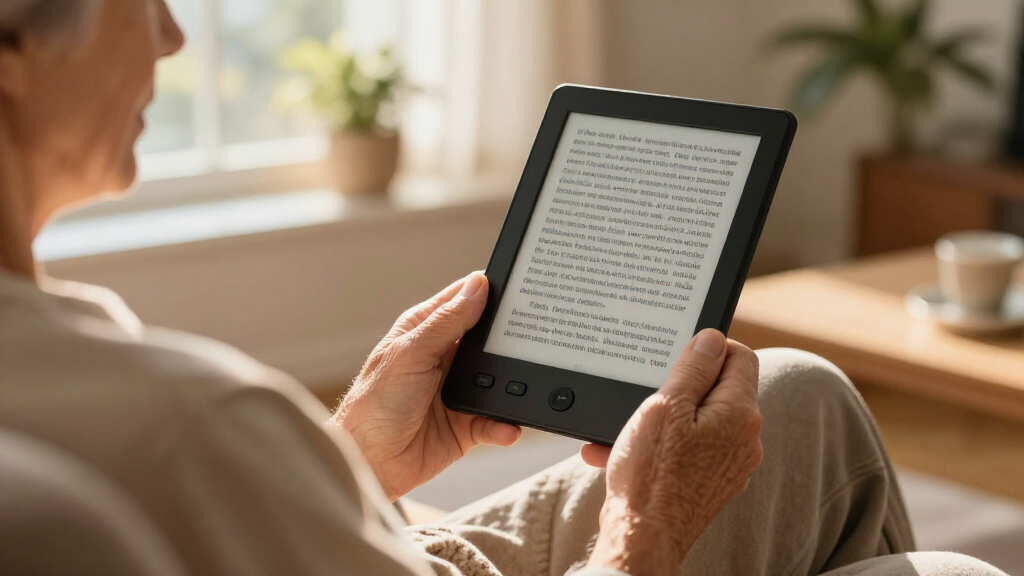

Finding a simple e-reader for a senior comes down to three things: a screen that stays readable without eyestrain, controls that never require a tutorial, and fonts that can grow large enough for comfortable reading. The Amazon Kindle (16 GB, 11th Generation) earns my best overall pick because it pairs the largest font-size library in the category with the simplest page-turn experience and straightforward bookstore access. The Kobo Clara BW stands close behind for seniors who borrow library books, thanks to built-in OverDrive support and a warm, adjustable ComfortLight, while the budget-friendly PocketBook Verse keeps things basic and affordable. The main tradeoff you’ll face in this category is between streamlined big-brand ecosystems and cheaper generic models that offer more storage or extras but clunkier menus. Read on for the full breakdown of all 14 options.

Turn quiet afternoons into listening time
- Thousands of audiobooks, podcasts and originals
- Listen on your phone, tablet or Echo — also offline
- Cancel anytime
Complete the kit


Key Takeaways
- Big-brand ecosystems (Kindle, Kobo, Nook) consistently beat generic Android-style readers on menu simplicity, which matters more for seniors than raw storage specs.
- Glare-free E-Ink screens with adjustable front lights made a bigger difference in everyday readability than screen size did — the 300 PPI 6-inch panels outperformed larger amazon.com/dp/B0GGHZMWZ6?tag=abstractblog-20&ascsubtag=dc-1089022″ target=”_blank” rel=”nofollow sponsored noopener”>7-inch TFT models.
- Several generic models (the 7-Inch TFT reader, the SENECESLI, the 6in front-light reader) bundle multimedia features that add menu clutter without helping seniors read books.
- The tiny 3.7-inch pocket readers (XTEINK X3, M3) are genuinely one-hand friendly but their small screens force smaller effective font sizes — a dealbreaker for low-vision readers.
- Waterproofing and dark mode, found on the Kobo Clara BW, are underappreciated senior features: waterproofing covers spills and bath reading, dark mode eases nighttime eye strain.
| 7-Inch E-Book Reader with TFT Screen, Adjustable Font and Brightness, Multimedia Player, 16GB |  | Best for Media Lovers | Screen size: 7 inches | Screen type: TFT | Storage: 16GB (listing also references 8GB) | VIEW LATEST PRICE | See Our Full Breakdown |
| OBOOK 6 eReader, 64 GB, 6-Inch 300 PPI Glare-Free Display |  | Best Storage for the Price | Storage: 64 GB | Display: 6-inch, 300 PPI glare-free e-paper | Operating system: Android | VIEW LATEST PRICE | See Our Full Breakdown |
| SENECESLI 7 Inch Electronic Book Reader with 8GB Storage |  | Best for Button-First Navigation | Screen size: 7 inches | Display technology: Color TFT (LCD) | Native resolution: 800×480 | VIEW LATEST PRICE | See Our Full Breakdown |
| Amazon Kindle (16 GB, 11th Generation, 2024) – Black |  | Best Overall | Display: 6-inch glare-free, 300 ppi | Front light: Adjustable, 25% brighter at maximum | Storage: 16 GB | VIEW LATEST PRICE | See Our Full Breakdown |
| Kobo Clara BW eReader – 6″ Glare-Free Touchscreen, ComfortLight PRO, Dark Mode, Audiobooks, Waterproof, 16GB, Black |  | Best Premium Comfort | Screen size: 6 inches | Display: E Ink Carta 1300 HD, glare-free touchscreen | Storage: 16GB | VIEW LATEST PRICE | See Our Full Breakdown |
| XTEINK X3 3.7″ Pocket E-Ink eBook Reader, Mist Gray |  | Best for One-Handed Pocket Reading | Screen: 3.7-inch E-Ink, 800 × 480 | Storage: 16 GB, expandable up to 256 GB | Battery life: Up to 10 hours | VIEW LATEST PRICE | See Our Full Breakdown |
| 6in E-Reader eBook Reader with Front Light, Built-in Speaker, 8GB |  | Best for Format Flexibility | Screen: Listed as 6-inch E-Ink, 800 × 600; one spec note says 4 inches | Storage: 8 GB model; 4 GB and 16 GB options also listed | RAM: 512 MB | VIEW LATEST PRICE | See Our Full Breakdown |
| 6-Inch E-Reader with Protective Case |  | Best for Added Screen Protection | Model: BK6025 | Screen: 6-inch, 800 × 600 | Memory: 512 MB | VIEW LATEST PRICE | See Our Full Breakdown |
| M3 Portable E-Book Reader, 3.7 Inch Ink Touch Screen with 10-Level Adjustable Backlight |  | Best Compact Pick with Adjustable Light | Display: 3.7-inch electronic ink touchscreen, 1024 × 768 | Front light: 10 adjustable levels | Storage: 32 GB; card support listed | VIEW LATEST PRICE | See Our Full Breakdown |
| PocketBook Verse E-Reader, 6” E-Ink Carta HD Touchscreen with Adjustable SMARTlight, Bright Blue |  | Best Overall for Simple, Comfortable Reading | Display: 6-inch E-Ink Carta HD touchscreen | Front light: SMARTlight with adjustable brightness and color temperature | Storage: 8 GB built in, expandable up to 128 GB via memory card | VIEW LATEST PRICE | See Our Full Breakdown |
| Barnes & Noble Nook Simple Touch eBook Reader (Wi-Fi Only) |  | Best Bare-Bones Pick | Connectivity: Wi-Fi only | Input: Touchscreen | Condition: New | VIEW LATEST PRICE | See Our Full Breakdown |
| Veidoo 5.8″ Ebook Reader with E-Ink Touch Screen, 32GB Storage, WiFi, Android, White (with Cover) |  | Best Pocket-Sized Option | Screen Size: 5.8 inches | Screen Type: HD Carta E-Ink touchscreen | Storage: 32GB, expandable to 64GB via TF card | VIEW LATEST PRICE | See Our Full Breakdown |
| Barnes & Noble Nook GlowLight 4eReader 6″ 32GB – Black (Renewed) |  | Best Value Feature Set | Screen Size: 6 inches | Display: E Ink, 300 dpi | Storage: 32 GB | VIEW LATEST PRICE | See Our Full Breakdown |
| Kobo Clara BW eReader, 6″ Touchscreen, Waterproof, 16GB, Black |  | Best for Nighttime and Vacation Reading | Display: 6″ E Ink Carta 1300 HD, glare-free touchscreen | Resolution: 1072 x 1448 | Storage: 16 GB (up to 12,000 eBooks) | VIEW LATEST PRICE | See Our Full Breakdown |
| simple e-readers for senior | Storage | Connectivity | Battery life | Display |
|---|---|---|---|---|
| 7-Inch E-Book Reader with TFT | 16GB (listing also references 8GB) | — | Up to 20 hours | — |
| OBOOK 6 eReader | 64 GB | Wi-Fi, Bluetooth | — | 6-inch, 300 PPI glare-free e-paper |
| SENECESLI 7 Inch Electronic Bo | 8 GB internal, expandable to 16 GB via memory card | USB | — | — |
| Amazon Kindle | 16 GB | Dual-band Wi-Fi (2.4 GHz and 5.0 GHz) | Up to 6 weeks | 6-inch glare-free, 300 ppi |
| Kobo Clara BW eReader | 16GB | — | — | E Ink Carta 1300 HD, glare-free touchscreen |
| XTEINK X3 3.7" Pocket E-Ink eB | 16 GB, expandable up to 256 GB | Bluetooth, USB, Wi-Fi | Up to 10 hours | — |
| 6in E-Reader eBook Reader with | 8 GB model; 4 GB and 16 GB options also listed | — | — | — |
| 6-Inch E-Reader with Protectiv | — | Micro USB and memory card slot | — | — |
| M3 Portable E-Book Reader | 32 GB; card support listed | USB | Up to 10 hours | 3.7-inch electronic ink touchscreen, 1024 × 768 |
| PocketBook Verse E-Reader | 8 GB built in, expandable up to 128 GB via memory card | Wi-Fi | Up to one month per charge | 6-inch E-Ink Carta HD touchscreen |
| Barnes & Noble Nook Simple Tou | — | Wi-Fi only | — | — |
| Veidoo 5.8" Ebook Reader with | 32GB, expandable to 64GB via TF card | WiFi | Several weeks per charge | — |
| Barnes & Noble Nook GlowLight | 32 GB | Wi-Fi | Up to 720 hours (weeks per charge) | E Ink, 300 dpi |
| Kobo Clara BW eReader | 16 GB (up to 12,000 eBooks) | WiFi, Bluetooth, USB-C | — | 6" E Ink Carta 1300 HD, glare-free touchscreen |
More Details on Our Top Picks
7-Inch E-Book Reader with TFT Screen, Adjustable Font and Brightness, Multimedia Player, 16GB
This option stands out for buyers who want more than books — the music, video, and photo playback give it a small-tablet flexibility that dedicated e-readers like the OBOOK 6 can’t match. The 7-inch screen makes text larger at default settings than on a 6-inch model, which helps readers who find smaller displays tiring. The tradeoff is fundamental: a TFT backlit screen behaves like a phone display, so it’s less comfortable for long reading sessions than the e-ink panels on the Kindle or Kobo Clara BW. The listing also shows conflicting storage figures (16GB and 8GB), so buyers should confirm capacity before ordering. Physical page-flipping keys are a genuine plus for anyone who dislikes touchscreens.
Pros:- Adjustable font size and brightness for comfortable reading
- Plays music, video, and photos, not just books
- Physical page-flipping keys instead of swipe gestures
- Lightweight, one-handed design
Cons:- TFT screen is harder on the eyes than e-ink for extended reading
- Conflicting storage listing (16GB and 8GB) creates uncertainty
Best for: Seniors who want one affordable device for audiobooks, music, photos, and casual reading
Not ideal for: Heavy readers — the backlit TFT screen causes more eye fatigue than e-ink over long sessions
- Screen size:7 inches
- Screen type:TFT
- Storage:16GB (listing also references 8GB)
- Battery life:Up to 20 hours
- Adjustable settings:Font size and brightness
- Multimedia support:Music, video, photos
- Controls:Page-flipping keys
Our verdict“A reasonable pick for occasional readers who value multimedia versatility over reading comfort.”
OBOOK 6 eReader, 64 GB, 6-Inch 300 PPI Glare-Free Display
The OBOOK 6 makes the most sense for readers with a large personal library, because its 64 GB of storage dwarfs the 16 GB found on both the Kindle and the Kobo Clara BW — room for tens of thousands of books without ever managing space. Its 300 PPI glare-free e-paper display matches the Kindle’s sharpness, so text quality isn’t sacrificed for capacity. Running Android is the double-edged feature here: it opens the door to multiple reading apps and library services, but it also means a busier interface that less tech-confident seniors may find less approachable than Amazon’s streamlined software. Battery life isn’t quantified, which is a real unknown for anyone who charges infrequently.
Pros:- 64 GB storage holds very large libraries
- 300 PPI glare-free e-paper display
- Adjustable front light for dim rooms
- Wi-Fi and Bluetooth with USB-C charging
Cons:- Battery life not specified by the manufacturer
- Android interface is less streamlined than Kindle or Kobo software
- No weight or waterproofing information disclosed
Best for: Avid readers with big e-book collections who want flexibility across multiple reading apps
Not ideal for: Seniors who want the simplest possible interface — Android adds menus and setup steps
- Storage:64 GB
- Display:6-inch, 300 PPI glare-free e-paper
- Operating system:Android
- Front light:Adjustable
- Connectivity:Wi-Fi, Bluetooth
- Charging port:USB-C
- Reading mode:Dark mode
Our verdict“The capacity champion of this lineup, best for readers who value library space and app choice over simplicity.”
SENECESLI 7 Inch Electronic Book Reader with 8GB Storage
Compared with the touchscreen-only Kobo Clara BW, this model’s dedicated page-turn buttons are its whole reason for being here — some seniors simply find physical buttons more reliable than taps and swipes. Its splash-resistant build adds a layer of spill protection the Kindle lacks, a practical plus beside a coffee cup or on a patio. The compromises are hard to ignore, though: the 800×480 resolution is far below the 300 PPI screens of the OBOOK 6 or Kindle, meaning visibly less crisp text, and the LCD panel will strain eyes during long sessions. With only 512 MB of RAM, menus can feel sluggish. It works best as a secondary, low-commitment reader rather than a primary one.
Pros:- Dedicated page-turn buttons, no touchscreen needed
- Expandable storage up to 16GB via memory card
- Waterproof design handles splashes and spills
- Plays music, video, and photos
Cons:- 800×480 resolution is far below modern e-readers
- Only 512 MB of RAM limits responsiveness
- Backlit LCD causes more eye strain than e-ink
Best for: Seniors who strongly prefer physical buttons and want a spill-resistant device for casual reading
Not ideal for: Detail-oriented readers — the low-resolution screen makes small text look fuzzy
- Screen size:7 inches
- Display technology:Color TFT (LCD)
- Native resolution:800×480
- Storage:8 GB internal, expandable to 16 GB via memory card
- RAM:512 MB
- Connectivity:USB
- Input method:Buttons
- Special features:Waterproofing, multimedia playback
Our verdict“Choose it only if buttons and spill protection matter more to you than screen quality.”
Amazon Kindle (16 GB, 11th Generation, 2024) – Black
This is the pick I’d point most seniors toward first, because it gets the fundamentals right with the fewest complications. The glare-free 300 ppi display matches the OBOOK 6 for sharpness while running far simpler software, and the up-to-six-week battery life (with wireless off and moderate reading) means charging is a monthly chore, not a daily one — a real advantage for anyone who forgets to plug devices in. At 5.56 oz, it’s light enough for arthritic hands over long sessions. Accessibility features like VoiceView and Bluetooth text-to-speech set it apart from the SENECESLI and generic TFT readers entirely. The tradeoffs: no physical page buttons like the SENECESLI, and extended warranty costs extra.
Pros:- Glare-free 300 ppi display with adjustable light and dark mode
- Weeks of battery life between charges
- Very light at 5.56 oz for comfortable holding
- VoiceView and Bluetooth text-to-speech accessibility
Cons:- Battery estimate assumes wireless off and light daily use
- Extended warranty sold separately
- Touchscreen only — no physical page buttons
Best for: Seniors who want a light, reliable, fuss-free e-reader with strong accessibility features
Not ideal for: Buyers wanting physical page-turn buttons or audiobook/multimedia playback outside Amazon’s ecosystem
- Display:6-inch glare-free, 300 ppi
- Front light:Adjustable, 25% brighter at maximum
- Storage:16 GB
- Battery life:Up to 6 weeks
- Weight:5.56 oz (158 g)
- Dimensions:6.2 × 4.3 × 0.32 inches
- Connectivity:Dual-band Wi-Fi (2.4 GHz and 5.0 GHz)
- Charging:USB-C
- Generation:11th Generation, 2024 release
Our verdict“The safest all-around choice for seniors who prioritize easy software, light weight, and long battery life.”
Kobo Clara BW eReader – 6″ Glare-Free Touchscreen, ComfortLight PRO, Dark Mode, Audiobooks, Waterproof, 16GB, Black
This model is better suited to seniors who read in varied conditions and want the most refined lighting in the lineup. ComfortLight PRO adjusts both brightness and color temperature, reducing blue light at night in a way the basic Kindle’s front light doesn’t attempt — a meaningful comfort upgrade for anyone who reads in bed. Its IPX8 waterproofing also outclasses the SENECESLI’s splash resistance, surviving actual submersion, so bath and poolside readers are covered. The E Ink Carta 1300 screen reads cleanly in direct sun. Drawbacks are real: touchscreen-only page turns frustrate button-lovers, and audiobooks are locked to Kobo’s own store, unlike the Android-based OBOOK 6’s open app ecosystem.
Pros:- ComfortLight PRO adjusts brightness and color temperature for nighttime reading
- IPX8 waterproofing survives accidental submersion
- Glare-free Carta 1300 display readable in direct sun
- 16GB holds up to 12,000 eBooks with weeks of battery
Cons:- No physical page-turn buttons
- Audiobooks limited to Kobo’s store
- Slightly more settings to learn than the Kindle’s interface
Best for: Seniors who read at night, in sunlight, or near water and want premium eye comfort
Not ideal for: Listeners tied to Audible — audiobook playback works only within Kobo’s ecosystem
- Screen size:6 inches
- Display:E Ink Carta 1300 HD, glare-free touchscreen
- Storage:16GB
- Capacity:Up to 12,000 eBooks or 75 Kobo Audiobooks
- Lighting:ComfortLight PRO (adjustable brightness and color temperature)
- Dark mode:Yes
- Waterproofing:IPX8
- Audiobooks:Supported via Kobo
Our verdict“The comfort-first choice for seniors who read anywhere, anytime — as long as touchscreen page turns are acceptable.”
XTEINK X3 3.7″ Pocket E-Ink eBook Reader, Mist Gray
The XTEINK X3 suits a reader who values a device that is easy to carry and hold more than a large page. At 58 g, with physical buttons and gyroscope page turning, it offers simple ways to read one-handed. Compared with the M3 Portable E-Book Reader, it adds Wi-Fi and expandable storage, while the M3 lists a front light and audio formats. The X3’s 3.7-inch screen takes more page turns and may be harder to read for anyone who needs larger text. Its biggest limitation is book access: it supports DRM-free files only, so Kindle and Libby books will not work. Glass construction also calls for careful handling. I’d rank it as a niche pick for readers who already have compatible books and want a tiny, distraction-free reader.
Pros:- Very light at 58 g and only 5.1 mm thin
- Physical buttons and gyroscope page turning support one-handed use
- Distraction-free reading without notifications or social media
- 16 GB storage with expansion up to 256 GB
Cons:- Does not support Kindle, Libby, or other DRM-protected books
- Small 3.7-inch screen can make text and page controls harder to see
- Glass construction needs careful handling
Best for: Readers with DRM-free ebooks who want a very light device for brief reading away from home
Not ideal for: Seniors who need a larger screen, use Kindle or Libby, or prefer a front light
- Screen:3.7-inch E-Ink, 800 × 480
- Storage:16 GB, expandable up to 256 GB
- Battery life:Up to 10 hours
- Weight:58 g
- Thickness:5.1 mm
- Connectivity:Bluetooth, USB, Wi-Fi
- Charging:Magnetic pogo-pin
- Page turning:Gyroscope and physical buttons
Our verdict“Choose the XTEINK X3 if pocket size and one-handed reading matter more to you than a large screen or access to protected ebook libraries.”
6in E-Reader eBook Reader with Front Light, Built-in Speaker, 8GB
This 6-inch e-reader is aimed at readers who keep books in different file formats and want physical page-turn buttons. It supports EPUB, MOBI, PDF, DOC, and other listed formats, with tools for highlighting, annotations, and dictionary lookup. Compared with the 6-Inch E-Reader with Protective Case, it adds a built-in speaker for audio playback; the case-included model instead comes with screen protection. The listing has a spec inconsistency: its title and description say 6 inches, while one spec note says 4 inches, so I’d verify the display size before buying. The 512 MB of RAM may also limit responsiveness, and the 800 × 600 resolution is modest. Front lighting is optional, so check which version is offered.
Pros:- Supports a wide range of ebook and document formats
- Large page-turn buttons can be easier to operate than a touchscreen alone
- Memory card slot allows storage expansion
- Built-in speaker supports audiobook playback
Cons:- Screen size is inconsistent across the listing
- 512 MB RAM may limit performance
- Front light availability depends on the version
Best for: Readers who own ebooks in several common formats and want page-turn buttons plus basic audio playback
Not ideal for: Seniors who want confirmed screen details, reliably quick navigation, or a front light included without checking the selected version
- Screen:Listed as 6-inch E-Ink, 800 × 600; one spec note says 4 inches
- Storage:8 GB model; 4 GB and 16 GB options also listed
- RAM:512 MB
- Battery:2500 mAh; listed use time 10–13 hours
- Formats:PDF, TXT, DOC, FB2, EPUB, RTF, PRC, MOBI
- Front light:Optional, depending on version
- Audio:Built-in speaker
- Weight:172 g
Our verdict“Consider this model if format support and buttons are priorities, after confirming the screen size and front-light configuration.”
6-Inch E-Reader with Protective Case
The 6-Inch E-Reader with Protective Case makes a practical case for readers who want a familiar screen size and protection in the box. Its adjustable text, highlighting, annotations, and definition lookup can help make reading easier to tailor, while the included case and screen protector add protection from everyday bumps and scratches. Like the 6in E-Reader eBook Reader, it supports a broad mix of common file formats and has 512 MB of memory. The difference is the bundled protection rather than a listed built-in speaker. Its 800 × 600 display is basic, and the memory card is sold separately; it also uses Micro USB. The product data does not specify a front light, so I would not choose it for dark-room reading without confirming that feature.
Pros:- Includes a protective case and screen protector
- Adjustable text size supports more comfortable reading
- Supports common ebook and document formats
- Memory card slot accepts cards up to 32 GB
Cons:- Memory card is not included
- Micro USB is an older charging interface
- Front light is not specified in the product data
Best for: Readers who want a 6-inch screen, adjustable text, and protective accessories included with the device
Not ideal for: Seniors who read in dim rooms or want newer charging connections and larger built-in storage
- Model:BK6025
- Screen:6-inch, 800 × 600
- Memory:512 MB
- Formats:PDF, TXT, DOC, FB2, EPUB, RTF, PRC, MOBI
- Memory card support:Up to 32 GB; card not included
- Connectivity:Micro USB and memory card slot
- Battery:2500 mAh lithium-ion
- Included accessories:Protective case, charging cable, user manual, screen protector
Our verdict“Choose this reader if the included protection and adjustable text matter more than a confirmed front light or modern charging port.”
M3 Portable E-Book Reader, 3.7 Inch Ink Touch Screen with 10-Level Adjustable Backlight
The M3 Portable E-Book Reader pairs pocketable size with a 10-level adjustable front light, making it more adaptable for reading in varied lighting than the XTEINK X3, whose supplied details do not list a front light. Its 3.7-inch screen is still a substantial compromise for seniors who need larger text: the compact body means frequent page turns and less text on each page. The M3 uses a touchscreen rather than the X3’s physical buttons, which may suit readers who prefer tapping but can be less straightforward for those with limited dexterity. It supports EPUB and TXT alongside several audio formats, though it lacks Wi-Fi and PDF or MOBI support. That makes it a better fit for a small, USB-loaded reading collection than for library borrowing or broad format flexibility.
Pros:- 10-level adjustable front light helps adapt to different lighting
- Compact 3.7-inch E-Ink screen reduces glare
- Plays MP3, WAV, AAC, and FLAC audio files
- 32 GB storage and SD card support are listed
Cons:- Small screen can be tiring for long reading sessions
- No Wi-Fi; content transfer is via USB
- Limited ebook formats exclude PDF and MOBI
Best for: Readers who want a very small device with adjustable light and mainly read EPUB or TXT files
Not ideal for: Seniors who need larger text, physical page-turn buttons, Wi-Fi, PDF support, or easy access to library apps
- Display:3.7-inch electronic ink touchscreen, 1024 × 768
- Front light:10 adjustable levels
- Storage:32 GB; card support listed
- Battery life:Up to 10 hours
- Connectivity:USB
- Ebook formats:EPUB, TXT
- Audio formats:MP3, WAV, AAC, FLAC
- Dimensions:5.11 × 2.28 × 0.31 in
Our verdict“Pick the M3 if a pocket-sized reader with adjustable light fits your needs and EPUB or TXT covers your library.”
PocketBook Verse E-Reader, 6” E-Ink Carta HD Touchscreen with Adjustable SMARTlight, Bright Blue
The PocketBook Verse is my strongest fit for seniors who want a straightforward reader with a standard 6-inch screen and useful lighting controls. Its SMARTlight adjusts brightness and color temperature, which can make text easier to view as room lighting changes. Compared with the compact XTEINK X3 and M3, its larger screen gives more room for readable text; compared with the two generic 6-inch readers, it lists Wi-Fi, Adobe DRM support, and a month of battery life. Support for 25 formats, including EPUB and PDF, also reduces file conversion. The tradeoff is that built-in storage is 8 GB, with expansion requiring a memory card, and the supplied details list no app store or audiobook feature. For library-compatible, low-fuss reading, it has the clearest balance in this group.
Pros:- 6-inch E-Ink Carta HD touchscreen provides more reading area than the 3.7-inch models
- SMARTlight adjusts both brightness and color temperature
- Supports 25 formats, including EPUB and PDF
- Wi-Fi, Adobe DRM support, and listed battery life up to one month
Cons:- Built-in storage is 8 GB; expansion requires a memory card
- No app store or audiobook feature is listed
- Touchscreen controls may be less suitable than physical buttons for some readers
Best for: Seniors who want a conventional 6-inch reader with adjustable lighting, broad format support, and online library compatibility
Not ideal for: Readers who want audiobook playback, an app store, or a pocket-sized device
- Display:6-inch E-Ink Carta HD touchscreen
- Front light:SMARTlight with adjustable brightness and color temperature
- Storage:8 GB built in, expandable up to 128 GB via memory card
- Battery life:Up to one month per charge
- Connectivity:Wi-Fi
- Formats:25 formats, including EPUB, PDF, FB2, DJVU, CBR, and CBZ
- DRM:Adobe DRM support
- Weight:182 g
Our verdict“Choose the PocketBook Verse for a larger, library-compatible reader with flexible lighting and broad file support.”
Barnes & Noble Nook Simple Touch eBook Reader (Wi-Fi Only)
For seniors who want nothing but reading on a device, this option stands out for its stripped-down approach. Unlike the Veidoo 5.8″, which runs Android and adds menus, settings, and apps to learn, the Simple Touch strips everything back to a basic touchscreen interface that does one job well. That simplicity is the whole point: there is no software to update, no app store to wander into, and no notifications to dismiss. The tradeoff is equally clear — Wi-Fi only means books must be downloaded at home before reading elsewhere, and it lacks the front light and physical buttons that make the Nook GlowLight 4 more comfortable in dim rooms. This pick makes the most sense for buyers who prioritize a distraction-free experience over modern features.
Pros:- Extremely simple touchscreen interface with virtually no learning curve
- Dedicated e-reader with no apps or notifications to cause confusion
- Compact and lightweight for one-handed reading
- Ships new in the box with all original accessories
Cons:- Wi-Fi only, with no cellular option for downloading books away from home
- No built-in front light for reading in dim conditions
- Older model with limited product details available
Best for: Seniors who get confused by menus and apps and want the most minimal reading device possible
Not ideal for: Anyone wanting to read in bed without a lamp — there is no built-in front light
- Connectivity:Wi-Fi only
- Input:Touchscreen
- Condition:New
- Type:Dedicated e-reader
- Front Light:No
- Included:All original accessories
Our verdict“Choose this if absolute simplicity matters more than screen lighting or modern features.”
Veidoo 5.8″ Ebook Reader with E-Ink Touch Screen, 32GB Storage, WiFi, Android, White (with Cover)
Weighing just 165 grams, this is the lightest full-featured option in the lineup, and the included full-wrap cover means one less accessory to buy. Compared with the Kobo Clara BW, the smaller 5.8-inch screen makes it genuinely pocketable rather than bag-dependent, and the Android operating system allows sideloading books from almost any source instead of being tied to one store. The built-in speakers are a nice bonus for audiobook listeners who dislike earbuds. The compromises are real, though: a smaller display means smaller text even at maximum size, which works against the senior-friendly goal, and software support from a lesser-known brand may fade over time. This model is better suited to confident readers with good eyesight who value portability above all else.
Pros:- Ultra-light 165g design that is easy to hold for arthritic hands
- Expandable storage up to 64GB for a very large library
- Glare-free paper-like E-Ink display comfortable in sunlight
- Protective full-wrap cover included in the box
Cons:- Small screen is limiting for large-print reading, PDFs, and magazines
- Less established brand means uncertain long-term software updates and support
Best for: Active seniors and travelers who want a featherweight reader that fits in a coat pocket
Not ideal for: Readers with low vision — the small 5.8-inch screen limits how large text can get
- Screen Size:5.8 inches
- Screen Type:HD Carta E-Ink touchscreen
- Storage:32GB, expandable to 64GB via TF card
- Connectivity:WiFi
- Weight:165 grams
- Battery Life:Several weeks per charge
- Operating System:Android
- Speakers:Yes
Our verdict“A great fit for on-the-go readers who prioritize portability, but those needing large text should look at a bigger screen.”
Barnes & Noble Nook GlowLight 4eReader 6″ 32GB – Black (Renewed)
This option stands out for pairing a sharp 300-dpi display with dual navigation — both a touchscreen and physical page-turn buttons, which many seniors find easier than swipe gestures alone. Compared with the Nook Simple Touch, it adds an always-on Ambient GlowLight for dim-room reading, and its 32GB of storage dwarfs the 16GB on the Kobo Clara BW. The soft-touch finish helps with grip during long sessions. Two honest caveats apply: it is a renewed (refurbished) unit, so buyers accept some uncertainty about battery health and cosmetic wear, and the EPUB-focused ecosystem can frustrate anyone hoping to load Kindle books directly. For the price-conscious buyer who wants premium features and can tolerate refurbishment, this pick makes the most sense.
Pros:- Crisp 300-dpi E Ink display for effortless, paper-like text
- Both touchscreen and physical page-turn buttons for easy navigation
- Always-on GlowLight for reading in bed or dim rooms
- Generous 32GB storage for a whole library
Cons:- Renewed condition means variable battery health and possible cosmetic wear
- EPUB-focused ecosystem with limited support for other file formats
Best for: Budget-minded seniors who want a high-resolution screen, night light, and physical buttons without paying new-retail prices
Not ideal for: Buyers who insist on a brand-new device or want to read Kindle-store purchases natively
- Screen Size:6 inches
- Display:E Ink, 300 dpi
- Storage:32 GB
- Connectivity:Wi-Fi
- Battery Life:Up to 720 hours (weeks per charge)
- Weight:5.95 ounces
- Input:Touchscreen and physical page-turn buttons
- Condition:Renewed
Our verdict“The most feature-complete deal here, as long as a refurbished device doesn’t bother you.”
Kobo Clara BW eReader, 6″ Touchscreen, Waterproof, 16GB, Black
The Clara BW earns its place through two features nobody else in this lineup matches: IPX8 waterproofing for poolside and bathtub reading, and ComfortLight PRO, which warms the screen tone to cut blue light before bed. Compared with the Veidoo 5.8″, the larger 6-inch Carta 1300 display accommodates bigger text sizes, and Dark Mode offers white-on-black text that some aging eyes find more comfortable. The polished, mainstream-brand software is also easier for family members to help set up remotely. Tradeoffs exist: 16GB is half the storage of the Nook GlowLight 4, and audio is restricted to Kobo Audiobooks only — no other audiobook apps work. It is also strictly black-and-white. For readers who relax with a book at night or by the water, though, this is the strongest match.
Pros:- IPX8 waterproofing safe for beach, pool, and bath reading
- ComfortLight PRO adjustable warm light for comfortable evening reading
- Glare-free 6-inch display readable in direct sunlight
- Dark Mode for white-on-black text that reduces eye strain
Cons:- Audio playback limited to Kobo Audiobooks only
- Black-and-white display with no color support
- 16GB storage is modest compared with 32GB rivals
Best for: Seniors who read in bed or take books to the pool, beach, or bath and want gentle nighttime lighting
Not ideal for: Audiobook listeners using Audible or other services — Bluetooth audio only works with Kobo Audiobooks
- Display:6″ E Ink Carta 1300 HD, glare-free touchscreen
- Resolution:1072 x 1448
- Storage:16 GB (up to 12,000 eBooks)
- Waterproofing:IPX8 (up to 60 minutes in 2 meters of water)
- Connectivity:WiFi, Bluetooth, USB-C
- File Format:EPUB
- Special Features:ComfortLight PRO, Dark Mode, recycled/ocean-bound plastic construction
Our verdict“The best choice for readers whose favorite chair is a beach lounger or bedside pillow.”

How We Picked
I judged every model through one lens: could a reader who never wants to learn new technology pick this up and finish a chapter without frustration? That meant prioritizing font-size range (the difference between usable and shelved for many seniors), glare-free E-Ink screens over cheaper LCD panels, physical simplicity in menus and page turns, and adjustable front lighting for reading in dim rooms without a lamp. I also weighed ecosystem lock-in, because a device tied to a clean, well-supported bookstore is easier long-term than one that requires sideloading files from a computer.
The ranking favors devices that do fewer things better. Models with cluttered interfaces, TFT screens that wash out in daylight, or tiny displays that limit font growth ranked lower regardless of their storage or price advantages. Durability touches like waterproofing, availability of large-print settings, and support for standard EPUB files also influenced placement, as did whether a device still receives software support from its maker — a real concern with the older Nook hardware in this lineup.
| simple e-readers for senior | Battery life |
|---|---|
| 7-Inch E-Book Reader with TFT | Up to 20 hours |
| OBOOK 6 eReader | — |
| SENECESLI 7 Inch Electronic Bo | — |
| Amazon Kindle | Up to 6 weeks |
| Kobo Clara BW eReader | — |
| XTEINK X3 3.7" Pocket E-Ink eB | Up to 10 hours |
| 6in E-Reader eBook Reader with | — |
| 6-Inch E-Reader with Protectiv | — |
| M3 Portable E-Book Reader | Up to 10 hours |
| PocketBook Verse E-Reader | Up to one month per charge |
| Barnes & Noble Nook Simple Tou | — |
| Veidoo 5.8" Ebook Reader with | Several weeks per charge |
| Barnes & Noble Nook GlowLight | Up to 720 hours (weeks per charge) |
| Kobo Clara BW eReader | — |
Factors to Consider When Choosing Simple E-readers For Seniors
The right e-reader for a senior is usually not the most feature-packed one. Below are the factors that actually separate a device that gets used daily from one that ends up in a drawer.E-Ink vs. LCD Screens
This is the single biggest fork in the road. E-Ink screens (used by Kindle, Kobo, Nook, PocketBook, and the pocket models here) look like paper, stay readable in bright sunlight, and cause far less eyestrain over long sessions. TFT/LCD screens (like the 7-inch multimedia reader’s) glow like a tablet, wash out near a window, and tend to come with busier, app-style interfaces. A common mistake is assuming a bigger LCD screen is better for aging eyes — the opposite is usually true, because E-Ink’s high-contrast matte surface matters more than diagonal inches. If the senior in your life already struggles with tablet screens, rule out LCD models immediately.
Font Size Range and Adjustability
Not all readers let text grow to the same maximum size, and manufacturers rarely advertise this clearly. Big-brand models typically offer a dozen or more font sizes plus bold-text modes, while generic readers sometimes cap out at sizes that still feel small for someone with low vision. Before buying, check whether the device supports multiple font families too — some seniors find certain typefaces dramatically easier to read. A useful rule of thumb: if the reader’s maximum font setting produces fewer than 12 words per line in a standard novel, it may not go large enough. This is also why 3.5 to 4-inch pocket screens, charming as they are, rarely work for low-vision readers regardless of their other qualities.
Interface Simplicity and Physical Buttons
Simplicity is not just about fewer features — it’s about how many taps it takes to open a book and turn a page. Devices that boot straight into your current book beat ones that open a home screen full of store promotions and apps. Touchscreen page turns are fine for most seniors, but a tap-anywhere design beats small on-screen buttons that require precise aiming. Watch out for Android-based generic readers that include app stores, browsers, and settings menus; each adds layers a book-only reader doesn’t need. If possible, choose a device a family member can also learn quickly, because the first week of setup and book loading usually involves a helper.
Lighting for Reading Anytime
A built-in adjustable front light lets someone read in bed or a dim living room without a lamp, which is one of the most appreciated upgrades over old-style e-readers. The best lights, like Kobo’s ComfortLight PRO and PocketBook’s SMARTlight, let you warm the color tone toward amber at night, which is gentler on eyes and less disruptive before sleep. Cheaper readers offer brightness adjustment only, which is still adequate, while a few models in this range ship with no light at all — those demand good room lighting and limit where reading happens. For seniors who read in the evening, I’d treat adjustable warmth as a genuine comfort feature rather than a luxury.
Ecosystem and Where Books Come From
The device is only half the equation; the bookstore behind it determines how easily new books arrive. Kindle’s store is the largest and simplest to browse, Kobo ties directly into public library borrowing with no computer needed — a major money-saver for avid readers — and Nook sits in between with a smaller catalog. Generic readers rely on sideloaded files, which means someone must download EPUBs on a computer and transfer them by cable. If the senior has a family member who can manage file transfers occasionally, generics are workable; if they’ll be alone with the device, a connected ecosystem removes the biggest point of failure. Also check library compatibility before buying, since it varies and is rarely returnable after setup.
Weight, Grip, and Durability
Arthritis and reduced grip strength make weight and shape matter more than most buyers expect. A 6-inch E-Ink reader typically weighs around 170 grams and is comfortable for hour-long sessions, while 7-inch models add noticeable heft and can tire smaller hands. Cases with textured grips (like the bundled options on a couple of models here) help, and rubberized backs slip less than glossy plastic. Waterproofing deserves more credit than it gets for seniors: it protects against spilled tea, which is a far more common accident than rain. Renewed and older devices can be a value play, but inspect battery health expectations, since a worn battery is the most common failure point on secondhand e-readers.
Frequently Asked Questions
Is a Kindle or a Kobo easier for a senior to use?
Both are excellent choices, but they differ in one key way: Kindle’s interface and bookstore are slightly more streamlined, while Kobo offers direct public library borrowing without touching a computer. For a senior who buys books and wants the absolute simplest shopping experience, the Kindle (16 GB, 11th Generation) has the edge. For a voracious reader on a budget, the Kobo Clara BW pays for itself through free library loans and adds a warm adjustable light that many prefer for evening reading. Neither requires a subscription — both work fine buying or borrowing books one at a time. If the senior already has family on Amazon who might send books as gifts, Kindle’s gifting flow tips the scale further in its direction.
Are the cheap generic e-readers good enough, or should I spend more on a brand name?
Generic readers like the PocketBook Verse or OBOOK 6 can be perfectly serviceable if expectations are set correctly. The tradeoff is ecosystem: with a big brand, tapping a book cover buys and downloads it on the device; with most generics, books must be downloaded as files on a computer and transferred over. If a technically comfortable family member handles loading books every few weeks, generics save real money. If the senior will manage the device alone, the connected bookstore of a Kindle or Kobo removes the most likely failure point. Also note that generic models vary widely in interface polish — some bury the font-size setting three menus deep, which is exactly the kind of friction this audience can’t afford.
What screen size is best for seniors with declining eyesight?
Counterintuitively, bigger is not always better. A 6-inch E-Ink screen with a high pixel density (300 PPI) and generous font-size range usually beats a 7-inch TFT screen, because sharpness and contrast matter more to aging eyes than raw size. The key spec to verify is the maximum font size, not the diagonal measurement — a 6-inch Kobo Clara BW can display larger, crisper text than a 7-inch LCD reader with limited font scaling. For readers with significant vision loss, 7-inch E-Ink models are worth the extra weight only if their font settings go equally large. Avoid 3.5 to 4-inch pocket readers for low vision; their screens physically cannot fit large text at a comfortable line length.
Do seniors need an e-reader with a built-in light?
In most cases, yes, and it’s one of the features seniors appreciate most. Aging eyes need more light than younger ones, and a built-in front light means reading comfortably in a dim bedroom or evening chair without arranging a lamp. Models with warm or color-adjustable lights (Kobo Clara BW, PocketBook Verse) go a step further, softening to an amber tone that reduces glare and evening eyestrain. Readers without any front light restrict reading to well-lit rooms and daytime hours, which shortens reading sessions. Unless the senior only reads under a strong reading lamp, I’d treat a front light as a requirement rather than an upgrade.
Are renewed or older e-readers like the Nook GlowLight 4 or Nook Simple Touch worth buying?
They can be, with two clear caveats. First, battery health: e-reader batteries age, and a renewed device may hold noticeably less charge than new, meaning more frequent charging — an annoyance for anyone who forgets to plug in devices. Second, software support: the Nook Simple Touch is a discontinued, aging platform with a smaller bookstore experience, while the GlowLight 4 is newer and still functional within Barnes & Noble’s ecosystem. For a budget buyer comfortable with those tradeoffs, renewed GlowLight 4 units offer a genuinely good screen and light at a low cost. For a senior who wants zero quirks and years of updates ahead, a current-generation Kindle or Kobo is the safer long-term purchase.
Conclusion
For most buyers, the Amazon Kindle (16 GB, 11th Generation) is the best overall choice — the easiest bookstore, generous font sizes, and the least amount of learning required. The Kobo Clara BW is my premium-adjacent pick for library borrowers and evening readers who will love the warm ComfortLight and waterproofing, while the PocketBook Verse takes the best-value slot with core E-Ink features and an adjustable SMARTlight at a lower cost. Beginners and anyone who wants the least setup friction should stick with the Kindle; tech-comfortable households on a tight budget can opt for the OBOOK 6 or renewed Nook GlowLight 4 if someone can handle loading books. For specific needs: the XTEINK X3 and M3 pocket readers suit seniors with good vision who want an ultra-light, one-hand device, the Veidoo 5.8-inch fits those with a helper who manages sideloaded files, and anyone tempted by a multimedia-capable 7-inch TFT model should pause — in this category, simpler screens and simpler menus almost always win.