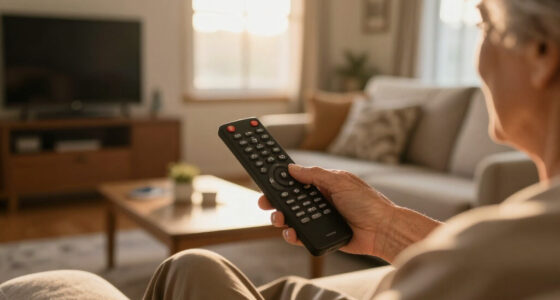

Large-button remote controls solve a simple problem badly served by modern remotes: buttons you can actually see and press. The Flipper Big Button TV Remote stands out as my best overall pick because it pairs oversized, clearly labeled keys with a lockdown feature that prevents confusing mis-presses — a real advantage for users with dementia or memory loss. For a tighter budget, the GE Big Button Universal Remote covers Samsung, Vizio, LG, Sony, and Roku TVs at a fraction of the Flipper’s price, while the Backlit Big Button Universal Remote adds a learning function and glow-in-the-dark keys for low vision users at night. The main tradeoff in this category is versatility versus simplicity: universal models like the QFX REM-115 juggle eight devices but crowd the layout with extra buttons, while dedicated senior remotes strip everything down but may only work with one TV brand. Keep reading for the full breakdown of all 15 models and which one fits your situation.

Turn quiet afternoons into listening time
- Thousands of audiobooks, podcasts and originals
- Listen on your phone, tablet or Echo — also offline
- Cancel anytime
Complete the kit


Key Takeaways
- Brand-specific EZclicker remotes (Samsung, Sony, LG versions) offer true plug-and-play simplicity but become useless if the TV is ever replaced — universals like the GE and LuckyStar survive household changes.
- The Flipper‘s lockdown mode, which hides unused buttons after setup, was the single biggest differentiator for dementia and memory-care users; nothing else in the lineup offers it.
- Backlighting appeared on only one remote in this roundup (the learning-capable Backlit model), making it the default pick for anyone who watches TV in a darkened room.
- Jumbo doesn’t always mean easier: the QFX REM-115’s 8-device support adds button clutter that works against its large keys — bigger buttons only help when there are fewer of them to confuse.
- Bright colorways like the orange EZclicker matter more than buyers expect; high-contrast housing made buttons easier to locate than black-on-black designs for low vision users.
| Large Button TV Remote Control for Seniors |  | Best Overall | Button Size: Large | Compatibility: Most major TV brands | Design: Ergonomic, lightweight | VIEW LATEST PRICE | See Our Full Breakdown |
| EZclicker Samsung TV Remote Big Button |  | Best for Samsung Owners | Compatible Devices: Samsung TVs only | Connectivity: Infrared | Button Quantity: 13 | VIEW LATEST PRICE | See Our Full Breakdown |
| EZclicker Sony TV Remote Big Button |  | Best for Sony TVs | Compatibility: Sony TVs only | Button Design: Big buttons with tactile feedback | Setup: No programming required | VIEW LATEST PRICE | See Our Full Breakdown |
| EZclicker Big Button Universal TV Remote |  | Best Value Universal Pick | Supported Devices: Televisions (major brands) | Connectivity: Infrared | Button Quantity: 13 | VIEW LATEST PRICE | See Our Full Breakdown |
| Big Button Universal Remote for All TV Brands |  | Best Zero-Setup Universal Option | Compatibility: Samsung, LG, VIZIO, Sony, Hisense, Philips, Panasonic, Sharp | Programming: None needed | Design Features: Extra-large enter button, tactile feedback | VIEW LATEST PRICE | See Our Full Breakdown |
| EZclicker TV Remote for Seniors, Extra Simple Big Button Remote (Black) |  | Best for Minimalist Simplicity | Color: Black | Maximum Range: 45 feet | Connectivity: Infrared | VIEW LATEST PRICE | See Our Full Breakdown |
| QFX REM-115 8-in-1 Large Jumbo Universal Remote Control |  | Best for Multi-Device Households | Devices Supported: Up to 8 | Compatible Brands: RCA, Sony, Philips, Samsung, GE, Zenith, Panasonic, Sharp, Toshiba, Daewoo, Hitachi, Sanyo, LG, JVC, Mitsubishi, Emerson, Magnavox | Special Features: Illuminated glow-in-the-dark buttons | VIEW LATEST PRICE | See Our Full Breakdown |
| EZclicker Big Button Universal TV Remote, Easy to Use for All Ages (Orange) |  | Best for High Visibility | Color: Orange | Button Quantity: 13 | Maximum Range: 45 feet | VIEW LATEST PRICE | See Our Full Breakdown |
| GE Big Button Universal Remote Control for Samsung, Vizio, LG, Sony, Roku |  | Best for Two-Device Setups | Device Control: Up to 2 devices | Compatibility: Samsung, Vizio, LG, Sony, Roku | Setup Options: Automatic code search and direct code entry | VIEW LATEST PRICE | See Our Full Breakdown |
| LuckyStar Big Button Universal Remote Control A-TV2 |  | Best for Zero-Effort Setup | Compatibility: LG, Vizio, Sharp, Zenith, Panasonic, Philips, RCA, plus over 1000 US TV brands | Setup: Automatic search — no programming needed | Design: Large buttons, ergonomic body | VIEW LATEST PRICE | See Our Full Breakdown |
| Backlit Big Button Universal Remote Control for Most TVs |  | Best Backlit Universal Pick | Compatibility: Most TV brands, set-top boxes, DVD players | Button Size: Large, easy-to-read | Backlight: Yes | VIEW LATEST PRICE | See Our Full Breakdown |
| Big Button Remote Control Replacement for Samsung Smart TV |  | Best Zero-Setup Choice | Compatibility: Samsung Smart TVs, LED, LCD, HDTV, 4K, 8K | Hotkeys: 6 shortcut buttons | Setup: None required | VIEW LATEST PRICE | See Our Full Breakdown |
| EZclicker Big Button Universal TV Remote, Easy to Use for All Ages |  | Best for Simplicity Across Brands | Compatibility: Major TV brands (not for cable boxes or streaming devices) | Button Size: Extra-large | Dimensions: 7″ x 2″ x 1″ | VIEW LATEST PRICE | See Our Full Breakdown |
| Flipper Big Button TV Remote for Seniors, Dementia – Easy Setup |  | Best for Dementia and Memory Care | Button Colors: Green (On/Off), Orange (Volume), Blue (Channel), Gray (Mute) | Compatibility: All major TV brands, cable, and satellite providers | Favorite Channels: Up to 25 | VIEW LATEST PRICE | See Our Full Breakdown |
| EZclicker LG TV Remote Big Button Easy to Use Remote for LG TV (Black) |  | Best Dedicated LG Companion | Compatibility: LG TVs only | Button Quantity: 13 | Maximum Range: 45 feet | VIEW LATEST PRICE | See Our Full Breakdown |
| large-button remote control | Compatibility | Batteries |
|---|---|---|
| Large Button TV Remote Control | Most major TV brands | — |
| EZclicker Samsung TV Remote Bi | — | 2x AAA (not included) |
| EZclicker Sony TV Remote Big B | Sony TVs only | 2x AAA (not included) |
| EZclicker Big Button Universal | — | 2x AAA (not included) |
| Big Button Universal Remote fo | Samsung, LG, VIZIO, Sony, Hisense, Philips, Panasonic, Sharp | — |
| EZclicker TV Remote for Senior | — | 2x AAA (not included) |
| QFX REM-115 8-in-1 Large Jumbo | — | — |
| EZclicker Big Button Universal | — | — |
| GE Big Button Universal Remote | Samsung, Vizio, LG, Sony, Roku | — |
| LuckyStar Big Button Universal | LG, Vizio, Sharp, Zenith, Panasonic, Philips, RCA, plus over 1000 US TV brands | — |
| Backlit Big Button Universal R | Most TV brands, set-top boxes, DVD players | — |
| Big Button Remote Control Repl | Samsung Smart TVs, LED, LCD, HDTV, 4K, 8K | 2 AAA (not included) |
| EZclicker Big Button Universal | Major TV brands (not for cable boxes or streaming devices) | 2x AAA (not included) |
| Flipper Big Button TV Remote f | All major TV brands, cable, and satellite providers | 2 AA (not included) |
| EZclicker LG TV Remote Big But | LG TVs only | 2x AAA (not included) |
More Details on Our Top Picks
Large Button TV Remote Control for Seniors
This remote takes the top spot because it nails the basics that matter most: oversized, clearly marked buttons laid out without clutter, and broad compatibility with most major TV brands. Compared with the EZclicker Samsung model, which locks you into a single manufacturer, this one survives a future TV upgrade — a real advantage for seniors who don’t want to relearn a remote every few years. The ergonomic, lightweight body makes it comfortable for arthritic hands during long viewing sessions. The tradeoff is deliberate minimalism: no voice control, no cable box or DVD support. If the household relies on a cable box or streaming stick, the GE Big Button Universal Remote elsewhere in this roundup covers more devices, but with more setup complexity.
Pros:- Extra-large, clearly labeled buttons for easy visibility
- Works with most major TV brands, so it survives TV upgrades
- Ergonomic and lightweight for arthritic or weak hands
- Durable build for daily handling
Cons:- No support for cable boxes, DVD players, or niche TV brands
- No voice control or smart features
- Limited to basic TV functions
Best for: Seniors and low-vision users who primarily watch broadcast or antenna TV and want a no-fuss remote that works across brands
Not ideal for: Households with cable boxes, DVD players, or Roku/Firestick setups — this remote controls the TV only
- Button Size:Large
- Compatibility:Most major TV brands
- Design:Ergonomic, lightweight
- Intended Users:Seniors, low vision users
- Extra Device Support:None (TV only)
- Voice Control:No
Our verdict“The most balanced pick for seniors who just need reliable, brand-agnostic TV control with the biggest, clearest buttons.”
EZclicker Samsung TV Remote Big Button
What sets this apart is true zero-setup operation: insert two AAA batteries and it works instantly with Samsung TVs — no codes, no programming, no phone calls to a family member for help. That makes it more approachable than the EZclicker Big Button Universal, which at minimum requires a quick brand-programming step. The 13-button layout with tactile feedback gives users physical confirmation that a press registered, which matters for anyone with numbness or tremors. The catch is narrowness: this is a Samsung-only device. If a second TV in the house is an LG or Sony, the EZclicker Sony version or a universal model is the better buy. Batteries are also excluded, so factor that into the true cost.
Pros:- Works instantly with no programming — just add batteries
- Tactile button feedback confirms each press
- Only 13 buttons, keeping the layout uncluttered
- Very lightweight and easy to grip
Cons:- Samsung-only compatibility
- Batteries not included
- No smart features or voice capability
Best for: Samsung TV owners who want a truly plug-and-play remote for a senior parent with zero setup friction
Not ideal for: Multi-brand households or anyone who might change TV brands — this remote only works with Samsung
- Compatible Devices:Samsung TVs only
- Connectivity:Infrared
- Button Quantity:13
- Maximum Range:45 feet
- Batteries:2x AAA (not included)
- Dimensions:7″H x 2″L x 1″W
- Weight:0.1 kg
Our verdict“The simplest possible choice for a Samsung household where setup help is scarce and instant usability is the priority.”
EZclicker Sony TV Remote Big Button
Functionally, this is the Sony twin of the EZclicker Samsung remote — same 13-button count, same big tactile buttons, same promise of no programming whatsoever. That instant-out-of-the-package operation is its strongest argument against universal options like the EZclicker Big Button Universal, which trades a little setup effort for flexibility. The dedicated-remote approach also means every button works exactly as labeled on a Sony set, with no brand-code quirks to troubleshoot. The tradeoff is identical too: one brand, forever. Batteries ship separately, and there’s no backlight, so low-vision users watching in a dark room may prefer the Backlit Big Button Universal Remote featured later in this guide despite its learning-mode setup.
Pros:- Zero setup — works immediately with Sony TVs
- Big tactile buttons suited to limited dexterity and vision
- Compact and very lightweight at just 0.1 kg
- Every button maps correctly to Sony functions
Cons:- Sony-only compatibility
- Batteries not included
- No backlighting for dark-room use
Best for: Sony TV owners, especially caregivers setting up a remote for a parent who can’t manage any configuration
Not ideal for: Anyone anticipating a non-Sony TV purchase, or users who want backlighting for dim rooms
- Compatibility:Sony TVs only
- Button Design:Big buttons with tactile feedback
- Setup:No programming required
- Dimensions:7″ x 2″ x 1″
- Batteries:2x AAA (not included)
- Color:Black
Our verdict“A no-brainer for Sony households — just don’t expect it to follow you to a different TV brand.”
EZclicker Big Button Universal TV Remote
This model hits the sweet spot between the single-brand EZclicker remotes and heavier universal options like the QFX REM-115 8-in-1. You get universal compatibility with major TV brands and a simple, tool-free programming process, without the overwhelming button grid that makes 8-in-1 remotes confusing for the exact users who need big buttons. The 13-button layout with tactile feedback keeps things scannable, and the 45-foot range comfortably covers any living room. The compromises are real, though: it can’t control a cable box, Firestick, or Roku, and it manages only one device at a time. Compared with the no-programming Big Button Universal Remote for All TV Brands below, you trade a bit of setup simplicity for a broader brand reach.
Pros:- Universal compatibility across major TV brands
- Simple programming with no tools needed
- Tactile-feedback buttons that work for low vision and dexterity limits
- Lightweight and compact for everyday handling
Cons:- No support for cable boxes, Firestick, or Roku
- Controls only one device at a time
- Batteries not included
Best for: Budget-minded buyers who want one remote that can move between different TV brands in the home
Not ideal for: Cord-cutters using Roku, Fire TV, or cable boxes — none of those devices are supported
- Supported Devices:Televisions (major brands)
- Connectivity:Infrared
- Button Quantity:13
- Maximum Range:45 feet
- Setup:Simple programming, no tools
- Batteries:2x AAA (not included)
- Dimensions:7″H x 2″L x 1″W
- Weight:0.09 kg
Our verdict“The smart middle ground if you want brand flexibility on a budget and don’t need streaming-device control.”
Big Button Universal Remote for All TV Brands
Its standout trick is combining two things that rarely go together: universal brand compatibility (Samsung, LG, VIZIO, Sony, Hisense, Philips, Panasonic, Sharp) with no programming at all. That beats the EZclicker Big Button Universal, which requires a short setup process, and makes this the safest gift choice when you don’t know the recipient’s TV brand. The extra-large enter button and tactile feedback are thoughtful touches for users with dementia, where a single oversized confirm button reduces confusion. The scope remains TV-only — no cable boxes or streaming devices — so households built around a Roku or Firestick should look at the GE Big Button Universal Remote instead, which explicitly supports Roku at the cost of more buttons and setup.
Pros:- Works with eight major TV brands out of the box
- Zero setup or programming required
- Extra-large enter button suits dementia and cognitive decline
- Tactile feedback aids low-vision users
Cons:- TV control only — no streaming devices or cable boxes
- Fewer smart features than brand-specific originals
Best for: Caregivers buying for a parent with dementia or low vision when the TV brand is unknown and setup help isn’t available
Not ideal for: Streaming-first households — Roku, Fire TV, and cable boxes are all out of reach
- Compatibility:Samsung, LG, VIZIO, Sony, Hisense, Philips, Panasonic, Sharp
- Programming:None needed
- Design Features:Extra-large enter button, tactile feedback
- Intended Users:Seniors, visually impaired, people with dementia
- Extra Device Support:None (TV only)
- Color:Black
Our verdict“The easiest universal option to gift sight-unseen, as long as the TV is the only device that needs controlling.”
EZclicker TV Remote for Seniors, Extra Simple Big Button Remote (Black)
Sometimes the best large-button remote is the one that does the least. This EZclicker black model strips everything down to TV-only controls, which makes it a strong fit for buyers who found fuller remotes like the QFX REM-115 overwhelming. The tactile button feedback matters here — it gives a physical confirmation that a press registered, a small detail that helps users with limited dexterity know the command went through. At just 80 grams, it is one of the lightest options in this lineup, easier to grip for weakened hands than heavier jumbo models. The tradeoff is real, though: no streaming shortcuts, no cable box support, and batteries arrive separately. Compared with the orange EZclicker below, this black version covers nearly identical ground, so color preference and price should drive that choice.
Pros:- Tactile feedback confirms each button press
- Featherlight 80-gram body is easy on weak grips
- Simple programming with major TV brands
- Uncluttered layout eliminates confusion
Cons:- Controls one device only — no streaming or cable support
- Batteries not included
- Too basic for anyone wanting volume presets or shortcuts
Best for: Seniors or low-vision users who only watch regular TV and want the fewest possible buttons to learn
Not ideal for: Households with streaming sticks, soundbars, or cable boxes — this remote cannot control any of them
- Color:Black
- Maximum Range:45 feet
- Connectivity:Infrared
- Supported Devices:1 (TV only)
- Batteries:2x AAA (not included)
- Weight:0.08 kg
- Dimensions:6″H x 2″L x 1″W
Our verdict“Buy this if pure simplicity for TV-only viewing is the goal; skip it for any multi-device entertainment setup.”
QFX REM-115 8-in-1 Large Jumbo Universal Remote Control
Most large-button remotes trade features for simplicity, but the QFX REM-115 refuses that bargain. With support for up to eight devices — TVs, soundbars, Blu-ray players — it replaces a coffee table full of confusing controllers with one jumbo unit. The glow-in-the-dark buttons are genuinely useful for late-night viewing, something neither the EZclicker models nor the GE remote offer in this batch. Dedicated Netflix and YouTube shortcuts are a thoughtful touch for seniors who stream but struggle with on-screen keyboards. The catch: brand compatibility is locked to a specific list (RCA, Sony, Samsung, LG, and others), and some features only work with internet-capable smart TVs. If your gear skews obscure or off-brand, the GE Big Button remote with its automatic code search may pair more reliably.
Pros:- Controls up to 8 devices from one remote
- Glow-in-the-dark buttons for low-light rooms
- Dedicated Netflix and YouTube shortcut keys
- Jumbo size is easy to locate and grip
Cons:- Streaming shortcuts require smart TVs with internet capability
- Limited to the listed compatible brands
- No self-service updates — support runs through QFX directly
Best for: Caregivers consolidating a TV, soundbar, and player setup into one senior-friendly remote
Not ideal for: Owners of niche or unlisted brands — the fixed compatibility list leaves no fallback
- Devices Supported:Up to 8
- Compatible Brands:RCA, Sony, Philips, Samsung, GE, Zenith, Panasonic, Sharp, Toshiba, Daewoo, Hitachi, Sanyo, LG, JVC, Mitsubishi, Emerson, Magnavox
- Special Features:Illuminated glow-in-the-dark buttons
- Streaming Shortcuts:Netflix, YouTube
- Design:Jumbo size
- Smart TV Support:Compatible with internet-capable smart TVs
Our verdict“The pick when one remote must run an entire entertainment system with senior-friendly buttons.”
EZclicker Big Button Universal TV Remote, Easy to Use for All Ages (Orange)
That bright orange housing is not a style choice — it is a locating strategy. Low-vision users and dementia patients frequently misplace dark remotes on dark furniture, and this model solves that problem more directly than any black option in the lineup, including its black EZclicker sibling, which is functionally near-identical. The 13-button layout keeps cognitive load low, and the one-step programming is faster than the code-entry process on the GE Big Button remote, which offers more setup methods but more steps to evaluate. The 45-foot infrared range comfortably covers any typical living room or assisted-living suite. Understand the limitations before buying: TV-only control, one device, and another battery purchase at checkout. Anyone needing soundbar or streaming control should step up to the QFX REM-115 instead.
Pros:- High-contrast orange body is easy to spot anywhere
- Only 13 buttons for minimal confusion
- One-step programming works with major TV brands
- 45-foot range covers large rooms
Cons:- TV-only — no cable box or streaming device support
- Batteries sold separately
- No advanced features whatsoever
Best for: Visually impaired users or dementia patients who need a remote that is impossible to lose sight of
Not ideal for: Streaming-heavy households or anyone wanting to control more than the television
- Color:Orange
- Button Quantity:13
- Maximum Range:45 feet
- Connectivity:Infrared
- Supported Devices:1 (TV only)
- Battery Type:AAA (not included)
- Dimensions:7″L x 2″W x 1″H
Our verdict“The visibility champion for users whose biggest frustration is a lost remote, not a missing feature.”
GE Big Button Universal Remote Control for Samsung, Vizio, LG, Sony, Roku
The GE Big Button remote occupies the sensible middle ground of this lineup. It controls two devices — a TV plus a soundbar, cable box, or Roku — which covers the most common real-world setup without the complexity of the eight-device QFX REM-115. Its setup flexibility is the standout: automatic code search means users can pair it without ever looking up a code, while direct code entry remains available for faster configuration. The ergonomic body is comfortable for arthritic hands during long viewing sessions, and GE explicitly positions it for nursing homes, hotels, and assisted living facilities, where durability and simplicity matter. The two-device ceiling is the honest limitation — households with soundbars plus cable plus a streamer will hit it fast, and AA batteries are another separate purchase.
Pros:- Controls 2 devices including Roku and soundbars
- Automatic code search means no manual code lookup
- Ergonomic shape suits arthritic hands
- Trusted brand with broad retail support
Cons:- Hard cap of two devices
- Requires 2 AA batteries not included
- Feature set is basic for advanced users
Best for: Assisted living facilities and households pairing a TV with one soundbar, cable box, or Roku
Not ideal for: Entertainment systems with three or more devices — the two-device cap arrives quickly
- Device Control:Up to 2 devices
- Compatibility:Samsung, Vizio, LG, Sony, Roku
- Setup Options:Automatic code search and direct code entry
- Power Source:2 AA batteries (not included)
- Design:Large, simplified ergonomic keyboard
- Intended Settings:Home, nursing homes, hotels, assisted living
Our verdict“The balanced pick when one companion device alongside the TV is enough — and no more.”
LuckyStar Big Button Universal Remote Control A-TV2
Every other remote in this batch asks the buyer to program something. The LuckyStar A-TV2 asks for nothing beyond batteries: insert them, run the automatic search function, and start watching. For caregivers setting up remotes remotely for aging parents, that friction-free experience beats the code-entry workflows on the GE Big Button remote or the brand-specific EZclicker models. Compatibility is the other headline — over 1000 US TV brands including LG, Vizio, Sharp, Panasonic, Philips, and RCA — which is broader coverage than the QFX REM-115’s fixed brand list. The 1-year warranty adds peace of mind that most budget big-button remotes skip entirely. The realistic downsides: the very newest TV models may fall outside its code library, coverage is US-market only, and like nearly everything here, batteries come separately.
Pros:- No programming required — automatic search does the work
- Works with over 1000 US TV brands
- Ergonomic design with comfortable large buttons
- 1-year warranty with customer support
Cons:- May not support the newest or certain specific TV models
- Batteries not included
- US-market TV brands only
Best for: Caregivers buying for elderly relatives who want a plug-and-play remote with no programming calls
Not ideal for: Owners of brand-new or import TV models — the code library may not cover them
- Compatibility:LG, Vizio, Sharp, Zenith, Panasonic, Philips, RCA, plus over 1000 US TV brands
- Setup:Automatic search — no programming needed
- Design:Large buttons, ergonomic body
- Power:Battery operated (batteries not included)
- Warranty:1 year
- Market:US TV brands
Our verdict“The easiest setup in the roundup for anyone who wants zero configuration between unboxing and channel-surfing.”
Backlit Big Button Universal Remote Control for Most TVs
This option stands out for being the only backlighted remote in this batch that also works across most TV brands, set-top boxes, and DVD players. Compared with the Flipper Big Button Remote, which trades flexibility for simplicity, this one keeps number buttons and multi-device support intact — useful if the household still watches cable or DVDs. The learning function means it copies commands straight from an existing remote, so there’s no code-hunting, but that convenience comes with a catch: the original remote must still work, and number buttons only function if the source remote has them. The sub-0.3-second response and 10-meter range are solid for typical living-room distances. Buyers should note the battery is not included, so factor that into day-one readiness.
Pros:- Backlit buttons readable in dark rooms
- Works with TVs, set-top boxes, and DVD players
- Learning function avoids confusing code entry
- Tested durability of over 160,000 clicks
Cons:- Cannot be programmed without the original remote
- Battery not included
- Number buttons may not function if the source remote lacks them
Best for: Households blending senior-friendly buttons with multi-device control over TVs, cable boxes, and DVD players
Not ideal for: Anyone whose original remote is lost or broken, since the learning-based setup depends on it
- Compatibility:Most TV brands, set-top boxes, DVD players
- Button Size:Large, easy-to-read
- Backlight:Yes
- Range:Up to 10 meters (33 feet)
- Response Time:Less than 0.3 seconds
- Setup:Learning mode from existing remote
- Power Source:Battery not included
Our verdict“This pick makes the most sense for buyers who want one backlit remote to replace several — as long as the old remotes are still around to teach it.”
Big Button Remote Control Replacement for Samsung Smart TV
Where the Backlit Big Button Universal Remote demands a working original remote to program it, this Samsung-focused option takes the opposite approach: insert two AAA batteries and it works immediately. That out-of-the-box readiness is the strongest argument for it, especially when setting up a remote for a parent who can’t troubleshoot pairing issues. It also adds a built-in LED flashlight, a genuinely practical touch for finding glasses or a light switch at night, and six shortcut hotkeys cover common Samsung functions. The tradeoff is scope — unlike universal models such as the Flipper, it won’t touch streaming sticks or cable boxes, so it’s purely a Samsung TV companion. Tactile feedback on the large buttons helps users with low vision confirm each press.
Pros:- True plug-and-play setup with no programming
- Built-in LED flashlight for dark rooms
- Tactile button feedback aids low-vision users
- Covers Samsung LED, LCD, HDTV, 4K, and 8K models
Cons:- No compatibility with TV sticks or streaming boxes
- Requires 2 AAA batteries that aren’t included
Best for: Samsung TV owners, especially seniors, who need a remote that works instantly with no programming
Not ideal for: Households with Roku sticks, Fire TV devices, or non-Samsung TVs — this remote covers none of those
- Compatibility:Samsung Smart TVs, LED, LCD, HDTV, 4K, 8K
- Hotkeys:6 shortcut buttons
- Setup:None required
- Features:Large buttons, tactile feedback, built-in flashlight
- Batteries:2 AAA (not included)
Our verdict“The right call for Samsung households that value zero setup over universal flexibility.”
EZclicker Big Button Universal TV Remote, Easy to Use for All Ages
The EZclicker universal occupies a middle ground between brand-locked models and feature-heavy universals like the QFX REM-115 8-in-1. Its one-step programming is far less intimidating than the QFX’s multi-device setup process, and its slim 7 x 2 x 1 inch body is lighter and easier to grip for arthritic hands than bulkier jumbo remotes. Extra-large buttons make channel and volume changes straightforward for visually impaired users. The limitation is real, though: this is TV control only, with no support for cable boxes or streaming devices, so cord-cutters using a Roku or Fire TV stick will find it useless. Compared with the brand-specific EZclicker LG remote, it wins on flexibility but demands that one extra programming step before use.
Pros:- Extra-large buttons suited to visually impaired users
- Simple one-step programming
- Lightweight, compact body easy to handle
- Works with all major TV brands
Cons:- TV-only control, no cable boxes or streaming devices
- Batteries not included
- Fewer functions than multi-device universals
Best for: Seniors and low-dexterity users who watch over-the-air or plain TV and want one remote for any major brand
Not ideal for: Streaming-first households — it cannot control Roku, Fire TV, or any cable box
- Compatibility:Major TV brands (not for cable boxes or streaming devices)
- Button Size:Extra-large
- Dimensions:7″ x 2″ x 1″
- Programming:One-step process
- Batteries:2x AAA (not included)
Our verdict“A smart choice when the goal is one dead-simple remote for any TV, as long as nothing else needs controlling.”
Flipper Big Button TV Remote for Seniors, Dementia – Easy Setup
The Flipper is purpose-built for a situation the other remotes here only partially address: cognitive decline. Its color-coded buttons — green power, orange volume, blue channel — let a user with memory loss operate by color association rather than reading labels, something no other remote in this lineup offers. Unlike the Backlit Big Button Universal Remote, it also handles cable and satellite boxes, and the ability to lock in up to 25 favorite channels prevents the frustration of endless channel surfing. The deliberate tradeoff is total absence of smart features: no Netflix, no app navigation, no streaming support at all. For dementia care that restraint is a feature, not a flaw — fewer buttons means fewer failure points — but tech-savvy seniors who stream will hit a wall fast.
Pros:- Color-coded buttons aid recognition without reading
- Controls TVs plus cable and satellite boxes
- Customizable favorites limit it to 25 chosen channels
- Stripped-down layout reduces confusion
Cons:- No streaming app support whatsoever
- Batteries not included
- Limited to basic TV functions only
Best for: Caregivers supporting seniors with dementia or memory loss who watch cable or satellite TV
Not ideal for: Streamers — the total lack of app and smart-TV navigation rules out Netflix, YouTube, and similar services
- Button Colors:Green (On/Off), Orange (Volume), Blue (Channel), Gray (Mute)
- Compatibility:All major TV brands, cable, and satellite providers
- Favorite Channels:Up to 25
- Streaming Support:None
- Batteries:2 AA (not included)
Our verdict“For dementia and memory care, the color-coded simplicity here beats every flashier option in this roundup.”
EZclicker LG TV Remote Big Button Easy to Use Remote for LG TV (Black)
This LG-exclusive model competes directly with the Samsung Big Button Replacement Remote on philosophy: pick one brand, skip programming entirely, and keep the button count minimal. Thirteen large buttons cover only what most viewers actually touch — power, volume, channels — and the 45-foot infrared range outclasses the 33-foot rating of the Backlit Big Button Universal Remote, useful in larger rooms or assisted-living common areas. At 90 grams it’s among the lightest here, which matters for weak grips. The cost of that simplicity is absolute: one device, no learning function, no backlight, and no ability to control anything but an LG television. Households with mixed-brand TVs should step up to the EZclicker universal instead, since this remote offers zero flexibility beyond its single intended pairing.
Pros:- Works immediately with no programming
- 45-foot range leads this batch
- Featherlight 90-gram body with ergonomic grip
- Tactile buttons designed for low-vision users
Cons:- LG TVs only, one device maximum
- No backlight, learning function, or advanced features
- Batteries not included
Best for: LG TV owners with limited vision or grip strength who want the simplest possible remote with no setup
Not ideal for: Multi-device or mixed-brand households — one device support and LG-only compatibility leave no room to grow
- Compatibility:LG TVs only
- Button Quantity:13
- Maximum Range:45 feet
- Connectivity:Infrared
- Setup:No programming required
- Weight:0.09 kg
- Batteries:2x AAA (not included)
Our verdict“If the household TV is an LG and simplicity outranks versatility, this is the low-friction choice.”

How We Picked
I evaluated these remotes through the lens of their intended user: someone with reduced vision, limited dexterity, or memory difficulties. That changed the usual ranking logic considerably. Button size and spacing counted, but so did label legibility, button count (fewer is usually better here), and how forgiving the remote is when pressed incorrectly. A remote with slightly smaller keys but a cleaner layout consistently beat a cluttered jumbo model.
Setup difficulty was the second major filter, because a senior-friendly remote that requires a caregiver to program three code-entry steps every time the batteries die fails its purpose. I also weighed TV compatibility range, durability, battery life, and price-per-value. Dedicated brand remotes ranked higher on simplicity but were dinged for lock-in; universal models were judged on how painless their code pairing actually is. The final ordering favors remotes that a non-technical buyer can set up once and then forget about.
Factors to Consider When Choosing Large-button Remote Controls
Before picking a specific remote, it helps to understand what actually makes a large-button remote work well in daily use — and where buyers commonly go wrong.Universal Versus Brand-Specific: The Compatibility Trap
The most common mistake is buying a brand-specific remote like the EZclicker Samsung or LG models without thinking ahead. They genuinely are easier — often working right out of the package with zero programming — but they become electronic waste the day the TV is replaced. If the household TV is aging or you’re buying for a parent whose setup might change when they move to assisted living, a universal model like the GE or LuckyStar is the safer spend. The reverse mistake also happens: buying a fully universal 8-device remote like the QFX REM-115 for someone who only needs power, volume, and channels just adds confusion. Match the remote’s ambition to the user’s actual needs, not to the feature list.
Button Count Matters as Much as Button Size
Shoppers fixate on key size, but button count is the quieter variable that determines usability. A remote with ten large buttons is dramatically easier for an elderly user than one with twenty-five large buttons — the extra keys create decision fatigue and accidental presses. The Flipper’s approach of locking out unused buttons after setup is the gold standard because it shrinks the effective button count without losing functionality. When comparing remotes, count the keys first and ask how many the user will actually touch. Anything beyond power, volume, channel, and mute is a candidate for elimination.
Label Legibility and Color Contrast
Large buttons only help if the labels on them are readable. Look for high-contrast printing — white or yellow text on black, or black text on bright housing — rather than gray-on-black styling. The orange EZclicker performs well here purely because its housing makes every key pop visually, while all-black remotes tend to blend into dark living room furniture and dark TV bezels. Backlighting, as on the learning-capacity model in this lineup, is the premium solution but usually costs more and drains batteries faster. Also check whether the labels are printed or embossed; embossed markings survive years of handling that wear printed ones away.
Setup Complexity and Caregiver Involvement
Someone has to program the remote, and that person is usually a family member or caregiver. Code-entry setups require finding the TV brand’s code in a manual and entering a sequence — manageable once, frustrating if it must be repeated after a battery change. Learning remotes that copy functions from the original avoid code hunting entirely but need the old remote present and working. Brand-specific remotes skip setup altogether, which is why they rank highly for simplicity despite the compatibility tradeoff. If the user lives alone with no tech-savvy helper nearby, minimizing setup complexity should move up your priority list considerably.
Durability, Grip, and Drop Resistance
Large-button remotes get dropped, slid off couch arms, and searched for under furniture more than any other remote type because many target users have limited dexterity. A rubberized or textured housing outperforms slick plastic here, and slightly heavier builds survive falls better than featherweight ones. Consider a remote with a wrist strap hole or pairing it with an after-market lanyard. Battery type matters too: standard AA or AAA cells are easier for caregivers to replace than button cells, and models that sip power slowly reduce the frequency of reprogramming after battery swaps.
When to Pay More: The Flipper Threshold
Basic big-button universals cluster in a low price band and are perfectly adequate for a user whose main challenge is small buttons. The case for spending more appears when cognitive decline enters the picture — dementia and memory-loss users need button lockout, simplified layouts, and design that anticipates confusion, not just bigger keys. That’s the segment where the Flipper justifies its premium price. Below that threshold, paying more usually buys backlighting or learning functions rather than fundamental usability gains. Decide first whether the user’s barrier is visual, physical, or cognitive; the answer tells you exactly how much remote you need to buy.
Frequently Asked Questions
Will a large-button universal remote work with any TV I buy in the future?
Most quality universal remotes cover the major brands — Samsung, LG, Sony, Vizio, TCL, Roku TVs, and others — but coverage is never truly universal. Models like the GE and LuckyStar support hundreds of code sets and will handle the vast majority of TVs sold through at least the next several years. The catch is newer smart TVs that rely on Bluetooth-only remotes, which infrared universals cannot replace; most budget TVs still use infrared, but flagship models increasingly default to Bluetooth pairing. If future-proofing is your priority, confirm the remote lists your TV brand’s codes and check whether it supports both infrared and any newer pairing method. Brand-specific remotes like the EZclicker Samsung or LG versions offer no future-proofing at all.
Which remote is best for someone with dementia or Alzheimer’s?
The Flipper Big Button Remote is the clear choice here, and it isn’t close. Its lockdown feature hides every unused button after initial setup, leaving only power, volume, and channel keys — which means the user physically cannot get lost in a menu or switch the TV to a dead input. Standard big-button remotes, even excellent ones like the GE, still expose extra keys that can trigger confusing modes. For early-stage memory loss you might get away with a simple universal, but the risk of repeated troubleshooting calls usually justifies the Flipper’s higher price. If the Flipper exceeds your budget, the extra-simple EZclicker senior remote with its minimal key count is the closest substitute, just without the lockout protection.
Do I need a backlit remote, or is it a gimmick?
Backlighting is genuinely useful for a specific scenario: watching TV in a dim or darkened room, which is extremely common for seniors with light sensitivity or evening viewing habits. The backlit learning remote in this lineup is the only option with the feature, and it pairs it with the ability to copy functions from an original remote — a strong combination for low vision users. The tradeoffs are real, though: backlighting drains batteries noticeably faster and adds cost. If the user watches mainly in daylight or a well-lit room, skip it and put the savings toward a brighter housing color like the orange EZclicker instead, which improves visibility without battery cost.
How hard is it to program these remotes, and can a senior do it themselves?
Programming difficulty varies more in this category than almost any other feature. Brand-specific remotes like the EZclicker Samsung, Sony, and LG models require zero programming — insert batteries and they work. Universal remotes use code entry, which means looking up a three-to-five digit code and holding buttons in sequence; most seniors with steady hands and good vision can manage it, but many prefer help. Learning remotes sit in between: point the old remote at the new one and copy each function, which is intuitive but tedious. My practical advice is to plan for a family member or friend to handle setup regardless of model, then verify the remote survives a battery change without losing its programming before you consider the job done.
Are dedicated senior remotes compatible with cable boxes and soundbars?
Generally, no — and this catches many buyers off guard. Most simple senior remotes, including the Flipper and the basic EZclicker models, control the TV only, meaning volume goes to the TV speakers rather than a soundbar. The QFX REM-115 is the exception in this lineup, handling up to eight devices including cable boxes and audio equipment, at the cost of a busier button layout. If the user’s setup includes a cable box, you have two realistic paths: get the QFX and accept the extra buttons, or reconfigure the setup so the TV handles everything directly. Soundbar owners should confirm infrared control compatibility before buying any of these models, since some soundbars only accept Bluetooth commands.
Conclusion
Matching the remote to the user matters more than any single spec in this category. For best overall, the Flipper Big Button Remote earns the top spot with its button lockout and genuinely senior-focused design. The GE Big Button Universal Remote is my best value pick — broad brand support and solid ergonomics at a budget price. For beginners who want zero setup, the EZclicker brand-specific remotes (Samsung, Sony, or LG versions) work straight from the package, though you sacrifice future flexibility. The Backlit Learning Remote is the best premium choice for low vision users who watch in dim rooms, thanks to its glowing keys and copy-from-original programming. For specific needs: the QFX REM-115 for multi-device households with cable boxes, the orange EZclicker for maximum visual contrast, and the LuckyStar A-TV2 as a dependable spare. Whatever you choose, size up who will actually hold the remote — their eyes, hands, and habits should make the final call.