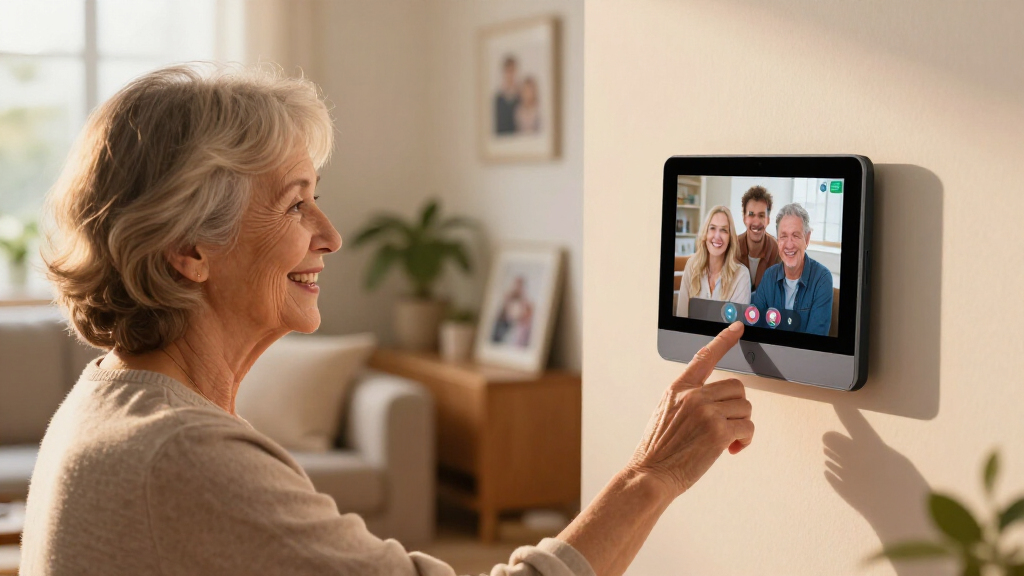

Choosing the best smart display for video calling elderly parents involves balancing simplicity, screen size, and reliability. The Amazon Echo Show 8 (2023 Model) stands out as the overall top choice thanks to its intuitive interface and clear display. For those seeking a larger view, the Amazon Echo Show 15 offers a spacious 15.6-inch screen with integrated Fire TV features, perfect for multi-purpose use. The Meta Portal models excel in video quality and ease of use, but may fall short on versatility or smart home integration. Continue reading to see how these options compare and which one fits your specific needs.

Turn quiet afternoons into listening time
- Thousands of audiobooks, podcasts and originals
- Listen on your phone, tablet or Echo — also offline
- Cancel anytime
Complete the kit


Key Takeaways
- Screen size and placement are crucial for elderly users; larger, adjustable screens improve visibility and ease of use.
- Simplicity and user-friendly interfaces significantly impact adoption and ongoing use by seniors.
- Built-in voice assistants like Alexa or Google Assistant streamline calling and other tasks but vary in responsiveness.
- Extra features such as smart home control or streaming can be beneficial but may complicate the device for less tech-savvy seniors.
- Price ranges reflect different levels of usability, screen quality, and additional functionalities—opt for value based on your priorities.
| Amazon Echo Show 8 (2023 Model), Vibrant HD 8.7″ Display with Spatial Audio, Alexa+ |  | Best Overall | Display: 8.7 inches HD touchscreen | Viewing Area: 15% larger than previous model | Processor: AZ3 Pro chip | VIEW LATEST PRICE | See Our Full Breakdown |
| Meta Portal – Smart Video Calling for the Home with 10” Touch Screen Display – White |  | Best for Beginners | Display: 10-inch touchscreen | Color: White | Features: Smart Camera, Smart Sound, Privacy controls | VIEW LATEST PRICE | See Our Full Breakdown |
| ViewClix Smart Frame 15.6” Digital Picture Frame with Video Calling |  | Best for Family Connection | Screen Size: 15.6 inches | Membership: 1 month included, $9.95/month thereafter | Remote Management: Yes | VIEW LATEST PRICE | See Our Full Breakdown |
| Amazon Echo Show 15 (Newest Model), 15.6″ Full HD Smart Display with Fire TV and Alexa |  | Best for Kitchen & Family Use | Display: 15.6-inch Full HD (1080p) | Connectivity: Wi-Fi, Bluetooth | Built-in Features: Fire TV, Alexa, smart home dashboard | VIEW LATEST PRICE | See Our Full Breakdown |
| Amazon Echo Show 5 (Newest Model), Smart Display with Alexa, Glacier White |  | Best Compact Choice | Display Size: 5.5 inches | Camera: 2 MP | Sound: Deeper bass, clearer vocals | VIEW LATEST PRICE | See Our Full Breakdown |
| Meta Portal – Smart Video Calling for the Home with 10” Touch Screen Display – Black |  | Best Overall for Seamless, Private Video Calls | Display: 10-inch touchscreen | Color: Black | Camera: Smart camera with automatic adjustment | VIEW LATEST PRICE | See Our Full Breakdown |
| SYMYNELEC Elderly Monitoring Camera with Screen, One-Touch Video Calling |  | Best for Safety and Monitoring with Simple Video Calling | Screen Size: 2.8 inches | Video Resolution: 1080P | Camera Features: PTZ auto-tracking, privacy mode | VIEW LATEST PRICE | See Our Full Breakdown |
| smart displays for video calling elderly parent | Display | Camera |
|---|---|---|
| Amazon Echo Show 8 | 8.7 inches HD touchscreen | Centered, auto-framing with 3.3x zoom |
| Meta Portal | 10-inch touchscreen | — |
| ViewClix Smart Frame 15.6” Dig | — | — |
| Amazon Echo Show 15 | 15.6-inch Full HD (1080p) | Centered, auto-framing, wide view |
| Amazon Echo Show 5 | — | 2 MP |
| Meta Portal | 10-inch touchscreen | Smart camera with automatic adjustment |
| SYMYNELEC Elderly Monitoring C | — | — |
More Details on Our Top Picks
Amazon Echo Show 8 (2023 Model), Vibrant HD 8.7″ Display with Spatial Audio, Alexa+
The Amazon Echo Show 8 (2023) stands out for its larger, vibrant HD display and enhanced spatial audio, making video calls clearer and more engaging than smaller screens like the Echo Show 5. Its built-in smart home hub adds convenience for managing devices, while privacy controls provide peace of mind. Compared to the Meta Portal, it offers a more robust smart home integration but at a higher price point, which could be a barrier for budget-conscious buyers. The auto-framing camera and crisp sound make it ideal for elderly parents who want a simple, high-quality calling experience. However, its premium cost and reliance on compatible smart devices for full functionality may limit accessibility for some users.
Pros:- Vivid HD display with larger viewing area for easier visibility
- Enhanced spatial audio for clearer sound during calls
- Built-in smart home hub simplifies device control
- Strong privacy controls, including disable buttons
Cons:- Premium price may be prohibitive for some users
- Requires compatible smart devices for full benefits
Best for: Families seeking a versatile, high-quality display for frequent video calls and smart home control
Not ideal for: Budget-conscious households or those with limited smart home devices
- Display:8.7 inches HD touchscreen
- Viewing Area:15% larger than previous model
- Processor:AZ3 Pro chip
- Audio:Spatial audio with up to 2x bass
- Camera:Centered, auto-framing with 3.3x zoom
- Smart Home Hub:Built-in
Our verdict“This is best suited for those who want a premium, all-in-one display with excellent video and audio quality for regular communication.”
Meta Portal – Smart Video Calling for the Home with 10” Touch Screen Display – White
The Meta Portal offers a straightforward, user-friendly experience with its 10-inch touchscreen, making it an appealing choice for seniors new to smart displays. Its automatic camera adjustment and clear sound improve the natural feel of calls, especially compared to smaller or less intuitive options like the Echo Show 5. While it supports popular apps like Messenger and WhatsApp, it lacks traditional phone support, which could be limiting for some elderly users who prefer familiar calling methods. Its sleek design allows it to blend into home decor without overwhelming small spaces. However, reliance on internet connectivity and app-based calling means it may not suit households seeking traditional phone-style calls or less tech-savvy users.
Pros:- Automatic camera adjustment for natural movement
- Supports popular apps like Messenger and WhatsApp
- Sleek, unobtrusive design
Cons:- Requires internet connection for all features
- Limited to app-based calling, no traditional phone support
Best for: Elderly parents or caregivers new to smart tech who want simple, effective video calling
Not ideal for: Users needing traditional landline calling or those with unreliable internet
- Display:10-inch touchscreen
- Color:White
- Features:Smart Camera, Smart Sound, Privacy controls
Our verdict“Ideal for seniors who need an easy, app-based video calling device with minimal setup and fuss.”
ViewClix Smart Frame 15.6” Digital Picture Frame with Video Calling
The ViewClix Smart Frame provides a simple, dedicated platform for seniors to stay connected through photo sharing and scheduled video calls, making it a strong choice over multifunctional screens like the Echo Show 15. Its 15.6-inch display is large enough for easy viewing, and remote management simplifies updates without confusing menus. While it requires a subscription for full features, its focus on user-friendly controls and privacy makes it suitable for elderly users who prefer a straightforward experience. However, its limited geographic support and reliance on subscription services could be drawbacks for tech-shy or budget-conscious families.
Pros:- User-friendly interface tailored for seniors
- Remote management for caregivers
- Supports video calls, photos, and weather updates
Cons:- Subscription required for full functionality
- Limited to U.S. support and services
Best for: Families wanting a dedicated, easy-to-use device for sharing photos and occasional video chats
Not ideal for: Users seeking full smart home integration or live streaming features
- Screen Size:15.6 inches
- Membership:1 month included, $9.95/month thereafter
- Remote Management:Yes
- Video Calling:Yes
- Photo Sharing:Yes
- Encryption:Yes
Our verdict“This device works well for families looking for a simple, dedicated solution for keeping elderly parents visually connected.”
Amazon Echo Show 15 (Newest Model), 15.6″ Full HD Smart Display with Fire TV and Alexa
The Echo Show 15 offers a large, high-definition display with versatile features like Fire TV streaming and customizable widgets, making it suitable for busy kitchens or family hubs. Its auto-framing camera and wide field of view facilitate smooth video calls, but its size might be less suitable for smaller spaces or less tech-savvy elderly users who prefer simpler devices. Compared to the Echo Show 8, it provides more screen real estate and entertainment options, but at the cost of increased space requirements and potentially higher complexity. Its privacy features, including a built-in shutter, help mitigate concerns about constant surveillance during calls or streaming.
Pros:- Large, full HD display ideal for multitasking and viewing
- Built-in Fire TV for streaming entertainment
- Customizable widgets for family scheduling
- Strong privacy controls
Cons:- Large size may not fit in small spaces
- Some streaming services may require additional subscriptions
Best for: Families who want a multifunctional device that combines entertainment, organization, and communication
Not ideal for: Small apartments or elderly users who prefer compact, straightforward devices
- Display:15.6-inch Full HD (1080p)
- Connectivity:Wi-Fi, Bluetooth
- Built-in Features:Fire TV, Alexa, smart home dashboard
- Camera:Centered, auto-framing, wide view
Our verdict“Best suited for households that want a single device for entertainment, organization, and communication in a larger space.”
Amazon Echo Show 5 (Newest Model), Smart Display with Alexa, Glacier White
The Echo Show 5 provides a compact, affordable option with a 5.5-inch display, making it suitable for smaller spaces or bedside use. Its improved sound quality with deeper bass enhances the listening experience for calls and media, but the small screen size could limit visibility for elderly users with poor eyesight. Compared to larger displays like the Echo Show 8, it is less ideal for detailed video chats or visual updates but excels in simplicity and privacy. The device supports smart home controls and basic video calls, making it a good entry-level choice for those new to smart displays. However, its limited screen real estate may pose challenges for users with visual impairments.
Pros:- Smaller, space-efficient size
- Improved sound with deeper bass
- Supports smart home and basic video calls
- Strong privacy features
Cons:- Limited display size affects visibility
- Basic camera quality for video conferencing
Best for: Elderly parents who need a simple, space-saving device for quick video calls and notifications
Not ideal for: Users seeking detailed visual interactions or extensive smart home control
- Display Size:5.5 inches
- Camera:2 MP
- Sound:Deeper bass, clearer vocals
- Color:Glacier White
Our verdict“This is ideal for users who want a straightforward, privacy-focused device for quick communication in tight spaces.”
Meta Portal – Smart Video Calling for the Home with 10” Touch Screen Display – Black
The Meta Portal stands out for its ease of use and natural conversation experience. Its smart camera automatically adjusts to keep your loved one in frame, making it perfect for seniors who may forget to hold the device steady. Compared with the SYMYNELEC, which offers a smaller screen and local recording, the Portal’s larger 10-inch display and intuitive controls make it more suitable for those who prefer a more familiar touchscreen experience. However, it depends heavily on Wi-Fi and limited app options like Messenger or WhatsApp might restrict connectivity for some families. Its privacy features, including camera and microphone disables, are a significant advantage for peace of mind. The design may not blend into all home styles, but its user-friendly interface makes it a top choice for elderly parents who need simple, reliable video calling.
Pros:- Automatic smart camera keeps loved ones in frame
- Intuitive touchscreen and voice controls facilitate easy operation
- Strong privacy controls with camera/mic disable options
Cons:- Requires a stable Wi-Fi connection for calls
- Limited app compatibility could restrict calling options
- Design may not suit all home aesthetics
Best for: Families seeking an easy-to-use, privacy-conscious device for regular video chats in a home setting
Not ideal for: Seniors with limited Wi-Fi access or those who prefer a more minimal, less conspicuous device
- Display:10-inch touchscreen
- Color:Black
- Camera:Smart camera with automatic adjustment
- Sound:Smart sound
- Privacy Features:Camera and microphone disable, camera cover
- Connectivity:Wi-Fi
Our verdict“This device is ideal for families prioritizing ease of use and privacy in a home video calling device.”
SYMYNELEC Elderly Monitoring Camera with Screen, One-Touch Video Calling
The SYMYNELEC Elderly Monitoring Camera offers a practical solution for seniors who need quick, one-touch video calls without fussing with smartphones or apps. Its 2.8-inch screen may seem small compared to the Meta Portal, but it keeps the device compact and unobtrusive. The device excels in safety, with smart alerts for falls or distress signals that can notify family members immediately, surpassing what the Portal provides. The device’s privacy mode and scheduling help protect user dignity, making it suitable for those wary of constant monitoring. However, its small screen size might be a limitation for users with visual impairments, and the need for an external memory card adds an extra step. Its constant power requirement via Type-C plug could be inconvenient in some setups.
Pros:- One-touch video calling simplifies communication
- Smart alerts for falls and distress enhance safety
- Privacy mode and scheduling protect user dignity
- Supports local recording with memory card
Cons:- Small 2.8-inch screen may be difficult for some users
- Requires constant power supply via Type-C cable
- Additional purchase needed for memory card
Best for: Caregivers wanting a simple, safety-focused device for elderly parents who prefer straightforward communication
Not ideal for: Seniors who need a larger display or are uncomfortable with additional hardware like memory cards
- Screen Size:2.8 inches
- Video Resolution:1080P
- Camera Features:PTZ auto-tracking, privacy mode
- Connectivity:WiFi 2.4GHz
- Power:Constant plug-in (Type-C)
- Memory Card Support:Up to 128GB
Our verdict“This device is best suited for those prioritizing safety alerts and simplicity over larger display size or extensive app use.”

How We Picked
The products in this roundup were selected based on their ease of use, display quality, voice assistant integration, and overall reliability for elderly users. Performance and usability took precedence over flashy features, ensuring each device offers a straightforward experience for seniors. Durability, customer support, and affordability also played key roles in the ranking. Devices with larger, adjustable screens and simplified interfaces scored higher, as these factors directly impact seniors’ ability to connect comfortably and confidently. Our goal was to highlight options that balance functionality with simplicity, helping caregivers choose the best fit for their loved ones.Factors to Consider When Choosing Best Smart Displays For Video Calling Elderly Parents
When selecting a smart display for elderly parents, it’s important to consider several factors that influence usability, comfort, and longevity. These devices should be easy to operate, with clear visuals and simple controls. Additionally, reliable voice commands and stable internet connectivity are vital for seamless video calls. Beyond features, think about physical design—whether the device’s size and placement suit your parent’s living space. Compatibility with existing smart home devices and the availability of customer support can also make a significant difference in long-term satisfaction.Ease of Use and Interface
Prioritize devices with simplified menus, large icons, and voice control options. Devices with a steep learning curve may discourage regular use, so look for models that focus on straightforward interactions. Voice assistants like Alexa or Google Assistant should respond accurately and quickly, enabling hands-free calling and commands. Avoid overly complex setups that require frequent configuration or troubleshooting, especially if your parent is less comfortable with technology.
Screen Size and Placement
For elderly users, larger screens can significantly enhance visibility and reduce strain. Many models offer adjustable stands or wall-mount options, which help position the device at eye level. Consider the size of the room and the distance from where your parent will sit—larger screens, such as 10 inches or more, tend to be more comfortable. Smaller displays may be suitable for compact spaces or for users with better eyesight, but they often compromise on clarity and ease of reading.
Audio Quality and Voice Clarity
Clear audio is essential for meaningful conversations, especially for users with hearing challenges. Look for devices with high-quality speakers and noise-canceling microphones. Some models include adjustable volume settings or visual cues for incoming calls, which can help users recognize and answer calls more easily. Good audio quality reduces frustration and helps maintain regular contact with loved ones.
Durability and Physical Design
Choose devices with sturdy builds and minimal fragility, as accidental knocks are common in busy households. The device’s physical design should be clutter-free, with accessible buttons or touch interfaces that are easy to operate. Consider models with anti-slip bases or wall-mount options to prevent falls or damage. Ensuring the device is stable and easy to handle can extend its lifespan and usability.
Additional Features and Compatibility
Extra functionalities like smart home integration, streaming services, or photo displays can add value but may also complicate the user experience. Evaluate whether these features are necessary or could overwhelm your parent. Compatibility with existing smart home setups can simplify daily routines, but focus primarily on core calling features. Support and customer service availability can also influence overall satisfaction and ongoing usability.
Price and Value
While more expensive devices often offer better screens and extra features, they may not always be the best choice for seniors who primarily need straightforward video calling. Balance your budget with the device’s ease of use, durability, and support. Sometimes, a more affordable model with a simplified interface provides better long-term value than a feature-rich but complex device.
Frequently Asked Questions
What is the easiest smart display for a senior with limited tech experience?
The Amazon Echo Show 8 (2023 Model) is generally considered the easiest for seniors due to its intuitive interface, clear display, and Alexa voice controls. It simplifies calling, weather, and even smart home commands with minimal setup. Its size strikes a good balance between visibility and desk space, making it a reliable choice for users unfamiliar with technology. Its voice-first approach allows users to operate it hands-free, reducing frustration and increasing independence.
Should I choose a larger screen for better visibility or a smaller one for space-saving convenience?
For elderly users, larger screens typically enhance readability and reduce eye strain, leading to a more comfortable experience. A 10-inch or larger display is often recommended, especially if your parent has vision impairments. However, space constraints and room layout might influence your choice—smaller screens are easier to place in compact areas but may compromise clarity. Consider both the physical space and your parent’s visual needs when making the decision.
Are smart displays with smart home features too complicated for seniors?
Smart home capabilities can be helpful, but complexity varies across devices. Many models include simple voice commands for controlling lights or thermostats, but some require additional setup or app management. If your goal is solely video calling, prioritize devices focused on that feature, avoiding overly complex integrations. For tech-savvy seniors, more advanced features can be useful, but for most, keeping the setup straightforward ensures better adoption and ongoing use.
What are the main tradeoffs when choosing a smart display for elderly parents?
The primary tradeoff often involves balancing screen size, ease of use, and additional features. Larger screens improve visibility but can be bulkier and harder to place comfortably. Simplified interfaces enhance usability but may limit customization or extra functionalities. Budget models may lack clarity or responsiveness, while premium options often come with more features that can overwhelm users. Weighing these factors carefully will help you find a device that genuinely meets your parent’s needs without adding unnecessary complexity.
Is a dedicated video calling device better than a general smart display?
Dedicated video calling devices are designed specifically for quick and simple calls, often with minimal setup and fewer distractions. They tend to have larger buttons, simplified interfaces, and focused functionality, making them ideal for seniors who primarily need to connect visually. General smart displays offer more versatility but can be more complicated, with menus and features that might confuse less tech-savvy users. Depending on your parent’s comfort level, a dedicated device might save frustration and foster more frequent communication.
Conclusion
For overall ease of use and reliability, the Amazon Echo Show 8 (2023 Model) stands out as the best choice for most seniors. If budget is a concern, the Amazon Echo Show 5 offers essential features at a lower price, making it suitable for those new to smart devices. The Amazon Echo Show 15 appeals to families who want a larger display for multiple functions, including video calls and media. For caregivers seeking a dedicated, simple solution, the SYMYNELEC Elderly Monitoring Camera with Screen provides a straightforward experience. Ultimately, selecting the right device depends on your parent’s comfort with technology, space constraints, and the desired features—match these factors carefully for the best results.