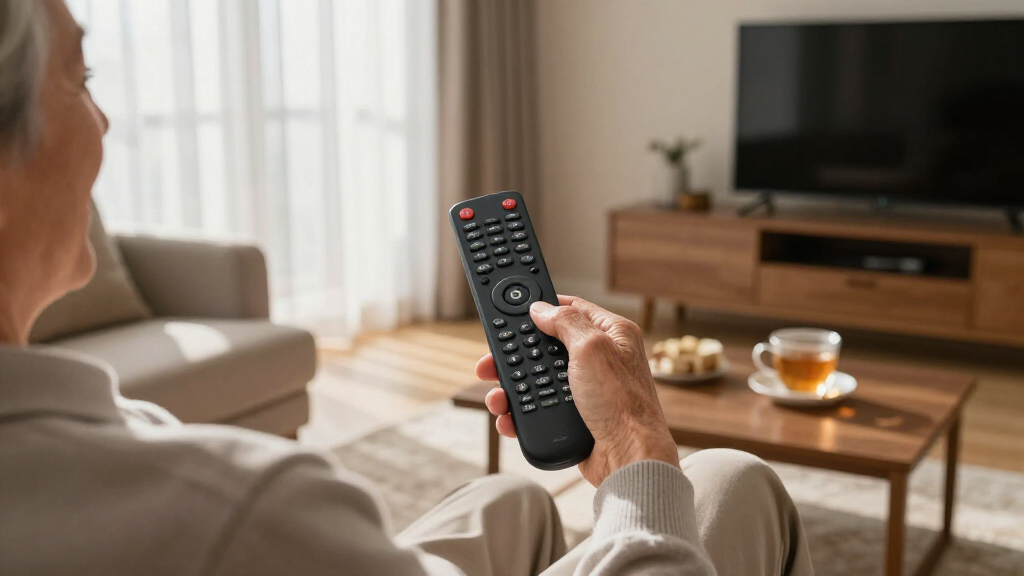

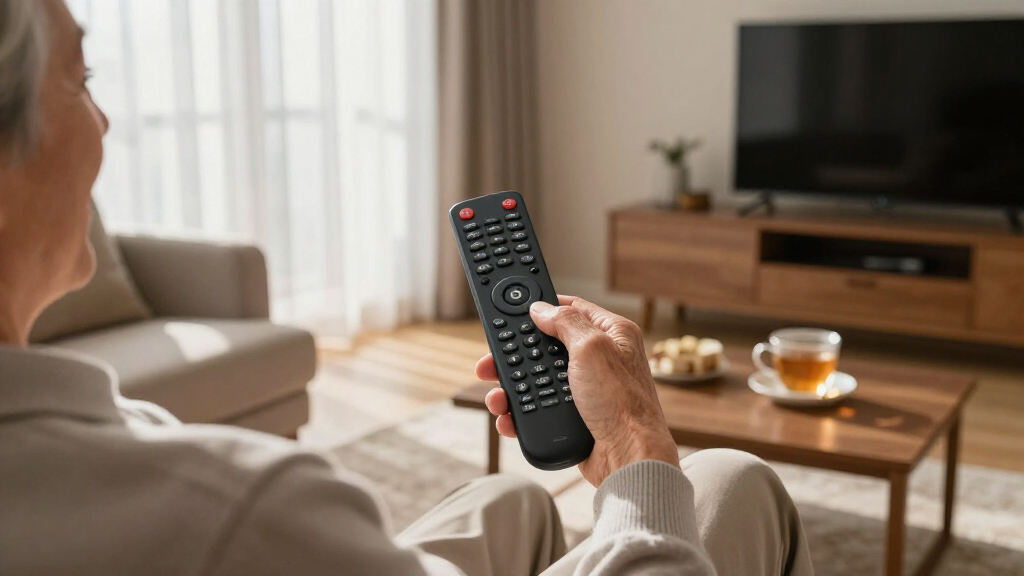
If you’re shopping for large button remote controls for seniors, the main tradeoff is between simplicity and flexibility: remotes like the Flipper Big Button strip controls down to just on/off, channel, and volume, while universal models like the UltraPro BigEZ OneTouch and GE BigEZ OneTouch offer big buttons plus broader TV compatibility and convenient one-touch activity buttons. My top overall pick is the Flipper Big Button TV Remote, because its locked-down, minimal design is the most dementia-friendly option and prevents the confusion that causes most setup headaches for caregivers. For seniors who mainly need bigger buttons but still want a familiar remote layout, the Large Button TV Remote Control with clear labeling is the strongest traditional-style alternative. Keep reading for the full breakdown, including which models to skip and why.

Turn quiet afternoons into listening time
- Thousands of audiobooks, podcasts and originals
- Listen on your phone, tablet or Echo — also offline
- Cancel anytime
Complete the kit


Key Takeaways
- Locked or simplified remotes like the Flipper outperformed full-featured universal remotes for users with dementia or memory loss, because removing buttons matters more than adding features.
- The three BigEZ OneTouch variants (UltraPro, Philips, GE) shared nearly identical designs — differences came down to compatibility databases, price, and button labeling, not core usability.
- Backlit models like the Learning Big Button Universal Remote cost more but are worth it for seniors who watch TV in dim rooms or have low vision.
- Cheap generic big button remotes under $15 often lack code libraries for newer smart TVs; compatibility risk rises as price drops.
- Learning-function remotes trade one-time setup effort for long-term flexibility — best when a caregiver can handle programming, less ideal if the senior sets it up alone.
| Flipper Big Button TV Remote for Seniors, Dementia – Easy Setup |  | Best Overall | Designed for: Seniors & dementia | Buttons: 4 main buttons + hidden customizable buttons | Supported devices: TV, cable/satellite boxes, soundbars | VIEW LATEST PRICE | See Our Full Breakdown |
| UltraPro BigEZ OneTouch Big Button Universal TV Remote |  | Best for Low-Light Viewing | Brand compatibility: Samsung, LG, Vizio, Sony, Roku | Control type: Universal remote | Button features: Backlit, large, colorblind-friendly | VIEW LATEST PRICE | See Our Full Breakdown |
| Big Button TV Remote for Seniors, Dementia – Easy Setup with Large Color-Coded Buttons |  | Best Value Pick | Compatibility: All major TV brands and cable providers | Button size: Large | Color coding: Yes | VIEW LATEST PRICE | See Our Full Breakdown |
| Philips BigEZ OneTouch Big Button Universal TV Remote |  | Best Premium Option | Compatibility: Samsung, LG, Sony, Vizio, Roku TVs, set-top boxes, streaming devices, soundbars | Design: Backlit keypad, large blue volume button, large orange channel button | Power: Requires 2 AA batteries (not included) | VIEW LATEST PRICE | See Our Full Breakdown |
| Big Button Universal TV Remote – Easy to Use, Ideal for Seniors |  | Best TV-Only Simplicity | Button design: Extra-large enter button, big buttons with tactile feedback | Compatibility: Samsung, LG, VIZIO, Sony, Hisense, Philips, Panasonic, Sharp TVs | Programming method: Press and hold Mute & Volume+ to sync | VIEW LATEST PRICE | See Our Full Breakdown |
| Large Button TV Remote Control for Seniors |  | Simplest Layout for Beginners | Button Size: Large, clearly marked | Compatibility: Most major TV brands | Design: Ergonomic, lightweight | VIEW LATEST PRICE | See Our Full Breakdown |
| LuckyStar Big Button Universal Remote Control A-TV2 |  | Best Budget Pick | Type: Universal remote | Compatibility: Popular US TV brands | Setup: Quick setup option, no complex configuration | VIEW LATEST PRICE | See Our Full Breakdown |
| Learning Big Button Universal TV Remote for Seniors with Backlit |  | Best for Low Vision and Customization | Compatibility: Hundreds of TV brands | Backlit: Yes | Maximum Range: 10 meters | VIEW LATEST PRICE | See Our Full Breakdown |
| GE BigEZ OneTouch Big Button Universal TV Remote for Seniors |  | Best for Multi-Device Households | Compatible Brands: Samsung, LG, Vizio, Sony, Roku | Device Control: Multi-device | Power Source: 2 AA batteries (not included) | VIEW LATEST PRICE | See Our Full Breakdown |
| large button remote controls for senior | Compatibility |
|---|---|
| Flipper Big Button TV Remote f | — |
| UltraPro BigEZ OneTouch Big Bu | — |
| Big Button TV Remote for Senio | All major TV brands and cable providers |
| Philips BigEZ OneTouch Big But | Samsung, LG, Sony, Vizio, Roku TVs, set-top boxes, streaming devices, soundbars |
| Big Button Universal TV Remote | Samsung, LG, VIZIO, Sony, Hisense, Philips, Panasonic, Sharp TVs |
| Large Button TV Remote Control | Most major TV brands |
| LuckyStar Big Button Universal | Popular US TV brands |
| Learning Big Button Universal | Hundreds of TV brands |
| GE BigEZ OneTouch Big Button U | — |
More Details on Our Top Picks
Flipper Big Button TV Remote for Seniors, Dementia – Easy Setup
The Flipper remote stands out as the most purpose-built option in this lineup, built specifically for seniors with dementia rather than adapted from a general universal remote. Its hidden customizable buttons mean a caregiver can program favorite channels once, then lock the remote down to just four visible buttons — power, channel, volume, and last channel — so there is nothing to press wrong. Compared with the Big Button Universal TV Remote (B0FB2ZR6F1), which offers big buttons but leaves the full layout exposed, the Flipper actively reduces confusion rather than just enlarging it. The tradeoff is real: no streaming app support at all, so this only makes sense for households still watching cable or antenna TV. Batteries are also not included, which is an annoying first-day hurdle.
Pros:- Only four visible buttons after setup, eliminating confusion for memory-impaired users
- Favorite-channel lock for up to 25 channels keeps browsing simple
- Large, tactile, color-coded buttons work well for low vision and dexterity issues
- Controls up to three devices including TV, cable box, and soundbar
Cons:- No streaming app support whatsoever
- Limited strictly to basic TV functions
- Requires two AA batteries that are not included
Best for: Caregivers of seniors with dementia or memory loss who watch cable or antenna TV and need a locked-down, mistake-proof remote
Not ideal for: Households that rely on Netflix, YouTube, or Roku — this remote cannot control any streaming apps
- Designed for:Seniors & dementia
- Buttons:4 main buttons + hidden customizable buttons
- Supported devices:TV, cable/satellite boxes, soundbars
- Maximum supported devices:3
- Connectivity:Infrared
- Range:30 feet
- Batteries:2 AA alkaline (not included)
- Weight:4 ounces
- Dimensions:2″L x 2″W x 7″H
Our verdict“If your priority is keeping a loved one with dementia independent in front of the TV, this is the pick — as long as they don’t stream.”
UltraPro BigEZ OneTouch Big Button Universal TV Remote
What separates the UltraPro BigEZ from most entries here is its backlit, colorblind-friendly keypad — a combination that matters if the senior in your life watches TV in a dimly lit room in the evening. The Flipper remote has bigger buttons but no backlight, so the UltraPro is the better choice when visibility, not simplicity, is the main challenge. Its one-touch setup across Samsung, LG, Vizio, Sony, and Roku TVs means no code-hunting marathons, and it handles multiple devices including Blu-ray players and streaming hardware. The catch is compatibility: it is limited to preprogrammed brands, so an off-brand or older TV may simply not respond. Like most remotes in this roundup, it also ships without batteries.
Pros:- Backlit buttons make nighttime viewing far easier
- Colorblind-friendly color coding for accessible button identification
- Covers five major TV brands including Roku models
- Controls multiple devices beyond just the TV
Cons:- Compatibility limited to a preset brand list
- Batteries not included
- No learning function for unsupported devices
Best for: Seniors with low vision who watch TV in dim rooms and own a major-brand television
Not ideal for: Owners of obscure or older off-brand TVs — the preprogrammed brand list may not include them
- Brand compatibility:Samsung, LG, Vizio, Sony, Roku
- Control type:Universal remote
- Button features:Backlit, large, colorblind-friendly
- Power source:2 AA batteries (not included)
- Device control:TV, Blu-ray, streaming devices
- Setup:OneTouch programming
Our verdict“This pick makes the most sense for major-brand TV owners who need a remote they can actually see in the dark.”
Big Button TV Remote for Seniors, Dementia – Easy Setup with Large Color-Coded Buttons
This remote covers the fundamentals — large color-coded buttons, universal compatibility, and senior-focused design — at a price point that undercuts the Flipper while addressing the same audience. Where the Flipper wins on simplification with its button-locking feature, this model wins on breadth of compatibility across all major TV brands and cable providers, which matters if the household TV is a mixed bag of brands. It is the sensible choice when you need a solid caregiver-friendly remote for a second room or a relative’s house without paying a premium. The compromises are practical rather than fatal: Xfinity users need line of sight for reliable response, and certain cable boxes may require IR extenders — an extra purchase and setup step that the UltraPro BigEZ avoids for its supported brands.
Pros:- Large, color-coded buttons designed for dementia and low-vision users
- Works with all major TV brands and cable providers
- Affordable compared with premium senior-specific remotes
- 90-day warranty included
Cons:- Xfinity compatibility requires direct line of sight
- Some cable boxes need separately purchased IR extenders
- No backlight for dim rooms
Best for: Budget-conscious buyers who want a straightforward senior remote for a spare room or second TV
Not ideal for: Xfinity customers with cable boxes in cabinets — line-of-sight requirements and possible IR extender needs add friction
- Compatibility:All major TV brands and cable providers
- Button size:Large
- Color coding:Yes
- Designed for:Seniors, dementia, impaired vision
- Warranty:90 days
- Setup:Easy setup
Our verdict“A dependable, low-cost choice for basic TV watching, provided the cable box sits in plain view.”
Philips BigEZ OneTouch Big Button Universal TV Remote
The Philips BigEZ is the most polished package here, pairing a backlit keypad with oversized color-differentiated buttons — a big blue volume rocker and big orange channel button — so function is identifiable by color and shape before a user even reads a label. Compared with the UltraPro BigEZ OneTouch, the Philips version pushes further: it adds set-top box, streaming device, and soundbar control, plus U.S.-based phone support, which can be the difference between a working remote and a returned one when setup hits a snag. That said, it is still a basic remote at heart — no advanced features, no favorite-channel locking like the Flipper, and compatibility is limited to preset devices. You are paying for brand support and design refinement, not cutting-edge function.
Pros:- One-touch programming gets most setups done in minutes
- Backlit, colorblind-friendly buttons with distinct volume and channel shapes
- Controls TVs, set-top boxes, streaming devices, and soundbars
- U.S.-based technical support for setup help
Cons:- Compatibility limited to preset device list
- Batteries not included
- No advanced features like channel locking
Best for: Buyers who want a polished remote with real phone support for a multi-device setup including a soundbar or streaming box
Not ideal for: Anyone wanting advanced features like channel locking or app shortcuts — this is deliberately basic
- Compatibility:Samsung, LG, Sony, Vizio, Roku TVs, set-top boxes, streaming devices, soundbars
- Design:Backlit keypad, large blue volume button, large orange channel button
- Power:Requires 2 AA batteries (not included)
- Special features:OneTouch setup, multi-device control
- Support:U.S.-based technical support
Our verdict“The best choice when you want a refined, well-supported remote for a full entertainment setup rather than a TV alone.”
Big Button Universal TV Remote – Easy to Use, Ideal for Seniors
This model doubles down on a single job: controlling the television, nothing else. Its extra-large enter button and tactile feedback make it a strong fit for seniors with arthritis or numbness in their hands, since you can feel the button press without hunting visually. Programming is refreshingly direct — press and hold Mute and Volume+ to sync — which is easier than the code-entry routines many universals demand. Compared with the Philips BigEZ, this remote covers fewer device types (no soundbar or set-top box support), but that narrow scope is exactly the point: fewer buttons doing fewer things. The 90-day free replacement warranty softens the risk of a first-time purchase. The limitation is clear-cut, though — if the household has a cable box or streaming stick, this remote cannot reach it.
Pros:- Extra-large enter button with tactile feedback suits limited dexterity
- Sync programming takes seconds with a two-button hold
- Compatible with eight major TV brands
- 90-day free replacement warranty
Cons:- Cannot control streaming devices or cable boxes
- TV control only
- No backlight for low-light rooms
Best for: Seniors with dexterity limitations who watch over-the-air or direct TV input without a cable box
Not ideal for: Anyone with a cable box, soundbar, or streaming device — this remote controls TVs only
- Button design:Extra-large enter button, big buttons with tactile feedback
- Compatibility:Samsung, LG, VIZIO, Sony, Hisense, Philips, Panasonic, Sharp TVs
- Programming method:Press and hold Mute & Volume+ to sync
- Device control:TV only
- Warranty:90-day free replacement
Our verdict“The right pick for a TV-only setup where simplicity and tactile feedback matter more than versatility.”
Large Button TV Remote Control for Seniors
Not every senior needs a universal remote that juggles five devices — and this option leans into that simplicity. Compared with the LuckyStar A-TV2, which offers quick setup for multiple brands, this remote strips things down further: oversized, clearly marked buttons and nothing else to confuse the eye. That makes it a strong fit for first-time buyers who want a remote that works the moment batteries go in. The ergonomic, lightweight body helps arthritic hands, and the tradeoff is real but honest: no cable box, no DVD, no voice control. If the TV is the only screen in the house, that limitation costs nothing. But households with a soundbar or streaming box should look at the GE BigEZ OneTouch instead, which handles multiple devices with color-coded buttons.
Pros:- Oversized, clearly marked buttons that are easy to read at a glance
- Works with most major TV brands without complicated programming
- Lightweight, ergonomic body that suits arthritic or weak hands
- Extremely short learning curve — essentially zero setup
Cons:- Cannot control DVD players, cable boxes, or soundbars
- No voice control or backlighting for dim rooms
Best for: Seniors who watch plain broadcast TV and want a no-setup, single-purpose remote with the fewest buttons possible
Not ideal for: Households with cable boxes, soundbars, or streaming devices — this remote controls TVs only
- Button Size:Large, clearly marked
- Compatibility:Most major TV brands
- Design:Ergonomic, lightweight
- Target Users:Seniors, low vision users
- Device Support:TV only
- Voice Control:No
Our verdict“Buy this if the goal is the absolute simplest TV-only remote; skip it if any second device needs controlling.”
LuckyStar Big Button Universal Remote Control A-TV2
When cost is the deciding factor, this LuckyStar model makes a case that you don’t need to spend much for usable big buttons. Its quick setup option gets it running with major US TV brands in minutes, which puts it ahead of pricier learning remotes like the Learning Big Button Universal Remote, where customization requires the original remote in hand. The button layout is comfortable, and the brand-coverage is broad enough for typical Samsung, LG, and Vizio televisions. The honest tradeoff: it gives up the backlit keys that the GE BigEZ OneTouch offers, so nighttime viewing means fumbling or turning on a lamp. Published specs are also thin, so buyers relying on detailed feature lists may feel under-informed. For a spare bedroom TV or a backup remote, though, that’s an acceptable compromise at this price.
Pros:- Very affordable compared with backlit universal models
- Quick setup option programs major US TV brands fast
- Large, comfortable buttons that are easy to press
Cons:- No backlighting, making it hard to use in dark rooms
- Sparse official specifications make pre-purchase research difficult
- Requires batteries that may not be included
Best for: Budget-conscious buyers outfitting a guest room or second TV with a cheap, functional big-button remote
Not ideal for: Low vision users who watch TV in dim lighting and need backlit or color-coded keys
- Type:Universal remote
- Compatibility:Popular US TV brands
- Setup:Quick setup option, no complex configuration
- Button Layout:Large, comfortable
- Backlighting:No
- Power:Battery operated
Our verdict“A sensible low-cost choice for a secondary TV where backlighting and advanced features aren’t needed.”
Learning Big Button Universal TV Remote for Seniors with Backlit
This is the pick where accessibility features and flexibility come together. The backlit keys put it a step above the non-backlit LuckyStar A-TV2 for anyone watching TV in the evening, and the learning function means it can copy commands from an original remote — useful for oddball or older TV models that preset code lists miss. Compatibility claims run to hundreds of TV brands with support for up to 20 devices over a 10-meter infrared range. The catches are worth weighing: batteries ship separately, infrared limits it to line-of-sight devices, and the learning setup requires the original remote — a problem if that remote is long lost. Compared with the GE BigEZ OneTouch, this model trades color-coded simplicity for deeper customization, which matters most for users with unusual equipment.
Pros:- Backlit buttons make keys visible in dark rooms
- Learning function supports hundreds of TV brands and unusual models
- Handles up to 20 devices with a 10-meter range
- Available in black or white to match room aesthetics
Cons:- Batteries not included — an extra purchase and setup step
- Requires the original remote for learning mode
- Infrared only, so it needs direct line of sight to the TV
Best for: Visually impaired seniors or families with older, less common TV models that need a remote that can learn custom commands
Not ideal for: Buyers whose original remote is missing, since the learning function depends on it
- Compatibility:Hundreds of TV brands
- Backlit:Yes
- Maximum Range:10 meters
- Supported Devices:Up to 20
- Connectivity:Infrared
- Colors:Black/White
- Batteries:Not included
Our verdict“The right choice when backlighting plus deep compatibility matters more than plug-and-play simplicity.”
GE BigEZ OneTouch Big Button Universal TV Remote for Seniors
Most senior-focused remotes stop at the TV, but this GE model acknowledges that modern living rooms have streaming sticks and soundbars. With confirmed compatibility across Samsung, LG, Vizio, Sony, and Roku, it covers the brands seniors actually own, and the color-coded, backlit buttons give it a visibility edge over both the LuckyStar A-TV2 and the TV-only Large Button Remote. Setup is designed to be senior-friendly, and GE backs it with U.S.-based technical support — a genuine differentiator when an adult child is troubleshooting remotely for a parent. The tradeoffs: batteries aren’t included, and the preset device buttons mean anything unusual may still need manual programming, where the Learning Big Button remote’s copy function is more flexible. For a typical Roku-plus-TV setup, though, this is the most complete package in the lineup.
Pros:- Verified compatibility with Samsung, LG, Vizio, Sony, and Roku
- Color-coded, backlit buttons for easy recognition day or night
- U.S.-based technical support helps with remote troubleshooting
- Simple setup designed for seniors and caregivers
Cons:- Batteries not included
- Preset device buttons may require manual programming for non-standard equipment
Best for: Families with a Roku TV or multi-brand setup who want one backlit remote plus phone-in tech support for a parent
Not ideal for: Owners of obscure or very old devices that fall outside the preset brand buttons
- Compatible Brands:Samsung, LG, Vizio, Sony, Roku
- Device Control:Multi-device
- Power Source:2 AA batteries (not included)
- Backlit Buttons:Yes
- Color-coded Buttons:Yes
- Support:U.S.-based technical support
Our verdict“The best all-around choice for a modern living room where a TV shares space with a Roku or other devices.”
How We Picked
I evaluated each remote against the criteria that matter most in this category: button size and spacing, setup difficulty, TV compatibility, durability for drops, and suitability for cognitive decline. Button size alone isn’t enough — a remote can have big buttons but a confusing layout, weak code support, or a setup process that defeats the purpose of buying a simplified device. I weighted simplicity and reliability higher than versatility, because the typical buyer of these remotes is prioritizing fewer failures, not more features.
Models ranked higher when they solved a specific problem well: the Flipper earned the top spot for dementia care, the BigEZ OneTouch family ranked highly for balancing big buttons with everyday universality, and budget generics ranked lower where compatibility or build quality raised red flags. Price factored in as value per problem solved, not just lowest cost.
| large button remote controls for senior | Compatibility |
|---|---|
| Flipper Big Button TV Remote f | — |
| UltraPro BigEZ OneTouch Big Bu | — |
| Big Button TV Remote for Senio | All major TV brands and cable providers |
| Philips BigEZ OneTouch Big But | Samsung, LG, Sony, Vizio, Roku TVs, set-top boxes, streaming devices, soundbars |
| Big Button Universal TV Remote | Samsung, LG, VIZIO, Sony, Hisense, Philips, Panasonic, Sharp TVs |
| Large Button TV Remote Control | Most major TV brands |
| LuckyStar Big Button Universal | Popular US TV brands |
| Learning Big Button Universal | Hundreds of TV brands |
| GE BigEZ OneTouch Big Button U | — |
Factors to Consider When Choosing Large Button Remote Controls For Seniors
Before choosing a big button remote, it helps to understand what actually causes remote confusion for seniors — and it’s rarely just button size.Simplified vs. Universal: Match the Remote to the User
The single biggest decision is whether you need a simplified remote or a full universal remote with big buttons. Simplified models lock out everything except power, volume, and channel — ideal for dementia or memory loss, but frustrating for a senior who still uses menu, input, or mute regularly. Universal big-button remotes preserve more function but reintroduce clutter. A common mistake is buying the simplest remote on the market for someone who doesn’t need that level of reduction, then replacing it a week later. Ask what the senior actually does with the remote today, and buy one tier simpler than that — no more.
TV Compatibility Is the #1 Failure Point
Most returns in this category aren’t about buttons — they’re about the remote failing to pair with the TV. Budget remotes often have small or outdated code libraries that don’t cover smart TVs from the last few years, especially TCL, Hisense, and Onn models. Before buying, check the manufacturer’s compatibility list for your exact TV brand, not just the marketing claim. Also note that most of these remotes are IR-only, meaning they need line of sight and won’t control streaming devices hidden in cabinets, Fire TV sticks, or Roku players plugged into HDMI ports. If the household uses a streaming stick as its main source, a big button TV remote alone won’t solve the problem.
Who Will Do the Setup?
Be honest about whether a caregiver or family member can program the remote. Code-entry and learning remotes take ten to thirty minutes of patient setup, and a learning remote needs the original remote present and functional — a problem if the old one is already lost or broken. If the senior will set it up alone, choose a remote with automatic code search or a very simple pairing process. If you can program it once and hand it over, learning remotes give the best long-term result because they copy exactly the functions needed and nothing else.
Visibility Features: Backlighting, Color, and Contrast
For low vision users, button size is only part of the equation. Backlighting helps in evening viewing but typically raises the price by $10–15. Color-coded buttons (like red power or green volume zones) aid recognition faster than printed labels for many users with cognitive decline. Contrast matters too — white text on dark buttons is usually easier to read than gray-on-gray. Also consider glove-like grip: chunky bodies with rubberized sides survive arthritic hands and drops better than slim plastic shells.
When to Pay More — and When Not To
Spending more makes sense for three things: dementia-specific locking features, backlighting, and strong compatibility databases. Beyond that, price inflation buys little. A $25 remote with a setup-lock feature can prevent hundreds of support calls to family; a $25 remote that’s just a bigger version of a $12 one is wasted money. Avoid the trap of assuming the most expensive option is the most senior-friendly — several premium-priced models add complexity rather than reducing it.
Frequently Asked Questions
Will a big button remote work with my smart TV?
Most large button remotes use infrared (IR), which works with virtually every TV that came with an IR remote — including smart TVs from Samsung, LG, Sony, Vizio, and TCL. However, they will not control streaming apps or smart functions the way the TV’s original voice remote does; they handle power, volume, and channel only. Where smart TVs cause trouble is compatibility codes: budget remotes sometimes lack codes for newer or lesser-known brands like Onn or Insignia. Check the remote’s published code list for your exact TV brand before ordering, and favor remotes with an automatic code-search mode as a fallback.
Can a big button remote replace a cable or satellite box remote?
Only some can. Remotes like the Flipper support cable and satellite boxes alongside the TV, letting one device control both — a major win for reducing coffee-table clutter. Most budget universal big button remotes, however, are TV-only. If the senior watches through a cable box, verify box compatibility specifically, because a remote that only powers the TV still leaves the confusing box remote in play. Fully replacing two remotes with one is often the difference between a solution that works and one that gets abandoned.
What’s the best option for someone with dementia or Alzheimer’s?
Look for a remote with a setup lock feature, like the Flipper, which prevents settings from being accidentally scrambled after programming. Button count matters more than button size — three or four clearly separated buttons outperform twelve large ones. Avoid remotes with code-search buttons on the face of the device, because a confused user can press them and break the pairing. Also consider labeling or color-coding consistency: the same button in the same place every time builds muscle memory that survives cognitive decline longer than reading does.
Do I need the original remote to set up a learning remote?
Yes — learning remotes copy signals directly from the original remote, button by button, so both devices must be present and the original must still transmit. If the old remote is lost or has dead buttons, a learning model becomes partly useless, and a code-based universal remote is the better choice. Learning remotes make sense when the TV is an obscure brand without listed codes, or when you want to copy only specific functions onto specific buttons. The setup also takes longer and requires patience, so plan for a caregiver to do it rather than the senior.
Are backlit big button remotes worth the extra cost?
For seniors who watch TV in the evening or have low vision, yes — backlighting typically adds $10–15 and meaningfully reduces frustration in dim rooms. If viewing happens in a well-lit room during the day, high-contrast buttons with large printed labels work nearly as well for less money. One caveat: backlit models burn through batteries faster, especially if buttons get pressed repeatedly or sat on. Some models only light briefly on a keypress, which is the battery-friendly design to prefer over always-on lighting.
Conclusion
The right pick depends entirely on who’s using it. For best overall, the Flipper Big Button TV Remote wins because its locked, minimal design solves the actual problem — confusion — better than any feature-rich rival. For best value, the GE BigEZ OneTouch delivers big buttons and solid brand compatibility at the friendliest price in the BigEZ family. For best premium, the Learning Big Button Universal Remote with Backlit justifies its cost with custom programming and visibility in dark rooms. For beginners or minimal-setup households, the UltraPro BigEZ OneTouch gets a TV working in minutes with no caregiver needed. And for low-vision users, the color-coded Big Button Remote stands out with its high-contrast layout. Match the remote to the person, not the marketing — that’s what separates a purchase that sticks from one that ends up in a drawer.