
TL;DR

Turn quiet afternoons into listening time
- Thousands of audiobooks, podcasts and originals
- Listen on your phone, tablet or Echo — also offline
- Cancel anytime
Home health monitors don’t always need WiFi. They can use Bluetooth, cellular, or store data locally. Your choice depends on whether readings must reach caregivers or clinicians automatically.
Imagine checking your blood pressure and knowing your data could be sitting safely on your device, or instantly sent to your doctor. But do you really need your home health monitor to connect to WiFi? Or is Bluetooth enough? Or maybe cellular is the way to go?
Understanding the different connectivity options helps you pick a device that fits your lifestyle, your tech comfort level, and your health monitoring needs. Whether you want automatic uploads or prefer keeping things offline, knowing what each option offers makes all the difference.
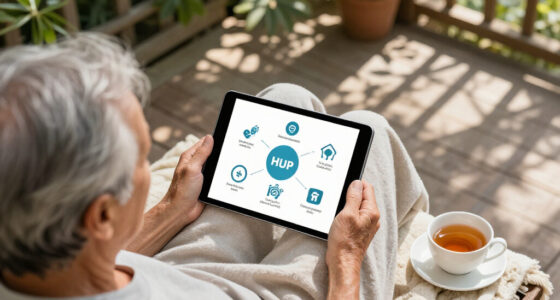
Connectivity options for home health monitors fit different needs — Bluetooth, WiFi, cellular, or offline storage.
Bluetooth is simple, low power, but requires proximity; WiFi offers automatic uploads but depends on your router; cellular provides independence but may involv…
Offline memory-only devices keep your data private and reliable but require manual sharing and review.
Always verify whether your device’s data reaches your healthcare team and check privacy protections before purchasing.
Choose a monitor based on your tech skills, internet access, and how quickly your readings need to reach your caregiver or doctor.
Do Home Health Monitors Need WiFi?
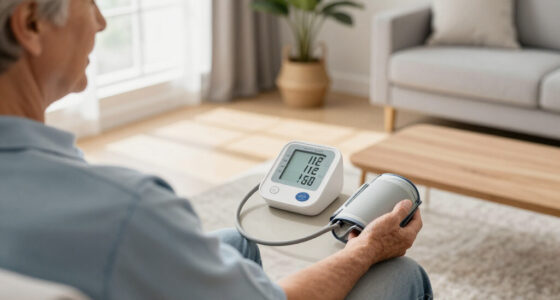
Not always. A monitor can measure blood pressure, glucose, oxygen saturation, weight, temperature or heart rhythm without internet access. Connectivity determines what happens after the reading—not whether the measurement itself works.
No WiFi required.
Choose Bluetooth, WiFi, cellular or local memory according to who needs the data, how quickly they need it and what should happen during an outage.
01 / The key distinction
Measurement and connectivity are separate.
A clinically validated monitor may work completely offline. Its connection only controls how readings move, where they are stored and whether another person can review them remotely.
Measure first. Move data second.
A cuff, meter, scale, thermometer, pulse oximeter or ECG recorder can usually capture a reading without WiFi. Some devices may still need connectivity for initial account setup, reports, software updates or entry into a remote-monitoring program.
03 / Quick comparison
Which option fits your routine?
“Remote sharing” means more than having a wireless symbol. Confirm that the app, hub or service actually sends readings into the system your caregiver or healthcare team uses.
| Option | Home WiFi? | Phone nearby? | Remote sharing | Best fit |
|---|---|---|---|---|
| Bluetooth | ✗ No | ~ Usually | ~ Via app or hub | Daily local transfers |
| WiFi | ✓ Yes | ✗ No | ✓ Automatic | Stable connected homes |
| Cellular | ✗ No | ~ Sometimes | ✓ Usually automatic | No broadband; managed care |
| Memory-only | ✗ No | ✗ No | ✗ Manual only | Privacy and offline use |
If a clinician must receive readings automatically, verify the complete path from monitor to app, cloud and clinical dashboard. If manual review is acceptable, Bluetooth or memory-only may be entirely sufficient.
04 / Trace the reading
A connection is a chain, not a guarantee.
Every handoff creates a possible failure point. Reliable monitoring confirms delivery, preserves unsent readings and resumes uploads when service returns.
Measure
The device captures a health reading.
Store
A local copy protects against interruptions.
Transfer
Bluetooth, WiFi or cellular moves the data.
Deliver
An app or platform receives the reading.
Review
A caregiver or clinician sees and acts on it.
05 / Reliability checklist
Safe monitoring needs a backup plan.
Connectivity does not prove that a reading was received, reviewed or acted upon. For high-risk monitoring, ask exactly what happens when a transfer fails.
Bottom line: Choose for the person and the care workflow—not for the longest feature list. WiFi is useful for automatic home uploads, but Bluetooth, cellular and memory-only monitors can all be the right answer.
Connectivity is separate from measurement — what really matters
When you see a health monitor, it’s easy to assume connectivity is part of its measurement. But that’s not true. A device can take your blood pressure, glucose level, or oxygen saturation without needing WiFi or Bluetooth.
Connectivity decides what happens after you get a reading. Does it store the data locally? Does it send it to an app or cloud? Can a caregiver see your results remotely? These are the key questions. For example, a basic blood pressure cuff can work offline, but if you want your doctor to see it instantly, you need a device with the right connection.
Choosing the correct connectivity option impacts how quickly and securely your health data reaches your healthcare team. For instance, offline devices offer privacy and simplicity but require manual data sharing, which can delay timely interventions. Conversely, real-time connections like WiFi or cellular facilitate immediate review but may introduce privacy considerations or depend on reliable network coverage.
Practical takeaway: Before purchasing, determine if you need your readings automatically sent to your healthcare provider or if offline storage with manual sharing suffices. This decision guides your choice of connectivity features.
Popular right now

TCL T7 Series 85-Inch 4K 144Hz QLED Smart Google TV

Ninja DualZone 6-in-1 Air Fryer, 8-Qt, Grey, DZ801

Ninja CREAMi 7-in-1 Ice Cream Maker, NC299AMZ
As an affiliate, we earn on qualifying purchases.
Bluetooth: The simple way to send readings nearby
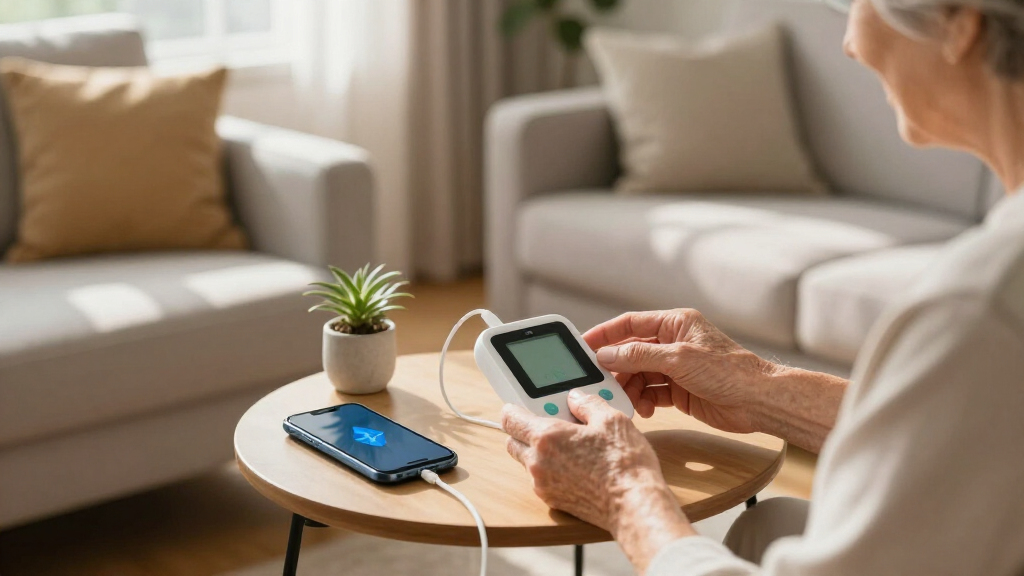
Bluetooth is the most common wireless tech in home health monitors. It’s like a short-range handshake between your device and your phone or tablet.
Imagine stepping on a scale that instantly shows your weight on your phone. That’s Bluetooth at work. It’s low power, easy to use, and doesn’t need WiFi. You just pair the device once, and it’ll transfer data whenever you’re close.
However, Bluetooth has limits. The phone or tablet must be nearby, and sometimes you need to keep the app open or grant permissions. If you want your doctor to see your readings, the app has to sync with a cloud platform or send data automatically.
Practical takeaway: Use Bluetooth for daily, local data transfers when you’re near your device and your phone. For remote monitoring, ensure your app can sync data to the cloud automatically or manually upload when convenient.
Decision tip: If your primary goal is quick, local access to your readings, Bluetooth works well. But if you want your doctor to see your data remotely, consider pairing Bluetooth with a cloud-enabled app or choosing a device with built-in internet connectivity.
Wi‑Fi: Automatic uploads for hands-free health tracking
Wi-Fi is the tech that lets your monitor talk directly to the internet, usually without needing your phone nearby. Think of it as your device sending your blood pressure reading straight to your cloud account.
This capability means your data can be uploaded automatically, with minimal user intervention, which is especially useful for ongoing monitoring or shared devices in a household. Remote caregivers and clinicians benefit because they can access your data in real-time or near real-time, facilitating quicker responses to health changes.
Practical takeaway: Set up your WiFi-enabled device in a stable, reliable internet environment. Test the connection during initial setup to avoid interruptions later. Ensure your device supports your network’s frequency bands and security standards.
Decision tip: Use WiFi if you want seamless, automatic data sharing and have a stable internet connection. Be prepared for potential setup challenges, and consider whether your environment supports consistent WiFi access.
Cellular: Independence from your home internet
Cellular monitors use the same networks your phone does—like 4G or LTE—to send your health data. They don’t rely on your WiFi or internet at home.
This independence means you’re not limited by your home internet quality or availability, making cellular devices ideal for people in rural areas, frequent travelers, or those without reliable broadband. They often come with pre-installed SIM cards, enabling immediate data transmission without complex setup.
Practical takeaway: Consider cellular monitors if you lack reliable home internet or travel frequently. Check coverage in your area before purchasing, and be aware of ongoing costs for data plans.
Decision tip: Use cellular connectivity if you need continuous, reliable monitoring regardless of your home internet situation. Balance the convenience against monthly service costs and coverage considerations.
Memory-only: Simple, private, but manual
Memory-only monitors store data inside the device without wireless transmission. They’re like a digital notepad—great for privacy-conscious users or those who prefer offline management.
For example, a basic blood glucose meter might keep a set number of readings. You manually record results by writing them down or transferring data via cable or manual input, then review or share later. This approach minimizes online privacy risks since data isn’t stored or transmitted over networks, reducing exposure to hacking or data breaches.
Practical takeaway: Use memory-only devices if privacy is your top priority and you’re comfortable manually recording or transferring data. Plan regular data reviews to avoid loss of important information, especially if the device has limited storage capacity.
Decision tip: Choose memory-only if you prefer offline, private data management and don’t require frequent or immediate sharing of readings. Be aware of manual effort involved and ensure consistent data transfer to your health records.
Quick comparison: Which connectivity fits your needs?
| Option | WiFi? | Phone Needed? | Remote Sharing? | Best For |
|---|---|---|---|---|
| Bluetooth | No | Usually | Yes, via app | Nearby device transfer |
| WiFi | Yes | No | Automatic, remote | Home, shared devices |
| Cellular | No | Sometimes | Usually | Independence, rural areas |
| Memory-only | No | No | No | Offline, manual review |
Stay safe: Reliability and security matter
Connectivity doesn’t guarantee your data was received or reviewed. Ask: Does the device confirm successful upload? Can it store unsent readings? What happens during outages? These questions matter, especially for high-risk monitoring.
Reliable data transmission is critical because gaps or failures can lead to missed alerts or delayed responses, which may be dangerous in urgent situations. Devices that confirm successful uploads or store unsent data provide peace of mind and ensure continuity of monitoring. During outages, devices with local storage can retain data until connectivity is restored, preventing data loss.
Privacy is also vital. Devices that send data to cloud servers must have robust security measures. Without proper encryption or access controls, sensitive health data could be vulnerable. Memory-only devices reduce online exposure but still require physical security to prevent unauthorized access. Always verify that your device complies with healthcare privacy standards and that your data is protected at every stage.
Practical takeaway: Look for devices that confirm successful data uploads and have local storage options for outages. Ensure your device uses encryption and security protocols to protect your data.
Picking the right tech for you — how to decide
Think about your lifestyle, tech comfort, and why you need the monitor. If you own a smartphone and want easy transfers, Bluetooth might do the trick. If you have steady internet, WiFi offers automatic uploads. No internet? Cellular keeps you connected without home broadband.
For simple, offline use, memory-only devices are cost-effective and private. Always coordinate with your healthcare provider if high accuracy or prompt review is necessary. The key isn’t just connection type but whether your data reaches the right people.
Practical takeaway: Assess your internet stability, comfort with technology, and monitoring needs. Choose a device that aligns with your environment and ensures your data is accessible to your healthcare team when needed.
What questions do you have? Your most common concerns answered
- Can a health monitor take readings when the internet is down? Yes, most can. But without internet, data stays on the device unless it has offline storage like memory-only options.
- Will it save measurements and upload later? Many devices can, especially those with local storage or offline modes, and will sync once connectivity is restored.
- Does Bluetooth work without WiFi? Absolutely. Bluetooth transfers data locally to your phone or hub, no WiFi needed.
- Does Bluetooth require a smartphone? Usually, yes. The phone acts as the receiver, storing and sometimes uploading data.
- Can the device connect directly to my doctor? Not directly. Data usually goes through an app or platform, but some systems support direct sharing with healthcare providers.
Frequently Asked Questions
Can a health monitor take readings when the internet is down?
Yes, most can. They store data locally or in memory, and uploads happen automatically once connectivity resumes.Will it save measurements and upload them later?
Many devices with offline storage can do this. They sync data once internet or Bluetooth connects again, ensuring nothing gets lost.Does Bluetooth work without WiFi?
Absolutely. Bluetooth transfers data directly to your phone or hub without needing WiFi, making it handy for nearby device transfers.Does Bluetooth require a smartphone?
Usually, yes. The phone acts as the receiver, storing and sometimes forwarding the data to a cloud or healthcare platform.Can the device connect directly to my doctor?
Not usually directly. Data generally goes through an app or platform that shares information with your healthcare provider.Conclusion
Knowing whether your home health monitor needs WiFi or other connectivity isn’t just about tech specs. It’s about ensuring your data flows securely and reliably to those who need it — without overcomplicating your routine.
Pick the right option for your lifestyle, comfort level, and health goals. In the end, the best device is the one you trust to give accurate readings and connect you with your care team when it matters most.