
TL;DR

Turn quiet afternoons into listening time
- Thousands of audiobooks, podcasts and originals
- Listen on your phone, tablet or Echo — also offline
- Cancel anytime
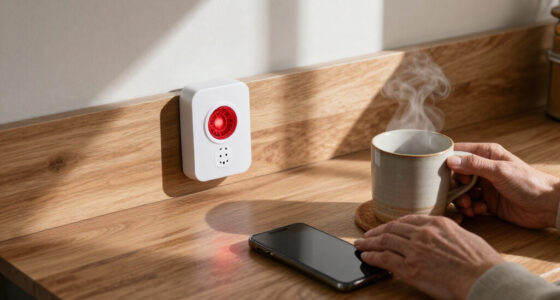
Talking kitchen gadgets, including scales, timers, and labels, announce measurements, countdowns, and item info aloud. They boost independence and safety, especially for people who are blind or have low vision, by offering clear, tactile, and audible cues during cooking.
Imagine cooking in a busy kitchen where every chop, stir, or measure is announced aloud. No more fumbling with tiny buttons or squinting at dim displays. For many, these talking gadgets aren’t just luxury—they’re lifelines to independence.
They serve a vital role for those who are blind or have low vision, but they also bring clarity to anyone juggling ingredients, timers, and labels while multitasking. This guide reveals what makes these devices truly useful, how they work, and tips for choosing the best options for your kitchen.
Choose devices with tactile controls, clear speech, and simple setup to maximize independence.
Always verify that all essential functions—like unit changes, error recovery, and calibration—are accessible without sight.
Use talking labels with suitable waterproof or freezer-safe features to organize food and storage effectively.
Combine smart tech with tactile devices for a versatile, reliable kitchen setup.
Regularly test and maintain gadgets to ensure they remain safe, accurate, and easy to use.
Talking Kitchen Gadgets: Scales, Timers and Labels That Speak
Spoken feedback turns invisible information into immediate action. Talking gadgets announce weights, countdowns, settings and stored item details, helping cooks work independently when a screen is difficult—or impossible—to use.
Three voices in the kitchen
Each category solves a different information problem: measuring an ingredient, tracking time or identifying an item. The strongest setup combines them instead of expecting one device to do everything.
Talking scales
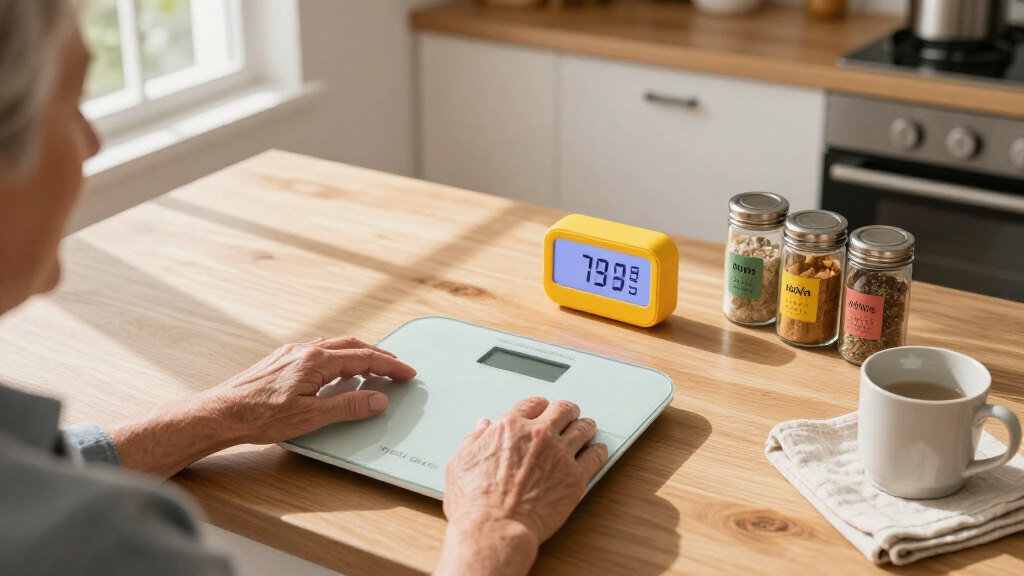
A built-in speaker announces weight as ingredients are added, reducing dependence on a small visual display.
- Spoken grams, ounces, pounds and kilograms
- Accessible tare for bowls and multiple ingredients
- Repeat button for the current measurement
- Spoken overload and low-battery warnings
Talking timers
Spoken setup confirmation, remaining-time updates and unmistakable alarms help keep several dishes on track.
- Direct-entry buttons or a simple tactile dial
- Multiple timers with distinct names or tones
- Easy-to-find start, pause and reset controls
- Adjustable speech and alarm volume
Talking labels
Recorded tags identify spices, leftovers, tools or settings when touched or scanned with a compatible reader.
- Reusable tags, RFID, NFC, QR or barcode options
- Descriptions, dates and storage instructions
- Waterproof and freezer-safe choices
- Dedicated readers or accessible phone apps
Convenience has tradeoffs
Standalone tactile products are often predictable and private. Connected tools can offer richer information, but may introduce camera positioning, speech-recognition, account and connectivity requirements.
| Option | Nonvisual control | Works offline | Noisy-kitchen reliability | Information depth | Primary limitation |
|---|---|---|---|---|---|
| Talking scale | ✓ Strong when every function speaks | ✓ Yes | ~ Volume dependent | Weight, unit and warnings | Some settings may remain visual |
| Tactile talking timer | ✓ Strong | ✓ Yes | ✓ Dependable | Countdown and saved durations | Usually fewer smart features |
| Voice assistant | ~ Hands-free | ✗ Usually no | ~ Variable | Timers, conversions and recipes | Fans, water and conversation can interfere |
| Dedicated audio labels | ✓ Consistent | ✓ Yes | ✓ Direct playback | Custom recorded descriptions | Requires compatible tags and reader |
| Phone-based labels | ~ App dependent | ~ Varies | ~ Camera dependent | Detailed text and online databases | Scanning and app accessibility vary |
What makes speech genuinely useful?
The bars show relative buying priority, not laboratory scores. Controls and feedback come first because every advanced feature becomes less valuable when a cook cannot find, confirm or recover an action.
Accessibility before novelty
Evaluate the complete task, including setup, unit changes, errors, cleaning and battery replacement—not only the headline speaking feature.
Try every essential action
A product passes only when the whole operating loop can be completed confidently without looking at a screen.
Five habits for a safer setup
A dependable accessible kitchen is usually a layered system: simple tactile devices for critical tasks, talking feedback for confirmation and smart tools where their flexibility adds real value.
Choose by touch
Favor large, spaced and distinct controls with clear speech and simple setup.
Test the edges
Verify unit changes, calibration, errors and recovery—not only the main function.
Match the label
Use waterproof, wipeable or freezer-safe tags for the intended environment.
Build redundancy
Combine smart convenience with tactile controls that remain dependable offline.
Maintain routinely
Test alarms, clean sensors, review labels and replace weak batteries regularly.
The best feature is confident confirmation.
Whether a gadget is simple or smart, it should make the next action obvious: the correct weight, the remaining time, the right container or a clearly announced warning.
What Are Talking Kitchen Scales and Why Do They Matter?
Talking kitchen scales are digital scales equipped with a speaker that announces the weight of ingredients in real time. They let you weigh flour, sugar, or meat while hearing the measurement, without squinting at a tiny screen. For example, imagine weighing a pound of chicken, then hearing, “1 pound, 3 ounces”—clear and immediate feedback.
These scales support essential functions like tare (zeroing out containers), unit selection (grams, ounces, pounds), and repeat measurements. But their accessibility varies. Some scales only speak the weight, leaving unit changes or error messages visual. Always check that all key controls can be operated nonvisually.
Accuracy is critical—look for models with reliable sensors, a capacity matching your needs (often up to 11 pounds), and measurement increments as fine as 1 gram. Durable, wipe-clean surfaces make cleaning spills easy, while stable bases prevent slips or spills during use.
Understanding why accuracy matters is essential: precise measurements ensure consistent cooking results and reduce waste. If a scale’s sensors are unreliable or if it’s difficult to calibrate without sight, it could lead to mismeasured ingredients, affecting the quality of your dishes. Tradeoffs often exist between advanced features and simplicity; prioritize what aligns with your cooking style and accessibility needs.
Popular right now

Sony BRAVIA 5 85-Inch Mini LED 4K HDR Smart TV (K-85XR50)

TCL T7 Series 85-Inch 4K 144Hz QLED Smart Google TV

Ninja CREAMi 7-in-1 Ice Cream Maker, NC299AMZ
As an affiliate, we earn on qualifying purchases.
How Do Talking Timers Make Cooking Safer and Simpler?
Talking timers are devices that announce countdowns and alarm loudly when time’s up. They can be standalone units with tactile buttons or part of a smart speaker system. For example, set a timer for 20 minutes baking bread, and as the time nears, the device says, “10 minutes remaining.” When finished, a loud beep and voice alert tell you it’s done.
These timers improve safety by reducing the risk of overcooking or burning food, especially when multitasking or managing multiple dishes. The tactile controls, like large buttons or dials, are vital because they allow users to operate the timer confidently without visual cues. Multiple timers help manage different dishes, preventing confusion and ensuring each item is monitored accurately.
Adjustable volume and clear spoken updates are crucial for environments with background noise. They ensure that alerts are heard and understood, avoiding missed cues. The tradeoff here is that voice-controlled timers may struggle in noisy kitchens or if voice recognition isn’t reliable; tactile timers, while perhaps less feature-rich, tend to be more dependable in such settings. Recognizing these differences helps users choose devices that align with their specific safety and usability priorities.
What Are Talking Labels and How Do They Help You Stay Organized?
Talking labels are small, attachable tags that store a recorded message about food, spices, or kitchen tools. When you scan or touch the label with a compatible device, it plays the recording. For example, a label on a spice jar might say, “Cumin, opened 2 months ago, use by next week.”
Systems range from simple recordable tags with handheld readers to advanced RFID or NFC labels that work with smartphones. QR codes can serve as visual links to audio or text info, accessible through camera apps. Voice-recording buttons or magnetic labels are reusable and adaptable.
These labels significantly improve kitchen organization by providing instant, accessible information about ingredients or tools, especially in cluttered or poorly lit spaces. They help prevent food waste by reminding you of expiration dates or storage instructions. When choosing labels, consider environmental factors—labels should be waterproof, freezer-safe, and durable enough to withstand kitchen conditions. The tradeoff is that more sophisticated systems may require initial setup or app familiarity, but they offer greater flexibility and detail, which can be invaluable for maintaining safety and efficiency in your kitchen.
Latest Tech Trends in Talking Kitchen Gadgets—What’s New?
Advances in voice assistants like Alexa and Google Assistant have expanded what’s possible in the kitchen. You can ask for timers, conversions, or recipes hands-free. For instance, saying, “Alexa, set a timer for 15 minutes” and hearing it announce remaining time makes multitasking smoother.
Smart appliances now often include spoken controls or companion apps that read settings aloud. AI-driven recognition apps can identify packaging, read labels, or even suggest recipes based on what’s in your fridge—but they’re not foolproof and require careful verification.
Multimodal alerts—combining speech, vibrations, flashing lights, or tones—support users with different sensory needs. For example, a device might vibrate or flash lights alongside a spoken alert to ensure the message is received. More devices now support multiple languages and adjustable speech rates, making them adaptable to diverse households. These innovations increase accessibility by catering to a broader range of sensory preferences, but they also require familiarity with new technology, which can be a tradeoff for some users.
Choosing the Right Talking Gadgets: What to Look For?
Picking the best talking kitchen gadgets means considering your specific needs. Focus on features like tactile controls, clear speech, and ease of setup. For example, a scale with large, textured buttons and a loud, slow voice makes weighing ingredients much simpler.
Check whether the device supports your preferred language and measurement units. Reliability matters—look for models with stable calibration, sturdy construction, and simple battery replacement or recharging.
Compatibility with your existing devices can be a plus—smart speakers, apps, or barcode systems that sync with your phone extend functionality. But don’t rely solely on voice control; tactile buttons often outperform speech recognition in noisy environments. When choosing, consider the durability of the device—spills happen, and easy-to-clean, water-resistant surfaces prevent damage and ensure longevity. Balancing advanced features with simplicity and robustness ensures your gadgets remain dependable tools in your kitchen.
How to Make the Most of Your Talking Kitchen Gadgets
Start by reading the manual carefully—many devices have accessibility settings like adjustable speech rate or volume. Practice with the controls—try weighing ingredients, setting timers, or recording labels until it feels natural.
Place gadgets where they’re easy to reach and see in your workspace. For example, position a scale near your prep station and keep timers within arm’s reach or on your smart speaker.
Use tactile cues—large buttons, textured surfaces, or contrasting colors—to identify controls quickly. Develop routines for recording labels—like noting expiration dates right after opening a container.
Finally, regularly check batteries or recharging status. Keep a backup timer or scale handy in case of technical issues. Over time, these devices become seamless parts of your kitchen routine, making cooking safer and more efficient, especially when their accessibility features are fully utilized.
Frequently Asked Questions
Can I use talking gadgets if I have both vision and hearing impairments?
Yes. Many devices combine spoken feedback with tactile controls, vibration alerts, and visual cues. Look for products with multimodal features, and consider accessories like vibrating wristbands or high-contrast labels for added support.
Are talking scales or timers accurate enough for professional cooking or baking?
For most home cooking, yes. Look for scales with 1-gram increments and reliable sensors. Precise baking or scientific tasks may require specialized, laboratory-grade equipment, but general kitchen use is well-supported by consumer models.
What should I do if a device stops speaking or the audio becomes unclear?
First, check the volume and mute settings. Replace or recharge batteries if needed. If problems persist, consult the user manual or contact customer support. Regular cleaning of controls and speakers also helps maintain sound clarity.
Can I record custom labels in multiple languages?
Many systems support multiple languages and allow you to record labels in your preferred language. Verify the device’s language options before purchase, especially if bilingual labeling is needed.
Conclusion
Talking kitchen gadgets turn silent, complicated tasks into clear, manageable steps. They empower anyone—especially those who can’t rely on sight or hearing—to cook with confidence and safety.
Remember, the best devices aren’t just about speech—they’re about accessibility, durability, and ease of use. Equip your kitchen thoughtfully, and cooking becomes genuinely inclusive and enjoyable.