
TL;DR

Turn quiet afternoons into listening time
- Thousands of audiobooks, podcasts and originals
- Listen on your phone, tablet or Echo — also offline
- Cancel anytime
Talking watches and clocks help people with low vision by announcing the time aloud. The best choice depends on your level of vision loss, mobility, and hearing, with options ranging from simple devices to smart tech with customization.
Imagine waking up in the morning, reaching for your clock, and hearing the time without fumbling for small buttons or squinting at tiny numbers. For many with low vision, this simple act can be a daily challenge. But thankfully, technology has advanced to make time-telling accessible for everyone.
This guide walks you through the options—everything from basic talking clocks to smart devices—highlighting what works at each stage of vision loss. You’ll learn how to pick the right device, avoid common pitfalls, and stay independent.
Match device features to your level of vision loss—simple speech for severe low vision, combined visual and auditory cues for milder issues.
Prioritize adjustable volume, automatic time setting, and easy controls to maximize independence.
Test devices in your usual environment, including noise and lighting, before buying.
Consider durability, battery life, and return policies—these protect your investment and ensure ongoing support.
For complex needs, specialized tactile watches or smart devices with customizable options can greatly enhance daily life.
Talking Watches and Clocks: Options for Low Vision at Every Level
Time should be available without squinting, searching, or navigating a complicated menu. The right device matches spoken, visual, and tactile feedback to the user’s vision, hearing, dexterity, environment, and comfort with technology.
Start with functional vision, not the product category
The most useful clock is the one a person can read, hear, set, and silence independently. Add tactile or vibration feedback when speech alone is not enough.
Mild low vision
A clear visual display may remain the fastest option, with speech available for glare, darkness, or fatigue.
Moderate low vision
Combine a large display with one-button speech so the user can switch between visual and audible access.
Severe low vision
Speech becomes the primary channel. Strong volume, simple controls, and spoken setup reduce dependence.
No usable vision
Every essential function should work without seeing a screen. Tactile watches provide a silent alternative.
Do not rely on speech alone. Prioritize vibration alarms, strong tactile controls, tactile watches, connected bed shakers, or smart devices combining audio, haptic, and magnified visual feedback.
Accessibility lives in the details
Clear speech attracts attention, but controls, setup, power, and error recovery determine whether a device remains useful every day.
Clear, adjustable speech
Natural pronunciation and sufficient volume for the user’s normal room.
Large, distinct controls
A dedicated announcement button is easier than layered menus.
Accessible setup
Confirm whether time, alarm, and calendar settings are spoken.
Automatic time setting
Radio synchronization can reduce button work where signals are available.
Reliable power and durability
Choose accessible charging or batteries, a secure strap, and protected controls.
Choose the right level of technology
Basic devices usually offer simplicity and longer battery life. Smart devices add customization, remote support, voice control, and haptic feedback—but also charging and setup demands.
| Decision point | Basic talking clock | Smart clock or watch | What to verify |
|---|---|---|---|
| Ease of use | ✓ Simple buttons and direct operation | ~ Voice commands, screens, and apps | Can the user repeat common tasks independently? |
| Customization | ~ Usually limited | ✓ Voices, text, contrast, haptics, reminders | Are accessibility settings easy to recover? |
| Battery life | ✓ Often weeks or months | ✗ Regular charging is common | Is charging accessible and easy to remember? |
| Automatic updates | ~ Available on some radio-controlled models | ✓ Common when connected | Will time stay correct after travel or outages? |
| Complexity | ✓ Low maintenance | ✗ May require accounts, pairing, or updates | Who can help if connectivity fails? |
| Typical cost | ✓ Lower | ~ Higher | Does the return policy allow a home trial? |
Talking wristwatches
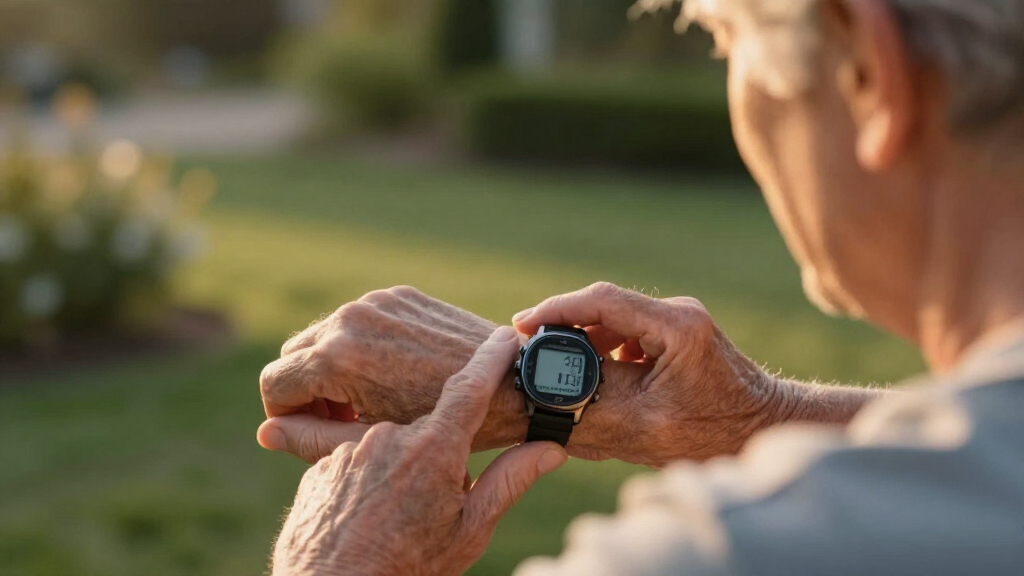
Announce time on demand and may also speak the date or alarm status.
Talking alarm clocks
Often provide louder speech, larger controls, big displays, and repeated alarms.
Tactile watches
Raised markers or touchable hands provide private time access without sound.
Radio-controlled clocks
Synchronize automatically when a compatible regional signal reaches the device.
Smartwatches
Combine spoken screens, magnification, vibration, timers, and adjustable contrast.
Speakers and phones
Answer time requests and manage alarms, but depend on power, setup, and connectivity.
Build a dependable routine
Testing and placement turn a promising device into a reliable aid. Recheck it when hearing, vision, room noise, or daily routines change.
Place
Choose a consistent location that is easy to reach without searching.
Listen
Test speech and alarms with normal room noise, doors, and appliances.
Operate
Practice time, alarm, volume, and silence controls without relying on sight.
Adjust
Set volume, speech speed, contrast, backlight, and vibration for comfort.
Recheck
Monitor battery, charging, accuracy, accidental activation, and alarm reliability.
Test across conditions
- Bright daylight, glare, dim rooms, and complete darkness
- Quiet bedrooms, television noise, kitchens, and shared spaces
- Bedside, wrist, travel bag, desk, and frequently used seating
- With hearing aids, glasses, gloves, or limited hand movement
Prevent common failures
- Keep replacement batteries or an accessible charging cable available
- Confirm the alarm after changing settings or crossing time zones
- Avoid controls that activate accidentally during sleep or travel
- Keep accessible instructions and support contact details nearby
Turn specifications into a home-use test
A feature list cannot reveal whether a voice is understandable, a button is easy to locate, or setup is truly accessible. A flexible return policy protects the decision.
Confirm the installed language, voice options, and pronunciation.
Test speech and alarm volume in the intended environment.
Verify that essential settings are spoken, tactile, or clearly visible.
Check what happens after charging, battery replacement, or an outage.
Try hearing aids, Bluetooth, vibration, or bed-shaker options.
Assess buttons, strap, charging connector, weight, and accidental presses.
Balance replacement frequency against the accessibility of charging.
Allow enough time to test mornings, alarms, travel, and noisy rooms.
Will a talking clock work for someone who is completely blind?
Yes—if every essential function, including setting and confirming alarms, provides spoken or tactile feedback. Some devices only announce the time but still require sight for setup.
How is a tactile watch different from a talking watch?
A talking watch announces time aloud. A tactile watch lets the wearer feel raised markers or the position of the hands, offering privacy but requiring touch sensitivity and practice.
Can a device announce more than the time?
Many models can also announce the date, day of the week, alarm status, temperature, or battery condition. Availability varies, so check the exact specifications.
Is adjustable volume standard?
It is common, but not universal. Confirm the volume range and whether speech and alarm loudness can be adjusted separately.
Clear feedback + simple control + reliable setup
Match the device to the person’s vision, hearing, dexterity, environment, and technology comfort. Test it where it will actually be used, then choose the least complicated option that provides dependable independence.
How to Pick a Talking Clock That Fits Your Level of Vision Loss
The first step is knowing your vision level. Mild low vision? A digital clock with high contrast and large numbers may do. Severe low vision? You’ll want a device that speaks the time automatically, with loud, clear speech.
For those with little or no vision, tactile watches or fully speech-enabled models are best. And if you combine hearing loss, consider vibrations or tactile feedback along with speech.
Here’s a quick guide:
| Vision Level | Recommended Features |
|---|---|
| Mild low vision | Large digits, high contrast, optional speech |
| Moderate low vision | Large display + one-button speech announcement |
| Severe low vision | Automatic speech, loud volume, simple controls |
| No vision | Tactile, fully speech-enabled, tactile markers |
Popular right now

Samsung 85-Inch QN70H Neo QLED 4K Smart TV (2026)

Ninja Foodi 10-Qt DualZone Smart XL Air Fryer, 6-in-1, DZ550

TCL QM64L 85-Inch QD-Mini LED 4K Smart Fire TV
As an affiliate, we earn on qualifying purchases.
Top Features That Make Talking Clocks Easy to Use
When choosing a talking clock, focus on features that make operation straightforward. The most important are loud, natural speech and large, tactile buttons. Adjustable volume is a game-changer, especially if you’re in noisy environments or have hearing loss.
Look for devices with automatic time setting—like radio-controlled clocks—so you don’t have to fiddle with tiny buttons. Also, consider if the device announces more than just the time: date, alarm status, or temperature can add helpful context.
For example, a bedside clock that speaks the time every hour and has a big, illuminated display can serve as both a visual cue and an audible reminder.
Choosing features like automatic time setting reduces the cognitive load on users, especially those with cognitive impairments or difficulty with complex controls. The tradeoff, however, is that such devices may be slightly more expensive or less flexible in manual adjustments, so consider your comfort with technology when selecting.
Comparing Basic and Smart Talking Clocks: What’s Right for You?
Here’s a quick comparison to help you decide. Basic talking clocks are simple, reliable, and usually have long battery life. Smart clocks offer customization, voice control, and integration with other devices, but can be more complex and costly.
| Feature | Basic Talking Clocks | Smart Clocks |
|---|---|---|
| Ease of use | Simple buttons, straightforward setup | Touchscreens, voice commands, apps |
| Customization | Limited | Multiple voices, adjustable contrast, fonts |
| Battery life | Longer, often weeks or months | Shorter, needs regular charging |
| Price | Lower | Higher |
Deciding between these options depends on your daily needs and comfort with technology. Basic clocks are often sufficient for straightforward time-telling and require less maintenance, making them ideal for users who prioritize simplicity. On the other hand, smart clocks can offer advanced features like remote adjustments, integration with smart home systems, or personalized voice prompts, which can greatly enhance independence but may require a learning curve. Understanding these tradeoffs helps you choose a device that balances functionality with ease of use, ensuring it complements your lifestyle rather than complicate it.
How to Use Talking Devices Safely and Effectively
- Test the device in your usual environment. Make sure the volume is loud enough and speech is clear.
- Practice setting the time and alarms, preferably with assistance if needed.
- Adjust the volume and speech speed to your comfort.
- Keep the device in a consistent, accessible spot—near your bed or on your nightstand.
- Regularly check batteries or power sources to keep it working reliably.
For example, a user with moderate low vision might find that setting a loud alarm before sleep and placing the clock where it’s easy to reach makes mornings smoother. Proper placement and routine testing prevent frustration and ensure the device remains useful in daily life. Remember, consistent use and periodic adjustments help you maximize the benefits and reduce potential confusion or missed alarms, especially if your environment changes or if you experience hearing or cognitive changes over time.
Testing in different lighting, noise, and locations ensures the device truly fits your daily routine and minimizes the risk of miscommunication or device misuse.
What to Know Before Buying a Talking Clock or Watch
Before purchasing, double-check that the device speaks your preferred language and offers adjustable volume. Confirm it has accessible setup instructions, preferably spoken or in large print.
Consider your environment: Will it be used in noisy rooms? Do you need a device that resets automatically after power outages? And think about compatibility: Does it work with your hearing aids, or can it connect via Bluetooth?
Most importantly, test the device if possible. Return policies are vital—what seems perfect in a store might not fit your routine at home.
For example, a user with severe low vision might choose a clock with tactile markers and automatic setup, reducing the risk of confusion or misconfiguration.
Making an informed purchase involves understanding these features, weighing their importance based on your specific needs, and considering future adjustments or upgrades. A well-chosen device can significantly enhance independence and reduce frustration, but only if it aligns with your daily environment and capabilities.
Frequently Asked Questions
Will a talking clock work for someone who is completely blind?
Yes, if the device offers fully spoken or tactile feedback for all functions, including setting the time and alarms. Some models are designed specifically for total blindness, providing comprehensive voice prompts and easy-to-feel controls.
What is the difference between a talking watch and a tactile watch?
A talking watch announces the time aloud. A tactile watch allows the wearer to feel the position of the hands or raised markers, providing time information without sound. Tactile watches are quieter and offer privacy but require touch sensitivity and practice.
Do talking clocks announce the date as well as the time?
Many do, especially models designed for low vision, which can announce the date, day of week, or alarm status. Check the specifications to ensure the device covers your specific needs.
Can the voice volume be adjusted?
Most devices offer adjustable volume, but some have fixed settings. Testing the clarity and loudness before purchase helps ensure it will be effective for your hearing environment.
Are talking clocks easy to set independently?
It depends. Some models feature spoken setup instructions or automatic synchronization, making setup straightforward. Others may require sighted help or assistance from a caregiver, especially if controls are small or menus complex.
Conclusion
The right talking clock or watch can be a small but mighty step toward independence. It’s about finding a device that fits your vision, hearing, and daily routine—turning a simple act into an effortless one.
Think of it as a tiny device that speaks your schedule, keeps you on track, and quietly supports your independence every day. After all, everyone deserves to know the time—without struggle or frustration.