
TL;DR

Turn quiet afternoons into listening time
- Thousands of audiobooks, podcasts and originals
- Listen on your phone, tablet or Echo — also offline
- Cancel anytime
GPS trackers can help keep tabs on aging parents who still drive, but the key is mutual trust and respectful sharing. Clear communication, proper technology, and privacy safeguards make the process safe and supportive rather than intrusive.
Imagine your parent, a seasoned driver, still navigating familiar streets but occasionally missing turns or taking longer routes. It’s natural to worry, but jumping straight to tracking might feel invasive or even disrespectful.
The goal isn’t to spy—it’s to support safety while honoring their independence. In this guide, you’ll learn how to introduce GPS tracking thoughtfully, choosing the right tech, setting boundaries, and respecting your parent’s dignity every step of the way.
Start with open, honest conversations emphasizing safety and dignity, not surveillance.
Choose technology that fits your parent’s habits—smartphone sharing for reliability, dedicated trackers for consistency.
Test your system in familiar areas to understand what ‘unavailable’ truly means before relying on it.
Set meaningful alerts that support safety without overwhelming or intruding on privacy.
Pair tracking with a clear emergency plan and privacy safeguards to build trust and confidence.
GPS Trackers for a Parent Who Still Drives: Respectful Location Sharing
The goal isn’t to spy — it’s to support safety while honoring your parent’s independence. Consent, the right technology, and smart boundaries turn tracking from intrusive surveillance into a shared reassurance tool.
How to Talk About Tracking Without Making Your Parent Feel Controlled
The first step is honesty. Explain that GPS is about safety, not surveillance — and that they stay in control of what’s shared, who sees it, and when the arrangement ends. This is an open dialogue that evolves with their comfort, not a one-time talk.
Shared Wins First
Lead with what they gain: faster help after a breakdown, peace of mind on long drives, quick coordination if they’re delayed. “This device can help us find you if your phone dies — and you’re in control of how it’s used.”
Six Questions to Settle
What’s visible? Who can see it? When will anyone check? Which situations justify a call? Is history stored? How can the arrangement be reviewed or ended? Answering these together builds durable trust.
Never Track in Secret
Covert tracking may violate privacy or tracking laws, damage trust, and spark family conflict. Legal rules vary by jurisdiction, vehicle ownership, and the tracked person’s capacity. Don’t monitor routine stops or question ordinary deviations.
Match the Technology to Real Needs
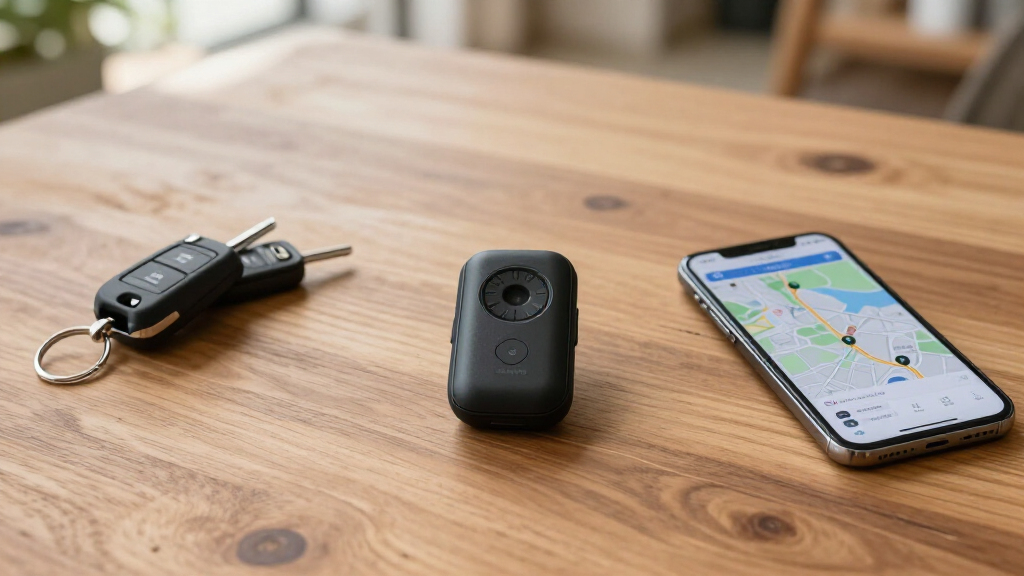
Not all trackers are equal. The right choice depends on your parent’s habits, health, and comfort with tech — balancing reliability against respect for independence.
| Tracker Type | Pros | Cons | Best For |
|---|---|---|---|
| Phone sharing Find My · Google Maps |
✓ Inexpensive, familiar, easy on/off | ✗ Needs phone carried, charged & connected | Tech-comfortable parents who always carry a phone |
| Dedicated GPS tracker | ✓ Reliable, geofences, SOS button | ✗ Subscription + regular charging | Consistent trip monitoring and alerts |
| OBD-II device | ✓ Plug-and-play, driving data | ~ Can be unplugged; less discreet | Vehicle-health insights alongside location |
| Hardwired tracker | ✓ Most reliable and discreet | ~ Professional installation required | Long-term setups with clear consent |
| Manufacturer service | ✓ Built-in crash response & roadside help | ~ Features & subscriptions vary | Newer vehicles with connected services |
| Bluetooth finder (AirTag) | ✓ Cheap, no subscription | ✗ Delayed updates, anti-stalking limits | Locating objects — not continuous monitoring |
Why Reliability Depends on Multiple Factors
No consumer tracker is perfect. Cellular coverage, device placement, and battery life all shape performance. Test the system on familiar routes so “location unavailable” has a known meaning before you rely on it.
Illustrative reliability by environment · technology should augment your judgment, not replace it
Alerts That Keep Everyone Calm — Not Exhausted
Not every notification is equally valuable. Frequent speed warnings and narrow geofences cause alert fatigue, where you start ignoring everything. Agree in advance on what triggers a call — and what doesn’t.
- Failure to arrive after an agreed period
- Leaving or entering a broad geographic area
- Possible crash detection
- SOS-button activation
- An unexpectedly long stop during a journey
- Tracker disconnection or low battery
- Constant speed warnings on every trip
- Narrow geofences around routine stops
- Continuous trip review and route replay
- Questioning ordinary deviations from routine
- Alerts your parent hasn’t agreed to
Location ≠ Safe Driving — Know the Signs
A GPS pin shows where your parent is, not how they drive. It cannot assess vision, reaction time, medication effects, confusion, or judgment. These warning signs call for a broader conversation — and possibly a medical check-up or professional driving assessment.
New dents or unexplained vehicle damage
Getting lost on familiar routes
Repeated near misses
Confusing pedals or traffic signals
Tickets or crashes
Slow turns, blind spots, delayed reactions
Driving far below or above appropriate speed
Concern from passengers, clinicians, or neighbors
Pair Technology with a Clear Emergency Plan
Data is only part of the equation. A respectful system runs on consent, safeguards, and a plan everyone knows before anything goes wrong.
🤝 Open Conversation
Safety, not surveillance. Agree on what’s shared and who sees it.
📱 Right Technology
Match the device to habits and comfort — phone, tracker, or built-in.
🧪 Test Familiar Routes
Learn what “unavailable” means before you depend on it.
🔔 Meaningful Alerts
Few, agreed, and tied to real emergencies — not routine stops.
🚨 Emergency Plan
Clear steps for a crash, breakdown, or missed arrival — rehearsed together.
How to Talk About GPS Tracking Without Making Your Parent Feel Controlled
The first step is honesty. Start by explaining that GPS trackers are about safety, not surveillance. Share specific scenarios—like long trips or busy roads—that concern you.
Frame the conversation around mutual benefits: faster help after a breakdown, peace of mind during long drives, or quick coordination if they’re delayed. Emphasize that they get to choose what’s shared and who sees it.
For example, you might say, “This device can help us find you if your phone dies or you get lost, and you’re in control of when and how it’s used.”
Focus on consent, dignity, and ongoing communication. Remember: this isn’t a one-time talk but an open dialogue that evolves with their comfort level.
Popular right now

KitchenAid 5.5-Qt Bowl-Lift Stand Mixer, Porcelain White (KSM55SXXX)

Hisense 65-inch U6 Pro Mini-LED 4K UHD Smart Fire TV

Ninja Foodi Dual Zone Smart XL Air Fryer, 10 Qt, 6-in-1, Black (DZ550)
As an affiliate, we earn on qualifying purchases.
Matching the Right Technology to Your Parent’s Needs and Comfort Level
Not all GPS trackers are created equal, and choosing the right one depends on your parent’s habits, health, and comfort with tech.
For instance, if your parent carries a smartphone regularly, sharing location via Apple Find My or Google Maps might work well. It’s free, familiar, and simple—assuming their device is charged and connected.
On the other hand, dedicated GPS trackers that plug into the car or attach to it offer more reliability. They can send alerts if the vehicle enters or leaves certain areas, or if the tracker detects an accident.
Here’s a quick comparison:
| Type of Tracker | Pros | Cons |
|---|---|---|
| Phone location sharing | Inexpensive, familiar, easy to turn on/off | Dependent on the phone being carried, charged, and connected |
| Dedicated vehicle tracker | Reliable, often includes geofences, alerts | Requires setup, subscription, and regular charging |
| OBD-II device | Plug-and-play, provides driving data | Can be unplugged or disabled, less discreet |
Choosing the right device involves understanding your parent’s daily routines, their comfort with technology, and how much oversight they’re willing to accept. For example, a familiar smartphone app might be less intrusive but less reliable if they forget to carry their phone. Conversely, a dedicated tracker in the car might provide more consistent data but could feel more invasive or complicated. The goal is to balance reliability with respect for their independence, ensuring the technology supports rather than undermines their dignity.
Why Reliability Depends on Multiple Factors — Here’s What to Watch For
No tracker is perfect. Cellular coverage, device placement, and battery life all influence how well a GPS system works, and understanding these factors is crucial for effective monitoring.
For example, if your parent parks underground or in remote areas, the GPS signal might weaken or cut out entirely, leading to false negatives or outdated location data. Similarly, a tracker with a poor battery might die during a long trip, leaving you with no real-time information when you need it most. Recognizing these limitations helps you set realistic expectations and avoid unnecessary worry or overreliance on technology.
Testing the system in familiar routes and environments allows you to understand its reliability and identify potential blind spots. This proactive approach can prevent surprises and ensures you’re not making critical decisions based on incomplete or inaccurate data. Regularly checking and maintaining the device, such as charging it and updating permissions, ensures consistent performance. Ultimately, technology should augment your judgment, not replace it—so staying aware of its limitations is key to responsible monitoring.
Smart Alerts That Keep Everyone Calm and Focused
Not every notification is equally valuable. Well-designed alerts can provide essential safety information without overwhelming or intruding on your parent’s privacy. It’s important to understand why specific alerts matter, how they can help prevent emergencies, and the potential for false alarms that might cause unnecessary stress.
For instance, an alert that notifies you if your parent doesn’t arrive home within a certain timeframe can prompt timely check-ins, reducing anxiety. Geofence alerts indicating when they leave a designated area can help you respond quickly if they’re unexpectedly off-route. Crash detection alerts or sudden stops can be vital in emergencies, providing immediate notification for rapid response. However, overusing alerts like speed warnings or frequent zone entries can lead to alert fatigue, where you start ignoring or distrusting notifications. It’s crucial to strike a balance—selecting only the most meaningful alerts that truly enhance safety without creating constant interruptions. Discuss these options with your parent to ensure they’re comfortable with the types and frequency of notifications, fostering trust and cooperation.
By focusing on alerts that support safety and meaningful communication, you can help create a system that is both effective and respectful of your parent’s autonomy.
Location Doesn’t Equal Safety — When to Talk About Driving Skills
A GPS location pin can tell you where your parent is, but it cannot determine their ability to drive safely. Relying solely on location data might give a false sense of security, as it doesn’t account for their reaction times, vision, or decision-making skills. Even if they appear to be on track, underlying health issues or cognitive decline can impair their driving performance, increasing the risk of accidents.
Signs like unexplained dents, frequent wrong turns, or near-misses on familiar routes are more telling indicators of potential issues than location alone. These signs can be critical clues that your parent’s driving ability is declining, and ignoring them risks complacency. Recognizing these signs prompts a broader conversation about their overall driving safety, including medical assessments or driving evaluations. Encouraging your parent to undergo a comprehensive check-up or a driving assessment with a qualified specialist can help identify and address potential problems before they lead to dangerous situations. Remember, the goal is to support their independence while ensuring safety—location data is just one piece of the puzzle, and it’s essential to consider their overall health, vision, and reaction times in your evaluations. This comprehensive approach helps prevent overreliance on technology and promotes proactive safety measures.
Pair Technology with a Clear Emergency Plan—Because Data Is Only Part of the Equation
Having a GPS tracker is a valuable tool, but it’s only effective when paired with a well-thought-out emergency response plan. Knowing exactly what steps to take when your parent is delayed or if the device indicates an issue can make all the difference in an emergency. This plan should include who contacts whom first, when to call roadside assistance, and when to involve emergency services. It’s also wise to keep an up-to-date list of medical information, emergency contacts, and vehicle details accessible to everyone involved.
Importantly, don’t rely solely on the tracker’s signals to judge urgency. If immediate danger is suspected—such as a crash or a medical emergency—call emergency services directly rather than waiting for the tracker to confirm. The technology supports your response but shouldn’t replace your judgment or the need for proactive measures. Having a clear, rehearsed plan reduces chaos and ensures everyone knows their role, which is especially critical in high-stress situations. This preparation fosters confidence, minimizes panic, and ensures prompt action to protect your loved one’s safety. Remember, technology is a tool, but your judgment and preparedness are the true safeguards in emergencies.
How to Keep Location Data Private and Secure
Location data reveals sensitive information about habits, routines, and personal whereabouts. Protecting this data is essential to respecting your parent’s privacy and maintaining their dignity. Choose trackers with robust privacy controls, such as data encryption and access management features, to prevent unauthorized viewing. Understand who can see the location history—are there multiple users or only trusted individuals? Make sure you can delete or restrict access to this data when necessary, and be aware of whether the provider shares data with third parties or uses it for advertising purposes. Using strong, unique passwords for sharing accounts and regularly reviewing access permissions helps prevent breaches or misuse.
Privacy isn’t just a feature—it’s a fundamental right. Respecting your parent’s confidentiality by safeguarding their information builds trust and ensures they feel secure in the monitoring process. Being transparent about how data is stored, used, and protected fosters mutual respect and helps avoid feelings of invasion or betrayal.
A Simple Agreement: Setting Boundaries for Respectful Tracking
Establishing clear boundaries through a written agreement can help ensure everyone understands and respects the limits of location sharing. This agreement should specify when and why the tracker is used, emphasizing that it’s only for safety or emergencies. For example: “We will use location sharing only if your trip is overdue, you ask for help, or there’s an emergency. Routine stops won’t be monitored. Only these trusted people will have access. We’ll review this in three months.” This transparency helps prevent misunderstandings and reassures your parent that their independence is valued.
Consider their cognitive and emotional state when drafting this agreement. If memory issues or confusion are present, involving legal or medical professionals to formalize consent can provide additional reassurance. Regularly revisit and update the agreement to reflect any changes in circumstances or comfort levels. Such a process promotes ongoing trust, clarifies expectations, and reinforces mutual respect for privacy and autonomy.
Emerging Tech and Trends That Make Safety Smarter, Not Intrusive
Advancements in technology are continually improving how families can stay connected while respecting privacy. Recent developments include:
- Crash detection and automatic emergency responses: Devices now can automatically alert emergency services after a severe collision, potentially saving lives. Recognizing the implications, these features are designed to respond swiftly, but false alarms can occur, which may lead to unnecessary panic or emergency dispatches. Understanding how to calibrate and configure these settings is crucial to balance safety with minimizing disruptions.
- Satellite emergency features: Some devices support satellite communication, useful in remote areas without cellular coverage. While this can be a lifesaver, it’s limited by coverage areas and added costs. Families need to weigh the benefits of enhanced safety against the expense and practicality of these features, especially considering the likelihood of encountering areas with no coverage.
- Enhanced caregiver apps: Modern apps now offer comprehensive safety overviews, including real-time location, arrival alerts, and driving behavior analysis. These tools enable caregivers to make more informed decisions, but they also raise questions about data privacy and over-surveillance. Selecting apps that prioritize user consent and data security is key to maintaining trust.
- Built-in vehicle services: Many new vehicles include integrated safety features like remote tracking, roadside assistance, and crash notifications. These reduce the need for separate devices and can provide a seamless experience. However, understanding the scope of these services and ensuring they respect user privacy is essential to prevent overreach.
- Privacy protections: Newer features focus on giving users more control, such as anti-stalking alerts and clearer data management options. These advancements aim to balance safety with individual rights, but users must actively manage their settings to ensure their preferences are respected.
- Network upgrades: As older networks like 3G are phased out, newer trackers support 4G and 5G, ensuring ongoing connectivity. Staying ahead of these changes helps families avoid technology obsolescence and maintain reliable safety coverage.
These technological innovations are designed to enhance safety without infringing on personal privacy. By understanding these trends, families can make informed choices, selecting solutions that respect their loved ones’ dignity while providing peace of mind. The key is to stay current and critically evaluate new features to ensure they align with your family’s values and needs.
Conclusion
The real safety net isn’t just technology; it’s respectful communication and clear boundaries. When you combine these with the right tools, you support your parent’s independence without sacrificing dignity.
Remember: technology is a helper, not a substitute for ongoing conversations about health, driving ability, and safety. Keep those lines open, and your family can navigate this chapter with confidence and respect.