
TL;DR

Turn quiet afternoons into listening time
- Thousands of audiobooks, podcasts and originals
- Listen on your phone, tablet or Echo — also offline
- Cancel anytime
Drop-In on smart displays allows instant voice or video connections without answering. To keep things safe and respectful, families should set permissions, agree on rules, and review settings regularly.
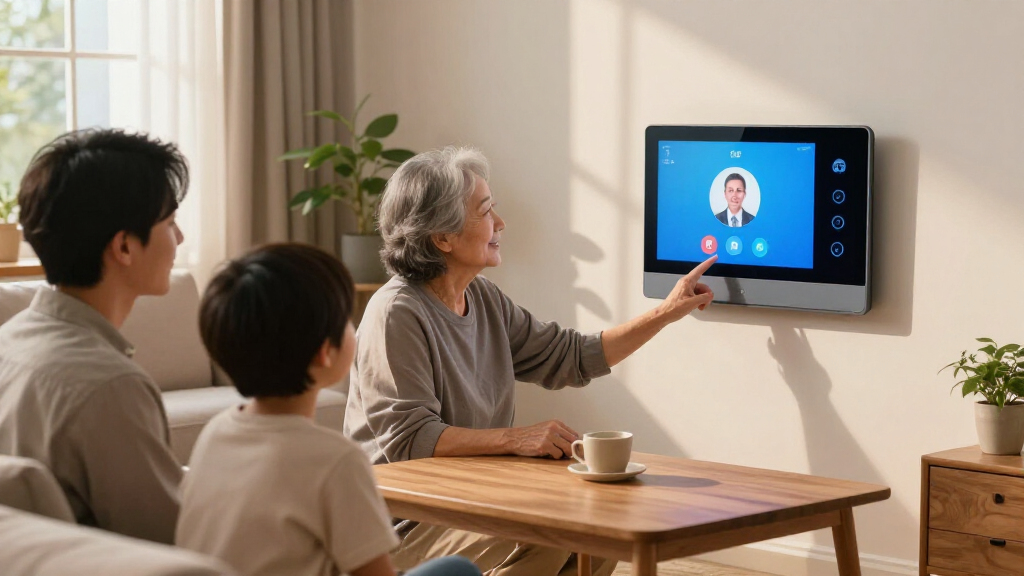
Imagine a device that instantly connects you to loved ones at the tap of a button, a seamless way to stay close even when apart. That’s the promise of Drop-In calling on smart displays like Amazon Echo Show.
But with great convenience comes responsibility. Without clear rules, privacy can slip away, and misunderstandings can arise. Setting up Drop-In isn’t just about flipping a switch; it’s about building trust and understanding within your family.
In this guide, you’ll learn how to configure Drop-In safely, establish ground rules everyone respects, and keep your home both connected and private.Always decide together if Drop-In is appropriate before turning it on.
Set permissions narrowly—limit who can Drop In and on which devices.
Establish clear ground rules: ask permission, identify yourself, and respect private spaces.
Use physical privacy controls—camera shutters, mute buttons, and visibility indicators.
Regularly review permissions, contacts, and device settings to maintain privacy and safety.
Setting Up Drop-In Calling on a Smart Display
Drop In can connect an authorized person to a smart display without anyone pressing “Answer.” The safest setup begins with family consent, narrow permissions, visible privacy controls, and ground rules everyone can challenge or change.
Drop In may connect automatically when permission exists.
Families may not fully understand the privacy implications.
Configure every display separately for its location.
Use the camera shutter and microphone-off control.
Three tools, three expectations
Drop In is not simply another name for calling. Choosing the right communication mode prevents automatic access from becoming the default for every conversation.
Drop In
Creates an immediate two-way audio or video connection between permitted devices or contacts.
Best for: brief, agreed intercom useAlexa Calling
Rings like a conventional call and waits for the recipient to accept the conversation.
Best for: normal conversationsAnnouncements
Sends a spoken message to selected household devices without opening a two-way session.
Best for: household updatesMatch access to the room
A shared kitchen and a private bedroom should not have identical settings. Treat every display as a separate doorway into the home.
✓ Suitable with agreement ~ Requires caution ✗ Disable or avoid
Configure, restrict, then test
Menu names can change by device or software version, but the decision sequence remains consistent.
Open Alexa
Confirm the correct account, profile, and communication details.
Select Devices
Open the device list and choose the exact Echo Show.
Find Drop In
Look under Communications or Drop In settings.
Limit Access
Choose disabled, household only, or individually approved contacts.
Set Privacy
Check video, shutters, microphone controls, and quiet hours.
Test Together
Practice connecting, recognizing indicators, and ending a session.
Run a family test before relying on it
Confirm which device answers, whether video appears, what lights or sounds are shown, and how every person can stop the connection immediately.
Convenience should follow context
These scores are a practical decision aid, not technical guarantees. Lower suitability means stronger restrictions and more explicit consent are needed.
Ground rules everyone can use
Write the rules in plain language, explain them to children, and let every household member request a change without having to justify discomfort.
Ask before enabling access
No person or contact receives Drop-In permission without household agreement.
Use it as an intercom
Keep sessions brief. Use a normal ringing call for longer, non-urgent conversations.
Say who you are immediately
Clear identification prevents confusion and keeps every connection transparent.
Protect private spaces
Never enter bedrooms, bathrooms, offices, or guest areas without a specific invitation.
Never monitor secretly
Do not use Drop In to watch, discipline, investigate, or test another person.
Anyone may end access
Every family member can request removal of a device or contact at any time.
Tell people when it is active
Inform guests, caregivers, babysitters, and housemates about enabled displays.
Respect Do Not Disturb
Agree on interruption-free periods and verify how the setting behaves on each device.
Teach the exit and report steps
Show children who may connect, how to end a session, and how to report discomfort.
Trust is a repeatable loop
A safe configuration is not permanent. Household changes, new contacts, moves, separations, and caregiving transitions should trigger another review.
Use hardware controls
Close the camera shutter and use the microphone-off button whenever visual or audio access is unwanted.
Protect the Amazon account
Use a strong, unique password and multi-factor authentication. Remove former household members and obsolete contacts.
Keep indicators in view
Position displays so people can notice when a session is active and can reach the controls quickly.
Understand the opening view
Compatible Echo Show devices may begin with a blurred or obscured image before the video becomes clear.
Drop In depends on internet access, correct account settings, and compatible devices. It is a convenience feature—not a substitute for emergency services, medical monitoring, or guaranteed caregiver response.
What is Drop-In and Why It Matters for Your Family
Drop-In is Amazon Alexa’s way of creating an instant, two-way audio or video connection between devices. Unlike a traditional call that rings and requires you to answer, Drop-In connects automatically if permissions are granted.
This feature can turn your smart display into a family intercom, a quick check-in with a grandparent, or a way to see who’s at the door—all without lifting a finger.
But just because it’s easy doesn’t mean it’s always appropriate. Without proper controls and ground rules, Drop-In can surprise, or even unsettle, family members who value their privacy in certain spaces. Understanding what Drop-In does—and what it doesn’t—is crucial before enabling it because it impacts how your family communicates and maintains privacy. Misuse or lack of awareness can lead to feelings of intrusion, eroding trust and creating discomfort. Therefore, recognizing its benefits alongside potential privacy concerns helps you make informed decisions about when and where to use Drop-In responsibly.
Popular right now

Hisense 65-inch U6 Pro Mini-LED 4K UHD Smart Fire TV

Ninja Foodi Dual Zone Smart XL Air Fryer, 10 Qt, 6-in-1, Black (DZ550)

Shark AI Ultra Robot Vacuum, Black/Silver, AV2511AE
As an affiliate, we earn on qualifying purchases.
Deciding if Drop-In Fits Your Family’s Style and Privacy Needs
The first step in responsible setup is asking: should we use Drop-In at all? Families need a clear consensus before turning on this feature because it involves sharing access and privacy boundaries. For some, Drop-In can be a lifesaver for quick check-ins, providing peace of mind and convenience. For others, it might feel intrusive, especially if it interrupts private moments or is used without explicit permission.
Think about your home’s layout and privacy zones. A kitchen or living room might be suitable for Drop-In, where the family is generally comfortable with spontaneous communication. However, bedrooms, bathrooms, or other private spaces demand more caution. The implications are significant: enabling Drop-In in sensitive areas could unintentionally breach privacy, cause discomfort, or lead to misuse. It’s about matching the technology’s capabilities with your family’s comfort level and understanding the potential trade-offs—such as convenience versus privacy—so you can establish boundaries that work for everyone.
Start with a simple, honest question: Would you want to be unexpectedly interrupted in your private space? If the answer is no, then it’s wise to set strict permissions and boundaries from the outset to prevent accidental intrusions and maintain trust.
Step-by-Step to Set Up Drop-In Without Surprises
Here’s a straightforward process to configure Drop-In safely and thoughtfully:
- Open the Alexa app and navigate to your device list.
- Select the smart display you want to configure.
- Find the ‘Communications’ or ‘Drop In’ settings in the device menu.
- Set the access level: household members only, approved contacts, or disabled.
- For each contact, decide whether they can Drop In, and specify if video is allowed.
- Review privacy controls: enable camera shutters, microphone mute buttons, and Do Not Disturb modes.
- Test the setup by having a family member initiate a Drop-In from another device, checking indicators, and practicing how to end a session.
This step-by-step process not only ensures permissions are correctly set but also emphasizes the importance of deliberate configuration. By carefully choosing who can Drop In and under what circumstances, you prevent unexpected surprises that could disrupt privacy or cause discomfort. Regularly testing and reviewing these settings helps reinforce boundaries, making sure everyone understands and respects the established rules.
Creating Family Ground Rules for Safe Drop-In Use
Ground rules are the backbone of respectful Drop-In use. They set expectations and protect everyone’s privacy. A good family agreement could include:
- Always ask permission before enabling Drop-In for anyone, fostering mutual respect and avoiding surprises.
- Use Drop-In mainly as a quick home intercom, not as a surveillance tool that invades privacy.
- Avoid Drop-In on bedrooms, bathrooms, or private areas unless explicitly approved, recognizing the sensitivity of these spaces.
- Stick to normal calls for non-urgent chats—Drop-In should be reserved for quick check-ins to prevent overuse or misinterpretation.
- Always identify yourself immediately after connecting to maintain transparency and trust.
- Never use Drop-In to secretly monitor or discipline someone, as this erodes trust and can cause emotional harm.
- Physically cover cameras in private spaces when not in use to add an extra layer of privacy control.
- Allow family members to request removal of contacts or devices from the list if they feel uncomfortable or if circumstances change.
- Inform guests and caregivers when Drop-In is enabled in shared spaces to maintain transparency and respect boundaries.
- Establish quiet hours or Do Not Disturb periods, and respect them to avoid unexpected interruptions during sensitive times.
- Review permissions regularly—especially after moves, changes in caregiving, or when new contacts are added—to ensure ongoing appropriateness of access.
For kids, make rules clear: who can connect, how to end a session properly, and how to report any uncomfortable interactions. This clarity helps build trust and ensures everyone understands their role in maintaining respectful, private communication.
Privacy and Safety Tips to Keep in Mind
Drop-In changes the usual boundaries of phone calls—connections happen automatically, sometimes without warning. Protect your family by following these tips:
- Place displays where their status indicators are visible—this helps everyone see when the device is active, reducing surprises and potential discomfort.
- Use the physical camera shutter whenever possible, especially in private spaces, to instantly block visual access and give a clear signal that privacy is a priority.
- Regularly review authorized contacts and permissions—removing those who no longer need access helps prevent unauthorized or accidental connections.
- Secure your Amazon account with a strong password and enable multi-factor authentication—this reduces the risk of hacking or unauthorized access that could compromise your privacy.
- Educate children about the feature’s purpose, including when and where it’s appropriate to Drop In, fostering responsible use and understanding of boundaries.
- Be cautious about placing devices in highly private areas like bedrooms or bathrooms, as these spaces require extra privacy considerations.
- Monitor device activity logs and account alerts for any suspicious activity, ensuring you catch issues early and maintain control over your privacy.
Remember, Drop-In isn’t a substitute for emergency services or a monitored security system. Use it thoughtfully, with privacy in mind, and stay vigilant about safeguarding your family’s space and trust.
Using Drop-In to Support Caregiving Without Crossing Lines
Drop-In can be a helpful tool for caregivers and families, especially for older adults or those with mobility issues. It allows quick check-ins without making someone answer a call, which can be less intrusive and more respectful of their independence.
However, safety and consent are essential. Always seek ongoing approval, clearly define normal check-in times, and avoid placing devices in overly private or sensitive spaces where unintended or unwanted access could occur. This ongoing communication ensures trust remains intact and that the feature is used appropriately.
For example, a family might agree to Drop-In at designated times, such as 9 a.m. and 6 p.m., with the older adult’s explicit permission. If circumstances change—like health status or living arrangements—revisit these rules to keep everyone comfortable and respected. Setting clear escalation plans helps distinguish between routine check-ins and emergencies, ensuring that Drop-In remains a helpful tool rather than an intrusion. Remember: it’s not a substitute for emergency services or direct supervision, but a supplemental way to stay connected respectfully.
What’s New and Changing in Smart Display Communication
Smart display communication features are evolving fast. Manufacturers are adding privacy controls like physical camera shutters, detailed permission options, and caregiver-specific modes. Updates can change menu paths and available features, so stay current.
For example, recent models now include mute buttons that physically cover the camera or microphone, giving instant privacy. The software may also allow setting different permissions for different contacts or profiles, making customization easier and more secure. Staying informed about these updates is crucial because new features often aim to enhance privacy but require you to adjust settings accordingly. Regularly reviewing your device’s latest capabilities ensures you’re leveraging the most effective privacy protections and avoiding surprises that could compromise your comfort or security.
Remember: Drop-In on Amazon devices differs from similar features on Google or other platforms. Always check your device’s latest capabilities and settings to ensure you’re using the most current tools for privacy and control.
Quick Answers to Your Top Drop-In Questions
Does the other person have to answer a Drop In? No, Drop-In connects automatically, unlike a normal call that rings and needs to be answered. This automatic connection can be convenient but also means you should be cautious about who has permission, as it might catch someone off guard.
Can anyone Drop In on my display? Not unless you give permission. Permissions are set per contact and device, and it’s important to review and update these regularly to prevent unwanted access or surprises.
Can I allow audio but block video? Yes, you can physically cover the camera or disable it in device settings, depending on your model. This flexibility helps you maintain privacy when needed without disabling the entire feature.
Can I set Drop-In differently on each device? Absolutely. Configure permissions individually for each device, especially in private spaces like bedrooms, to prevent accidental intrusions and respect privacy boundaries.
Is Drop-In safe for kids? It depends. With proper rules, supervision, and ongoing education about boundaries, it can be a useful communication tool. However, kids should understand how and when to use Drop-In responsibly, and adults should monitor its use to prevent privacy breaches or misuse.
Conclusion
The right Drop-In setup balances convenience with respect. When everyone understands the rules, it becomes a tool for genuine connection, not an intrusion.
Remember: safety and trust grow from clear permissions and shared ground rules. Keep those boundaries visible, and your family will stay both connected and comfortable in your digital home.