
TL;DR

Turn quiet afternoons into listening time
- Thousands of audiobooks, podcasts and originals
- Listen on your phone, tablet or Echo — also offline
- Cancel anytime
Regular monthly testing keeps your medical alert system reliable. Use test modes or follow manufacturer instructions carefully to avoid false alarms that dispatch emergency services. Scheduling tests during calm times and informing loved ones ensures safety and peace of mind.
If you rely on a medical alert system, you probably worry about whether it will work when needed. But testing it shouldn’t mean summoning emergency responders by mistake. The good news is, most systems have built-in ways to check their health safely.
In this guide, you’ll learn exactly how to run monthly tests without triggering false alarms. We’ll cover practical steps, new tech upgrades, and tips to keep your system reliable—without the risk of unneeded emergency dispatches.
Always use your system’s test mode to prevent false emergency calls.
Schedule monthly tests during calm times and inform household members beforehand.
Test individual components separately for precise troubleshooting.
Keep batteries charged and conduct visual checks during every test.
Leverage new tech features like remote diagnostics to simplify maintenance.
Use Your System’s Built-In Test Mode for a Safe Check
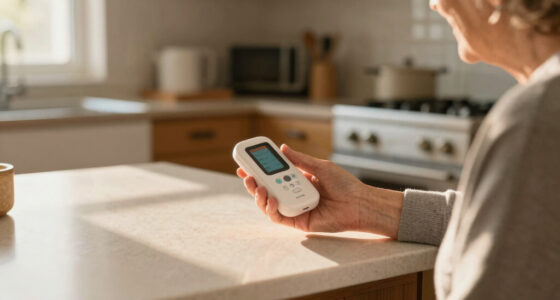
The quickest way to test your medical alert system without calling emergency services is by activating its test mode. Most devices and monitoring services include a dedicated feature for this purpose.
For example, some in-home systems let you press a small, hidden button or access a menu on the device or app to switch into test mode. While in this mode, the device runs a diagnostic check but doesn’t alert the monitoring center or emergency responders.
Always read your device’s manual to find out how to turn on test mode. It typically involves pressing a combination of buttons or toggling a setting in the app. This way, you verify the system’s communication and hardware functions without risk.
Understanding and properly utilizing test mode is crucial because it allows you to confirm that your device’s core functions—such as signal transmission, battery status, and sensor integrity—are operational. Skipping this step might lead to false confidence in the device’s readiness, risking failure when truly needed.
Popular right now

TCL QM64L 85-Inch QD-Mini LED 4K Smart Fire TV

TCL T7 Series 85-Inch 4K 144Hz QLED Smart Google TV

Ninja DualZone 6-in-1 Air Fryer, 8-Qt, Grey, DZ801
As an affiliate, we earn on qualifying purchases.
Schedule Your Tests During Quiet Times to Avoid Confusion
Testing your device during a calm moment helps prevent confusion or unnecessary panic if someone hears the alarm. Pick a time when you’re alone or with trusted family members who understand the purpose.
For example, do your monthly check during a quiet morning or mid-afternoon. Let your household know that you’ll be testing the device, so no one calls emergency services unnecessarily.
Setting a regular schedule—say, the first Saturday of every month—makes it routine and less stressful.
Timing is important because a loud alarm can cause alarm or confusion, especially if others are unaware it’s a test. This can lead to false emergency calls or unnecessary worry, which might strain emergency services or cause panic among household members. Choosing quiet times ensures that testing remains a routine safety check rather than an incident that causes chaos or misinterpretation.
Test Components Separately to Pinpoint Issues
Instead of a full system test that might trigger alerts, test individual parts separately. For example, press the help button to check the hardware. Use the app or control panel to verify connectivity. This targeted approach helps you identify specific problems without risking a false emergency call.
If your device supports it, run a ‘self-test’ or diagnostic that verifies battery health, signal strength, and connection to the monitoring center. Many newer models include these features.
This method allows you to isolate potential points of failure—such as a dead battery, weak signal, or sensor malfunction—without risking a false alarm that contacts emergency responders. By diagnosing specific components, you can address issues proactively, ensuring that when you truly need help, your system responds reliably. It’s a tradeoff: more detailed testing takes a little extra time but significantly reduces the risk of false dispatches and helps maintain the system’s overall integrity.
Keep Your System in Top Shape With Regular Checks
Monthly testing isn’t just about pushing buttons. It’s a chance to check that batteries are charged, sensors are clean, and there’s no physical damage. For example, replacing backup batteries yearly or when the device signals low power keeps the system ready.
Ensuring your device is within range of Wi-Fi or cellular signals during testing confirms it can communicate when needed. A quick visual inspection for dust, moisture, or cracks prevents future malfunctions.
Maintaining your device’s physical and digital health extends its lifespan and reliability.
Regular checks also help you catch issues early, such as corrosion, loose connections, or firmware updates that might be needed. Neglecting these basic maintenance steps could lead to silent failures—meaning your device might appear operational but fail during an emergency. Making these checks routine ensures your system remains dependable, reducing the risk of unexpected malfunctions when it matters most.
Use the Latest Tech Features for Smarter Testing
Many new medical alert systems now include remote diagnostics or scheduled automatic tests. These features run checks without user intervention, often sending a report to you or your caregiver. They help catch issues early, even if you forget to test manually.
For example, some apps notify you if the device fails a self-test or if the battery is low. These tech upgrades reduce the chance of silent failures and keep your system trustworthy.
Explore whether your device offers these features and set up automatic or remote testing if available.
Utilizing these advanced features means you can maintain your system’s health with minimal effort, reducing the likelihood of undetected problems that could compromise safety. They also provide peace of mind, as you receive alerts when maintenance is needed, rather than relying solely on manual testing schedules.
Document Your Monthly Tests for Peace of Mind
Keeping a simple log of your tests helps track system performance over time. Write down the date, time, and any issues you notice. For example, if a test shows weak signal or dead batteries, you know it’s time to replace or service the device.
Some apps automatically record test results, providing a handy history. This record can be useful if you need to troubleshoot or show your provider that your device is functioning well.
Maintaining detailed records ensures you have a clear history of your system’s performance, making it easier to identify patterns or recurring issues. This proactive approach can help you catch potential failures early, before they become critical, and provides valuable information if you need professional support or troubleshooting.
What to Do if Your System Fails the Test
If your device doesn’t pass a scheduled test, don’t panic. First, follow the troubleshooting steps recommended by the manufacturer—like replacing batteries or checking connections.
If issues persist, contact your service provider promptly. They can guide you through repairs or arrange a technician visit. Remember, regular testing helps spot problems before emergencies happen.
Never ignore warning signs like unresponsive devices or weak signals.
Addressing failures promptly is essential because a device that fails during testing might also fail in a real emergency. Early troubleshooting and professional support ensure your system remains reliable, reducing the risk of dangerous lapses when help is needed most. Recognizing and acting on these signs can prevent potentially life-threatening situations.
Frequently Asked Questions
How do I test my medical alert system without triggering emergency services?
Use the system’s built-in test mode or follow the manufacturer’s instructions. This temporarily disables the alert from contacting emergency responders, allowing you to verify the device safely.What if my device doesn’t have a test mode?
Check the user manual or contact your provider for guidance. You can often perform a hardware check or schedule a professional inspection to ensure proper function without accidental alarms.How often should I test my device?
Most experts recommend testing your medical alert system once a month. Regular checks help ensure everything works reliably, especially before medical emergencies happen.Can I do remote testing with my device?
Many newer systems include app features that allow remote diagnostics or scheduled self-tests. Review your device’s capabilities and set up automated checks if available.What should I do if my system fails the test?
Follow the troubleshooting steps provided by your device’s manufacturer—like replacing batteries or checking connections. Contact your service provider for further assistance if issues continue.Conclusion
Testing your medical alert system each month is a smart habit — but doing it safely is key. Use built-in test modes, plan ahead, and keep records. That way, your system stays ready without risking unneeded emergency dispatches.
Picture your device working flawlessly when you need it most. Regular, careful testing keeps that image alive — and your peace of mind intact.