
TL;DR

Turn quiet afternoons into listening time
- Thousands of audiobooks, podcasts and originals
- Listen on your phone, tablet or Echo — also offline
- Cancel anytime
Picking a smart plug for lamps and small appliances depends on compatibility, connectivity, ease of use, and security. Recent models offer better energy monitoring, sleek design, and seamless integration, making smart home setups more reliable and user-friendly.
Imagine walking into a room where your lamp automatically turns on at sunset or your coffee machine starts brewing as you wake up. Smart plugs make this seamless automation possible, but choosing the right one can feel overwhelming. With so many options, knowing what features truly matter can save you time, money, and frustration.
In this guide, you’ll learn how to pick a smart plug that fits your needs—whether it’s for lamps, small appliances, or both. We’ll break down compatibility, security, setup, and the latest innovations, so you can make a confident choice that keeps your home safe and efficient.
Always verify your device’s wattage and voltage ratings before buying a smart plug.
Wi-Fi smart plugs are easiest to set up, but Zigbee/Z-Wave models can be more reliable for larger setups.
Look for energy monitoring features to track and reduce electricity use over time.
Prioritize security—use strong passwords, update firmware regularly, and buy from reputable brands.
Latest models combine sleek design with advanced automation like scheduling, timers, and geofencing.
Smart Home Buying Guide · Lamps + Small Appliances
How to Choose a Smart Plug for Lamps and Small Appliances
A good smart plug makes everyday routines feel effortless—but only when its power rating, connectivity, app, ecosystem, and security match your home. Use this visual guide to choose confidently without paying for features you will not use.
Typical table lamp draw
Check the actual label
Wi-Fi · Zigbee · Z-Wave
For a well-designed Wi-Fi plug
Start with six essentials
The best plug is not necessarily the one with the longest feature list. It is the compact, correctly rated, well-supported model that fits your device and makes the automation you want easy to maintain.
Power compatibility
Verify voltage, wattage, and amperage on both the plug and appliance. Leave a sensible capacity margin and never exceed the rated load.
Platform support
Confirm support for your preferred system, such as Alexa, Google Assistant, Apple Home, or your existing automation hub.
Connectivity
Choose direct Wi-Fi for simplicity or Zigbee/Z-Wave for a hub-based mesh that can remain responsive as your setup grows.
App & automation
Look for reliable schedules, timers, routines, scenes, remote control, and—when useful—sunset or geofencing triggers.
Energy monitoring
Real-time and historical usage data can expose waste, reveal standby consumption, and help validate whether schedules save energy.
Design & security
Favor a slim body that leaves adjacent outlets open, plus encryption, automatic updates, clear privacy practices, and brand support.
Match the plug to the device
A smart plug is a switch, not a universal power adapter. Read the appliance label, compare it with the plug specifications, and pay special attention to motors or heating elements that may draw more power at startup.
Rating first. Features second.
If the appliance exceeds the plug’s listed limit, the plug is unsuitable—regardless of app quality or voice-assistant support.
Best practice: choose enough headroom for safe operation, but avoid an unnecessarily bulky or expensive model when a modest capacity is sufficient.
CHECK DEVICE LABEL → CHECK PLUG LIMIT → ADD MARGIN
Wi-Fi or a smart-home mesh?
For one or two lamps, Wi-Fi is usually the practical choice. For a larger home full of sensors, bulbs, switches, and plugs, Zigbee or Z-Wave can reduce dependence on a crowded Wi-Fi network.
| Feature | Wi-Fi smart plug | Zigbee / Z-Wave plug |
|---|---|---|
| Setup ease | ✓Direct connection, minimal hardware, and typically the quickest first-device setup. | ~Requires a compatible hub and an extra pairing step. |
| Reliability | ~Performance depends on Wi-Fi coverage, congestion, router stability, and device count. | ✓Dedicated mesh protocols can deliver lower latency and fewer dropouts at scale. |
| Upfront cost | ✓No separate hub is usually required. | ✗A hub adds cost unless one is already part of your smart-home system. |
| Scalability | ~Fine for smaller installations but adds more clients to the home network. | ✓Well suited to many connected devices and wider mesh coverage. |
| Ecosystem fit | ✓Often integrates directly with mainstream apps and voice assistants. | ~Compatibility depends on both the plug and the selected hub. |
| Best for | ✓A few lamps or appliances and users who value simplicity. | ✓Larger, automation-heavy homes that prioritize stability. |
Make convenience measurable
A smart plug should reduce friction from day one. Before buying, investigate the real setup experience, app stability, and whether the automation tools match the way you actually live.
Read real reviews
Search for recurring comments about pairing failures, app crashes, unclear instructions, and firmware support—not just overall star ratings.
Verify control
Confirm the plug responds through your preferred voice assistant and supports the ecosystem, household sharing, and remote access you need.
Inspect automation
Check tutorials or app previews for schedules, countdowns, sunset triggers, routines, scenes, and geofencing before committing.
Protect the weak link
Because a connected plug communicates with your home network, security is an ongoing responsibility. The safest purchase combines reputable hardware with good account, network, and update habits.
Buy from a supported brand
Look for a published update policy, clear privacy information, secure encryption, and a credible support history.
Replace default credentials
Use a strong, unique password for the device account and protect the associated email account as well.
Keep firmware current
Enable automatic updates where available and periodically confirm that the device still receives security patches.
Secure the network
Use modern Wi-Fi security and a strong router password; consider a separate IoT network if your router supports one.
Unknown brand + abandoned app + no recent firmware updates. A cheap plug stops being a bargain when its cloud service disappears, its app becomes unreliable, or known vulnerabilities remain unpatched.
Your pre-purchase checklist
Score the model against the functions that matter most. A compact, secure, compatible plug with a dependable app will usually outperform a feature-packed alternative that is awkward to set up or maintain.
Confirm before checkout
- Load: voltage, amps, and watts safely cover the intended device.
- Use case: the appliance can safely resume when power is restored.
- Platform: the plug works with your app, assistant, or hub.
- Network: Wi-Fi band or hub protocol matches your home.
- Automation: schedules and triggers work without unnecessary complexity.
- Design: the body does not block the adjacent outlet.
- Security: encryption and ongoing firmware updates are available.
- Insight: energy monitoring is included if reducing consumption matters.
Simple is smart
For most lamps and small appliances, choose a properly rated, compact Wi-Fi plug with a reliable app, strong security support, and energy monitoring if you want actionable consumption data. Move to Zigbee or Z-Wave when a larger hub-based system makes reliability and scalability worth the extra setup.
Know Exactly What Your Smart Plug Needs to Support
The first step is understanding the wattage and voltage your devices require. For example, a standard table lamp might draw around 60 watts, while a small fan could pull 100 watts. Most smart plugs are rated for 10A to 15A, which covers most household lamps and small appliances.
Double-check your device labels—using a smart plug beyond its rated capacity risks overheating or damage. Compatibility with your existing smart home system is just as important. If you use Alexa, Google Assistant, or Apple HomeKit, pick a plug that plays nicely with your ecosystem.
Choosing a smart plug with a wattage margin ensures safety and longevity. Overloading a device can lead to overheating, which not only damages your device but also poses fire risks. Conversely, selecting a plug with a higher capacity than needed might result in a more expensive or bulkier device without added benefit, so balance is key. Compatibility considerations also influence how smoothly your automation integrates into your daily routine, avoiding frustrations caused by incompatible systems or limited app support.
Popular right now

Samsung 85-Inch QN70H Neo QLED 4K Smart TV (2026)

Ninja Foodi 10-Qt DualZone Smart XL Air Fryer, 6-in-1, DZ550

TCL QM64L 85-Inch QD-Mini LED 4K Smart Fire TV
As an affiliate, we earn on qualifying purchases.
Connectivity: Wi-Fi, Zigbee, or Z-Wave? Which Is Best for You?
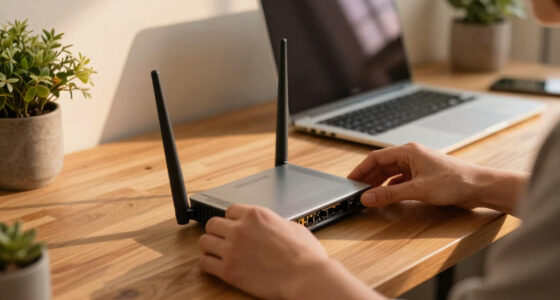
Smart plugs connect to your home network via Wi-Fi, Zigbee, or Z-Wave. Wi-Fi models are easiest—just plug in and connect to your Wi-Fi network directly. They work well if your Wi-Fi is stable and your network isn’t overloaded. However, relying solely on Wi-Fi can sometimes lead to slower response times or connectivity issues if your network is congested or unstable.
In contrast, Zigbee and Z-Wave require a dedicated hub but tend to offer more reliable, low-latency connections, especially in larger or more complex smart home setups. This means your automation remains consistent even if your Wi-Fi experiences interference or outages. The tradeoff is added complexity and cost, but for users with several smart devices, this can translate into more dependable operation and less frustration.
Understanding these differences helps you choose based on your home’s size, your technical comfort level, and your priorities—whether ease of setup or long-term reliability. For example, a busy household with many connected devices might benefit from Zigbee or Z-Wave’s mesh network, which distributes connection loads and reduces lag.
How to Pick a User-Friendly Smart Plug in 3 Easy Steps
- Read reviews for setup ease and app reliability. User feedback often highlights real-world issues like confusing instructions or app crashes that can significantly impact your experience. Prioritize products with high ratings for user-friendliness to avoid frustration.
- Check if voice control works seamlessly with your preferred assistant. Compatibility issues can lead to delays or failed commands, undermining the convenience smart devices promise. Testing voice commands before purchase or reading detailed reviews can reveal potential hiccups.
- Test the app’s scheduling and automation features before buying. A reliable, intuitive app makes automating your devices straightforward and enjoyable. If possible, try demo versions or watch tutorial videos to see how easy it is to set timers, routines, or geofencing features, ensuring it fits your lifestyle and tech comfort level.
Compare Key Features Side-by-Side in This Table
| Feature | Wi-Fi Smart Plugs | Zigbee/Z-Wave Plugs |
|---|---|---|
| Setup Ease | Simple, direct connection to Wi-Fi, ideal for quick setup and minimal hardware requirements. Suitable for users seeking straightforward installation. | Require a hub, which adds an initial setup step but can improve overall network reliability, especially in large or crowded Wi-Fi environments. Better for users who want more control and stability over time. |
| Reliability | Dependent on Wi-Fi network quality; susceptible to interference and congestion, which can cause delays or disconnects. | Often more reliable in busy networks due to dedicated protocols and mesh capabilities, reducing lag and connection drops, especially in larger smart home systems. |
| Compatibility | Works with most apps and voice assistants directly, providing broad compatibility but sometimes limited by Wi-Fi signal strength or interference. | Requires compatible hubs and ecosystems but offers more consistent performance in complex setups, reducing issues caused by network congestion. |
| Security | Depends on manufacturer protocols; modern models employ encryption, but older devices may have vulnerabilities if not updated. | Often more robust security via dedicated hubs that add layers of encryption and control, but still reliant on keeping firmware current. |
Security & Privacy: Keep Your Smart Home Safe
Smart plugs connect directly to your Wi-Fi network, so security is paramount. Reputable brands encrypt data and regularly update firmware to patch vulnerabilities. This ongoing maintenance helps prevent hackers from exploiting known flaws, which could otherwise give intruders access to your entire network. An unpatched device can become a weak link, so choosing brands that prioritize security and provide timely updates is critical.
Enabling automatic firmware updates and changing default passwords are simple yet effective steps to mitigate risks. These practices ensure your device benefits from the latest security patches, closing vulnerabilities that hackers often target. Additionally, using strong, unique passwords for your Wi-Fi and smart devices creates an extra layer of defense, making it harder for unauthorized users to gain access. Remember, security isn’t a one-time setup but an ongoing process, especially as new threats emerge.
Latest Features Making Smart Plugs Smarter Than Ever
Recent models now include energy monitoring, letting you see how much power your devices use in real-time. This feature is more than just data collection; it provides actionable insights. For example, if your bedside lamp consumes 40 watts when on but you rarely use it, you might decide to unplug it or replace it with a more efficient bulb. Over time, these insights can help you optimize your energy use, reducing bills and environmental impact.
Design-wise, plugs have become sleeker—some are so slim they don’t block the second outlet, which is especially useful in tight spaces or power strips. Many now support advanced automation, like geofencing, so your devices turn on when you arrive or turn off when you leave, saving energy without lifting a finger. These features often require compatible apps and a bit of setup, but they significantly enhance convenience and efficiency, turning your smart plug from a simple switch into a comprehensive energy management tool.
Frequently Asked Questions
Will a smart plug work with my existing smart home system?
Most smart plugs are compatible with popular platforms like Alexa, Google Assistant, or Apple HomeKit. Always check the device’s specifications to ensure it supports your preferred ecosystem.Can I control my lamps remotely?
Yes, once connected to your Wi-Fi network and app, you can turn your lamps on or off from anywhere—whether you’re at work, on vacation, or just lying in bed.Are smart plugs safe to use with all appliances?
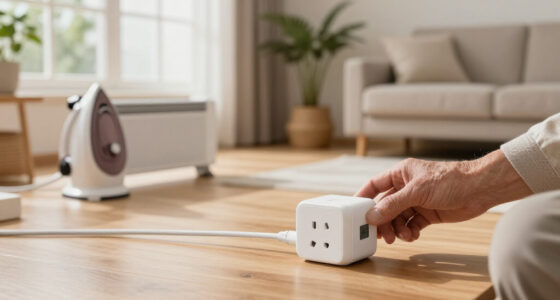
Smart plugs are suitable for lamps and small appliances within their wattage limits. Avoid using them with high-power devices like space heaters or air conditioners unless the manufacturer says it’s safe.How secure are smart plugs?
Trusted brands employ encryption and regular updates to protect your network. Always change default passwords and keep your firmware current to prevent unauthorized access.Do smart plugs consume power when turned off?
They usually draw minimal standby power—often less than 1 watt—but this varies by model. The energy savings when using scheduling and automation often outweigh this small draw.Conclusion
Choosing the right smart plug means understanding your devices’ needs, your home’s connectivity, and how much security matters to you. A well-chosen smart plug turns everyday appliances into smart, energy-efficient helpers—making your home more comfortable and safe.
Remember, the best smart plug isn’t always the most feature-packed; it’s the one that fits your setup perfectly and works reliably day after day. Start simple, stay secure, and enjoy the quiet convenience of a smarter home.