
TL;DR

Turn quiet afternoons into listening time
- Thousands of audiobooks, podcasts and originals
- Listen on your phone, tablet or Echo — also offline
- Cancel anytime
Simplifying a smart home involves choosing essential devices, using centralized control, and regularly reviewing your setup. This prevents chaos, enhances security, and boosts usability.
Focus on essential, purpose-driven smart devices; avoid impulse buys.
Use a single, unified app or hub to control all gadgets, reducing complexity.
Limit automations to simple, straightforward routines to prevent errors.
Stick to one ecosystem for better compatibility and easier management.
Regularly review and remove unused devices to keep your setup clean and secure.
How to Keep a Smart Home Simple: Avoiding Gadget Overload
A useful smart home should quietly remove friction—not replace it with endless apps, fragile routines and forgotten devices. Build around genuine needs, one control layer and a maintenance rhythm you can actually sustain.
Start with life, not the gadget aisle.
The best devices disappear into daily routines. Prioritize recurring value—comfort, energy, lighting and security—then reject anything that duplicates a capability you already have.
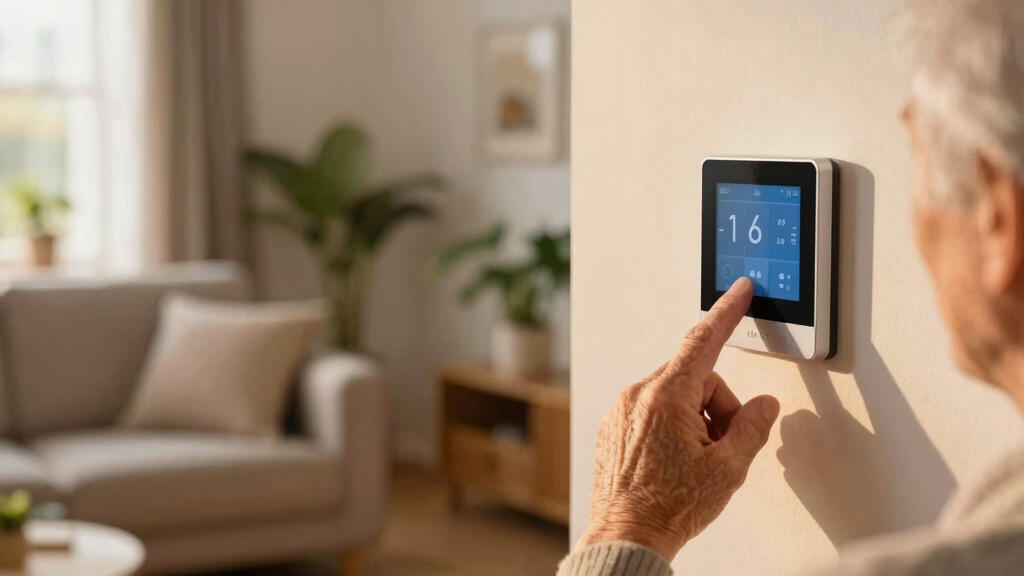
Smart thermostat
Useful when schedules, occupancy controls or energy savings remove repeated manual adjustments.
Lock or camera
Choose a focused security layer with clear alerts, strong account protection and reliable update support.
Smart lighting
Start with high-use zones and predictable scenes instead of replacing every switch on day one.
Ask before buying
What repeated problem does this solve? Does it work with the system I already use? Who will update and troubleshoot it? If the answers are vague, the device is likely to become clutter.
One path from intention to action.
A unified hub or app reduces cognitive load, conflicting commands and troubleshooting time. Matter can expand cross-brand interoperability, but a clear primary ecosystem still keeps ownership simple.
“I’m leaving.”
App, hub or voice
Lights off, door locked
Clear status, no guessing
Cap the steps
Keep a routine to three actions or fewer. Short chains are easier to test, understand and repair.
Use clear triggers
Prefer time, sunset, arrival or departure over layered conditions that behave unpredictably.
Delete stale logic
Disable routines that no longer match your household before they conflict with newer behavior.
Choose the ecosystem your household will use.
Compatibility matters, but familiarity matters too. The strongest platform is the one everyone can operate consistently without hunting through vendor-specific apps.
| Decision factor | Apple Home | Google Home | Amazon Alexa | Matter’s role |
|---|---|---|---|---|
| Unified control | ✓ Strong | ✓ Strong | ✓ Strong | ~ Connects platforms |
| Voice-first operation | ✓ Available | ✓ Available | ✓ Available | ✗ Not an assistant |
| Cross-brand reach | ~ Device dependent | ~ Device dependent | ~ Device dependent | ✓ Core purpose |
| Best fit | Apple households | Google households | Alexa households | Mixed-brand devices |
| Simplicity requirement | Use as primary hub | Use as primary hub | Use as primary hub | Still choose one front end |
Complexity compounds faster than value.
Each extra device brings another account, firmware lifecycle, permission set and potential failure point. The relative scale below is a practical complexity model—not a measured breach probability.
Relative management load
Redundancy and fragmented control make maintenance harder even when individual devices work correctly.
The maintenance rhythm
Small, repeatable checks prevent the setup from drifting into a maze of forgotten access and obsolete logic.
Every choice should lead back to calm.
Build less.
Live better.
Choose purpose-driven devices, run them through one primary control layer, keep routines short and review the setup regularly. A simple smart home is easier to use, easier to secure and far more likely to keep working when you need it.
Start with the essentials: Which smart devices truly improve your daily life?
The first step is knowing what actually matters. Focus on smart devices that solve specific problems or add real convenience. Think about a smart thermostat that saves energy and keeps your home comfy, or security cameras that offer peace of mind. Avoid cluttering your space with gadgets that don’t serve a clear purpose. For example, installing a smart lock is more practical than adding multiple unnecessary sensors or switches. Prioritizing quality and relevance over quantity ensures your system remains manageable and effective.
According to an anonymous researcher, over 70% of smart home users say they feel overwhelmed by the number of devices they own, often because they bought based on trend rather than need. This overload can lead to confusion, missed automations, and security gaps, as users struggle to keep track of what’s essential versus what’s superfluous. Making deliberate choices about what to include helps prevent this chaos and ensures each device adds meaningful value.
Choosing the right devices also involves understanding their long-term impact. For instance, a device that’s difficult to update or troubleshoot can become a maintenance burden, leading to frustration and potential security vulnerabilities. By carefully selecting devices that are well-supported and compatible with your existing setup, you ensure your smart home remains a source of convenience rather than a source of stress.
Popular right now

TCL QM64L 85-Inch QD-Mini LED 4K Smart Fire TV

TCL T7 Series 85-Inch 4K 144Hz QLED Smart Google TV

Samsung 85-Inch QN70H Neo QLED 4K Smart TV (2026)
As an affiliate, we earn on qualifying purchases.
Use a single app or hub to control everything—here’s why it works
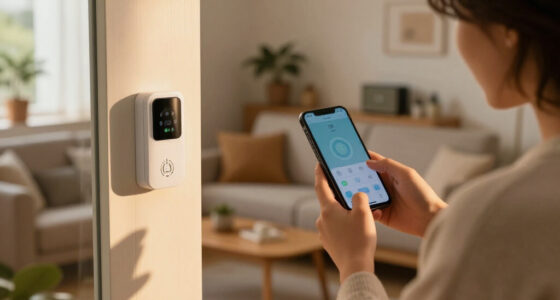
Managing multiple apps can turn your smart home into a chaotic puzzle. Instead, choose a centralized platform like Apple HomeKit, Google Home, or Amazon Alexa. These ecosystems act as a control hub, consolidating device management and reducing the cognitive load. This unified control not only simplifies routine operation but also minimizes the risk of user error. For example, if you want to turn off all lights, lock doors, and set the security system, doing so through one interface or voice command is faster and less prone to mistakes than juggling multiple apps. This streamlining can significantly improve your daily experience, especially when you’re in a hurry or multitasking.
A comparison table below shows popular ecosystems and their device compatibility, helping you choose the best platform for your needs.
Having a single control point also simplifies troubleshooting. When issues arise, you only need to diagnose one system, reducing the time and effort spent resolving problems. Additionally, centralized control reduces the chances of conflicting commands or automations that might otherwise interfere with each other, which can cause unpredictable behavior or security gaps. This approach emphasizes the importance of planning your ecosystem carefully, balancing device compatibility and ease of use to ensure your smart home remains manageable and secure.
Avoid overlapping gadgets: How to prevent confusion and security risks
Having multiple voice assistants or similar gadgets can create confusion in your smart home, leading to inconsistent responses and potential security vulnerabilities. For example, if you have both Alexa and Google Assistant, conflicting commands might trigger unintended actions or even cause security issues if routines overlap or interfere. Focusing on one ecosystem reduces these risks by ensuring all devices follow the same protocols and updates, making management more straightforward and secure. It also streamlines troubleshooting, as you only need to learn one system’s quirks and settings.
However, the decision to consolidate isn’t just about convenience—it’s also about security. Multiple assistants and devices increase the attack surface for cyber threats. Each device or assistant could be an entry point if not properly secured. By limiting your setup to one ecosystem, you reduce the complexity of security management, making it easier to keep firmware updated and enforce consistent security policies. Conducting regular audits of your devices—removing duplicates or redundant gadgets—helps ensure your system remains streamlined and less vulnerable. Remember, more isn’t always better; a cluttered, overlapping setup can lead to confusion and security gaps, undermining the very benefits a smart home is supposed to provide.
Keep automations simple: 3 rules for effective routines
Automation can make life easier by handling routine tasks, but overly complex routines can backfire, causing confusion, delays, or even security loopholes. To avoid this, follow these three rules:
- Limit automation steps: Keep routines to a maximum of three triggers or actions. More steps increase the chance of errors or unintended triggers, especially if conditions change or devices malfunction. Overly complicated automations can also be difficult to troubleshoot when something goes wrong, leading to frustration and potential security issues if routines are misconfigured or left outdated.
- Use clear triggers: Set routines based on simple, predictable events like sunset, leaving home, or a specific time. Complex triggers, such as combining multiple conditions or using obscure variables, can cause automations to trigger unexpectedly or not at all, reducing reliability and potentially creating security gaps if routines activate at inappropriate times.
- Regularly review: Periodically audit your automations and disable or delete those that no longer serve a purpose. Over time, outdated automations can cause conflicts or security issues if left unchecked. Keeping automations lean and relevant minimizes the risk of errors, reduces system load, and ensures your smart home operates smoothly and securely.
For example, a routine that turns on porch lights, adjusts the thermostat, and plays music might seem convenient, but if it triggers during the day or when you’re away, it can cause confusion or alert intruders. Simplifying routines to essential functions ensures they work reliably, are easier to troubleshoot, and reduce potential security vulnerabilities.
Choose devices within the same ecosystem for hassle-free control
Mixing brands can lead to compatibility issues, increased management effort, and frustration. When you select devices within a single ecosystem—say, Apple’s HomeKit, Google’s ecosystem, or Amazon’s Alexa—you ensure they communicate smoothly, reducing the likelihood of glitches and simplifying updates. This cohesive environment also makes automations more reliable, as devices are designed to work together under the same protocols.
Choosing devices from the same ecosystem isn’t just about convenience; it’s a strategic move to improve security. Devices that are designed to work within a single ecosystem often receive synchronized updates, reducing vulnerabilities caused by inconsistent firmware or security patches. Additionally, a unified ecosystem reduces the complexity of managing multiple security settings, making it easier to enforce strong passwords and monitor device activity, which collectively enhances your home’s defenses against cyber threats. For example, a smart light bulb, thermostat, and security camera all from the same brand or ecosystem will likely integrate better, respond faster, and require less manual configuration. This approach minimizes technical hurdles, enhances security, and makes your smart home more intuitive, saving you time and effort in troubleshooting or expanding your system.
Regularly review and declutter your smart home setup
Set a recurring reminder every few months to evaluate your devices. Ask yourself: Are they still useful? Do they serve a purpose, or are they just taking up space? Removing unused or redundant gadgets not only declutters your digital environment but also enhances security by reducing potential vulnerabilities. Each device is a potential entry point for cyber threats, so streamlining your setup minimizes these risks. Additionally, fewer devices mean fewer software updates to track, making maintenance easier and less prone to oversight.
For example, someone might find they rarely use a smart plug they installed months ago. Removing it simplifies their system, reduces maintenance, and closes security gaps. Regularly tidying your smart home ensures it remains manageable, secure, and aligned with your actual needs. This habit also encourages intentionality—only keeping devices that truly add value—helping avoid the trap of accumulating gadgets that no longer serve a purpose, which can complicate management and introduce unnecessary vulnerabilities.
Frequently Asked Questions
How do I decide which smart devices are worth installing?
Choose devices that solve specific problems or add meaningful convenience. Avoid buying gadgets just because they’re new or popular. Focus on what makes your daily routine easier and more secure.What is the best way to manage multiple smart devices?
Use a single app or hub that supports all your devices. Keep routines simple and stick to one ecosystem whenever possible. Regularly review your setup to remove unnecessary gadgets.How can I prevent my smart home from becoming too complicated?
Limit the number of devices, avoid overlapping functionalities, and keep automations straightforward. Periodically review your system to remove unused devices and routines.Are there security risks with many smart devices?
Yes, more devices can mean more vulnerabilities. Keep firmware updated, use strong passwords, and segment your network to protect your home from cyber threats.What are some tips for maintaining a simple and effective smart home?
Start with essential gadgets, use a unified control system, keep automations simple, and review your setup regularly. Focus on quality, not quantity.Conclusion
A smart home doesn’t have to be a tangled web of gadgets. Prioritize what truly improves your life, keep control centralized, and stay vigilant about clutter. Your home should feel effortless, not overwhelming. Think of your smart space as a calm, organized oasis—simple, secure, and always just right.Remember, less is more—especially with technology. Every device should serve a clear purpose. When you keep things straightforward, your smart home becomes an asset, not a source of stress.