
TL;DR

Turn quiet afternoons into listening time
- Thousands of audiobooks, podcasts and originals
- Listen on your phone, tablet or Echo — also offline
- Cancel anytime
A smart home hub connects and manages multiple devices, making automation easier. Whether you need one depends on your device ecosystem and automation ambitions. For complex setups, a hub can streamline control and enhance security.
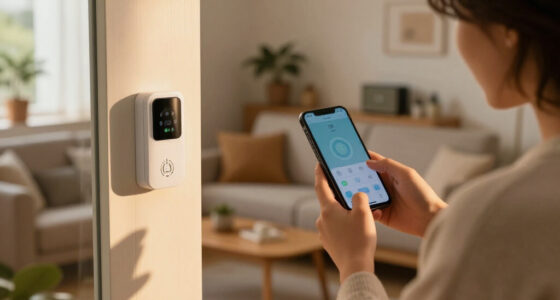
Imagine walking into your living room. Lights turn on, the thermostat adjusts, and your security system arms itself—all without lifting a finger or juggling multiple apps. That’s the promise of a smart home hub. But what exactly is it, and do you really need one? If you’ve ever felt overwhelmed by a jumble of gadgets or frustrated by inconsistent automation, understanding a hub might change your entire smart home experience.
This guide will show you what a smart home hub does, how recent advances make them more powerful, and whether they’re worth adding to your setup. No tech jargon, just clear, practical insights to help you make the right choice.
A smart home hub acts as a central brain, connecting different protocols like Zigbee and Z-Wave, making device management more straightforward.
Recent hubs integrate AI, mesh networking, and voice assistants, enhancing reliability and automation quality.
If you have multiple devices across different protocols or want advanced routines, a hub can save time and headaches.
Security is generally strong with reputable hubs, but keep firmware updated and use strong passwords.
For small setups with Wi-Fi devices only, a hub might be unnecessary—manage devices individually if that suits your needs.
What Is a Smart Home Hub—and Do You Really Need One?
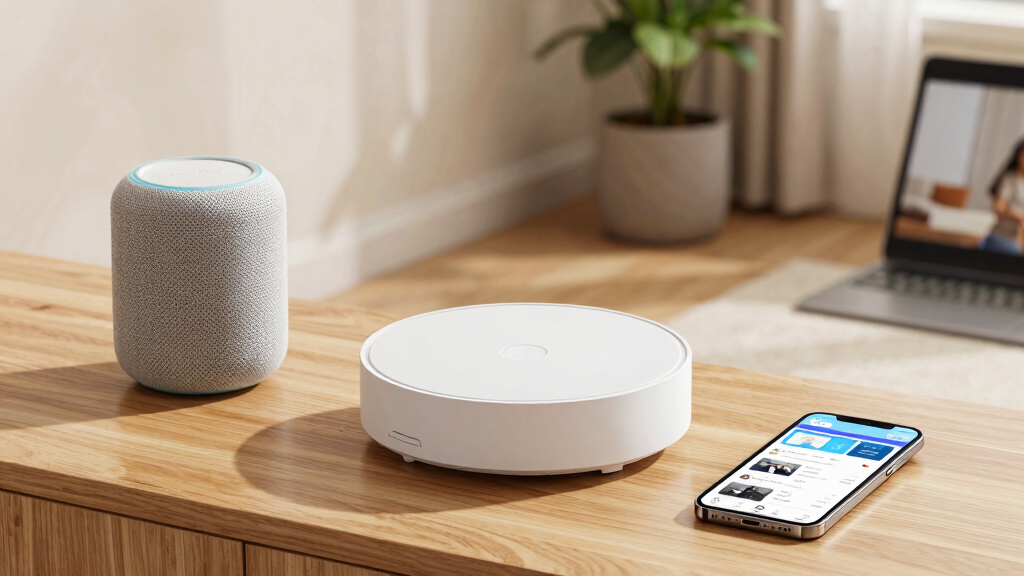
A hub is the central brain that connects your lights, locks, sensors, cameras, and thermostat. It translates between device “languages,” coordinates routines, and replaces a jumble of apps with one control point.
What a hub actually does
Devices do not always speak the same language. A hub bridges protocols and turns separate products into one coordinated system—so a motion sensor can trigger a light, adjust the temperature, and alert you without three separate commands.
Connects protocols
Bridges Zigbee, Z-Wave, Thread, Wi-Fi, and Bluetooth devices where supported.
Runs automations
Links time, location, sensors, and device states into reliable multi-step routines.
Unifies control
Offers one app or voice interface instead of constant switching between brand-specific apps.
Builds a mesh
Compatible powered devices can relay signals, improving reach across larger homes and gardens.
Adds intelligence
Newer hubs can learn routines, optimize energy use, and flag unusual activity or failures.
Centralizes security
Reputable hubs combine encrypted connections, firmware updates, and access controls.
How the hub turns devices into a system
The hub receives an event, translates it, checks your rules, and sends coordinated commands to the right devices.
Do you need one?
The answer depends less on how “smart” your devices are and more on how varied and ambitious your setup has become.
Yes—add a hub
- You own devices using multiple protocols or brands.
- You want routines involving several devices at once.
- You are frustrated by managing multiple apps.
- You need better coverage across a larger property.
- You want your setup to scale cleanly over time.
Not yet—keep it simple
- You have only a handful of Wi-Fi devices.
- Everything already works with one voice assistant.
- You use basic schedules rather than complex routines.
- You are comfortable with individual manufacturer apps.
- You do not expect the system to grow soon.
With a hub vs. without
A hub asks for more initial configuration, but its advantage grows as device count, protocol variety, and automation complexity increase.
| Feature | With a hub | Without a hub |
|---|---|---|
| Device compatibility | ✓Multiple protocols and brands | ~Best within one ecosystem |
| Complex routines | ✓Multi-device triggers and conditions | ✗Often limited or app-dependent |
| Management | ✓One app or voice interface | ~Several apps may be required |
| Initial effort | ~Compatibility check and pairing | ✓Quick for a few Wi-Fi products |
| Growth potential | ✓Designed to scale | ✗Complexity accumulates quickly |
| Security oversight | ✓Central updates and controls | ~Security varies by each device |
From box to “Good Night” routine
Choose for compatibility
List your devices and protocols first. Pick a reputable hub that supports today’s equipment and tomorrow’s plans.
Pair your devices
Add bulbs, sensors, locks, cameras, and thermostats through the hub’s app, following each pairing prompt.
Create useful routines
Start with one practical scene: turn off lights, lock doors, and lower the thermostat with a single command.
Smart does not mean set-and-forget
Modern hubs commonly use encryption, secure connections, and firmware updates. Your choices still matter: buy from a reputable provider, maintain the system, and protect the account controlling your home.
What Is a Smart Home Hub and How Does It Make Your Life Easier?
A smart home hub is a central device that acts as the brain of your smart setup. It connects various gadgets—like smart bulbs, locks, and sensors—so they work together smoothly. Imagine a translator that helps devices using different languages (protocols) understand each other, making your entire home smarter and more responsive.
For example, if you have Zigbee sensors, Z-Wave locks, and Wi-Fi cameras, a hub can unify control through a single app or voice command. This means less switching between apps and fewer compatibility headaches. It’s especially handy in larger homes or setups with many devices, where managing each individually becomes a chore.
Popular right now

TCL T7 Series 85-Inch 4K 144Hz QLED Smart Google TV

Samsung 85-Inch QN70H Neo QLED 4K Smart TV (2026)

Ninja Foodi 10-Qt DualZone Smart XL Air Fryer, 6-in-1, DZ550
As an affiliate, we earn on qualifying purchases.
The Latest Tech in Smart Home Hubs: What’s New and Why It Matters
Recent smart home hubs are smarter than ever, with features that boost reliability and ease of use. Many now include built-in voice assistants like Alexa or Google Assistant, so you can control everything with your voice. Plus, they support more protocols—like Zigbee, Z-Wave, and Thread—reducing the need for multiple devices.
Some hubs now incorporate AI to learn your routines, optimize energy use, or detect anomalies—like a security breach or a malfunction. Mesh networking has also improved, meaning devices communicate directly with each other over larger areas without dropping signals.
For example, a hub with mesh capabilities can keep your smart garden watering system running smoothly across a sprawling backyard, avoiding dead spots.
Do You Need a Smart Home Hub? Here’s How to Know
Deciding if a smart home hub is right for you depends on your current setup and goals. Here’s a quick checklist:
- Multiple protocols: Do you have devices using Zigbee, Z-Wave, or other protocols that don’t work over Wi-Fi? A hub can unify these.
- Complex automation: Want routines that trigger multiple devices? A hub makes it easier to set and manage these.
- Device management: Do you find managing multiple apps frustrating? A hub provides a single interface.
If you answered ‘yes’ to most of these, a hub could greatly simplify your life. If your setup is just a few Wi-Fi devices controlled via Alexa or Google, you might not need one.
A Side-by-Side Comparison: When to Use a Hub vs. Going Without
| Feature | With a Hub |
|---|---|
| Device compatibility | Supports multiple protocols like Zigbee, Z-Wave, Thread |
| Automation complexity | Easy to set routines that involve multiple devices |
| Management interface | Single app or voice control for all devices |
| Setup effort | Requires initial configuration, but simplifies ongoing control |
| Security | Enhanced encryption and centralized updates |
Without a hub, your setup might be simpler but limited—especially if using multiple protocols or automations. Wi-Fi-only devices work fine directly over your router, but adding a hub scales better for larger setups.
How to Set Up Your Smart Home Hub in 3 Easy Steps
- Choose the right hub: Pick one compatible with your devices and automation needs. Consider brands like Samsung SmartThings or Hubitat.
- Connect your devices: Add Zigbee, Z-Wave, or other compatible gadgets to the hub’s app, following the instructions.
- Create routines and control: Use the hub’s app or voice assistant to set up scenes, automations, and daily routines.
For example, setting up a ‘Good Night’ routine might turn off all lights, lock doors, and lower the thermostat—all from a single command.
Are Smart Home Hubs Secure? What You Need to Know
Security is a common concern with smart home hubs. The good news? Modern hubs use strong encryption, regular firmware updates, and secure connections to protect your data. However, like any tech, they’re not invincible.
Always choose a reputable brand, keep firmware updated, and use strong, unique passwords. Avoid exposing your hub directly to the internet unless you’re confident in your security setup.
For instance, enabling two-factor authentication on your hub’s app adds an extra layer of protection, making it harder for intruders to gain access.
Final Thoughts: Is a Smart Home Hub Worth It for You?
If your smart home is growing and becoming more complex, a hub can be like a conductor, orchestrating all your devices into harmony. It simplifies control, boosts automation, and can even enhance security.
But if you’re just starting out with a handful of Wi-Fi devices, sticking to individual apps might be enough. Consider your current setup, automation needs, and comfort with technology before deciding.
In the end, a well-chosen hub can turn your smart home from a collection of gadgets into a truly integrated, effortless space—like a symphony, rather than a noisy crowd.
Conclusion
Think of a smart home hub as the conductor of your digital orchestra. It brings harmony to your devices, making your everyday routines smoother and more reliable.
If your setup is simple, you might not need one yet. But as your smart home grows, a hub can turn chaos into symphony—quiet, seamless, smart.