
TL;DR

Turn quiet afternoons into listening time
- Thousands of audiobooks, podcasts and originals
- Listen on your phone, tablet or Echo — also offline
- Cancel anytime
Battery-powered video doorbells are the easiest for a quick weekend install—no wiring needed. Proper setup and configuration help older adults use them effectively, boosting safety and communication.
Battery-powered doorbells like Ring or Eufy are the easiest to install in a weekend; no wiring needed.
Test Wi-Fi at the front door before installing; weak signals are the main cause of setup failures.
Adjust motion sensitivity and zones to minimize false alerts—critical for older adults to trust the system.
Share access with family members so everyone can check alerts and footage remotely, improving safety.
Secure the account with a strong password and two-factor authentication to prevent hacking.
Installing a Video Doorbell in a Parent’s Home
A practical weekend walkthrough for choosing, mounting, and configuring a doorbell your parent can actually trust and use—without rewiring the house or turning every passing car into an alert.
Minutes, including app setup and testing
A practical minimum for responsive video
With 160°+ or head-to-toe framing
Activity and cold weather change the range
Start with ease, not feature count
The best doorbell is the one your parent understands. Prioritize a clear picture, dependable chime, simple alerts, and predictable costs before considering advanced automation.
Battery-powered wins the weekend
Ring, Nest, Blink, Eufy, and similar battery models avoid wiring and transformer checks. Keep a spare charged battery if winter temperatures are severe.
Fastest DIY routeSee faces and packages
Choose at least 1080p, strong night vision, and a 160°+ field of view or square head-to-toe image. Clear two-way audio matters for hearing challenges.
1080p · 160°+Plan beyond purchase day
Cloud video history commonly costs about $3–$10 monthly. Eufy, Blink with a Sync Module, and other local-storage models can reduce recurring expense.
$0 local · $3–10 cloudBattery or wired?
Battery models simplify installation; wired models remove the charging chore. Older mechanical chimes may still require an adapter or plug-in wireless chime.
| Consideration | Battery-powered | Wired | Parent-friendly choice |
|---|---|---|---|
| Weekend DIY simplicity | ✓ Excellent | ~ Depends on wiring | Battery |
| Transformer check required | ✓ No | ✗ Usually | Battery |
| Recurring charging chore | ✗ Every 1–6 months | ✓ None | Wired |
| Cold-weather resilience | ~ Reduced runtime | ✓ More consistent | Wired |
| Older chime compatibility | ✓ Plug-in chime | ~ Adapter may be needed | Battery + wireless chime |
One visit, five checkpoints
Charge before arrival if possible. The physical mounting can take only 15–45 minutes, but reliable Wi-Fi, thoughtful placement, and app configuration determine whether the system succeeds.
Test front-door Wi-Fi
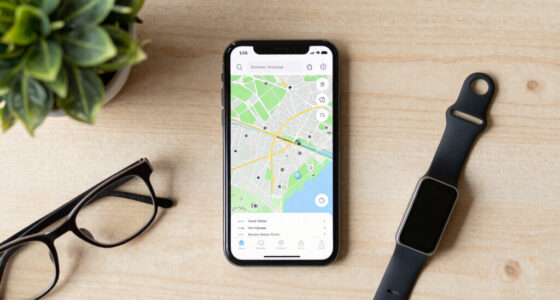
Use a phone at the mounting point. Confirm 2.4 GHz access, password, and roughly 2 Mbps upload.
Charge for 4–6 hours
Begin with a full battery so setup, updates, motion tests, and live-view checks do not stall.
Bracket, angle, secure
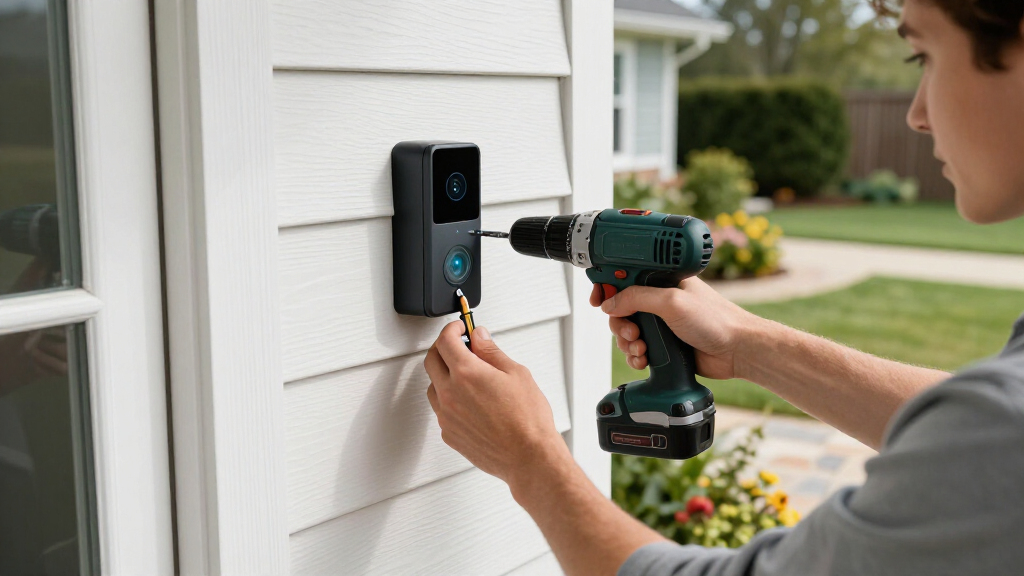
Use a wedge on narrow trim or siding. Capture faces and the doorstep, then fit the security screw.
Name and configure
Create the account, join Wi-Fi, name the entrance clearly, and enable a loud or visual indoor alert.
Share and test together
Add trusted family users, ring the bell, test two-way audio, and rehearse what your parent should do.
Useful alerts beat more alerts
False notifications from traffic, branches, and pedestrians create alert fatigue. Start conservatively, then adjust after reviewing a few days of real activity.
Reduce noise first
These values are practical starting points, not universal rules. Walk the approach path after every change.
Make the response obvious
Configure around how your parent already notices and responds to visitors.
From doorstep to family response
A doorbell is most valuable when each link works: clear detection, an understandable alert, visual verification, and a calm response from either the parent or a trusted family member.
Visitor enters the zone
Person detection separates a caller from traffic and moving branches.
Clear alert reaches indoors
A loud chime, phone alert, or smart display gets attention without overload.
See before responding
Head-to-toe video and two-way audio reveal the visitor and any package.
Family can check remotely
Shared access lets trusted relatives respond while preserving agreed privacy.
Protect the account—and the relationship
A camera adds visibility, not a monitored safety service. Agree on access, recordings, and boundaries before sharing the device with family members.
Use a unique password and two-factor authentication
Never reuse the parent’s email or banking password for the doorbell account.
Invite family through shared-user controls
Avoid passing one password around; grant only the permissions each person needs.
Check rental, condo, and mounting rules
Confirm permission before drilling and avoid unnecessarily recording neighbors’ property.
Discuss storage and footage sharing
Decide who may review, download, or disclose recordings, including to police or neighbors.
Choose the best doorbell for your parent’s needs
Battery-powered models like Ring, Nest, or Blink are far easier to install than wired ones. They don’t need doorbell wiring or a transformer—perfect for a quick weekend project. Video quality matters—look for at least 1080p resolution and a wide field of view (160°+) so you can see visitors, packages, and even a full-body view. Good night vision and clear two-way audio help those with hearing challenges.
Subscription costs vary. Ring, Nest, and Arlo charge around $3–$10 per month for video history. Alternatively, models like Eufy and Blink offer local storage options, no monthly fee—ideal if your parent lives on a fixed income.
Compatibility with existing chimes can be tricky. Many older homes have mechanical chimes that don’t sync well with smart doorbells. A plug-in wireless chime can fix that easily.
Choosing the right doorbell isn’t just about features—consider how the device’s interface and alerts will be perceived by your parent. A simple, intuitive setup reduces confusion and ensures consistent use. Think about whether your parent prefers visual alerts, loud chimes, or integration with existing smart displays. The tradeoff often lies between more advanced features that might be overwhelming and simpler models that do the job effectively. Prioritize ease of use to maximize safety and engagement.
Popular right now

Apple AirPods Max 2 Wireless Over-Ear Headphones – Midnight

Hisense 65-inch U6 Pro Mini-LED 4K UHD Smart Fire TV

Ninja Foodi Dual Zone Smart XL Air Fryer, 10 Qt, 6-in-1, Black (DZ550)
As an affiliate, we earn on qualifying purchases.
Step-by-step: How to install a video doorbell in just a few hours
- Pre-visit prep: Test Wi-Fi at the front door using your phone. Confirm the password and plan your mounting spot—preferably near your doorbell wiring or a flat surface like siding or brick. Strong Wi-Fi is critical because poor connectivity leads to unreliable alerts and lag in video feeds, which can frustrate your parent and diminish trust in the system.
- Physical installation: Charge the battery first (usually 4–6 hours). Mount the bracket with the included screws or wedge mount for narrow spaces. Attach the doorbell, secure it tightly, and insert the battery. Proper placement ensures the camera captures a clear, unobstructed view, and mounting at eye level enhances recognition. Consider environmental factors—sheltered locations prevent weather-related damage and battery drain.
- App setup: Download the app, create an account, connect to Wi-Fi, and name the device for easy recognition. Set simplified notifications for your parent, like loud chimes or visual alerts. Clear setup instructions reduce the chance of errors, and naming the device helps your parent or other family members identify which doorbell is ringing, especially if there are multiple entrances.
- Family access: Share the device with other family members so everyone can check alerts or view footage remotely. This shared access fosters a collaborative approach to safety, allowing family members to respond promptly to visitors or delivery persons. Setting permissions carefully ensures privacy is maintained while enabling trusted family members to stay informed.
This process typically takes 15–45 minutes. Keep a spare charged battery handy for quick swaps in winter when batteries drain faster. The key tradeoff here is balancing quick setup with reliable operation—skipping steps or rushing can lead to missed alerts or poor video quality, undermining the system’s purpose.
Adjust settings so your parent can actually use it
Configure motion zones and sensitivity to reduce false alerts—like passing cars or trees swaying. Enable person or package detection if available. Setting these parameters carefully is crucial because false alerts can lead to alert fatigue, causing your parent to ignore real threats or turn off notifications altogether. By customizing these settings, you help ensure alerts are meaningful, timely, and trustworthy, which encourages consistent use.
Instruct your parent to listen for the chime or check the app if they hear a visitor. Pairing the doorbell with a smart display, like an Echo Show or Google Nest Hub, makes it even easier for them to see who’s there without fiddling with apps. This integration reduces cognitive load and enhances safety—if they can see the visitor instantly, they’re less likely to open the door to strangers or to miss important deliveries.
Regularly review notification settings to prevent alert fatigue—disabling unnecessary alerts keeps the system useful and not overwhelming. Consistent adjustments based on actual usage help maintain trust in the system and ensure your parent remains engaged without feeling overwhelmed by constant notifications.
Keep it secure and respect privacy
Use a strong, unique password and enable two-factor authentication to protect the account. Discuss who can access the footage and how to handle recordings—especially if sharing with neighbors or police via programs like Ring’s Neighbors. These security measures are vital because a compromised account can lead to unauthorized access, privacy breaches, or misuse of footage, which can damage trust and safety.
Be aware of privacy laws and local rules—especially in rental or condo settings—before drilling or mounting the device. A quick check with the landlord or HOA prevents surprises later. Respecting privacy isn’t just legal; it fosters good relationships with neighbors and ensures your setup doesn’t inadvertently violate regulations, which could lead to removal or legal issues.
Remind your parent about scams—never open the door to voice-only requests, and verify visitors visually first. Educating your parent about common scams and the importance of visual verification helps prevent manipulation or theft, adding an extra layer of safety beyond the device’s technical features.
Latest tech upgrades making it easier for seniors
Newer models now feature color night vision and AI-powered detection—distinguishing people from cars or animals. Some doorbells offer familiar face recognition and smart responses, making interactions more intuitive for seniors. These advancements mean fewer false alerts and more meaningful notifications, which are essential for building trust and reducing frustration, especially for users with hearing or vision challenges.
Integration with smart home ecosystems like Alexa, Google, or Apple helps. For example, your parent can see the visitor on an Echo Show or Nest Hub without touching a phone. This seamless experience reduces cognitive load and makes technology more accessible, encouraging regular use and enhancing safety.
Local storage options are growing, reducing reliance on subscriptions, and making the system more budget-friendly. This flexibility allows families to choose solutions that balance cost, privacy, and ease of use, ultimately making technology more inclusive for seniors.
Frequently Asked Questions
Do I need existing doorbell wiring to install a video doorbell?
No. Battery-powered models like Ring or Eufy can be mounted anywhere near Wi-Fi, with no wiring or transformer required. They’re designed for quick DIY installation, perfect for a weekend project.
Which doorbell is easiest for an elderly parent to use daily?
Models with loud plug-in chimes, simple app interfaces, and compatibility with smart displays (like Echo Show or Nest Hub) tend to be most user-friendly for seniors. They can hear or see visitors without hassle.
Is there a monthly fee for video storage?
Many popular brands like Ring, Nest, and Arlo charge around $3–$10 monthly for access to video history. Others like Eufy or Blink offer local storage with no ongoing fees, which can save money long-term.
Will a weak Wi-Fi signal at the door cause problems?
Yes. Testing the signal beforehand helps. If weak, a Wi-Fi extender or moving your router closer can fix connection issues, ensuring reliable alerts and footage.
Can family members get alerts too?
Absolutely. Most apps support multiple users or shared access, so adult children can also receive notifications and review footage, enhancing safety and peace of mind.