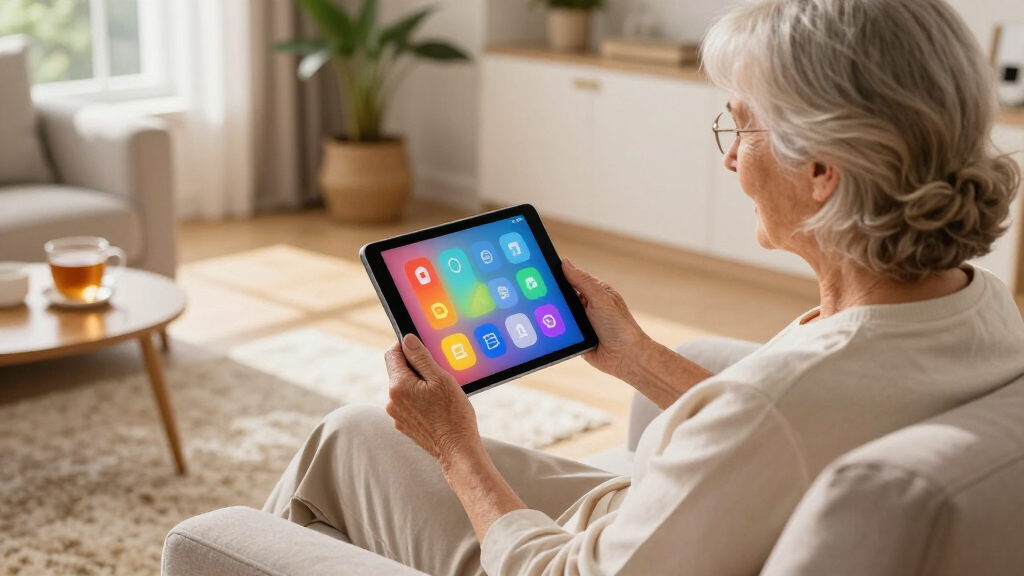

The best tablet for a senior isn’t the most powerful one — it’s the one that disappears into the background so video calls, photos, and reading feel effortless. After comparing 14 models, the Amazon Fire HD 8 stands out as my top overall pick thanks to its dead-simple interface, large-icon mode, and unmatched price. If a bigger, sharper screen matters more, the Lenovo Idea Tab with its 11-inch 2.5K display and included case and pen is the stronger choice, while the GrandPad is the most beginner-friendly option because it was designed from the ground up for seniors with built-in simplified apps and live support. The main tradeoff in this category is between simplicity and flexibility: purpose-built senior tablets are easier but locked down, while mainstream Android tablets do more but demand more setup. Keep reading for the full breakdown of all 14 models.

Turn quiet afternoons into listening time
- Thousands of audiobooks, podcasts and originals
- Listen on your phone, tablet or Echo — also offline
- Cancel anytime
Complete the kit


Key Takeaways
- Purpose-built senior tablets (GrandPad, Pix Star Touch) won on pure ease of use but lost points on price and flexibility, while mainstream tablets like the Fire HD 8 and amazon.com/dp/B0BYPHZWZK?tag=abstractblog-20&ascsubtag=dc-693947″ target=”_blank” rel=”nofollow sponsored noopener”>Lenovo Tab One won on value once simplified with large-icon modes.
- Screen size split the lineup cleanly: 8-inch models (Fire HD 8, Galaxy Tab A11, Lenovo Tab One) are lighter and cheaper, but the 10-11 inch models were noticeably better for video calls and reading — a key factor for seniors with vision challenges.
- Budget off-brand tablets (DigiLand, Aiprotablet, ECOPAD, Coopers) advertise big RAM numbers but suffer from cluttered software, bloatware, and slower software updates, which undermines the ease-of-use goal despite the low prices.
- An included folio case (Lenovo Tab M9, Idea Tab, Tab One) proved to be an underrated ease-of-use feature, propping the tablet at a comfortable viewing angle without extra purchases.
- The Fire HD 8 earned best overall because it’s the only mainstream tablet that offers a genuinely senior-friendly simplified interface out of the box at under $150, beating pricier Android rivals on the criterion that matters most.
| Lenovo Tab M9 2023 – 9″ HD Tablet with 3GB RAM, 32GB Storage, Android 12, and Folio Case – Gray |  | Best Overall | Display: 9 inches HD | Battery: 5100 mAh, up to 13 hours video playback | Processor: MediaTek G80 Octa-Core | VIEW LATEST PRICE | See Our Full Breakdown |
| Lenovo Idea Tab – 11″ 2.5K IPS Touchscreen Tablet with Pen and Folio Case |  | Best Premium Pick | Display: 11-inch 2.5K IPS touchscreen | Refresh Rate: 90Hz | Processor: MediaTek Dimensity 6300 | VIEW LATEST PRICE | See Our Full Breakdown |
| 10.1 Inch Android 16 Tablet with 12GB RAM, 64GB Storage, 1TB Expandable, Keyboard, Mouse, Stylus (Pink) |  | Best Value Bundle | Operating System: Android 16.0 | Display: 10.1 inch, 1280 x 800 HD | RAM: 12GB (3GB physical + 9GB virtual) | VIEW LATEST PRICE | See Our Full Breakdown |
| Samsung Galaxy Tab A11 WiFi Model, 8.7 inches, 64GB + 4GB, Gray |  | Best Compact Pick | Display: 8.7 inches, 90Hz, 1340 x 800 WXGA+ | Storage: 64GB | RAM: 4GB | VIEW LATEST PRICE | See Our Full Breakdown |
| DigiLand 10.1″ HD Touchscreen Android Tablet, Octa-core, 10GB RAM, 64GB Storage, Dual Cameras, 6000mAh Battery, Grey |  | Best Budget Large Screen | Display: 10.1 inches, 1280 x 800 | Processor: MediaTek Helio G80 Octa-core 2GHz | RAM: 10GB (4GB + 6GB expandable) | VIEW LATEST PRICE | See Our Full Breakdown |
| Aiprotablet 10-inch Android Tablet |  | Best Big-Screen Value | Display: 10-inch 1280×800 LCD touch screen | Processor: 2.0GHz Quad-Core | RAM: 12GB | VIEW LATEST PRICE | See Our Full Breakdown |
| Lenovo Tab One – 8.7-inch HD Tablet with Folio Case |  | Best Portable Pick | Display: 8.7-inch HD, 480 nits | Processor: MediaTek Helio G85 | RAM: 4GB | VIEW LATEST PRICE | See Our Full Breakdown |
| Amazon Fire HD 8 Tablet (Newest Model) |  | Easiest Interface for Beginners | Display: 8-inch HD, 1280×800 | Processor: Hexa-core 2.0GHz | RAM: 4GB | VIEW LATEST PRICE | See Our Full Breakdown |
| 8-inch Android 14 Tablet with GPS |  | Best for Travel and Navigation | OS: Android 14 | Display: 8-inch, 1280×800 | Processor: 2.0GHz Cortex-A75 | VIEW LATEST PRICE | See Our Full Breakdown |
| FEONAL 11-inch Android 16 Tablet |  | Best for Staying Connected Anywhere | OS: Android 16 | Display: 11-inch 1280×800 HD Incell | Processor: MTK8786 Octa-Core | VIEW LATEST PRICE | See Our Full Breakdown |
| ECOPAD 10.1 Inch Android Tablet, 12GB RAM, 64GB Storage, 1TB Expandable |  | Best Budget Multimedia Pick | Display: 10.1-inch IPS, 1280×800 HD | Processor: Quad-core ARM up to 1.2 GHz | RAM: 12GB | VIEW LATEST PRICE | See Our Full Breakdown |
| Coopers 10-inch Android 15 Tablet, 32GB ROM, 1TB Expandable |  | Best for Casual Browsing and Reading | Display: 10-inch IPS, 1280×800 | Processor: Quad-core | RAM: 8GB (3+5GB expandable) | VIEW LATEST PRICE | See Our Full Breakdown |
| Pix Star Touch Easy-to-Use Tablet for Seniors, 10.1-Inch Screen |  | Best for Photo-Sharing Families | Screen Size: 10.1 inches | Storage: 32GB | Connectivity: WiFi | VIEW LATEST PRICE | See Our Full Breakdown |
| GrandPad 9R-X0QM-1FS2 2nd Generation Senior Tablet & Phone |  | Best Premium Safety and Simplicity Pick | Display: Senior-optimized touchscreen | Processor: Qualcomm 2 GHz | Battery: 4550mAh lithium-ion, up to 8 hours | VIEW LATEST PRICE | See Our Full Breakdown |
| easy-to-use tablets for senior | Display | Storage | Processor | Battery |
|---|---|---|---|---|
| Lenovo Tab M9 2023 | 9 inches HD | 32GB | MediaTek G80 Octa-Core | 5100 mAh, up to 13 hours video playback |
| Lenovo Idea Tab | 11-inch 2.5K IPS touchscreen | 128GB | MediaTek Dimensity 6300 | — |
| 10.1 Inch Android 16 Tablet wi | 10.1 inch, 1280 x 800 HD | 64GB, expandable to 1TB via microSD | — | 6000mAh, up to 10 hours |
| Samsung Galaxy Tab A11 WiFi Mo | 8.7 inches, 90Hz, 1340 x 800 WXGA+ | 64GB | MediaTek Helio G99 Octa-core | 5100 mAh |
| DigiLand 10.1" HD Touchscreen | 10.1 inches, 1280 x 800 | 64GB, expandable to 256GB via TF card | MediaTek Helio G80 Octa-core 2GHz | 6000mAh, up to 8 hours |
| Aiprotablet 10-inch Android Ta | 10-inch 1280×800 LCD touch screen | 64GB, expandable to 1TB via microSD | 2.0GHz Quad-Core | 6000mAh |
| Lenovo Tab One | 8.7-inch HD, 480 nits | 64GB | MediaTek Helio G85 | — |
| Amazon Fire HD 8 Tablet | 8-inch HD, 1280×800 | 64GB, expandable up to 1TB via microSD | Hexa-core 2.0GHz | — |
| 8-inch Android 14 Tablet with | 8-inch, 1280×800 | 64GB, expandable to 1TB | 2.0GHz Cortex-A75 | 5100mAh, up to 8 hours |
| FEONAL 11-inch Android 16 Tabl | 11-inch 1280×800 HD Incell | 128GB, expandable to 1TB via TF card | MTK8786 Octa-Core | 7000mAh |
| ECOPAD 10.1 Inch Android Table | 10.1-inch IPS, 1280×800 HD | 64GB, expandable to 1TB via SD card | Quad-core ARM up to 1.2 GHz | 6000mAh, up to 8 hours |
| Coopers 10-inch Android 15 Tab | 10-inch IPS, 1280×800 | 32GB, expandable to 1TB | Quad-core | 6000mAh, 8-10 hours |
| Pix Star Touch Easy-to-Use Tab | — | 32GB | — | — |
| GrandPad 9R-X0QM-1FS2 2nd Gene | Senior-optimized touchscreen | — | Qualcomm 2 GHz | 4550mAh lithium-ion, up to 8 hours |
More Details on Our Top Picks
Lenovo Tab M9 2023 – 9″ HD Tablet with 3GB RAM, 32GB Storage, Android 12, and Folio Case – Gray
The Lenovo Tab M9 earns the top spot because it solves the two biggest problems seniors run into with tablets: fragility and setup frustration. The included folio case means the tablet arrives protected and doubles as a kickstand for video calls or reading, while facial recognition removes the fumbling with passwords that trips up so many first-time users. Compared with the Samsung Galaxy Tab A11, you give up the sharper 90Hz display and Android 15, but you get the case in the box — something Samsung leaves out entirely. The 13-hour battery also outlasts the DigiLand’s 8-hour rating, so charging happens less often. The tradeoff is real, though: 32GB of storage fills up fast once photos and apps accumulate, so plan on a microSD card from day one.
Pros:- Protective folio case included in the box
- Facial recognition makes signing in effortless
- Up to 13 hours of video playback per charge
- Recognizable brand with reliable Android updates
Cons:- Only 32GB of built-in storage
- Cameras are dated at 2MP front and 8MP rear
Best for: Seniors who want a protected, ready-to-use tablet with simple unlock and all-day battery
Not ideal for: Anyone planning to store lots of photos or apps locally — 32GB fills up quickly without a memory card
- Display:9 inches HD
- Battery:5100 mAh, up to 13 hours video playback
- Processor:MediaTek G80 Octa-Core
- Memory:3GB RAM
- Storage:32GB
- Operating System:Android 12 or later
- Included:Folio case
Our verdict“The most complete out-of-the-box package for a senior who wants protection, simple security, and long battery life without extras to buy.”
Lenovo Idea Tab – 11″ 2.5K IPS Touchscreen Tablet with Pen and Folio Case
For seniors whose eyesight makes small text a daily struggle, the Idea Tab’s 11-inch 2.5K display is the clearest screen in this lineup — noticeably sharper than the Lenovo Tab M9’s basic HD panel. The TÜV Rheinland Low Blue Light certification matters more than it sounds: it reduces eye strain during long reading or puzzle sessions. Unlike the DigiLand 10.1-inch, this model includes both a stylus and folio case, so hobbies like crosswords, sketching, or annotating recipes are available immediately. The quad Dolby Atmos speakers help anyone whose hearing isn’t what it used to be. The catch is price and simplicity — Android has more settings to wade through than a purpose-built option like the GrandPad, and 4GB of RAM means heavy multitasking can stutter.
Pros:- Crisp 2.5K display that’s easy on aging eyes
- Stylus and folio case both included
- TÜV-certified low blue light for comfortable reading
- Quad Dolby Atmos speakers for clearer audio
Cons:- 4GB RAM limits heavy multitasking
- Premium price compared with budget rivals
- Wi-Fi only, no cellular option
Best for: Seniors prioritizing a large, sharp, eye-friendly screen for reading, games, and video
Not ideal for: Buyers on a tight budget or those wanting the simplest possible interface — this is more tablet than a basic user needs
- Display:11-inch 2.5K IPS touchscreen
- Refresh Rate:90Hz
- Processor:MediaTek Dimensity 6300
- Memory:4GB RAM
- Storage:128GB
- Battery Life:Up to 12 hours
- Included:Tab Pen, Folio Case
- Sound:Quad Dolby Atmos speakers
Our verdict“Worth the extra money for seniors who read or watch extensively and need the biggest, sharpest, most eye-friendly screen available.”
10.1 Inch Android 16 Tablet with 12GB RAM, 64GB Storage, 1TB Expandable, Keyboard, Mouse, Stylus (Pink)
This tablet’s pitch is everything in one box: keyboard, mouse, stylus, and case for roughly what competitors charge for the tablet alone. That makes it a smart choice for a senior who wants to write emails comfortably or poke around the web with a real mouse instead of a touchscreen. Compared with the Lenovo Tab M9, the 10.1-inch screen gives more room for large text, and 12GB of (partly virtual) RAM plus 1TB expandable storage means it won’t slow down or fill up the way the M9 can. But the compromises are worth weighing: the 1280×800 displayRunning Android 16 sounds modern, but some apps haven’t caught up yet.
Pros:- Keyboard, mouse, stylus, and case all included
- Expandable storage up to 1TB
- 12GB RAM keeps multitasking smooth
- 6000mAh battery lasts up to 10 hours
Cons:- Low-resolution display for a 10.1-inch screen
- Android 16 may have app compatibility gaps
Best for: Budget-conscious buyers who want a complete keyboard-and-mouse kit for email and light computing
Not ideal for: Anyone who values brand reliability and software support — an unknown manufacturer with mixed reviews carries risk
- Operating System:Android 16.0
- Display:10.1 inch, 1280 x 800 HD
- RAM:12GB (3GB physical + 9GB virtual)
- Storage:64GB, expandable to 1TB via microSD
- Battery:6000mAh, up to 10 hours
- Connectivity:5G WiFi, Bluetooth 5.0, USB-C
- Included:Keyboard, Mouse, Stylus, Protective Case, USB-C Cable
Our verdict“A sensible budget pick if the bundled accessories matter more than screen quality or brand pedigree.”
Samsung Galaxy Tab A11 WiFi Model, 8.7 inches, 64GB + 4GB, Gray
Light, small, and made by a company with real software support, the Galaxy Tab A11 is the tablet a senior can hold in one hand for an entire e-book chapter. The 90Hz display makes scrolling feel smoother than the Lenovo Tab M9’s standard 60Hz panel, and Android 15 with promised updates means it stays secure for years — something none of the budget brands here can promise. Samsung’s software also includes simplified modes and accessibility settings that are easier to configure than stock Android. But read the fine print: this is an international version with no charger in the box and no SIM slot, so it’s Wi-Fi only, and warranty coverage may not apply. You’ll also want a microSD card eventually, though the slot supports up to 2TB.
Pros:- One-handed size at just 8.7 inches
- 90Hz display is smoother than similarly priced rivals
- Android 15 with expected software updates
- microSD slot supports up to 2TB
Cons:- No charger included in the box
- Wi-Fi only, no cellular support
- International version may lack US warranty coverage
Best for: Seniors with smaller hands or limited grip strength who want a trusted brand in a lightweight frame
Not ideal for: Anyone wanting cellular service on the go or expecting a complete retail kit — no charger and no SIM support
- Display:8.7 inches, 90Hz, 1340 x 800 WXGA+
- Storage:64GB
- RAM:4GB
- Processor:MediaTek Helio G99 Octa-core
- Battery:5100 mAh
- Operating System:Android 15
- Expandable Storage:microSD up to 2TB (card sold separately)
Our verdict“The best small-format choice for seniors who value portability and long-term software support over screen size.”
DigiLand 10.1″ HD Touchscreen Android Tablet, Octa-core, 10GB RAM, 64GB Storage, Dual Cameras, 6000mAh Battery, Grey
When the priority is a big 10.1-inch screen at the lowest possible price, the DigiLand delivers where pricier options don’t. The generous display makes icons and text easy to enlarge for low vision, and 10GB of RAM (4GB physical plus expandable virtual memory) handles email, video calls, and browsing without the lag seniors often blame themselves for. Against the pink Android 16 tablet, it trades the accessory bundle for a more established retail presence, but its 8-hour battery rating is the shortest among the 10-inch options here — the Lenovo Tab M9 beats it by five hours — so it needs charging more often. Nothing in the box beyond the basics, either: a case costs extra.
Pros:- Large 10.1-inch display for easy-to-read text
- 10GB RAM for smooth everyday multitasking
- Storage expandable to 256GB via TF card
- Affordable price point with quad speakers included
Cons:- Shortest battery life in this lineup at up to 8 hours
- No case or accessories included
Best for: Price-sensitive seniors who mainly want a large, readable screen for browsing and video calls
Not ideal for: Heavy daily users — the 8-hour battery and unremarkable cameras won’t keep up with all-day streaming
- Display:10.1 inches, 1280 x 800
- Processor:MediaTek Helio G80 Octa-core 2GHz
- RAM:10GB (4GB + 6GB expandable)
- Storage:64GB, expandable to 256GB via TF card
- Battery:6000mAh, up to 8 hours
- Connectivity:Wi-Fi 2.4G/5G, Bluetooth 5.0, USB-C
- Speakers:Stereo speakers
Our verdict“A reasonable low-cost entry point for a senior who needs a big screen and little else — just keep the charger handy.”
Aiprotablet 10-inch Android Tablet
This option stands out for buyers who want a 10-inch screen and heavy multitasking headroom without paying a premium. The 12GB of RAM is more memory than most seniors will ever need, which means the tablet keeps responding the same way a year from now even after apps accumulate — a real concern with budget slates like the DigiLand 10.1-inch model. The 6000mAh battery comfortably covers a full day of reading or video calls. Compared with the Fire HD 8, this tablet gives you the full Google Play Store and a larger display for easier reading, though its 1280×800 LCD is noticeably less vibrant than what Amazon or Samsung offer at this size. Buyers should also budget for a microSD card, since the 64GB of built-in storage fills up quickly with photos and downloaded books.
Pros:- 12GB of RAM keeps performance smooth even with many apps installed
- Large expandable storage up to 1TB for photos and books
- 6000mAh battery lasts a full day of typical use
- Full Google Play Store access unlike the Fire HD 8
Cons:- 1280×800 LCD looks washed out next to better panels
- microSD card not included and effectively required
- Quad-core chip can slow down with heavy multitasking
Best for: Seniors who want a large, affordable Android tablet with room to grow and full access to the Google Play Store
Not ideal for: Anyone who wants sharp, colorful visuals for photo albums or streaming — the basic LCD panel falls short of premium displays
- Display:10-inch 1280×800 LCD touch screen
- Processor:2.0GHz Quad-Core
- RAM:12GB
- Storage:64GB, expandable to 1TB via microSD
- Connectivity:WiFi 5, Bluetooth 5.0
- Battery:6000mAh
- Camera:Dual cameras
Our verdict“A sensible pick for seniors who prioritize screen size and app freedom over display quality.”
Lenovo Tab One – 8.7-inch HD Tablet with Folio Case
The Tab One makes the most sense for seniors who find 10- and 11-inch tablets like the FEONAL 11-inch too heavy to hold for long reading sessions. At roughly 8.5mm thick and light enough for one hand, it pairs that portability with a genuine brand-name build and a bundled folio case with a stand — an accessory that costs extra with nearly every competitor here. The 480-nit display is bright enough for a sunny kitchen table, and Dolby Atmos dual speakers help with clearer dialogue during video calls, something budget tablets like the Aiprotablet often fumble. The tradeoff is the 4GB of RAM: it handles email, browsing, and streaming fine, but it will feel slower than the 12GB options when switching between several apps. Android 14 out of the box is a nice longevity bonus.
Pros:- Very lightweight one-hand design with included folio stand case
- Up to 12.5 hours of streaming on a charge
- Bright 480-nit display and Dolby Atmos speakers
- Runs Android 14 with full Google Play access
Cons:- Only 4GB of RAM limits long-term multitasking
- No cellular connectivity option
- 8.7-inch screen may be too small for low-vision users
Best for: Seniors who read or video-chat for long stretches and want a light tablet with a built-in stand
Not ideal for: Heavy multitaskers or app hoarders — 4GB of RAM and 60Hz refresh rate will feel sluggish over time
- Display:8.7-inch HD, 480 nits
- Processor:MediaTek Helio G85
- RAM:4GB
- Storage:64GB
- Battery Life:Up to 12.5 hours streaming
- Audio:Dual Dolby Atmos speakers
- OS:Android 14
Our verdict“The best choice for seniors who value portability and a hands-free stand over raw power.”
Amazon Fire HD 8 Tablet (Newest Model)
For a senior buying their very first tablet, the Fire HD 8 solves the problem most Android slates ignore: simplicity. Amazon’s interface puts apps, books, and video calls on large, obvious home-screen tiles, and built-in Alexa means weather, reminders, and family calls can happen by voice instead of menus. That is a fundamentally friendlier experience than the stock Android 14 tablet in this lineup, which assumes the buyer already knows where settings live. Battery life is excellent at up to 13 hours, and expandable storage up to 1TB means never worrying about space. The catch is significant: no Google Play Store. Apps must come from Amazon’s Appstore, and favorites like some banking or video apps may simply be unavailable. Wi-Fi 6 and USB-C charging are nice modern touches, but anyone attached to specific Google apps should look at the Lenovo Tab One instead.
Pros:- Simplified tile-based interface ideal for beginners
- Alexa voice control for calls, reminders, and smart home
- Up to 13 hours of battery life
- Expandable storage up to 1TB
Cons:- No Google Play Store support limits app choices
- Some apps must install to internal storage
- Modest 2MP front camera for video calls
Best for: First-time tablet users who want the simplest possible interface and voice control via Alexa
Not ideal for: Anyone who depends on Google apps or specific Android apps unavailable in Amazon’s Appstore
- Display:8-inch HD, 1280×800
- Processor:Hexa-core 2.0GHz
- RAM:4GB
- Storage:64GB, expandable up to 1TB via microSD
- Battery Life:Up to 13 hours
- Connectivity:Wi-Fi 6, Bluetooth 5.2, USB-C
- Weight:11.88 oz (337 g)
- Cameras:2MP front, 5MP rear
Our verdict“The friendliest entry point for tech-shy seniors, as long as their must-have apps exist on Amazon’s Appstore.”
8-inch Android 14 Tablet with GPS
This model is better suited to seniors who leave the house — its support for GPS plus Galileo, BeiDou, and Glonass means it works as a genuine navigation device on road trips, where Wi-Fi-only tablets like the Fire HD 8 become dead weight. The 12GB of RAM matches the Aiprotablet’s, so switching between maps, email, and a book feels just as fluid, and dual-band Wi-Fi holds a steadier connection farther from the router. The compact 8-inch size with 5100mAh battery delivers about 8 hours of use, enough for a long travel day but roughly five hours less than the Lenovo Tab One’s streaming figure. Buyers should know the resolution is actually 1280×800 rather than true FHD, so text is readable but not crisp, and the single-port limitation means no charging while using USB accessories.
Pros:- Multi-satellite GPS for real offline navigation
- 12GB RAM for smooth app switching
- Expandable storage up to 1TB
- Compact size with included charging accessories
Cons:- 8-hour battery life is short for the category
- Display is 1280×800, not true FHD as the title implies
- Only one USB device can connect at a time
Best for: Active seniors and travelers who want one device for navigation, reading, and email on the road
Not ideal for: Homebound users — the GPS hardware adds cost with no benefit, and battery life trails dedicated home tablets
- OS:Android 14
- Display:8-inch, 1280×800
- Processor:2.0GHz Cortex-A75
- RAM:12GB
- Storage:64GB, expandable to 1TB
- Battery:5100mAh, up to 8 hours
- Navigation:GPS, Galileo, BeiDou, Glonass
- Connectivity:Dual-band Wi-Fi, Bluetooth 5.0
Our verdict“A smart pick for grandparents who travel, overkill for the kitchen table.”
FEONAL 11-inch Android 16 Tablet
The FEONAL’s standout feature is 4G LTE connectivity — it is the only tablet in this batch that can make calls and stream over a cellular plan, which matters for seniors who don’t have reliable home Wi-Fi or who want a single device that doubles as a phone (a niche the GrandPad also fills at a much higher recurring cost). The 11-inch display is the largest here, easiest on aging eyes, and the 7000mAh battery outlasts every competitor including the Fire HD 8’s 13-hour figure in mixed use. Running Android 16 with 128GB of storage means fewer updates and storage worries for years. The compromises: the 1280×800 resolution stretched across 11 inches looks visibly soft next to sharper panels, part of the 20GB RAM is virtual rather than physical, and the TF expansion card is not included.
Pros:- 4G LTE connectivity for calls and data without Wi-Fi
- Largest 11-inch screen in this group for easy reading
- 7000mAh battery with fast charging
- 128GB storage plus Android 16 for long-term relevance
Cons:- 1280×800 resolution looks soft on an 11-inch panel
- 12GB of the 20GB RAM is virtual, not physical
- Expansion TF card not included
Best for: Seniors who want one large device for calls, video chats, and entertainment without depending on Wi-Fi
Not ideal for: Buyers who mainly browse at home on Wi-Fi — the LTE capability and larger size add cost and weight they won’t use
- OS:Android 16
- Display:11-inch 1280×800 HD Incell
- Processor:MTK8786 Octa-Core
- RAM:20GB (8GB physical + 12GB virtual)
- Storage:128GB, expandable to 1TB via TF card
- Battery:7000mAh
- Connectivity:4G LTE, dual-band Wi-Fi, Bluetooth 5.0
- Cameras:13MP rear, 8MP front
Our verdict“The pick for seniors who want tablet and phone in one big-screen device, sharpness be damned.”
ECOPAD 10.1 Inch Android Tablet, 12GB RAM, 64GB Storage, 1TB Expandable
The ECOPAD stands out for seniors who want a big, readable 10.1-inch screen without paying Samsung prices. Compared with the Coopers 10-inch below, its 12GB of RAM and 64GB of storage mean fewer frustrating slowdowns when juggling video calls, browsers, and photo albums — the kind of multitasking many family video-chat setups demand. The 8-hour battery is genuinely useful for moving between rooms without hunting for an outlet. That said, this is a generic Android tablet, so nobody has simplified anything for an older user: menus, settings, and app installs work exactly like any standard tablet. The also signals quality-control inconsistency, so a family member should help with the initial setup and be prepared to exchange a lemon. The screen’s 1280×800 resolution is adequate but not crisp next to the Lenovo Idea Tab’s 2.5K panel.
Pros:- Large 10.1-inch HD IPS display that’s easy on aging eyes
- 12GB RAM handles multitasking without lag
- 64GB storage expandable to 1TB for photos and apps
- Up to 8 hours of battery life for all-day use
Cons:- Standard Android interface with no simplified senior mode
- No SD card included despite the expansion capability
Best for: Budget-conscious families who want a large-screen tablet for video calls, photos, and streaming, and who can help with initial setup
Not ideal for: Seniors who need a simplified interface out of the box — this ships with standard Android and no senior-friendly customization
- Display:10.1-inch IPS, 1280×800 HD
- Processor:Quad-core ARM up to 1.2 GHz
- RAM:12GB
- Storage:64GB, expandable to 1TB via SD card
- Battery:6000mAh, up to 8 hours
- Cameras:2.0MP front, 8.0MP rear
- Connectivity:Bluetooth 5.0, dual-band WiFi
- Warranty:1 year
Our verdict“A solid big-screen value for hands-on families, as long as someone tech-savvy handles setup and quality checks the unit.”
Coopers 10-inch Android 15 Tablet, 32GB ROM, 1TB Expandable
The Coopers occupies the lightest-duty spot in this lineup: it’s fine for email, news sites, e-books, and the occasional video call, which is honestly all many seniors need. Its 8-10 hour battery life edges out both the ECOPAD and the Pix Star Touch, and the included 3.5mm headphone jack matters more than it sounds — it lets a senior plug in familiar headphones instead of pairing Bluetooth. The tradeoff is storage: 32GB fills fast once photos and apps accumulate, and unlike the ECOPAD’s 64GB baseline, you’ll need to buy an SD card almost immediately. The older Bluetooth 4.2 and 2.4GHz-only WiFi also make it feel a generation behind. This model makes the most sense for a senior whose usage is predictable and modest; anyone who wants to store a large photo library or stream heavily should spend a little more.
Pros:- 8-10 hour battery life, among the best in this group
- Headphone jack allows familiar wired headphones
- Pre-installed Google Play for easy app downloads
- 1TB SD card expansion for long-term storage headroom
Cons:- Only 32GB internal storage out of the box
- Bluetooth 4.2 and 2.4GHz-only WiFi are dated
- Basic 2MP front camera is weak for video calls
Best for: Seniors who mainly browse the web, read, and email, and who don’t store large photo or video libraries
Not ideal for: Photo-heavy users or streamers — 32GB of internal storage fills up fast and forces constant SD card management
- Display:10-inch IPS, 1280×800
- Processor:Quad-core
- RAM:8GB (3+5GB expandable)
- Storage:32GB, expandable to 1TB
- Battery:6000mAh, 8-10 hours
- Cameras:8.0MP rear, 2.0MP front
- Connectivity:Bluetooth 4.2, 2.4GHz WiFi, GPS, FM radio
- Ports:USB-C, 3.5mm headphone jack
Our verdict“A dependable pick for light, predictable use — just budget for an SD card on day one.”
Pix Star Touch Easy-to-Use Tablet for Seniors, 10.1-Inch Screen
The Pix Star Touch is the only tablet in this batch besides the GrandPad that was designed for seniors first, and it shows: the interface prioritizes email, video calls, browsing, and photo sharing with large, obvious buttons rather than burying them in standard Android. Where the GrandPad locks you into its ecosystem and a monthly plan, the Pix Star keeps things open — Google Play is available if a user wants more apps later. That makes it a natural middle ground between a locked-down GrandPad and a raw tablet like the Coopers. The compromises are real, though. With 32GB of storage and no expansion mentioned, a family that shares lots of photos will hit a wall, and the absence of any published battery specs is a genuine concern for a device meant to live on a coffee table. Build quality and long-term support are also less documented than bigger brands.
Pros:- Purpose-built simplified interface designed for seniors
- No subscription required, unlike the GrandPad
- Full Google Play access for adding apps later
- Dual cameras support video calling out of the box
Cons:- 32GB storage with no stated expansion path
- No published battery life or charging details
- Less established brand with unclear long-term support
Best for: Seniors whose top priority is a simplified interface for video calls and family photo sharing, without a subscription
Not ideal for: Families who share large photo libraries — 32GB and no stated expansion will fill up quickly
- Screen Size:10.1 inches
- Storage:32GB
- Connectivity:WiFi
- Cameras:Front and back
- Ports:1 USB-C
- App Store:Google Play supported
Our verdict“The right choice when a senior-friendly interface is non-negotiable but a monthly GrandPad subscription is a dealbreaker.”
GrandPad 9R-X0QM-1FS2 2nd Generation Senior Tablet & Phone
The GrandPad is the most hands-off option in the entire roundup — nothing else here, including the Pix Star Touch, matches its combination of purpose-built software and a private network that blocks spam and scam calls. For a senior who has been burned by phishing texts or robocalls, that security layer alone justifies the price. The bundle is thoughtful too: a wireless charging cradle eliminates fiddly cables, the protective case survives drops, and the stylus helps less steady hands. The catch is structural: plans start at $25/month and the tablet is essentially non-functional without an active subscription, plus it won’t work with Consumer Cellular or other carriers. Compared with a one-time purchase like the ECOPAD, this is a commitment. Families paying for peace of mind will find it worthwhile; bargain hunters won’t.
Pros:- Private secure network blocks spam calls and scam attempts
- Large icons and simplified navigation built exclusively for seniors
- Wireless charging cradle removes cable confusion entirely
- Includes protective case and stylus in the box
Cons:- Requires an ongoing subscription starting at $25/month
- Essentially unusable without an active GrandPad plan
- Not compatible with Consumer Cellular or other wireless carriers
Best for: Families willing to pay a monthly fee for maximum simplicity, scam protection, and a fully managed senior experience
Not ideal for: Budget-conscious buyers or anyone wanting a one-time purchase — the tablet requires a $25+/month plan to function
- Display:Senior-optimized touchscreen
- Processor:Qualcomm 2 GHz
- Battery:4550mAh lithium-ion, up to 8 hours
- Charging:Wireless charging cradle included
- Audio:Two front-facing stereo speakers
- Included Accessories:Charging cradle, protective case, stylus
Our verdict“The safest, simplest choice for a vulnerable senior — provided the family accepts the recurring subscription cost.”
How We Picked
Because this roundup is judged through a single lens — ease of use for seniors — I weighted factors differently than a general tablet comparison. Interface simplicity carried the most weight: does the tablet boot into something a first-time user can understand, or does it demand account setup, app pruning, and settings tinkering? Models that ship with simplified modes, minimal bloatware, or purpose-built senior software ranked higher than models with better raw specs but cluttered interfaces. Screen readability came next, favoring larger displays with decent resolution for video calls, e-reading, and photos.
From there, I weighed physical comfort (weight, case included, button placement), everyday performance (enough speed that the tablet never feels stuck — no gaming benchmarks needed), battery life, and total cost of ownership, including whether a subscription is required. Products are ordered by how well they balance these factors for a senior user specifically, which is why a cheap tablet with confusing software ranks below a modest tablet that works right out of the box. Every pick includes real drawbacks, because no tablet in this category gets everything right.
Factors to Consider When Choosing Easy-to-use Tablets For Seniors
Choosing a tablet for a senior involves different priorities than buying for yourself. Below are the factors that actually change the day-to-day experience, along with the mistakes I see buyers make most often.Software Simlicity Matters More Than Hardware Specs
The single biggest mistake buyers make is chasing RAM and storage numbers when the software experience determines whether a senior will actually use the tablet. A device with 12GB of RAM and a cluttered app drawer full of preinstalled junk is harder to use than a modest device with a clean, simplified home screen. Look for tablets that offer a large-icon or simplified mode that you can enable during setup — Amazon’s Fire tablets and Samsung’s One UI both support this. Purpose-built senior tablets like GrandPad take this further by locking down the interface entirely, which is ideal for someone with memory or cognitive challenges but restrictive for a confident user. My advice: set the tablet up yourself before gifting it, install only the apps that will be used, arrange them on a single home screen, and disable notifications from everything else. An hour of setup effort is worth more than any spec sheet upgrade.
Screen Size and Weight Tradeoffs
Screen size is a genuine tradeoff, not a case of bigger is always better. A 10-11 inch display makes video calls, photos, and e-books far more comfortable, especially for anyone with declining vision, and on-screen keyboards become usable without frustration. But those tablets weigh more, tire the hands during long reading sessions, and cost more. An 8-9 inch model is light enough to hold one-handed like a book and easy to carry around the house, at the expense of smaller text and touch targets. The best middle path for many seniors is a 10-inch tablet paired with a folio case that props it up on a table, eliminating the holding problem entirely. If the tablet will mostly live on a kitchen counter or side table, go bigger; if it will be carried room to room, lean smaller and lighter.
Ecosystem Lock-In and Who Will Provide Tech Support
Before buying, ask one question: who will this senior call when something goes wrong? If the answer is a family member who uses a Samsung phone, a Samsung tablet makes support easier because the interfaces match. If the answer is nobody, a service-based option like GrandPad, which includes live phone support and a family-managed companion app, justifies its subscription cost. Amazon’s Fire ecosystem is another middle path — it’s inexpensive, and family members can remotely manage content through Amazon Kids-style controls or simple check-ins. Off-brand Android tablets have no meaningful support ecosystem at all, which means every problem becomes a family problem. Factor the support arrangement into the price, not just the sticker on the box.
Connectivity: Wi-Fi Only vs. Cellular
Most seniors do fine with a Wi-Fi-only tablet, since home Wi-Fi covers video calls, browsing, and streaming. But there are two scenarios where cellular matters: a senior who travels frequently or lives somewhere with unreliable Wi-Fi, and families who want the tablet to work anywhere in an emergency. A few models in this lineup, like the FEONAL with 4G LTE, offer cellular connectivity without a phone-plan contract, using cheap pay-as-you-go data plans. GrandPad handles this differently, shipping with its own built-in wireless service bundled into the subscription. Don’t pay extra for cellular capability that will never be activated — but don’t skip it if staying connected outside the house is part of the plan.
Total Cost of Ownership and Subscription Traps
The purchase price is only part of the cost. Some tablets push ads on the lock screen (Amazon Fire models do this unless you pay a one-time fee to remove them), some require ongoing subscriptions for their best features (GrandPad’s service is monthly), and off-brand tablets often push you toward their own app stores with limited selections. Budget for accessories too: a folio case, a stylus for anyone with shaky fingers, and possibly a charging stand so the tablet lives in one predictable spot. A $90 tablet that needs $60 of accessories and hours of cleanup may cost more in practice than a $140 tablet that ships ready to go. Conversely, a subscription tablet can be worth it if it replaces frustration with confidence — value here is measured in independence gained per dollar, not raw hardware.
Accessibility Features Worth Checking Before You Buy
Modern tablets include accessibility tools that dramatically improve usability, but they vary widely between brands and are easy to miss during shopping. Look for screen magnification gestures, adjustable font and display-size settings, voice assistants for hands-free operation, and the ability to increase touch-and-hold delay so accidental taps don’t open the wrong thing. Name-brand Android tablets and Fire tablets have the most mature accessibility suites; off-brand tablets often claim Android versions but ship with stripped-down or inaccessible settings menus. Also consider whether the senior will use video calling, and check that the platform matches the family — a tablet locked to a calling app nobody else uses will gather dust. The best accessibility feature, though, is still a family member who configures these settings before handing the device over.
Frequently Asked Questions
Is a purpose-built senior tablet like GrandPad worth the subscription cost?
It depends entirely on the user. If the senior has never used a smartphone, struggles with technology, or has cognitive decline, GrandPad’s locked-down interface, built-in cellular, large buttons, and live human support can be genuinely transformative — and cheaper than the frustration of a conventional tablet sitting unused in a drawer. The subscription (roughly the cost of a streaming bundle plus data) covers the wireless service and support, so it’s not pure overhead. However, for a senior who has already used a smartphone or tablet, GrandPad will feel restrictive and expensive, and a simplified Fire HD 8 or Lenovo at a fraction of the cost will do more. My rule of thumb: if family members are already doing frequent tech support calls, the subscription pays for itself; if the senior is reasonably confident, skip it.
Should I buy an 8-inch or 10-inch tablet for an older adult?
Match the size to how the tablet will actually be used. If it will mostly rest on a table for video calls, recipes, or TV watching, go with a 10-11 inch model — the larger screen and bigger touch targets make everything easier and reduce mis-taps. If the senior will hold it for hours reading or carry it between rooms, an 8-9 inch model around 300-350 grams is far more comfortable and less likely to be dropped. Vision is the deciding factor: anyone who regularly enlarges text on their phone should get the biggest screen the budget allows. A folio case that props the tablet up at a reading angle partially solves the weight problem for larger models, which is why I favor case-included bundles in this lineup for most buyers.
Are cheap off-brand Android tablets (under $100) a good deal for seniors?
Sometimes, but they carry real risks that matter more for seniors than for tech-savvy buyers. The advertised RAM on these tablets is often inflated through software tricks, and the app stores, bloatware, and update policies vary wildly — some never receive security updates at all. For a senior, the bigger problem is that these tablets usually boot into a cluttered, generic Android interface with no simplified mode, so the out-of-box experience works against the goal of ease of use. That said, if a family member is willing to spend an hour setting one up, removing junk apps, and installing a simple launcher, a tablet like the DigiLand or ECOPAD can be serviceable for light use. If nobody will do that setup, spend slightly more on a Fire HD 8 or Lenovo and get a cleaner experience from day one.
Can I make a regular tablet easier for a senior to use?
Yes, and this is often the best path because you get better hardware plus a tailored experience. The steps that make the biggest difference: enable the brand’s simplified or large-icon home screen mode, delete or hide every app that won’t be used, put the four or five essential apps (video calling, photos, weather, a browser) on a single home screen, and increase font size and display zoom in settings. Turn on automatic updates so the device maintains itself, disable notifications from everything except the calling app, and set up a charging stand in a fixed location so the tablet is always where the senior expects it. On Fire tablets you can also pay the small fee to remove lock-screen ads, which reduces confusion. Done well, a simplified mainstream tablet can rival a purpose-built senior device at a much lower cost.
Which tablet is best for video calls with grandchildren?
Prioritize three things: a front camera that’s actually decent, a screen large enough to see faces clearly, and an app platform the family already uses. The Amazon Fire HD 8 and Fire-compatible models work well if the family uses Alexa Calling, while mainstream Android tablets like the Lenovo Idea Tab and Galaxy Tab A11 run any calling app — Zoom, Facebook Messenger, WhatsApp, or Google Meet — which gives families flexibility. A 10-inch or larger screen makes the experience much more satisfying than an 8-inch one for this specific use, since faces are bigger and the interface is easier to tap. Also position the camera at eye level using a folio case or stand; a tablet lying flat on a table produces unflattering upward angles that make calls harder to see. Finally, enable auto-answer or favorites shortcuts for the calling app so connecting never requires searching.
Conclusion
The right pick here depends less on specs and more on who will use the tablet and who will support it. For best overall, the Amazon Fire HD 8 delivers the best balance of simplicity, price, and a senior-friendly interface you can enable in minutes. For best value, the Lenovo Tab One offers a clean Android experience with an included folio case at a bargain price, with the Lenovo Tab M9 close behind if a slightly larger screen appeals. For best premium, the Lenovo Idea Tab pairs an 11-inch 2.5K display with a pen and case — ideal for a senior who wants a beautiful reading and video experience. For absolute beginners or anyone with cognitive challenges, the GrandPad is worth its subscription because it removes nearly every point of confusion, while the Pix Star Touch suits seniors whose primary need is receiving photos and video messages from family. If a big screen on a tight budget is the priority, the FEONAL 11-inch or Samsung Galaxy Tab A11 fill that role, and travelers who need connectivity anywhere should look at the FEONAL’s LTE support. Whatever you choose, remember that an hour of thoughtful setup by a family member improves the experience more than any amount of extra spending.