
TL;DR

Turn quiet afternoons into listening time
- Thousands of audiobooks, podcasts and originals
- Listen on your phone, tablet or Echo — also offline
- Cancel anytime
Video magnifiers with digital screens provide adjustable magnification, contrast, and image control, often outperforming traditional glass lenses in clarity and comfort. They’re especially useful for sustained reading and detailed tasks.
Adjustable magnification and contrast are vital for effective use of video magnifiers.
Larger screens and better image quality reduce eye strain and improve reading speed.
Choose a device based on your primary tasks and environment, not just maximum zoom.
Testing with your own materials helps ensure comfort and practicality before purchase.
Emerging AI features add helpful recognition and speech capabilities, making devices more versatile.
When a Digital Screen Beats a Glass Lens
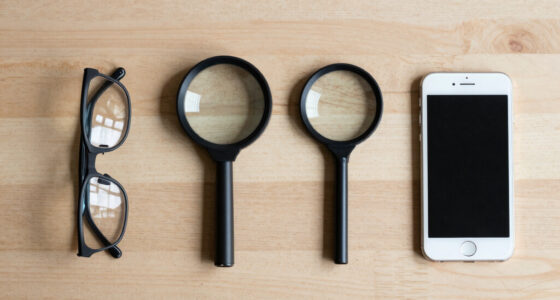
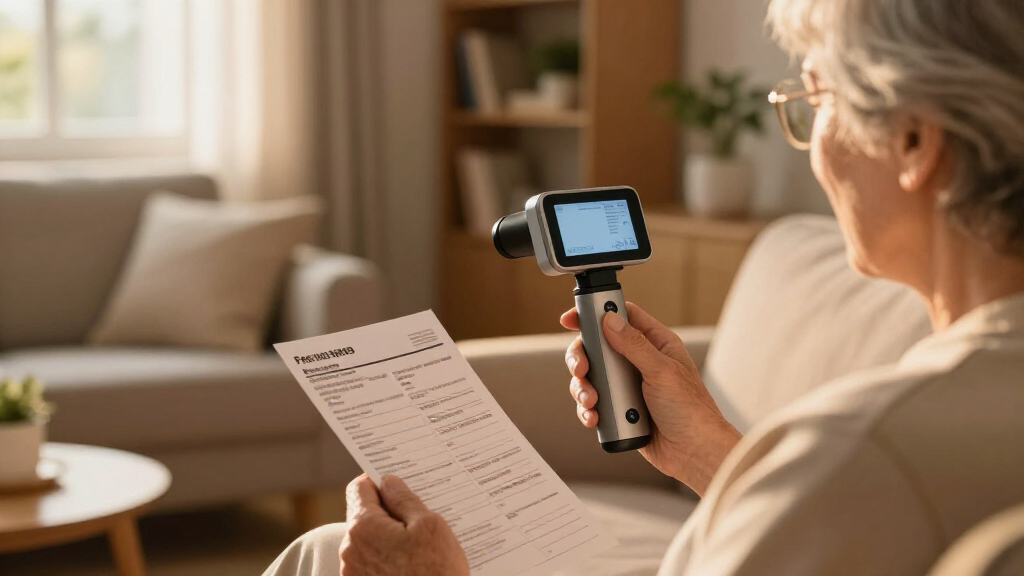
Video magnifiers combine a camera and screen to enlarge, sharpen, recolor, freeze, and illuminate text or objects. For sustained reading and detailed work, that control can provide greater clarity, comfort, and independence than magnification alone.
More than enlargement
A glass lens enlarges what is already there. A video magnifier can reshape the image around an individual’s contrast sensitivity, lighting needs, posture, and task.
Smooth magnification
Move from an overview to fine detail without changing lenses. A useful low setting preserves context; higher settings reveal tiny print and intricate objects.
Contrast on demand
Reverse colors, reduce glare, or choose high-contrast combinations. These controls can make letter edges easier to distinguish and reading less tiring.
Autofocus and posture
A stable image, controlled illumination, and upright viewing position reduce constant refocusing, awkward handling, and neck strain during longer tasks.
Where digital control adds value
A practical capability profile based on the functions that distinguish video magnifiers from simple optical lenses.
Choose the tool by the task
Digital screens usually lead for sustained or complex work. Glass magnifiers remain valuable when speed, simplicity, low cost, and pocket-size portability matter most.
| Capability | Video magnifier | Glass lens | Practical impact |
|---|---|---|---|
| Adjustable zoom | ✓ Strong | ✗ Fixed | Switch between overview and detail |
| Contrast modes | ✓ Available | ✗ None | Improves separation of text and background |
| Image freeze | ✓ Available | ✗ None | Capture labels, signs, or awkward objects |
| Long reading sessions | ✓ Better fit | ~ Limited | Supports stability and upright posture |
| Instant pocket use | ~ Device dependent | ✓ Excellent | Glass wins for brief, simple spotting |
| Text recognition and speech | ✓ On some models | ✗ None | Adds access when visual reading is difficult |
✓ Clear advantage ~ Depends on device or task ✗ Not supported
Four formats, four use patterns
Maximum zoom is only one specification. Screen size, working distance, controls, stability, portability, and physical comfort determine whether a device fits daily life.
Desktop systems
Best for sustained workLarge screens, stable cameras, generous working space, and comfortable positioning suit reading, writing, crafts, and detailed home or workplace tasks.
Portable devices
Best for short tasks away from homeCompact screens, batteries, stands, freeze controls, and contrast modes work well for menus, shopping, appointments, labels, and brief reading.
Phones and tablets
Best accessible entry pointBuilt-in accessibility tools and apps can magnify, freeze, recolor, recognize, and speak text, though handheld stability and touchscreen controls may limit comfort.
Wearable systems
Best for selected hands-free tasksNear-eye displays may support near and distance viewing, but comfort, motion sensitivity, field restrictions, learning demands, appearance, and cost require careful testing.
From visual need to confident use
A successful choice begins with real materials and ends with a setup that remains comfortable after the novelty of high magnification wears off.
Name the task
Reading mail, signing forms, sewing, viewing labels, or spotting presentation material.
Match the controls
Prioritize usable low zoom, contrast, autofocus, lighting, freeze mode, or speech.
Test real material
Bring your medication label, handwriting, book, craft, form, or glossy packaging.
Check endurance
Evaluate reading speed, field of view, glare, controls, posture, and fatigue over time.
Frequently asked questions
A practical video magnifier setup should balance visual access with stability, posture, straightforward controls, and the demands of the environment.
Is a video magnifier the same as a CCTV?
The terms overlap. CCTV traditionally describes desktop systems, while video magnifier also includes portable, phone-based, tablet-based, and wearable devices.
How much magnification is enough?
Use the lowest magnification that makes the material comfortable to recognize. Excessive zoom reduces the visible area and can slow reading or navigation.
Can a smartphone replace a dedicated device?
A phone can handle many spotting and short reading tasks. Dedicated equipment often offers greater stability, larger screens, physical controls, and better ergonomics.
Should I keep a glass magnifier?
Often, yes. A simple lens remains useful for quick checks, travel, emergencies, and situations where charging, setup, or digital controls would add friction.
Can normal use damage the eyes?
Normal use is considered safe, but glare, poor lighting, awkward posture, and prolonged viewing can cause fatigue. Adjust brightness, position the screen comfortably, and take regular breaks.
Why a digital screen often beats a glass lens for low vision tasks
Video magnifiers use a camera to project images onto a screen, offering more flexibility than a glass lens. They can zoom in much further, with magnification often reaching 60x or more. This high level of magnification allows users to see fine details that would be impossible with traditional lenses, especially at higher powers where optical distortion or image instability can occur. Additionally, digital screens enable real-time contrast adjustments, color inversions, and image freezing, which are crucial for tasks like reading tiny text or inspecting intricate objects. These features help compensate for specific visual deficits, such as poor contrast sensitivity or color discrimination issues, making tasks more accessible and reducing eye strain. The ability to customize the display means that users can optimize their view based on lighting conditions and personal preferences, which is impossible with simple glass lenses. This flexibility not only enhances clarity but also minimizes fatigue during extended use, promoting better comfort and sustained independence.
Popular right now

TCL QM64L 85-Inch QD-Mini LED 4K Smart Fire TV

TCL T7 Series 85-Inch 4K 144Hz QLED Smart Google TV

Ninja DualZone 6-in-1 Air Fryer, 8-Qt, Grey, DZ801
As an affiliate, we earn on qualifying purchases.
Top features that make digital screens better than glass for low vision
When choosing a video magnifier, focus on features that deliver real benefits:
- Magnification range: Look for devices that go beyond 20x—higher magnification helps with tiny print and detailed objects. Higher magnification levels are essential for very small print or detailed work, but they often come with tradeoffs such as reduced field of view and increased image instability. The ability to smoothly adjust magnification allows users to switch between overview and detail, which is vital for complex tasks.
- Screen size and field of view: Larger screens at the same magnification show more text, making reading faster and less tiring. A bigger display also reduces the need for frequent repositioning, which can be cumbersome and lead to fatigue or neck strain during prolonged use. The tradeoff is that larger screens can be less portable, so balancing size with mobility needs is key.
- Image quality: Sharp, autofocus, and color-accurate displays prevent blurry or delayed images. High image quality ensures that details are rendered clearly, reducing the need for excessive focusing or repositioning. Autofocus prevents frustration caused by blurry images when the device or object moves slightly, and color accuracy helps with tasks that depend on subtle color differences.
- Contrast and color modes: Options like inverted colors or high-contrast settings reduce glare and improve readability based on your preferences. These modes are especially important for users with specific visual sensitivities or conditions like macular degeneration, where contrast enhancement can significantly improve clarity and comfort.
- Lighting control: Adjustable built-in lights prevent reflections, especially on glossy paper or shiny surfaces. Proper lighting can make a substantial difference in readability, and the ability to customize brightness and direction helps prevent glare and shadows, which can obscure details. This control is crucial for adapting to varying ambient lighting conditions and different material surfaces.
For example, a device with a 22-inch screen and multiple contrast modes lets you read complex documents comfortably, even in bright lighting, because it adapts to your environment and visual needs, reducing eye strain and increasing efficiency.