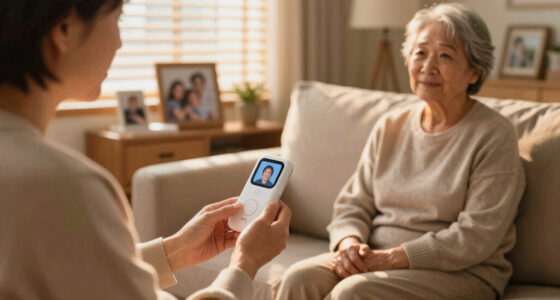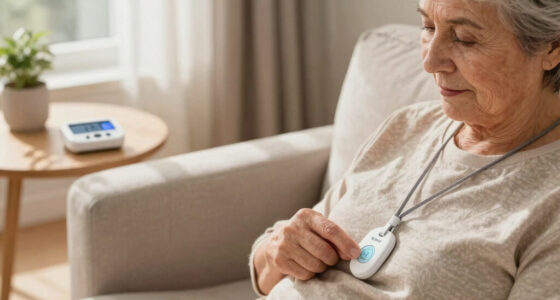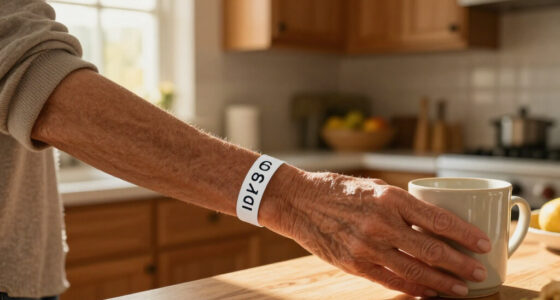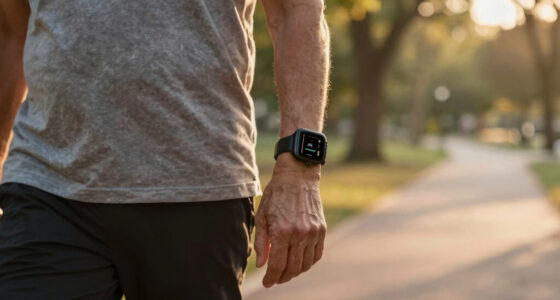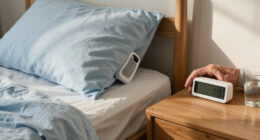

Choosing a medical alert system for a senior often comes down to one practical question: is protection needed only at home, or wherever the person goes? In-home systems connect a wearable help button to a base unit and are usually the simpler, lower-cost choice for someone who spends most of the day at home. Mobile systems use cellular service and GPS so a person can call for help outside the house, though that broader coverage typically costs more and depends on battery charge and network availability. Both types can connect a user to a response center, and some offer automatic fall detection for an added fee. The better fit depends on daily routines, local coverage, comfort with charging, and who will respond in an emergency.

Turn quiet afternoons into listening time
- Thousands of audiobooks, podcasts and originals
- Listen on your phone, tablet or Echo — also offline
- Cancel anytime

Wi-Fi Medical Alert System for Seniors with Call Buttons, Waterproof Wristband, Receiver, and LED Display
- ✔ Connection: Wi-Fi and wireless signaling
- ✔ Wi-Fi band: 2.4 GHz
- ✔ Maximum stated range: Up to 300 feet

SecuLife Medical Alert Pendant for Seniors with Fall Detection, GPS Tracking, and Two-Way Calling
- ✔ Connectivity: 4G LTE cellular
- ✔ Alert features: Fall alerts, SOS calling, GPS tracking, geofencing
- ✔ Calling: Two-way cellular calling

911 Help Now Medical Alert Pendant for Seniors with Direct 911 Calling
- ✔ Cellular connectivity: 4G LTE where compatible U.S. coverage is available
- ✔ Emergency calling: Direct call to 911
- ✔ Activation: Press and hold SOS button for 3 seconds
At a Glance
| Criteria | In-home medical alert systems | Mobile medical alert systems | Winner |
|---|---|---|---|
| Where it works | At home, within the base unit’s range | At home and away, wherever compatible cellular service is available | B |
| Connection and location | Landline or cellular base; location is generally tied to the home address | Cellular device; GPS can help responders locate the wearer outdoors | B |
| Typical ongoing cost | Usually lower; cellular service or extras may add fees | Usually higher because of mobile equipment and cellular service | A |
| Power and upkeep | Base unit stays plugged in; wearable button needs periodic charging or battery replacement | Portable device needs regular charging; battery life varies by model and use | A |
| Fall detection | Often available as a paid add-on; user must be within system range | Often available as an add-on; detection and connection depend on device and service | Depends |
| Best daily fit | Home-centered routines and simpler setup | Errands, walks, travel, and more independent outings | Depends |
Wi-Fi Medical Alert System for Seniors with Call Buttons, Waterproof Wristband, Receiver, and LED Display
This system makes the most sense for a senior who spends most of the day at home and wants a button that can trigger an audible alert without a required monthly fee. The receiver sounds a stated 110 dB alarm, while the wireless signal is listed for up to 300 feet. That gives the system a clear local role: someone within hearing range may notice the alarm, and the smartphone app can share alerts with others.Compared with SecuLife and 911 Help Now, this is the only pick built around a home receiver rather than a cellular pendant. That can be useful when a household wants a sound in the home and does not want every emergency response to begin with a cellular call. It is less suitable when a senior regularly goes out alone: the listed range is not GPS tracking, and the description does not say the system can call emergency services. Buyers should confirm the receiver can be heard from the rooms where help may be needed.Its fee structure needs careful reading. The receiver alarm works without a monthly fee, but SMS notifications require a subscription; app alerts and SMS are not the same promise. The setup also depends on 2.4 GHz Wi-Fi, so a home using only a different band may need network adjustments. Water protection is limited in the product information to the wristband remote. The receiver and other buttons should not be assumed safe for shower use. For a senior who wants continuous protection in the bathroom, SecuLife’s IP67 rating is a more complete stated water-resistance claim.
Pros:
- Receiver alarm works without a required monthly fee
- App notifications can be shared with others
- Wireless signaling is stated to reach up to 300 feet
- Waterproof wristband remote can be worn while showering
Cons:
- SMS notifications require a subscription
- Wi-Fi setup supports 2.4 GHz only
- Only the wristband remote is identified as waterproof
Best for: Seniors who mainly stay at home and want a local receiver alarm, a wearable wristband button, and app sharing without a required monthly fee for the alarm.
Not ideal for: Seniors who need GPS or cellular coverage away from home, a direct call to 911, or waterproof protection for components beyond the wristband remote.
Bottom line: For home-based use, this is the most balanced pick in the group, provided the receiver can be heard and app alerts meet the household’s needs.
“For home-based use, this is the most balanced pick in the group, provided the receiver can be heard and app alerts meet the household’s needs.”
SecuLife Medical Alert Pendant for Seniors with Fall Detection, GPS Tracking, and Two-Way Calling
SecuLife is the more capable choice for a senior who wants a wearable alert system beyond the home. Its 4G LTE connection, GPS tracking, and geofence alerts address a different problem from the Wi-Fi receiver: caregivers can receive location-related alerts when a person is out, subject to compatible cellular coverage and the service arrangement. The large SOS button and two-way calling also give the wearer a way to communicate rather than relying only on a household hearing an alarm.Fall detection adds a layer that neither other listed product describes. It can be valuable if a senior may be unable to press a button after a fall, but buyers should not treat detection as a guarantee that every fall will be identified. The product description says alerts go to selected emergency contacts, so families should understand who is designated and how those people will respond. In contrast, 911 Help Now calls emergency dispatch directly, while the home Wi-Fi system relies on its receiver and app pathway.The tradeoff is ongoing service and charging. A monthly subscription is required, making this a more involved commitment than the no-fee receiver or the direct-911 pendant. Battery information is not fully consistent: product details say up to six days, while other information lists an average of five. We would plan for regular charging rather than build a routine around the longer figure. Its IP67 water resistance is a stronger stated protection level than the wristband-only waterproof claim on the home system, though users should still follow the manufacturer’s care instructions.
Pros:
- Fall alerts and SOS notifications can go to selected contacts
- GPS tracking includes geofence alerts and location history
- Two-way cellular calling supports hands-free communication
- IP67 water resistance is specified
Cons:
- A monthly subscription is required
- Battery life is listed as both up to six days and an average of five
- Cellular calling and tracking depend on compatible service and coverage
Best for: Seniors who leave home independently and have caregivers or family members who can receive and respond to GPS, fall, and SOS alerts.
Not ideal for: Buyers who want to avoid subscriptions, do not want to manage regular charging, or expect a guaranteed staffed monitoring center based only on the listed contact-alert features.
Bottom line: Choose SecuLife when mobility, location sharing, and fall alerts justify the subscription and charging routine.
“Choose SecuLife when mobility, location sharing, and fall alerts justify the subscription and charging routine.”
911 Help Now Medical Alert Pendant for Seniors with Direct 911 Calling
911 Help Now is the most straightforward option for a senior who wants a pendant that calls emergency dispatch directly. Pressing and holding its SOS button for three seconds starts a direct 911 call over compatible 4G service; a built-in microphone and speaker let the user speak with a dispatcher. Its defining choice is also its chief limitation: there is no listed operator or monitoring center to assess the situation before the call reaches 911.That direct path separates it from SecuLife, which describes alerts to selected contacts, GPS features, fall detection, and two-way calling. It also differs from the Wi-Fi system, whose receiver sounds an alarm locally. The direct-call design may suit someone who can communicate with dispatch and wants to avoid a subscription. It is less reassuring for a senior who may be unable to explain what happened, needs a caregiver to check location, or would benefit from a contact or operator deciding what response is appropriate.There is no subscription or monthly monitoring fee listed, and the package includes AAA batteries plus a lanyard and clothing clip. That makes it simpler to carry than a device that needs frequent charging, though the product information does not give a battery-life estimate. The pendant is small and light at 2.4 ounces, but compatible cellular coverage is essential; it is described for use in the United States where service is available. The listing does not specify water resistance, so we would not assume it is suitable for shower wear. Against SecuLife’s GPS and IP67 claims, that leaves this as a focused emergency-calling tool rather than an all-day monitoring package.
Pros:
- Calls 911 directly without a subscription or monthly fee
- Built-in microphone and speaker allow communication with dispatch
- Includes three AAA batteries and multiple carrying accessories
- Compact, lightweight pendant with lanyard and clothing clip
Cons:
- No operator or monitoring center is listed between the user and dispatch
- Requires compatible 4G cellular service and coverage
- Water resistance and battery-life duration are not specified
Best for: Seniors who can place and speak during an emergency call and want a portable direct-to-911 device without a subscription.
Not ideal for: People who need a monitoring center, caregiver location tracking, fall detection, specified waterproofing, or an alert path that can be handled when they cannot speak.
Bottom line: This is a focused choice for users who want to call 911 themselves and accept the limits of a direct dispatch connection.
“This is a focused choice for users who want to call 911 themselves and accept the limits of a direct dispatch connection.”
As an Amazon Associate we earn from qualifying purchases.
Key Differences
The largest difference is coverage. An in-home system is designed around the home base: its wearable button calls for help when the user is within range. That can suit someone whose routines rarely take them outside, but it offers no protection on a walk or at a shop. A mobile system travels with its wearer and can use GPS to help responders find them, which matters when they are out alone. GPS and cellular service have limits, though; coverage can vary by location, and a device cannot report a location if its battery is depleted.
Cost and upkeep follow the same tradeoff. In-home systems tend to cost less and need little daily attention, while mobile systems charge more for portable equipment and service. The mobile premium can be worthwhile for a person who regularly leaves home without a companion. For someone who stays home or is usually accompanied, paying for coverage they rarely use may not make sense. Fall detection is a separate question: either category may offer it, commonly as a paid add-on, and an alert can be missed or delayed. It supplements a help button and a response plan; it does not replace them.
Detailed Comparison
Where it works (Mobile medical alert systems wins — major)
In-home systems protect the user within the base unit’s range, so walls, distance, and the layout of a larger home can affect whether the button reaches the unit. Mobile systems work at home and on the go where service is available. Mobile wins by a major margin for anyone who goes out alone; the added reach has little value for someone whose daily life stays within reliable home range.
Connection and location (Mobile medical alert systems wins — moderate)
An in-home system uses a home base connected by landline or cellular service, and responders generally have the registered home address. A mobile system connects over cellular service and may use GPS to locate the wearer outdoors. Mobile wins moderately when a person may need help away from a known address. Neither option can promise a successful connection in every location, so check coverage where the user actually spends time.
Ongoing cost (In-home medical alert systems wins — moderate)
In-home plans are commonly less expensive because they do not require a portable cellular device, though cellular connections and optional services can raise the bill. Mobile plans usually cost more to cover portable equipment and connectivity. In-home wins moderately on value for home-centered users. The mobile plan earns its premium when outings are frequent enough that off-site protection changes the person’s safety plan.
Power and upkeep (In-home medical alert systems wins — moderate)
A plugged-in in-home base is ready without the user carrying or charging a separate mobile unit; the wearable button still has battery needs. Mobile devices must be charged on a schedule, and forgetting can leave the user without coverage. In-home wins moderately for low-maintenance routines. A mobile device is manageable for someone comfortable with charging it, but the family should establish a routine and confirm battery life against the wearer’s habits.
Fall detection (moderate difference)
Both categories may offer automatic fall detection, often for an added monthly fee, but availability and performance vary by provider and device. Detection can fail to recognize some falls or trigger an alert when there was no fall. There is no universal winner: compare the specific device, cost, and how it sends alerts. If the user can press a button after a fall, that manual option should remain part of the plan.
Best daily fit (major difference)
In-home systems suit people who spend most of their time at home and want a straightforward button-and-base setup. Mobile systems suit people who walk, shop, attend appointments, or travel without consistent company. The winner depends on the wearer’s actual routine, not age alone. Map a typical week and identify where the person is alone; that reveals whether home-only coverage leaves meaningful gaps.
In-home medical alert systems: Pros and Cons
Pros:
- Usually lower monthly cost
- Simple home-focused setup with a plugged-in base
- No separate portable device to charge daily
Cons:
- Coverage ends beyond the base unit’s range
- Responders may have only the registered home address
- May leave gaps during solo walks, errands, or appointments
Mobile medical alert systems: Pros and Cons
Pros:
- Can provide coverage at home and away where service is available
- GPS may help responders locate a wearer outside the home
- Fits independent routines that include solo outings
Cons:
- Typically costs more each month
- Requires regular charging and carrying the device
- Cellular coverage and GPS location can vary
Who Should Choose What
Choose In-home medical alert systems if:
- The senior spends nearly all of their time at home or is accompanied outside.
- Keeping the monthly cost and daily device upkeep low matters most.
- The home’s layout and base-unit range can cover the places where help may be needed.
Choose Mobile medical alert systems if:
- The senior regularly walks, shops, or travels without another person.
- Help may be needed at locations beyond the home address.
- The wearer can keep the device charged and carry it consistently.
Skip both if: Neither option is a good fit if the wearer will not keep a button or device accessible, or if local service is unreliable and no workable connection method is available. Check whether a caregiver-led plan or another support arrangement better matches the person’s needs.
Value for Money
In-home systems are generally the better value when a person is usually at home: they provide a direct way to call for help without paying for mobile coverage the user seldom needs. Paying more for a mobile plan makes sense when the senior spends meaningful time alone away from home and wants a way to summon help there. Before choosing, compare the full monthly charge, activation or equipment fees, cellular service, fall detection, and cancellation terms. A low advertised rate can change once add-ons are included, and an unused mobile feature is poor value regardless of its capabilities.
Final Verdict
Choose an in-home system for a senior whose routine is centered at home and who wants straightforward, lower-cost access to a response center. Choose a mobile system for someone who regularly goes out alone and can keep a portable device charged. The biggest deciding factor is whether the person needs protection beyond the base unit’s range: if yes, the mobile premium is justified; if no, in-home coverage is the sensible default. Confirm local cellular coverage, device range, and the actual plan fees before enrolling.
Frequently Asked Questions
Can an in-home medical alert system work without a landline?
Many providers offer in-home systems that connect through cellular service instead of a landline. Availability and fees vary, so confirm the connection type and coverage at the senior’s address before choosing a plan.
Does a mobile medical alert system work everywhere?
No. Mobile devices rely on compatible cellular service, and GPS location can be limited by conditions such as buildings or weak signals. Check coverage around the user’s home, regular routes, and usual destinations.
Is fall detection worth paying extra for?
It may help when someone cannot press the help button after a fall, but detection is not perfect and commonly adds to the monthly bill. Weigh the person’s fall risk, ability to use a manual button, and the specific device’s fees and alert process.
Which type is better for a senior who lives alone?
Living alone does not by itself determine the choice. An in-home system can fit someone who stays home; a mobile system is a stronger fit if the person also goes out alone and needs a way to call for help beyond the home.