
TL;DR

Turn quiet afternoons into listening time
- Thousands of audiobooks, podcasts and originals
- Listen on your phone, tablet or Echo — also offline
- Cancel anytime
Blocking spam calls on a senior’s phone requires a mix of built-in features, third-party apps, and awareness. Using recent advances makes it easier to protect loved ones from scams and unwanted calls.
Imagine a phone ringing nonstop with scam calls, each more convincing than the last. For seniors, these calls can be more than annoying—they can be dangerous. The good news? Simple steps and smart tools can drastically cut down these unwanted interruptions.
In this guide, you’ll learn how to prevent spam calls from reaching your loved ones’ phones. Whether it’s a basic feature or a high-tech app, there’s a solution for every phone type and comfort level. Protecting seniors isn’t just about blocking calls; it’s about empowering them to recognize scams and stay safe.
Activate built-in spam filters and enable carrier-provided call protection features.
Install simple, proven third-party apps like Hiya or Nomorobo to catch scam calls early.
Register your loved one’s phone on the National Do Not Call List to block unsolicited telemarketing calls.
Educate seniors on common scam tactics—urgent requests, prizes, or requests for payment methods like gift cards.
Use multiple layers of protection—technology and awareness—to cut spam calls by over 80%.
How to Use Built-In Phone Settings to Block Spam Calls
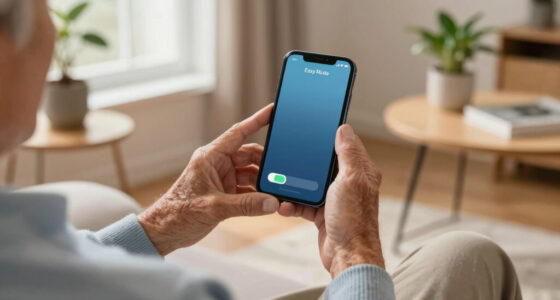
Most modern phones, whether smartphones or basic models, have built-in features to block or filter calls. For example, on an iPhone, you can turn on ‘Silence Unknown Callers,’ which sends calls from numbers not in your contacts straight to voicemail. Android phones often have similar features under ‘Caller ID & Spam’ settings.
Here’s a quick rundown:
- iPhone: Settings > Phone > Silence Unknown Callers
- Android: Phone app > Settings > Caller ID & Spam > Turn on ‘Filter spam calls’
These features are easy to activate and serve as a first line of defense, especially for seniors who don’t want to deal with constant interruptions. They are particularly useful because they leverage the phone’s native capabilities, reducing the need for additional apps or complex setups. However, they may not catch all scam calls, especially those using caller ID spoofing. Therefore, understanding their limitations helps in making informed decisions about layered protection strategies.
Popular right now

Ninja DualZone 6-in-1 Air Fryer, 8-Qt, Grey, DZ801

Ninja CREAMi 7-in-1 Ice Cream Maker, NC299AMZ

De'Longhi Rivelia Automatic Espresso Machine with Milk Frother
As an affiliate, we earn on qualifying purchases.
Top 3 Call-Blocking Apps That Keep Scammers at Bay
Third-party apps can be a game-changer. They identify and block spam calls in real time, often better than built-in features. Here are three user-friendly options:
| App | Key Feature | Ease of Use |
|---|---|---|
| Truecaller | Community-based spam reporting, caller ID | Simple interface, quick setup |
| Hiya | Automatic spam detection, call blocking | User-friendly, with a clear spam alert system |
| Nomorobo | Prevents robocalls before they ring | Designed for seniors, minimal setup required |
Most of these apps are free or offer free versions. They work by constantly updating their databases with known scam numbers, blocking them before they reach the phone. This proactive approach is crucial because scam callers frequently change numbers and techniques, making static filters less effective over time. By choosing apps with automatic updates and easy interfaces, you reduce the risk of missed scam calls and lessen the frustration for seniors who may find complex setups intimidating. The key tradeoff is balancing ease of use with comprehensive coverage; apps that are too simple may miss some scam calls, so selecting the right one depends on your loved one’s comfort with technology.
How Carriers Help Reduce Spam Calls and How to Activate Them
Many phone carriers now offer built-in spam filtering services that work seamlessly in the background. For example, Verizon’s Call Filter or AT&T’s Call Protect automatically identify suspicious calls and block them. These services leverage large databases of scam numbers and caller behavior patterns, making them a powerful tool for reducing unwanted calls. However, their effectiveness depends on activation and proper configuration, which is why understanding how to enable these features is essential.
To activate these, usually you just need to log into your account or call customer service. These services often include features like:
- Real-time spam detection
- Automatic blocking of known scam numbers
- Customizable settings for blocking calls from unknown or suspicious numbers
While these tools are effective, they are not foolproof. Scam callers often use caller ID spoofing to imitate legitimate numbers, which can bypass filters. Therefore, it’s important to combine carrier services with other protective measures, such as educating seniors and installing third-party apps, to create a comprehensive defense. The implication is that relying solely on carrier filtering may leave gaps, but integrated strategies significantly enhance overall protection.
How to Teach Seniors to Recognize Scam Calls and Protect Themselves
Knowing what to watch out for is just as important as technical tools. Teach your loved ones to be cautious if a caller:
- Claims to be from a government agency or bank asking for personal info
- Speaks urgently, pressuring them to act quickly
- Offers prizes or says they owe money
- Asks for payment via gift cards, wire transfer, or prepaid cards
It’s vital to explain why these signs matter. Scammers often use urgency and authority to override a person’s skepticism, exploiting fear or greed. When seniors recognize these tactics, they are less likely to fall for scams. For example, if your grandma receives a call claiming she’s won a prize but needs to pay a fee first, she should hang up and verify through official channels. Teaching them to verify by contacting known institutions or trusted family members creates a mental checklist that helps prevent impulsive decisions. Using real stories or role-playing scenarios can reinforce this understanding, making it more intuitive and less intimidating for seniors.
Step-by-Step Guide: Setting Up Your Senior’s Phone for Maximum Spam Protection
- Enable built-in spam filters in the phone’s settings.
- Download and configure a trusted call-blocking app, like Nomorobo or Hiya.
- Register the phone on the National Do Not Call List if available.
- Activate carrier-provided spam filtering features through your account or customer service.
- Educate your loved one on recognizing scam calls and what to do if they receive one.
This step-by-step process creates a layered defense—making it hard for scam calls to get through and easier for seniors to recognize and avoid them. Each step addresses different vulnerabilities: built-in filters handle basic blocking, apps provide dynamic updates, carrier services add an extra layer, and education ensures awareness. The tradeoff is time and effort in initial setup versus ongoing protection. Properly configuring each layer maximizes the chance that scam calls are blocked before reaching your loved one, reducing stress and potential harm.
What Legal Actions Are Helping Stop Robocalls?
Lawmakers and regulators are cracking down on robocallers. The TRACED Act, passed in 2019, gives agencies more tools to shut down illegal robocall operations and penalize scammers. Additionally, new protocols like STIR/SHAKEN help verify caller identities, making spoofing harder. These legal measures are vital because they target the root of many scam calls—illegal operations that often operate across borders or use technology to hide their true identity. The effectiveness of these laws depends on enforcement and awareness; scammers constantly adapt, so legal action must evolve alongside technological countermeasures.
While these laws don’t eliminate all spam calls immediately, they send a message that illegal robocalling is becoming riskier for scammers. Combining legal enforcement with personal strategies creates a formidable barrier for scammers targeting seniors. The key implication is that legal efforts alone are insufficient; they work best when complemented by individual protections, such as caller verification and education, to reduce the risk of falling victim to scams.
Frequently Asked Questions
What’s the easiest way to block spam calls on a basic flip phone?
Many basic phones have a call blocking feature in their settings or on the phone itself. Usually, you can block a number by selecting it from the call log and choosing ‘Block’ or ‘Add to blacklist.’ If not available, consider using a simple call blocking device that connects to the line or consult your carrier for options.
Are free apps effective for blocking spam calls on seniors’ phones?
Yes, many free call-blocking apps like Hiya or Truecaller effectively identify and block scam calls. They update their databases regularly, catching new scam numbers quickly. Just ensure the app is easy for your loved one to use, with clear alerts and simple controls.
How can I teach my senior loved one to spot scam calls?
Share common signs: callers asking for personal info, urgent threats, or offers that seem too good to be true. Use role-playing or real examples to make them familiar with what scam calls look and sound like. Remind them to hang up and verify with trusted sources if unsure.
What should I do if my loved one receives a suspicious call?
Advise them to hang up immediately. Do not share any personal information. Record details of the caller if possible, and report the call to authorities or the scam reporting hotline in your country. Educate them to be skeptical of any unsolicited request for money or personal data.
Conclusion
Blocking spam calls on a senior’s phone isn’t about one trick. It’s a mix of smart technology, legal protections, and a little education. When these work together, your loved ones can enjoy their phone without the constant worry of scams.
Think of it like installing a sturdy fence around a garden—nothing is foolproof, but it significantly reduces the risk. Take action today, and help keep your loved ones safe from scam calls that threaten their peace of mind.