
TL;DR

Turn quiet afternoons into listening time
- Thousands of audiobooks, podcasts and originals
- Listen on your phone, tablet or Echo — also offline
- Cancel anytime
Many people seek to disconnect from smartphones but still need reliable ways to communicate. Basic phones, tablets, smartwatches, and even old-fashioned landlines offer practical alternatives, each with its own trade-offs and setup quirks.
Imagine a life where your phone doesn’t beep constantly, and you’re not glued to a screen. More people are seeking ways to stay in touch without the distraction of a smartphone, driven by concerns about health, privacy, and mental clarity. But what are your options if you want reliable communication—without the endless notifications?
This guide walks you through practical, proven alternatives—from simple feature phones to landlines—and explains how to set them up and make them work. Whether you’re aiming to cut screen time or just prefer a more straightforward approach, you’ll find solutions that fit your lifestyle.
Most basic phones now support LTE, making them reliable options after the 2G/3G shutdowns.
A smartphone isn’t always necessary to activate or use many devices—plan ahead for setup requirements.
Tablets and computers can handle messaging apps, providing a full communication hub without a phone.
Smartwatches with LTE are handy secondary devices but usually aren’t full replacements for a phone.
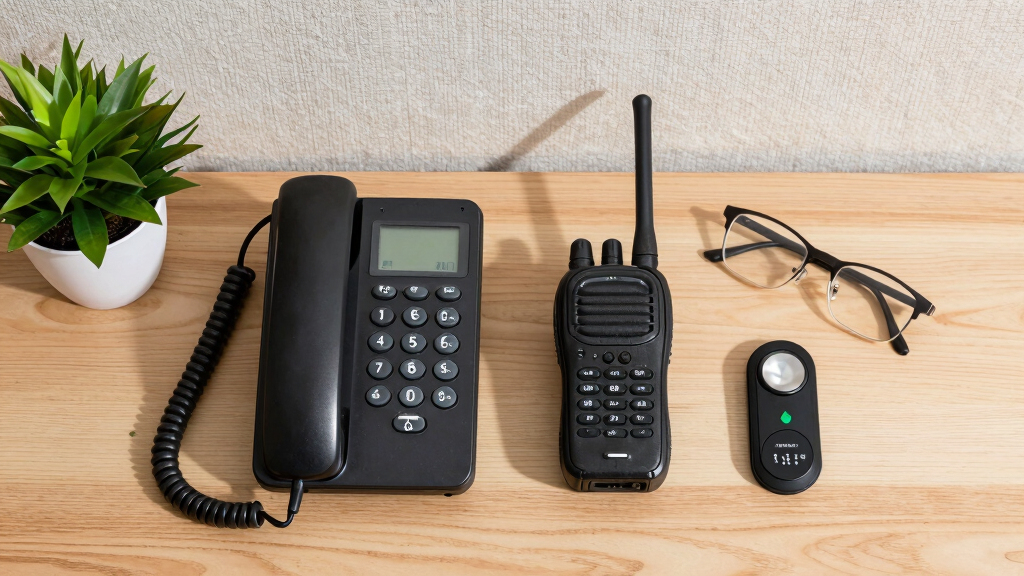
Traditional landlines and VoIP services remain solid choices, especially for those seeking simplicity and reliability.
Staying in Touch Without a Smartphone
More people are stepping back from always-on screens — for health, privacy, and mental clarity. The good news: you don’t have to disappear. From LTE-ready dumbphones to browser-based messaging hubs and old-school landlines, here are the practical, proven ways to stay reachable on your own terms.
75%+
of basic phones sold in 2024 support 4G LTE — viable after the 2G/3G shutdowns
$30–$150
typical price band for a basic phone, depending on features
5 Options
proven smartphone-free communication paths, each with real trade-offs
2022
US carriers completed 2G/3G network sunsets — legacy-only phones no longer work
~2027
UK PSTN copper landline switch-off target (delayed from 2025 — dates keep shifting)
Days, not hours
typical battery life of a modern feature phone on a single charge
#1 gotcha
many “phone-free” devices quietly require a smartphone for initial setup
The Landscape
Five Ways to Stay Reachable, Minus the Smartphone
Each option trades convenience for calm in a different way. The right pick depends on what you actually need: calls, texts, maps, messaging apps — or just a reliable lifeline.
Option 01 · Simplest
Basic LTE Phones
Modern “dumbphones” (Nokia/HMD feature line, KaiOS models) handle calls, texts, and sometimes WhatsApp or Google Maps. Must be 4G LTE — 2G/3G-only models are dead post-shutdown.
Option 02 · Minimalist
Premium Minimal Phones
Light Phone II / III, Punkt MP02, Mudita Pure — deliberately no email, social media, or browser. Calls, texts, alarm, music, simple directions. Superb battery, absolute simplicity.
Option 03 · Hub Setup
Tablets & Laptops
Signal, WhatsApp (multi-device), iMessage, email, and Zoom all run on desktop and web. Keep a phone at home as a “base station,” reply from your desk with a clear mind.
Option 04 · Wearable
LTE Smartwatches
Apple Watch Cellular and Galaxy Watch LTE make calls and send texts independently. Family Setup lets a parent’s iPhone manage watches for kids or seniors. A companion, not a replacement.
Option 05 · Old-School
Landlines & VoIP
Google Voice, Ooma, Vonage give you a number that works from any browser or a desk phone via adapter. Rock-solid reliability, no cellular dependence — but it rides on your internet.
Bonus · Purpose-Built
Kids’ & Seniors’ Devices
Gabb, Pinwheel, Troomi, and Bark lock down smartphone-style hardware — no app stores, no social media. Jitterbug/Lively offers big buttons and urgent response for seniors. GizmoWatch and TickTalk work as wrist communicators.
Read Before You Buy
The Setup Gap: The #1 Gotcha Nobody Mentions
Many “smartphone-free” options quietly assume you already have one — at least for activation. Plan ahead and the gap is a speed bump; ignore it and your new device is a paperweight.
Where a smartphone is still required
- Apple Watch Cellular — initial pairing needs an iPhone (or a family member’s, via Family Setup).
- WhatsApp & Signal — account registration happens on a phone before desktop/web versions work.
- Some KaiOS feature phones — certain apps and activation steps expect a smartphone nearby.
- Carrier plan activation — eSIM and watch plans are often provisioned through a smartphone app.
How to work around it
- Do the one-time setup with a borrowed or old smartphone, then shelve it.
- Keep a cheap smartphone at home as a powered-off “base station” for occasional re-syncs.
- Choose VoIP or a true standalone LTE dumbphone for a genuinely phone-free path.
- Verify carrier VoLTE support for your exact model before spending a cent.
“A smartphone isn’t always necessary to use these devices — but it is often necessary to start using them. Plan for the first hour, not just the rest of the year.”
Key Insight · Setup Reality CheckSide by Side
The Trade-Off Matrix
What each option can and can’t do. The highlighted column is the one buyers forget to check — whether a smartphone is needed to get going.
| Option | Calls & Texts | Apps / Messaging | Smartphone Needed for Setup | Battery / Power | Typical Cost |
|---|---|---|---|---|---|
| Basic LTE PhoneNokia/HMD · KaiOS | ✓ Yes — core strength | ~ Limited — WhatsApp/Maps on KaiOS only | ~ Sometimes — varies by model | Days per charge | $30–$150 |
| Minimal PhoneLight Phone · Punkt · Mudita | ✓ Yes — deliberately little else | ✗ No — no social, email, or browser | ✗ Rarely — mostly standalone | 2+ days | Premium ($300+) |
| Tablet / Laptop HubSignal · WhatsApp · iMessage | ~ Via apps — data calls only | ✓ Full — complete messaging hub | ✓ Yes — one-time pairing required | ~1 day active use | Hardware you may already own |
| LTE SmartwatchApple Watch · Galaxy Watch | ✓ Yes — standalone on cellular | ~ Limited — small app ecosystem | ✓ Yes — paired phone (or Family Setup) | ~1.5 days | $$ + monthly watch plan |
| Landline / VoIPGoogle Voice · Ooma · Vonage | ✓ Yes — highly reliable voice | ~ Texts — via browser/app on some services | ✗ No — browser or adapter setup | Mains-powered, always on | Free–low monthly |
✓ strong · ~ partial / conditional · ✗ not available | Always verify VoLTE compatibility with your carrier — 2G/3G-only handsets no longer work on US networks.
By the Numbers
Battery Reality & the Path to Picking Right
Endurance is where low-tech wins big — a basic phone can outlast a smartwatch five to one. Then follow the five-step path to a device that fits your life.
1
Define the job
Calls only? Texts? Maps? Music? Your primary purpose narrows the field fast.
2
Check LTE support
Confirm your carrier supports the exact model on 4G VoLTE — non-negotiable post-shutdown.
3
Set the budget
Basic phones run $30–$150; minimalist and watch setups cost more, plus possible plan fees.
4
Verify app needs
Need WhatsApp or Maps? That points to KaiOS or a desktop hub — not a pure minimal phone.
5
Plan the setup
Line up a smartphone (yours, old, or borrowed) for one-time activation where required.
A Real-World Setup
The “Base Station” Pattern, End to End
The most popular practical arrangement: a smartphone stays home doing the boring admin work, while everything you actually carry stays calm.
Phone as Base Station
Old smartphone stays plugged in at home, handling account registration and sync.
Laptop Messaging Hub
Signal, WhatsApp Web, and email run all day — reply without touching a phone.
Basic LTE Phone
Calls and texts anywhere, days of battery, zero infinite scroll.
LTE Watch Backup
Quick calls and emergencies when even the dumbphone stays behind.
VoIP Landline
A always-on home number over broadband — no cellular required at all.
Why a Basic Phone Might Be Your Best Bet
Basic phones, often called “dumbphones,” have come a long way. They now support essential functions like calls, texts, and even some apps on platforms like KaiOS. Think: a sturdy device with a long-lasting battery, no social media distractions, and a simple interface. For example, models like the Nokia feature phones or the Mudita Pure are built to last days on a single charge and are perfect for folks who want to stay reachable without the bells and whistles.
But here’s the catch: many of these phones still need a smartphone for initial setup or activating certain features. Plus, with the recent shutdown of 2G/3G networks, only LTE-capable models will work—so check your carrier’s support before buying. The trade-off: fewer distractions but limited multimedia and group chat options.
Understanding these limitations helps you choose a device that truly meets your needs. For instance, if you value long battery life and simplicity over internet access, a basic LTE phone can provide reliable communication without the constant barrage of notifications. However, if you rely on apps like WhatsApp or navigation tools, ensure your chosen model supports these features and is compatible with your carrier’s network. This balance between simplicity and functionality is key to making an informed choice that enhances your digital wellbeing.
Popular right now

Apple AirPods Pro 3 Wireless Earbuds with Active Noise Cancellation

Shark PowerPro Reveal Plus Cordless Vacuum Cleaner, Charcoal, IZ376H

Ninja DualZone Smart XL Air Fryer, 10-Qt, 6-in-1, DZ950
As an affiliate, we earn on qualifying purchases.
How to Pick the Right Dumbphone for Your Needs
- Identify your primary purpose: calls, texts, maps, or music?
- Check network compatibility: Does your carrier support LTE on the device?
- Consider size and durability: Do you want a tiny, pocket-friendly device?
- Set a budget: Basic phones range from $30 to $150, depending on features.
- Verify app support if needed: KaiOS phones now support WhatsApp, YouTube, and Google Assistant.
For instance, if your goal is to disconnect but still get directions, a KaiOS phone with Google Maps support is a good pick. Or if you want a no-frills device, the Mudita Pure offers absolute simplicity and superb battery life.
Choosing the right device means considering how you prioritize connectivity, ease of use, and cost. A device with LTE support ensures future-proofing as networks phase out older standards. If you depend on specific apps or services, verify their compatibility with the phone’s operating system and supported networks. By aligning your needs with these technical considerations, you minimize frustration and ensure your device will serve you well for years to come.
Using Tablets and Laptops to Keep Connected Without a Phone
Once you set up messaging apps on your tablet or laptop, you can keep in touch without carrying a phone everywhere. Apps like Signal and WhatsApp now support desktop and web versions. For example, you can stay connected through your Mac or Windows PC, even if your phone is tucked away at home.
This setup usually requires an initial pairing with a smartphone, but after that, you can often operate offline or with minimal phone use. It’s perfect for work-from-home scenarios or when you want to limit your mobile device usage but still reply to friends or colleagues.
Imagine a scenario: you’re at your desk, and your phone stays in another room. You reply to messages on your laptop, enjoying a clear mind and a distraction-free workspace. This method relies on the stability of your internet connection, so ensuring a reliable Wi-Fi setup is crucial. Additionally, understanding that some features may require your phone to be online for initial verification or ongoing sync means you need to plan for occasional phone use. This approach offers a balance: it reduces reliance on a smartphone while maintaining consistent communication channels, which can be especially valuable for reducing screen time and digital distractions.
Smartwatches with Cellular: Do They Really Replace Your Phone?
Smartwatches like the Apple Watch with LTE or Samsung Galaxy Watch LTE can sometimes act as mini phones. They can make calls, send texts, and run certain apps independently. But here’s the truth: initial setup usually still needs a smartphone, and some functions rely on your phone being nearby during activation.
For example, a family setup Apple Watch can be managed by a parent’s iPhone, giving kids or seniors a way to stay in touch without a full smartphone. It’s like having a tiny, wearable phone, but with some caveats—like limited app options and dependency on your carrier’s LTE support.
In practice, these devices work best as secondary communication tools, not complete replacements for a smartphone. Still, they’re handy for quick calls, fitness tracking, or emergencies. The trade-offs include limited app ecosystems, battery life considerations, and the need for initial setup with a smartphone. While they provide added convenience, relying solely on a smartwatch without a smartphone may restrict your access to certain services or features, especially as updates and compatibility evolve. Recognizing these limitations helps you decide if a smartwatch can complement your existing device setup or if it’s better used as an auxiliary tool.
Landlines and VoIP: Old-School Still Works
Landlines are the classic way to stay in touch—reliable, simple, and often overlooked. But in many countries, traditional copper landlines are disappearing, replaced by VoIP services over broadband. Think: Google Voice or Ooma, which give you a phone number you can use from any device with an internet connection.
For example, with Google Voice, you get a US number you can dial from your computer or a basic phone connected to a VoIP adapter. It’s like having a landline but without the wires. The main advantage: high reliability and no dependence on smartphones or cellular networks.
The main challenge: needing internet and some setup. Plus, emergency calls like 911 may work differently, so check your local regulations. Understanding that VoIP relies heavily on your internet stability is important—any disruptions can cut off your communication. Additionally, some services may not support emergency calls or location sharing, which are critical safety considerations. Despite these limitations, landlines and VoIP can offer a dependable, straightforward communication method, especially in areas with reliable internet infrastructure. They can serve as a backup or primary line for those prioritizing stability and simplicity over mobile flexibility.
Devices for Kids and Seniors: Designed to Keep Everyone Connected
For kids or seniors, purpose-built devices can be a game-changer. Gabb, Troomi, or Bark phones lock down social media and app stores, focusing on calling and texting only. For example, a Troomi phone might have large buttons, simple menus, and no internet access—ideal for keeping your child safe while staying in touch.
Seniors might prefer devices like Jitterbug, which feature large fonts and one-touch emergency buttons. These devices don’t require a smartphone or complex setup, making them accessible and user-friendly.
Imagine your elderly parent using a Jitterbug to call you with one press — peace of mind wrapped in simple technology. These devices matter because they address the unique needs of vulnerable users—ease of use, safety features, and limited distractions—ensuring they can stay connected without the complexities of modern smartphones. This targeted design reduces barriers to communication, fosters independence, and provides reassurance for caregivers and family members that their loved ones can reach out easily when needed.
Offline and Analog: Old-School Communication’s Secret Power
Sometimes, the best way to stay in touch is to turn off the tech and go old school. Writing letters, planning regular in-person meetings, or using scheduled landline calls can build reliable bonds. Think of it as a deliberate choice for clarity and connection—no apps, no screens, just human contact.
For example, setting a weekly coffee date or mailing handwritten notes can create a sense of continuity and care that digital often can’t match. It’s a reminder that staying connected doesn’t always mean instant messages. These methods cultivate genuine relationships, reduce dependence on technology, and can be especially meaningful in an age dominated by screens. They also serve as fail-safes when digital communication is unavailable or unreliable, emphasizing that human connection remains timeless and invaluable.
Frequently Asked Questions
Can I still use WhatsApp or Signal without a smartphone?
Yes, both apps support desktop and web versions that can run independently for some functions. However, initial setup usually requires a smartphone for verification, and ongoing use often depends on your phone being active in the background.Will a basic phone work after the 2G/3G shutdown?
Only LTE-capable basic phones will work now. Check your carrier’s support for LTE and VoLTE before buying—many older 2G/3G models no longer work after network shutdowns in 2022.How do I handle two-factor authentication without a smartphone?
Use SMS on a basic phone if supported, or set up hardware keys or TOTP apps on your computer. Some services also allow email codes or backup options—just check your bank or service provider’s policies.What’s the best device for my kid or elderly parent?
Look for purpose-built devices like Gabb or Jitterbug, which focus on easy calling and texting, with safety features and simple interfaces. They’re designed for safety and ease of use without the complexity of a smartphone.Can a smartwatch replace my phone entirely?
Not quite. Smartwatches with LTE can make calls and send texts, but they usually need a smartphone for initial setup and aren’t as fully featured as a phone. They work best as a secondary device for quick communication and fitness tracking.Conclusion
Staying in touch without a smartphone isn’t just possible — it can be straightforward, practical, and even freeing. Whether you choose a basic phone, leverage your laptop, or embrace old-school methods, you control how connected you want to be.
Imagine a day where your communication is clear, simple, and free from constant pings. That’s a future worth considering—and it might just make your everyday life more peaceful and focused.