
TL;DR

Turn quiet afternoons into listening time
- Thousands of audiobooks, podcasts and originals
- Listen on your phone, tablet or Echo — also offline
- Cancel anytime
Medical alert systems now incorporate visual alerts, vibrations, and video support to reach users who are deaf or hard of hearing. These features ensure quick, reliable communication in emergencies, often with customizable options.
Imagine needing help in an emergency, but speech isn’t an option. For users who are deaf or hard of hearing, traditional sirens or loud alarms simply don’t cut it. Luckily, technology has evolved to bridge this gap. Today’s medical alert systems go beyond sound, transforming emergency communication into a multi-sensory experience.
This guide explores how operators reach users with hearing impairments—covering visual signals, video options, and the latest innovations. Whether you’re considering a system for yourself or a loved one, understanding these features can make all the difference in safety and peace of mind.
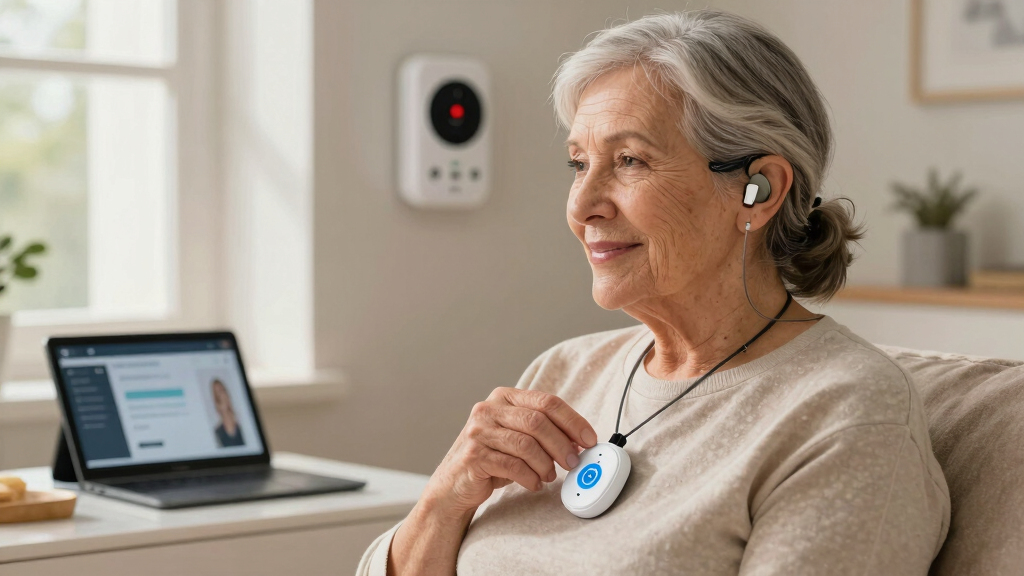
Visual alerts like flashing lights are a vital part of emergency communication for users who are deaf or hard of hearing.
Video relay services enable sign language communication directly with operators, making assistance more accessible.
Smartphone apps expand options with real-time text, location sharing, and customizable notifications.
Most modern systems can automatically detect falls and emergencies, reducing reliance on user initiation.
Choosing a system should consider your specific communication preferences, lifestyle, and compatibility with hearing devices.
Medical alert systems for users who are hard of hearing
When speech or sound is not dependable, operators can reach users through flashing lights, wearable vibrations, text, video relay and automated detection. The safest setup combines multiple channels so one missed signal does not become a missed emergency.
Six ways the system can reach you
No single method suits every user or environment. Combine a primary channel with one or more backups based on vision, mobility, language preference and connectivity.
Flashing lights
Bright strobes or visual indicators provide an immediate cue in rooms where audible alarms may go unnoticed.
Wearable vibration
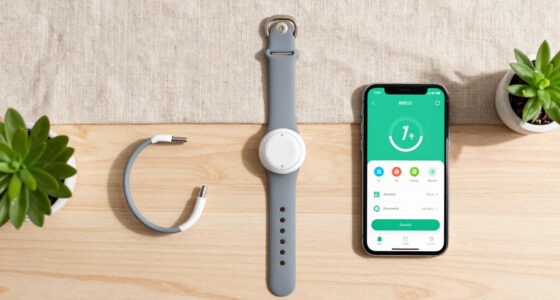
Wristbands, pendants or connected devices deliver a silent signal that can be felt without looking at a screen.
Text and prompts
SMS, app chat and on-screen instructions let operators confirm the emergency and share next steps in writing.
Video relay
Live video can support sign-language communication, either directly or through a video relay service.
Fall detection
Sensors or AI can flag a fall or unusual activity and contact the monitoring center without a spoken request.
Assistive devices
Compatibility with hearing aids, cochlear implants and visual alert accessories can strengthen everyday usability.
What happens after an alert is triggered?
A good protocol keeps moving even when voice contact fails.
Trigger detected
The user presses a button or automatic sensors detect a possible emergency.
Multiple cues fire
Lights, vibration and on-screen prompts confirm that the alert was registered.
Operator connects
The monitoring center follows the user’s saved communication preference.
Status is confirmed
Text, video, voice or a caregiver contact helps establish what assistance is needed.
Help is dispatched
Emergency services or a chosen contact receives the location and relevant details.
Layered alerts improve the chance of being noticed
The strongest setup pairs immediate notification with a reliable two-way communication channel and automatic escalation.
Illustrative communication coverage
Relative coverage across common situations; actual performance depends on the device, placement, network and user.
Coverage scores are an explanatory visualization, not measured clinical performance. Test the exact system in every room and routine that matters.
Reliability is contextual
More channels create resilience, but every channel has conditions that can weaken it.
Visual: effective only when visible and properly placed.
Vibration: may be missed when the wearable is not being worn.
Video: natural for signing, but dependent on power and internet.
Automation: faster escalation, with privacy and false-positive tradeoffs.
Match communication methods to real-life needs
Ask providers exactly how each method works, whether it is included in the plan and what happens when the preferred channel is unavailable.
| Method | Immediate notice | Two-way communication | Works away from home | Main limitation | Best suited to |
|---|---|---|---|---|---|
| Flashing light | ✓ Strong | ✗ No | ✗ Usually not | Must be within sight | Home and bedside alerts |
| Wearable vibration | ✓ Strong | ✗ No | ✓ Yes | Device must be worn and charged | Active users and nighttime use |
| Text or app chat | ✓ Strong | ✓ Yes | ✓ Yes | Requires screen access and connectivity | Users comfortable with written text |
| Video relay | ~ Paired alert needed | ✓ Yes | ~ Network dependent | Needs stable video connection | Sign-language users |
| Automatic detection | ✓ Automatic | ~ Follow-up needed | ✓ With mobile system | False positives and privacy concerns | Falls, fainting or inability to press a button |
✓ strong fit ✗ not designed for this function ~ capability depends on setup, network or companion feature
Five questions to ask before choosing a system
Do not evaluate features only on paper. Request a demonstration and test the complete escalation path under realistic conditions.
How will I notice?
Confirm the brightness, vibration strength, wearable range and alert placement.
How will I reply?
Choose text, app chat, video relay or another channel you can use under stress.
What is the backup?
Ask what operators do when you do not answer through the preferred method.
Where does it work?
Test cellular, GPS and in-home range in bedrooms, bathrooms and travel locations.
What does it cost?
Compare equipment, monitoring, video, fall detection, cancellation and data fees.
Build around your communication preference
Visual alerts, vibration, text, video and automatic detection each solve a different part of the problem. The right system connects them into one tested chain—from detection to confirmation to dispatched help.
How do medical alert operators communicate with users who can’t hear? This is how they do it.
Operators have a toolbox of communication methods tailored for users who are deaf or hard of hearing. Visual alerts like flashing lights or on-screen prompts are standard. Vibrations can notify users discreetly, especially if loud sounds aren’t an option. For more advanced needs, video relay services (VRS) and text messaging come into play.
Understanding why these methods matter is crucial: visual signals provide an immediate, unmistakable cue that help is arriving, which is vital when every second counts. Vibrations offer a silent, discreet alert that can be felt even if the user is not looking at a screen. Video relay services break down communication barriers, allowing sign language users to interact naturally with operators. These options, however, come with tradeoffs—visual signals require proper placement and awareness, vibrations might be missed if the device isn’t worn, and video services depend on reliable internet connection. Recognizing these nuances helps in selecting the right combination for your needs, ensuring no critical moment is missed due to a simple technical limitation.
For example, a user might wear a wristband with a flashing light that blinks during an emergency, providing a clear visual cue even if they’re not near a screen. Or, they might receive a text message on their smartphone, alerting them to an issue before a call even happens. These approaches, when used together, create a layered communication strategy—redundancy that significantly increases the likelihood of prompt assistance in high-stakes situations where every second counts.
Popular right now

TCL QM64L 85-Inch QD-Mini LED 4K Smart Fire TV

Vitamix Propel Series 750 Professional-Grade Blender, 4 Programs, Black

Apple AirPods Pro 3 Wireless Earbuds with Active Noise Cancellation
As an affiliate, we earn on qualifying purchases.
The latest ways operators reach users who are hard of hearing — what’s new?
Recent innovations focus on multi-sensory alerts and seamless communication. Over 70% of new systems now include synchronized flashing lights and vibrations that activate instantly during emergencies. These combined signals are designed not just for quick alerts but also to reduce false alarms, which can undermine user trust and system reliability. For example, environmental noise or accidental triggers can sometimes cause false alarms; multi-sensory signals help differentiate genuine emergencies from false triggers, ensuring users aren’t overwhelmed or desensitized to alerts.
Video relay services (VRS) allow users to sign with an operator via live video, making sign language communication straightforward. This technology is especially important for users who prefer sign language over written text, providing a more natural and effective way to communicate during emergencies. Additionally, the integration of artificial intelligence (AI) allows devices to automatically detect falls or unusual activity, alerting operators without requiring user input. While AI enhances response times and reduces reliance on user-initiated alerts, it also introduces potential tradeoffs—such as false positives or privacy concerns—since AI systems analyze sensitive data continuously.
Smartphone integration is another game-changer. Many alert systems connect through apps, providing real-time text updates, location sharing, and customizable alerts. These features allow users to tailor their safety experience to their specific needs and environment. However, reliance on such technology also requires consistent internet access and raises privacy considerations, as data sharing can be sensitive. Carefully evaluating these features in the context of your lifestyle ensures you select a system that enhances safety without creating unnecessary complexity or concerns about data security.
What you should know: key facts about these systems for hard of hearing users
| Feature | Details |
|---|---|
| Response Time | Most systems aim for alerts within seconds to a minute of activation, which is critical for effective emergency response. Faster response times can mean the difference between safety and danger, so understanding how quickly your system reacts is essential. Delays can occur due to network congestion or device limitations, so verifying real-world response times through testing is advisable to ensure your system performs reliably when it matters most. |
| Customization | Users can tailor alert types, visual signals, and communication methods. This flexibility allows you to prioritize the most effective alerts for your environment—whether that’s bright flashing lights in a noisy area or discreet vibrations at night. Customization also means adjusting alert sensitivity and notification preferences, which can prevent alarm fatigue or missed signals. Proper customization ensures the system aligns with your daily routines and environment, maximizing its effectiveness and your peace of mind. |
| Coverage | Wireless and mobile systems offer broader outdoor and travel coverage, utilizing GPS and cellular networks. If you’re frequently on the move, selecting a system with these capabilities ensures help is accessible wherever you are, reducing gaps in coverage that could jeopardize safety. However, coverage quality can vary based on location and network strength; testing your system in different environments helps identify potential blind spots. |
| Cost | Basic systems start around $20/month; advanced features like video relay or AI detection tend to cost more. While higher costs may seem a barrier, they often come with increased reliability and faster response times. Consider your budget alongside your specific safety needs—sometimes investing in more comprehensive features provides greater peace of mind. Additionally, explore insurance plans, government assistance, or subsidy programs that might help offset costs, especially for those with limited income or living in underserved areas. |
To make an informed decision, evaluate your daily routines, environment, and specific hearing challenges. For instance, if you travel often, prioritize systems with reliable mobile coverage and GPS. If sign language communication is your preference, look for systems supporting video relay services. Conducting thorough research and testing ensures you select a system that truly enhances your safety and independence, reducing the risk of missed alerts or delays during emergencies.
Common questions: what do you really want to know about these systems?
- How do operators communicate with users who are deaf or hard of hearing? They use visual signals, text messaging, video relay, and compatibility with assistive devices. Understanding these options helps you select a system that aligns with your preferred communication style and ensures quick response in emergencies.
- Can cochlear implant users or those with hearing aids use these systems? Yes, many systems support visual and vibrational alerts that work well with hearing aids and cochlear implants. However, it’s essential to verify compatibility with your specific devices, as interference or incompatibility can sometimes occur, potentially delaying alerts or causing discomfort. Consulting with your audiologist or device provider before choosing a system can prevent such issues.
- What features should I look for in a system for hearing impairments? Prioritize visual and vibrational alerts, video support, and device compatibility. Additionally, consider response times, customization options, and whether the system offers redundancy—using multiple alert methods to prevent missed signals. Understanding the limitations and strengths of each feature helps in making a choice that best fits your environment and lifestyle.
- Are there systems designed specifically for sign language users? Some systems support video relay services, enabling sign language communication with operators. If sign language is your preferred mode of communication, ensure the system explicitly offers this feature and that it has been tested for reliability. Consider trying a demo or trial period to confirm it meets your needs before committing.
- How reliable are these systems in emergencies? Modern systems are built for rapid response, often within seconds, with multiple communication channels for redundancy. Regular testing and understanding the system’s limitations—such as potential network outages or device malfunctions—are crucial. Establishing a routine check-up schedule ensures your system remains functional when it’s needed most.
- What about costs or assistance programs? Prices vary; some insurance plans or government programs may assist qualifying users financially. Research local resources and options to make these systems more accessible, especially if you have budget constraints. Contacting local health agencies or advocacy groups can provide guidance on available subsidies or programs tailored for individuals with hearing impairments.
Conclusion
Advances in medical alert technology are making emergencies safer for users who are hard of hearing. Visual signals, video options, and AI-powered alerts mean help can reach you faster—regardless of your hearing ability.
When selecting a system, focus on the features that match your daily life. It’s about creating a safety net that works for you, quietly but effectively—so you’ll never feel left in the dark when it matters most.