
TL;DR

Turn quiet afternoons into listening time
- Thousands of audiobooks, podcasts and originals
- Listen on your phone, tablet or Echo — also offline
- Cancel anytime
Backup batteries are vital for keeping medical alert systems operational during power outages. Regular checks, timely replacements, and knowing system features ensure safety when the lights go out.
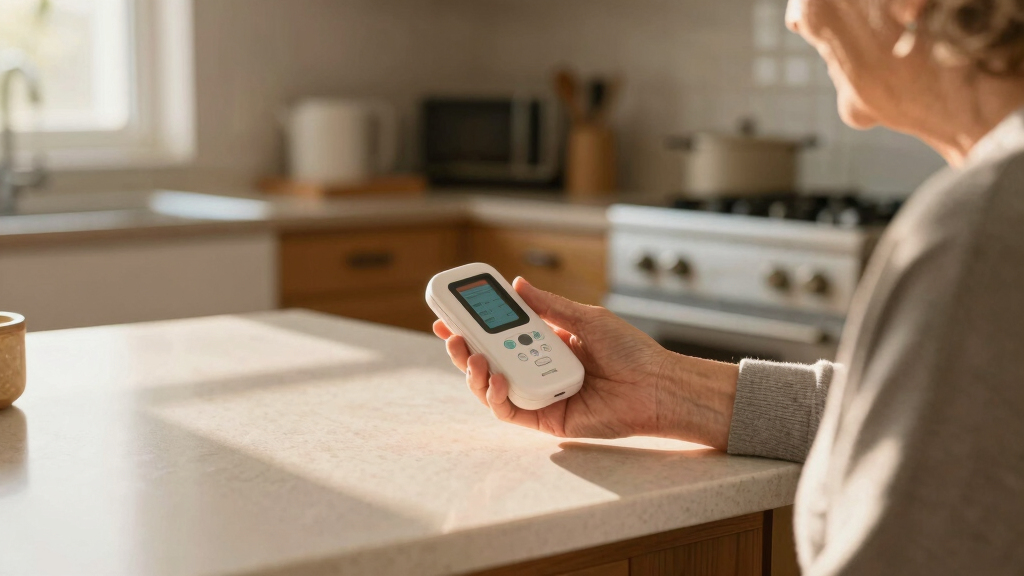
Power outages can strike unexpectedly, leaving vulnerable individuals without critical support. If you rely on a medical alert system, knowing it can work when the power’s out is crucial. Backup batteries are your safety net, but only if they’re in good shape. This guide walks you through what to check, how often, and what recent tech trends mean for your peace of mind.
Imagine your loved one falls during a blackout, and their alert system can’t connect because the backup battery died last month. Avoid that scenario by understanding what to look for now. Ready to make sure your system stays reliable, no matter the storm?
Regularly test and replace backup batteries every 6-12 months to prevent failures during outages.
Most alert system batteries last between 12 and 36 hours—plan for longer outages accordingly.
Cellular-based alert systems tend to be more reliable during power failures because they don’t depend on landlines or Wi-Fi.
Upgrade options, like adding external backup batteries or connecting to home generators, can boost reliability.
Always have a manual emergency plan ready if your system unexpectedly fails during a blackout.
Power Outages and Medical Alert Systems: Backup Batteries and What to Check
TL;DR: Backup batteries keep medical alert systems operational when the lights go out, but only when they are charged, healthy, and tested. Most systems offer roughly 12 to 36 hours of backup power, so monthly checks, timely replacements, reliable connectivity, and a manual emergency plan are essential.
Most medical alert backup batteries last between 12 and 36 hours, depending on device type and usage.
Replace backup batteries on the manufacturer schedule, commonly every 6 to 12 months.
A backup battery is not a set-it-and-forget-it feature. It is part of the emergency plan.
Run a system test every month or ask the provider to verify signal and battery status.
Industry guidance increasingly points to at least a full day of backup coverage.
Without backup power, many alert systems may become inoperative during an outage.
Cellular systems are usually less dependent on home Wi-Fi or landline power.
The five checks that prevent blackout surprises
Power failures turn small maintenance gaps into real safety risks. These checks focus on the parts most likely to fail quietly before anyone notices.
Battery level
Confirm the backup battery is comfortably above 50 percent. A low battery can fail before an extended outage ends.
Battery condition
Look for swelling, leaks, corrosion, loose contacts, or unusual heat. These are warning signs that replacement is overdue.
Connectivity
Test whether the alert can still connect through cellular, Wi-Fi, or landline during simulated power loss.
Firmware updates
Keep device software current so battery management, notifications, and connection handling work properly.
Physical wear
Inspect the base unit, pendant, charging cradle, cables, and battery compartment for damage or loose fittings.
Manual fallback
Keep emergency contacts updated and make sure the user knows what to do if the alert system does not connect.
How to test and replace backup batteries
A few minutes of routine testing can make the difference between a working alert and a silent failure during the next storm.
Run test mode
Use the device test button or contact the provider to confirm the alert signal reaches monitoring support.
Read indicators
Check warning lights, low-battery messages, app alerts, and any audible status notices.
Replace on schedule
Use manufacturer-approved batteries and replace them every 6 to 12 months or sooner if flagged.
Verify again
After replacement, run a second connection test so the system is confirmed ready.
Backup power windows are short enough to plan around
Most systems can cover a brief outage. Longer outages require a stronger plan: spare batteries, external backup power, a UPS, generator support, or nearby assistance.
Battery charge threshold
For outage readiness, treat anything below 50 percent as a prompt to recharge, troubleshoot, or replace. Longer outages leave little margin.
Connection resilience
Cellular-based systems usually hold up better during home power failures because they do not depend on powered Wi-Fi routers or landline equipment.
Battery-powered vs. UPS-connected alert systems
Both approaches can work. The right choice depends on outage length, setup tolerance, budget, and how much redundancy the household needs.
| Feature | Battery-powered systems | UPS-connected systems | Readiness signal |
|---|---|---|---|
| Power source | Built-in or external batteries. | Connected to an uninterruptible power supply. | ~ Check capacity |
| Outage reliability | Depends on battery health and replacement schedule. | More reliable for longer outages if UPS is maintained. | ✓ Stronger backup |
| Setup complexity | Simple, often plug-and-play. | Requires UPS installation and periodic UPS battery checks. | ~ More setup |
| Cost profile | Lower upfront cost with ongoing battery replacements. | Higher initial cost, often more robust during severe weather. | ~ Budget tradeoff |
| Neglect risk | Can fail if batteries degrade unnoticed. | Can fail if the UPS itself is old or overloaded. | ✗ Never skip tests |
Backup power is getting smarter
Newer systems are moving from passive backup batteries toward monitored, connected safety infrastructure.
Longer backup life
Improved lithium-ion designs can support longer backup windows, with some systems reaching up to 36 hours.
Caregiver visibility
Apps can show battery status, connection health, and alerts before a failure becomes an emergency.
Automatic fallback
Some systems can coordinate with generators or home automation to maintain power during outages.
24-hour expectations
Industry guidance increasingly emphasizes minimum backup duration and dependable emergency operation.
From outage to assistance
Each link matters. A single weak point can break the path between a fall, a signal, and timely help.
Outage
Power drops unexpectedly during a storm or grid event.
Battery
Backup power keeps the base unit or device alive.
Signal
Cellular, Wi-Fi, or landline connection sends the alert.
Response
Monitoring center or contacts receive the emergency call.
Help
Caregiver, neighbor, or emergency services can act quickly.
How often should batteries be checked?
Check monthly and replace every 6 to 12 months, or sooner if the manufacturer or device alert recommends it.
What if the outage lasts longer?
Use a manual emergency plan, keep a charged mobile phone nearby, arrange neighbor support, and consider a UPS or generator.
Why Backup Batteries Matter More Than You Think
Medical alert systems depend on backup batteries to stay active when the power cuts out. Without them, even the best device can become useless. Battery life varies—some last only 12 hours, others up to 36. If your system isn’t checked regularly, you might find it failing exactly when you need it most.
For example, during a recent storm, a senior’s alert system went offline because the backup battery was dead. She was unable to call for help during her fall, highlighting how critical proper maintenance is. Think of backup batteries as the unsung heroes that keep your safety network intact.
Understanding the importance of backup batteries isn’t just about avoiding inconvenience; it’s about ensuring life-saving support is available exactly when needed. A failing backup can mean the difference between prompt assistance and a dangerous delay. Therefore, the implications of neglecting battery maintenance extend beyond inconvenience—they directly impact safety and health outcomes.
Popular right now

Ninja CREAMi 7-in-1 Ice Cream Maker, NC299AMZ

De'Longhi Rivelia Automatic Espresso Machine with Milk Frother

Samsung 85-Inch QN70H Neo QLED 4K Smart TV (2026)
As an affiliate, we earn on qualifying purchases.
What to Check on Your Medical Alert Backup Power System
Regular checks can prevent surprises. Here’s what to look for:
- Battery charge levels: Make sure they’re above 50% for longer outages. Low batteries can unexpectedly fail, leaving you unprotected when it matters most.
- Battery health: Look for signs of swelling, corrosion, or leaks. These issues can indicate imminent failure and may cause damage to your device or reduce its effectiveness.
- Device connectivity: Test if the alert connects via cellular or Wi-Fi during power loss. A system that loses connectivity during outages defeats its purpose, so ensure that connection methods are reliable.
- Firmware updates: Keep software current for optimal performance. Outdated firmware can impair battery management and device responsiveness, compromising safety.
- Physical condition: Check for damage or wear on the device. Physical deterioration can signal internal issues that impair battery performance or device reliability.
For instance, a caregiver discovered her mother’s device had a low battery during a routine check. Replacing the battery promptly prevented a potential failure during an emergency. Regular inspections are a proactive way to maintain system integrity and ensure readiness for unexpected power outages, ultimately reducing the risk of system failure at critical moments.
How to Test and Replace Backup Batteries—Step-by-Step
Testing your backup batteries is easier than you think. Here’s a simple process:
- Perform a monthly test: Use your device’s test mode or contact your provider for a check. Regular testing confirms the system’s readiness and helps catch issues early.
- Check battery indicators: Look for warning lights or messages. These alerts often signal that a battery is nearing the end of its useful life, prompting timely replacement.
- Replace batteries if needed: Use manufacturer-approved batteries, typically every 6-12 months. Consistent replacement prevents unexpected failures during outages and maintains system reliability.
- Verify connection after replacement: Test the system to ensure it’s working properly. Confirming proper operation post-replacement guarantees that the system will function when needed.
Imagine replacing a battery in just a few minutes and knowing your system will work during the next blackout. This proactive approach minimizes the risk of system failure when emergencies occur, providing peace of mind and ensuring safety during power failures.
Comparison: Battery-Powered vs. UPS-Connected Alert Systems
| Feature | Battery-Powered Systems | UPS-Connected Systems |
|---|---|---|
| Power source | Built-in or external batteries | Connected to an Uninterruptible Power Supply (UPS) |
| Reliability during outages | Depends on battery health; batteries can degrade over time, risking failure if not replaced | More reliable, as UPS provides continuous power and can support longer outages, reducing the risk of system failure |
| Setup complexity | Simple, plug-and-play | Requires installation of UPS, which can be more involved and may need professional setup |
| Cost | Lower, ongoing battery replacements | Higher initial setup cost, but offers longer-lasting power and greater reliability during extended outages |
Choosing between these depends on your needs. For most, regular battery checks and timely replacements are sufficient to ensure safety. However, if you live in an area prone to extended blackouts or severe storms, investing in a UPS can provide a more robust backup, giving you peace of mind during prolonged outages at the expense of higher initial costs and setup complexity.
Recent Tech Trends Making Backup Power Smarter and Safer
Emerging technologies are transforming backup batteries from simple power sources into intelligent, highly reliable components. Lithium-ion batteries now offer longer-lasting performance—up to 36 hours in some cases—reducing the frequency of replacements and increasing safety margins during outages. These batteries also tend to be more resilient to temperature fluctuations and wear, which means fewer failures and more dependable operation.
Furthermore, many systems now include remote monitoring via smartphone apps, allowing caregivers or users to check battery status in real-time. This proactive approach means issues can be addressed before failure occurs, rather than reacting after a system failure during an outage. Integration with smart home systems and backup generators further enhances reliability: during an outage, these systems can automatically activate backup power sources, ensuring continuous operation without manual intervention. Industry standards are evolving to recommend minimum backup durations of 24 hours, reflecting a focus on safety and preparedness. These technological advances mean that backup power is no longer a passive backup but an integrated, intelligent part of your safety network, offering peace of mind and reducing the risk of unexpected failures.
Frequently Asked Questions
How often should I check or replace the backup batteries in my alert system?
Most experts recommend checking batteries monthly and replacing them every 6 to 12 months, depending on the device and manufacturer guidelines. Regular testing ensures your system stays ready for unexpected outages.
What if my alert system’s backup battery is low or not working during an outage?
If you notice low battery warnings, replace the batteries immediately and test the system afterward. If problems persist, contact your provider for assistance. Keeping spare batteries handy is a smart move.
Are cellular alert systems more reliable during power outages?
Yes, because cellular systems operate independently of landlines and Wi-Fi, making them more resilient during power failures. They often provide better coverage during outages, especially in areas prone to blackouts.
How long do backup batteries typically last during an outage?
Most backup batteries last between 12 and 36 hours, but this depends on the device’s power draw and usage. Regular testing helps you understand your system’s actual endurance during emergencies.
Can I upgrade my existing system to improve backup power reliability?
Many providers offer options to add external backup batteries or connect to home backup generators. Upgrading can extend your system’s uptime and give you extra peace of mind during long outages.
Conclusion
Backup batteries are the silent safety net for your medical alert system. Regular checks, quick replacements, and awareness of tech upgrades keep you protected when power lines go dark. Remember: staying prepared isn’t just about gadgets; it’s about peace of mind when it matters most.
Keep your batteries charged, your plan clear, and your safety network strong. The next blackout could happen tomorrow—are you ready?